
VRURC T3016
VRURC 30000mAh USB C Power Bank User Manual
Model: T3016
1. Introduction
Thank you for choosing the VRURC 30000mAh USB C Power Bank. This high-capacity portable charger is designed to keep your devices powered on the go, featuring fast charging capabilities and multiple output ports for convenience. Please read this manual carefully to ensure proper use and maintenance of your power bank.

Image: The VRURC 30000mAh USB C Power Bank, showcasing its sleek black design and included charging cables.
2. Package Contents
Please check the package contents upon unboxing:
- VRURC 30000mAh USB C Power Bank (Model T3016)
- USB-A to USB-C Charging Cable
- User Manual
3. Product Features
3.1. High Capacity
Equipped with a massive 30000mAh battery, capable of charging an iPhone 14 up to 6 times or a Samsung Galaxy S22 up to 5.2 times. Ideal for extended trips and multiple device charging.
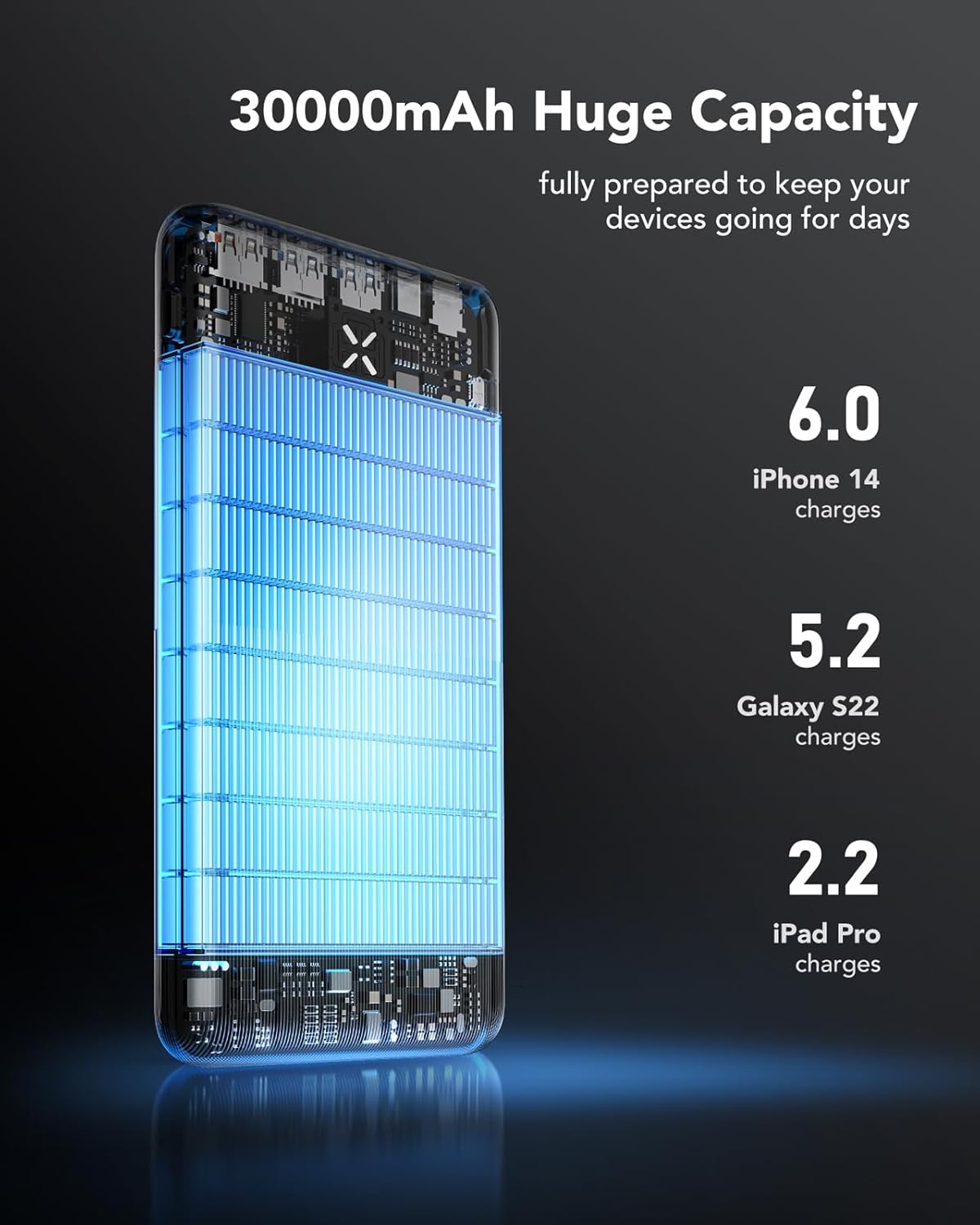
Image: Visual representation of the 30000mAh capacity, indicating it can provide 6.0 iPhone 14 charges, 5.2 Galaxy S22 charges, and 2.2 iPad Pro charges.
3.2. 22.5W Fast Charging
Supports up to 22.5W fast charging, allowing your smartphone to reach 65% charge in approximately 30 minutes, significantly faster than standard power banks.

Image: A visual comparison demonstrating the 22.5W fast charging capability, achieving 60% charge in 30 minutes compared to 30% for other power banks.
3.3. Multiple Ports
Features 4 output ports (USB 1/2 15W, USB 3 QC 3.0 22.5W, USB C QC/PD 3.0 20W) and 3 input ports (Micro USB, USB-C, compatible iPhone) for versatile charging and recharging options.
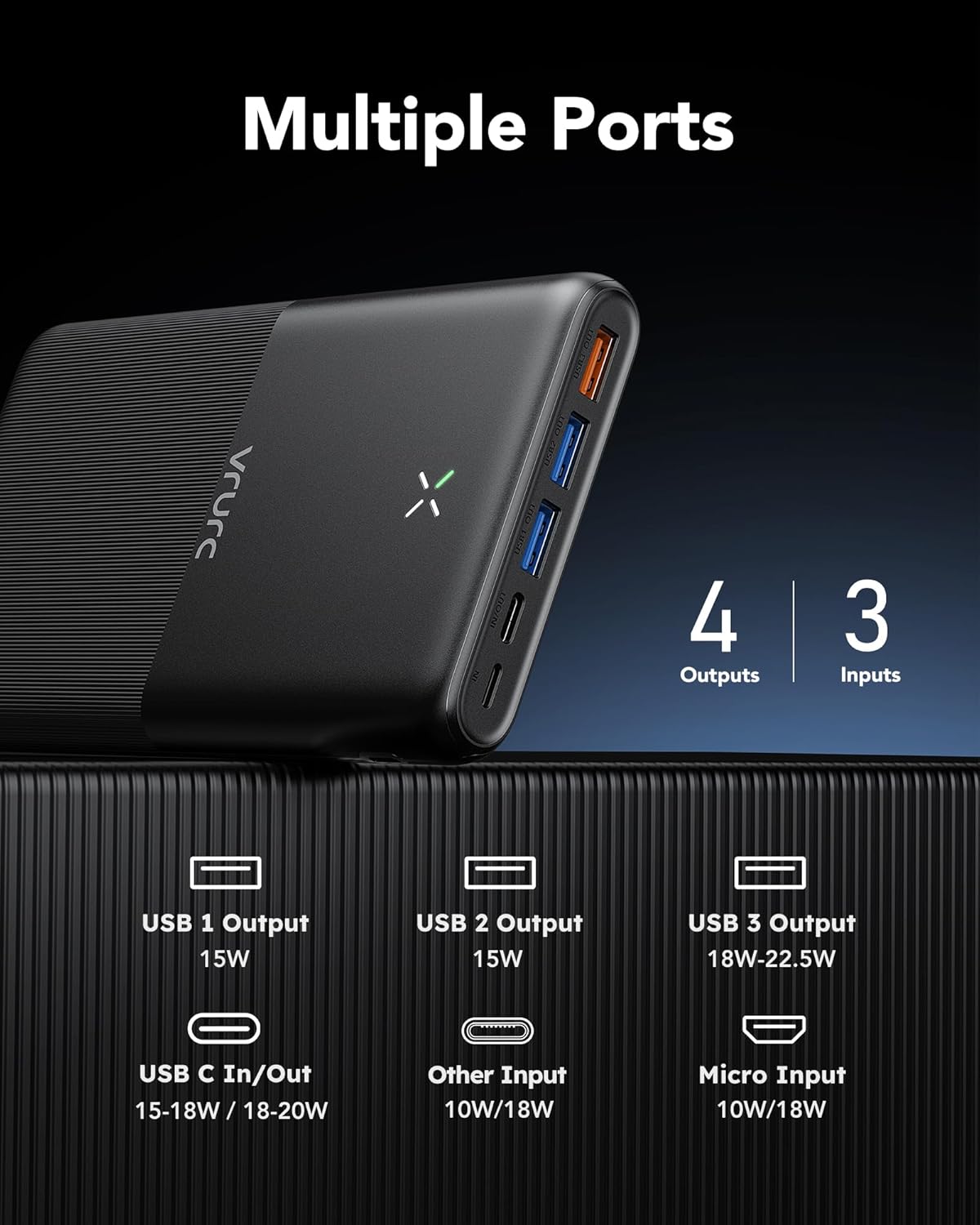
Image: Detailed diagram illustrating the power bank's 4 output ports (USB 1, USB 2, USB 3, USB C) and 3 input ports (USB C, Other Input, Micro Input) with their respective wattages.

Image: A comprehensive diagram highlighting the power bank's 3 input and 4 output ports, detailing their types and power delivery capabilities.
3.4. Compact and Slim Design
Despite its large capacity, the power bank is designed to be slim (2.03 cm thickness) and lightweight (476g), making it easy to carry in any bag or pocket.

Image: A visual comparison demonstrating the VRURC power bank's thinner profile compared to other 30000mAh power banks.
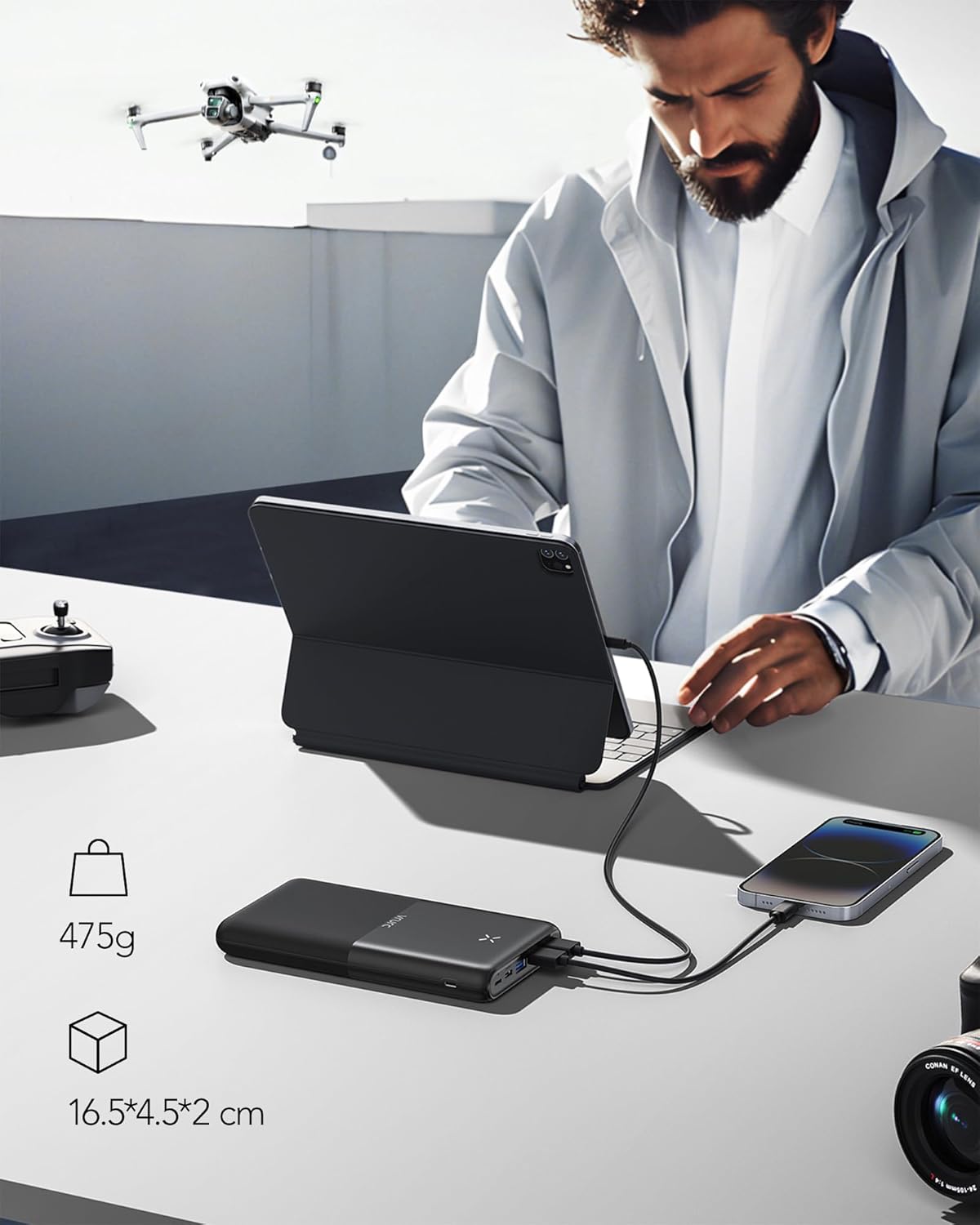
Image: The power bank's weight (475g) and dimensions (16.5 x 4.5 x 2 cm) are displayed, emphasizing its portability.
3.5. Wide Compatibility
Compatible with a broad range of devices including smartphones (iPhone, Samsung), tablets, drones, and earphones.

Image: An illustration showcasing the wide compatibility of the power bank with various devices such as phones, tablets, drones, and earphones.
4. Setup and Initial Use
4.1. Charging the Power Bank
Before first use, fully charge the power bank. Connect the included USB-A to USB-C cable to the power bank's USB-C input port and plug the other end into a compatible USB wall charger (not included). The power display will indicate charging progress.
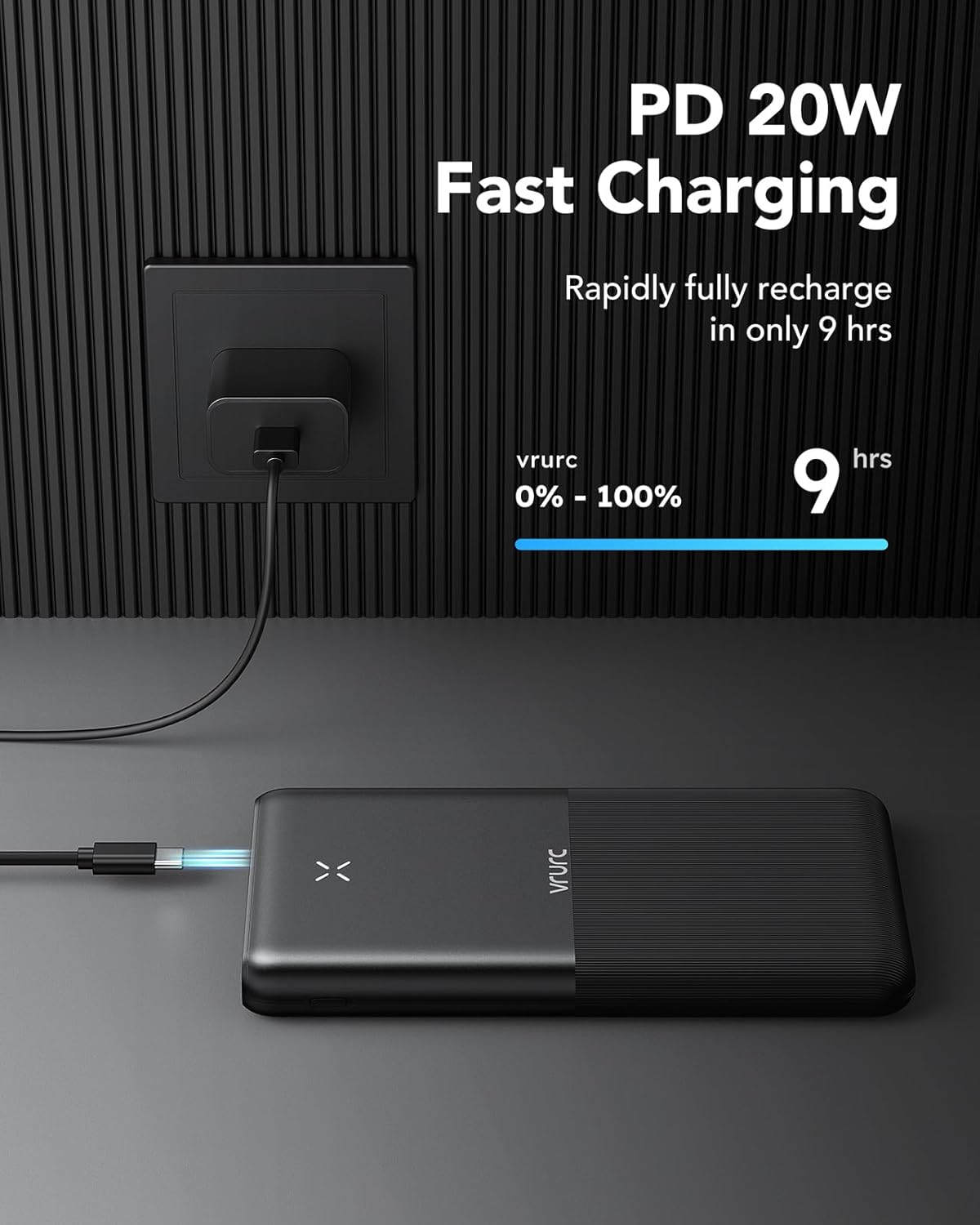
Image: The power bank connected to a wall charger, illustrating that a full recharge from 0% to 100% takes approximately 9 hours with PD 20W fast charging.
4.2. Checking Battery Level
The power bank features an LED display to show the remaining battery percentage. Simply press the power button once to activate the display.

Image: A visual guide to the power display, showing different icons representing 100%, 75%, 50%, and 25% battery levels.
5. Operating Instructions
5.1. Charging Your Devices
Connect your device to one of the power bank's output ports using a compatible charging cable. The power bank will automatically begin charging your device.
5.2. Charging Multiple Devices Simultaneously
The power bank can charge up to 4 devices simultaneously using its various output ports. Connect each device to an available port.

Image: The power bank actively charging four different devices at once, including a tablet, a smartphone, a drone, and wireless earbuds, demonstrating its multi-device charging capability.
5.3. Fast Charging Considerations
For optimal fast charging performance, ensure that both your charging cable and the device you are charging are compatible with QC (Quick Charge) and PD (Power Delivery) standards. Using non-compatible cables or devices may result in slower charging speeds.
6. Maintenance
- Keep the power bank away from extreme temperatures, direct sunlight, and humid environments.
- Avoid dropping or subjecting the power bank to strong impacts.
- Clean the surface with a soft, dry cloth. Do not use harsh chemicals or abrasive materials.
- If storing for a long period, charge the power bank to about 50-75% capacity and recharge every 3-6 months to maintain battery health.
7. Troubleshooting
- Power Bank Not Charging:
- Ensure the charging cable is securely connected to both the power bank and the wall adapter.
- Verify that the wall adapter is functioning correctly and providing sufficient power.
- Try a different charging cable or wall adapter.
- Device Not Charging from Power Bank:
- Check if the power bank has sufficient charge.
- Ensure the charging cable connecting the device to the power bank is not damaged and is securely connected.
- Try a different output port on the power bank.
- Test with a different device to rule out device-specific issues.
- Slow Charging:
- Ensure both the cable and the device support fast charging standards (QC/PD).
- Avoid charging multiple devices simultaneously if you require maximum speed for one device.
- Check if the power bank itself is fully charged.
8. Specifications
| Feature | Specification |
|---|---|
| Brand | VRURC |
| Model Name | T3016 |
| Battery Capacity | 30000mAh |
| Type of Connector | USB Type C |
| Color | Noir (Black) |
| Special Feature | 30000mAh Large Capacity, QC 22.5W & PD 20W Fast Charging, 4 Outputs & 3 Inputs, Compact & Slim |
| Voltage | 3.7 Volts |
| Battery Composition | Lithium-polymer |
| Recommended Uses | Phone, Smartphone |
| Power Source | Cable Electric |
9. Safety Information
The VRURC Power Bank is equipped with multiple protection features to ensure safe operation:
- Overcharge Protection: Prevents the battery from being overcharged.
- Overvoltage Protection: Safeguards against excessive voltage input.
- Overcurrent Protection: Protects against excessive current flow.
- Short-circuit Protection: Prevents damage from short circuits.
General Safety Precautions:
- Do not disassemble, modify, or repair the device yourself.
- Do not expose the power bank to fire or water.
- Keep out of reach of children.
- Dispose of the power bank responsibly according to local regulations.
10. Warranty and Support
VRURC products come with a standard warranty. For any questions, technical support, or warranty claims, please do not hesitate to contact VRURC customer service through the platform where you purchased the product. Our support team is ready to assist you.
Related documentsT3016


Ask a question about this manual
Ask about setup, troubleshooting, compatibility, parts, safety, or missing instructions. Manuals+ will review the question and use this page’s manual context to help answer it.