
Zstar IB01
Zstar Countertop Ice Maker Machine IB01
User Manual
Introduction
This manual provides essential instructions for the safe operation, installation, maintenance, and troubleshooting of your Zstar Countertop Ice Maker Machine, model IB01. Please read this manual thoroughly before using the appliance and retain it for future reference.
Important Safety Instructions
- Ensure the ice maker is placed on a stable, level surface away from direct sunlight and heat sources.
- Do not immerse the appliance, power cord, or plug in water or other liquids.
- Supervise children when the appliance is in use.
- Use only potable water in the water reservoir.
- Unplug the ice maker before cleaning or when not in use for extended periods.
- Do not operate the appliance with a damaged cord or plug. Contact customer service for repairs.
- Ensure adequate ventilation around the unit. Maintain at least 5 inches of space around the sides and back.
Product Components
The Zstar Countertop Ice Maker Machine IB01 includes the following components:
- Ice Maker Unit
- Ice Basket
- Ice Scoop
- User Manual (this document)
Key parts of the ice maker include the water reservoir, ice basket, control panel with LCD screen, and transparent lid.

Image: The Zstar Countertop Ice Maker Machine IB01, shown with an ice scoop and a glass of iced orange juice, highlighting its compact design and included accessories.
Setup
- Unpacking: Carefully remove the ice maker from its packaging. Remove all packing materials, including tape and labels.
- Placement: Place the ice maker on a flat, stable, and heat-resistant surface. Ensure there is at least 5 inches (12.7 cm) of clear space around the unit for proper ventilation. Avoid placing it near heat sources or in direct sunlight.
- Initial Cleaning: Before first use, clean the interior of the ice maker. Refer to the "Maintenance" section for detailed cleaning instructions.
- Power Connection: Plug the power cord into a grounded electrical outlet.
- Adding Water: Open the transparent lid and fill the water reservoir with potable water up to the MAX fill line. Do not overfill. The reservoir capacity is 2.8 liters.
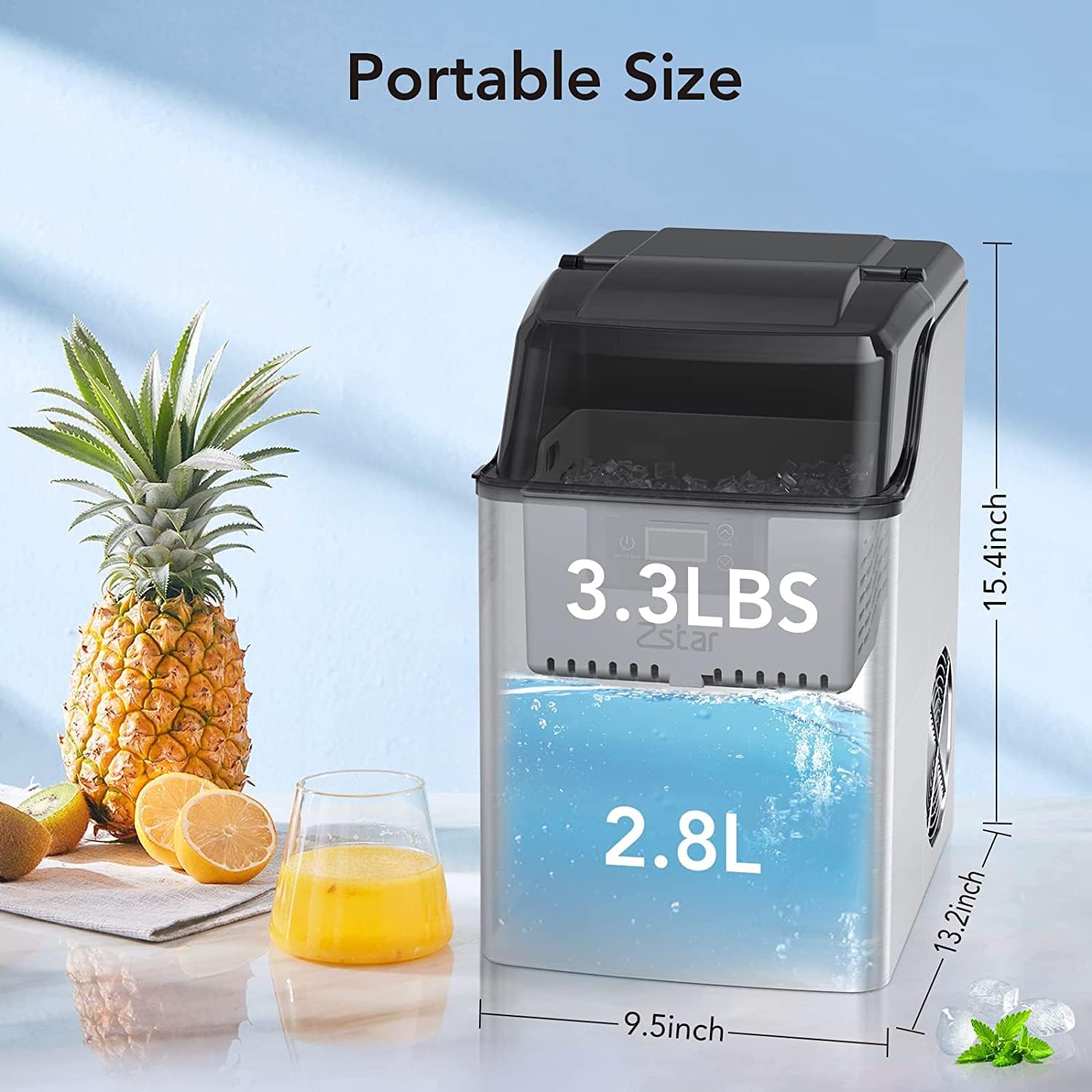
Image: The Zstar Ice Maker displaying its dimensions (13.2"D x 9.5"W x 15.4"H) and indicating the 3.3 lbs ice basket capacity and 2.8 L water reservoir capacity.
Operating Instructions
Follow these steps to operate your Zstar Ice Maker:
- Power On: Press the ICE/CLEAN button on the control panel to turn on the ice maker.
- Ice Production: The machine will begin the ice-making cycle. The first batch of ice typically takes 10-15 minutes. The unit can produce up to 44 pounds of ice in 24 hours.
- Monitoring Ice: The transparent lid allows you to observe the ice production.
- Smart Indicators:
- "Ice Full" Indicator: A symbol will flash on the LCD screen when the ice basket is full. The machine will pause operation until ice is removed.
- "Water Shortage" Indicator: A symbol will flash on the LCD screen when the water reservoir is low. Add more potable water to resume ice production.
- Timer Function: The unit may feature a timer function to schedule ice making. Refer to the control panel for specific timer settings.
- Water Recycling: Melted ice from the basket will drain back into the water reservoir to be re-frozen, minimizing water waste.
- Power Off: Press the ICE/CLEAN button again to turn off the ice maker.

Image: The Zstar Ice Maker's control panel, illustrating the "Water Shortage" and "Ice Full" indicators that alert the user to refill water or empty the ice basket.

Image: A visual guide demonstrating the simple steps to make ice: adding water to the reservoir, pressing the "ICE" button, and enjoying fresh ice in 10-15 minutes.
Maintenance
Regular cleaning and maintenance ensure optimal performance and longevity of your ice maker.
- Self-Cleaning Function: The ice maker is equipped with an auto self-cleaning function. To activate, press and hold the ICE/CLEAN button for a few seconds (refer to the specific instructions on the control panel if different). This cycle will circulate water through the system to clean internal components.
- Draining Water: To completely drain the water reservoir, locate the drain plug at the bottom of the unit. Place a container beneath the drain plug, remove the plug, and allow all water to empty. Reinsert the drain plug securely after draining.
- Exterior Cleaning: Wipe the exterior of the ice maker with a soft, damp cloth. Do not use abrasive cleaners or solvents.
- Interior Cleaning (Manual): For a more thorough cleaning, especially if the self-cleaning function is insufficient or if mineral deposits build up:
- Unplug the unit.
- Remove the ice basket.
- Clean the interior surfaces, including the water reservoir and ice-making components, with a mild detergent and warm water. Rinse thoroughly with clean water.
- Ensure all detergent residue is removed before refilling with water.
- Storage: If storing the ice maker for an extended period, ensure it is completely drained and dry. Store in a cool, dry place.
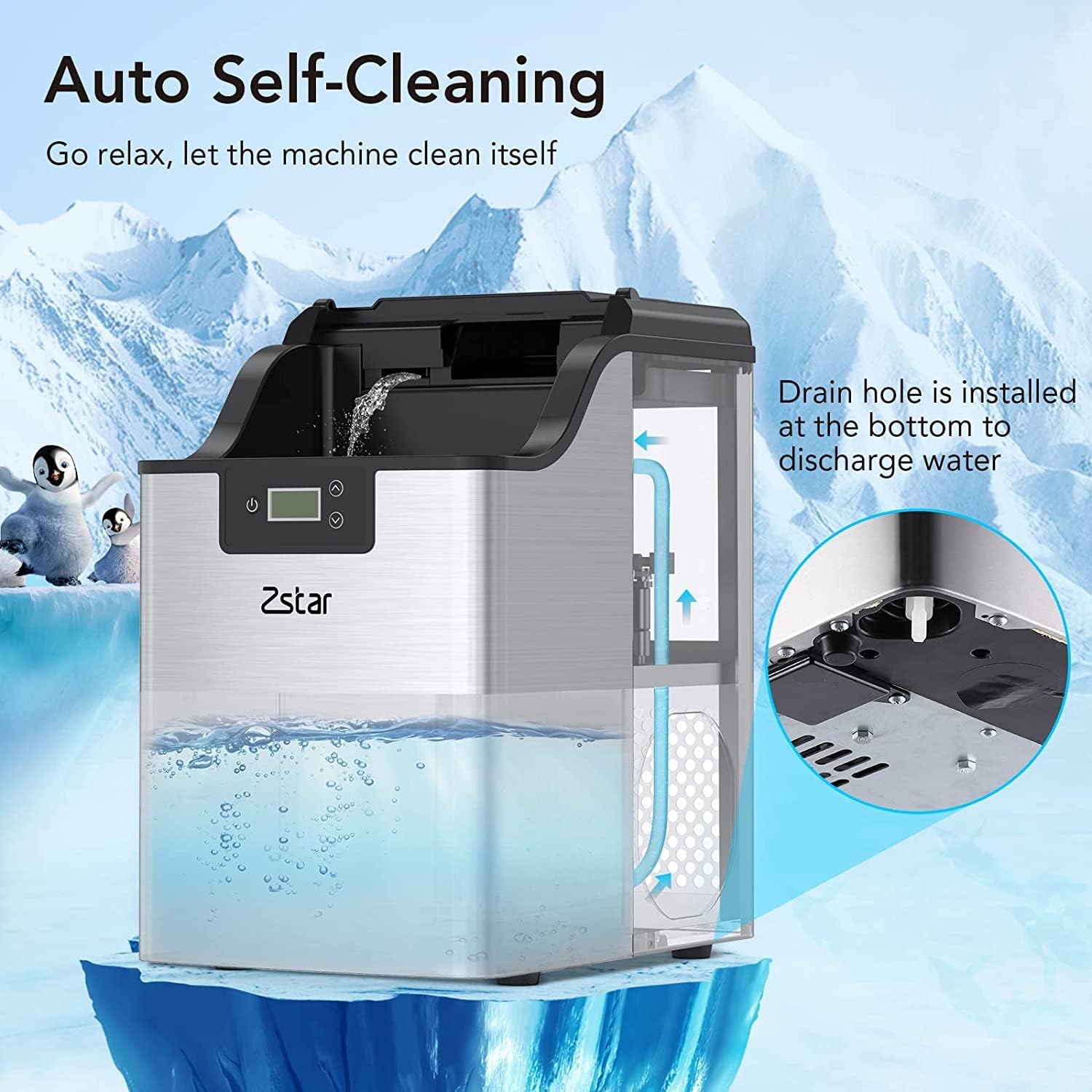
Image: The Zstar Ice Maker illustrating its auto self-cleaning process and the location of the drain hole at the bottom for water discharge.
Troubleshooting
If you encounter issues with your Zstar Ice Maker, refer to the following common problems and solutions:
| Problem | Possible Cause | Solution |
|---|---|---|
| Ice maker not producing ice. |
|
|
| "Water Shortage" indicator flashing. | Insufficient water in the reservoir. | Add potable water to the reservoir up to the MAX fill line. |
| "Ice Full" indicator flashing. | Ice basket is full. | Remove ice from the basket. The machine will resume operation. |
| Unusual noise during operation. |
|
|
If the problem persists after attempting these solutions, please contact Zstar customer support for further assistance.
Specifications
| Feature | Detail |
|---|---|
| Brand | Zstar |
| Model Name | Ice Maker831 (Internal Model: IB01) |
| Product Dimensions (D x W x H) | 13.2" x 9.5" x 15.4" |
| Ice Production Capacity | Up to 44 lbs per 24 hours |
| Water Reservoir Capacity | 2.8 Liters (3 Qt) |
| Ice Basket Capacity | 3.3 lbs |
| Voltage | 115 Volts |
| Refrigerant | R600a |
| Item Weight | 30.9 pounds |
| Installation Type | Countertop |
| UPC | 196336726797 |
Warranty and Support
For warranty information or technical support, please contact Zstar customer service. Refer to the product packaging or the official Zstar website for contact details.
Related documentsIB01

Ask a question about this manual
Ask about setup, troubleshooting, compatibility, parts, safety, or missing instructions. Manuals+ will review the question and use this page’s manual context to help answer it.