
1. Introduction
This manual provides detailed instructions for the assembly, operation, and maintenance of your Unineo 59 Inch LED TV Stand with 3-Side Glass Fireplace. Please read all instructions carefully before assembly and use to ensure safe and efficient operation of the product. Keep this manual for future reference.
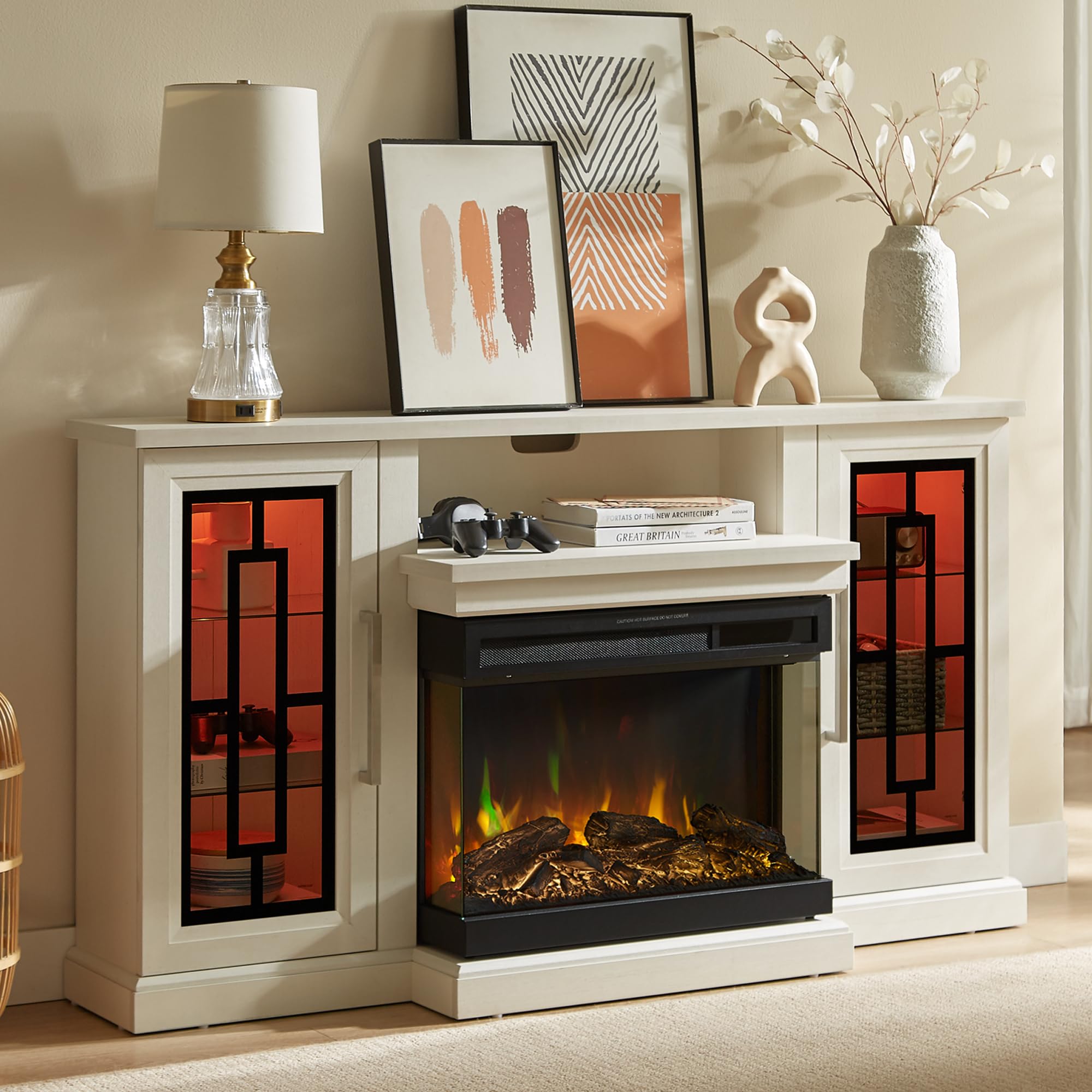
Image 1.1: The Unineo 59 Inch LED TV Stand with 3-Side Glass Fireplace, showcasing its design and integrated electric fireplace.
2. Safety Information
WARNING: To reduce the risk of fire, electric shock, or injury, observe the following:
- Read all instructions before using this appliance.
- This appliance is hot when in use. To avoid burns, do not let bare skin touch hot surfaces. Keep combustible materials, such as furniture, pillows, bedding, papers, clothes, and curtains at least 3 feet (0.9 m) from the front of the heater and keep them away from the sides and rear.
- Extreme caution is necessary when any heater is used by or near children or invalids and whenever the heater is left operating and unattended.
- Do not operate any heater with a damaged cord or plug or after the heater malfunctions, has been dropped or damaged in any manner.
- Do not run cord under carpeting. Do not cover cord with throw rugs, runners, or similar coverings. Arrange cord away from traffic area and where it will not be tripped over.
- Always plug heaters directly into a wall outlet/receptacle. Never use with an extension cord or relocatable power tap (outlet/power strip).
- This TV stand and fireplace unit will be shipped in two separate packages, which may arrive at different times. Ensure both packages are received before beginning assembly.
3. Setup & Assembly
The TV stand and fireplace unit are designed for straightforward assembly. Two people are recommended for faster and safer assembly. No electrician is required; the unit is a simple plug-in design.
3.1. Package Contents
Verify all components are present and undamaged before beginning assembly. Each piece of the TV console is numbered for easy identification.

Image 3.1: Product dimensions and shipping information, noting the unit arrives in two packages.
3.2. Assembly Steps
- Unpacking: Carefully unpack all components from both boxes. Lay them out on a clean, soft surface to prevent scratches.
- Identify Parts: Match each part to the corresponding number in the assembly instructions.
- Assemble Frame: Follow the step-by-step diagrams to assemble the main frame of the TV stand.
- Install Glass Shelves: The glass shelves in the side cabinets are adjustable. Insert the shelf pins at the desired height and place the glass shelves securely. These shelves can hold up to 20 lbs.
- Install Fireplace Insert: Carefully slide the 24-inch electric fireplace insert into the central opening of the TV stand. Ensure it is seated correctly.
- Attach Doors: Secure the barn-style doors to the side cabinets using the provided quiet hinges. Adjust hinges as needed for proper alignment.
- Connect LED Strip: Install the RGB LED strip as per the separate LED instruction guide.
- Placement: Position the assembled TV stand in its desired location. The sturdy top can hold TVs up to 65 inches and supports a weight of up to 120 lbs.

Image 3.2: Overhead view illustrating the spacious tabletop storage and weight capacity of the TV stand.

Image 3.3: Detailed view of the media equipment shelf dimensions.

Image 3.4: Illustration of the adjustable glass shelves within the side cabinets.
4. Operating Instructions
The Unineo TV stand features an integrated electric fireplace and RGB LED strip lighting, both controllable via a single remote or touch controls on the fireplace unit.
4.1. Electric Fireplace Operation
The 24-inch panoramic fireplace features a 3-sided tempered glass display, offering a clear view of the flames from multiple angles. It includes 12 flame colors, 13 log ember colors, 5 flame speed settings, and 5 flame brightness levels.

Image 4.1: Fireplace control panel and examples of different flame and log ember color combinations.
4.1.1. Heater Function
- The fireplace includes a 1500W infrared heater.
- Set the thermostat between 60°F and 99°F. The heater can warm rooms up to 1000 sq ft.
- A timer function allows setting operation from 0.5 to 12 hours.
- The unit features a child lock and overheat protection for safety.
- The heater can be turned off while the flame effects remain active for year-round use.
4.2. LED Spot Light Operation
The TV cabinet includes an RGB LED strip with 13 selectable color modes. These lights can be operated separately from the fireplace.

Image 4.2: Remote control for the LED lights and examples of the 13 color modes in the side cabinets.
4.3. Remote Control
A single remote control operates both the fireplace functions (flame, heat, timer) and the LED lights. Refer to the remote control diagram in the separate LED instruction guide for specific button functions.
Video 4.1: Official product video demonstrating the features of the Unineo 3-Side Fireplace TV Stand, including LED lighting and fireplace effects.
5. Maintenance
Regular maintenance ensures the longevity and optimal performance of your TV stand and fireplace.
- Cleaning: Dust the exterior surfaces with a soft, dry cloth. For the glass panels, use a non-abrasive glass cleaner. Ensure the unit is unplugged before cleaning.
- Fireplace Interior: Periodically inspect the fireplace interior for any debris. Do not attempt to clean the internal electrical components.
- Ventilation: Ensure the heater's air intake and exhaust vents are clear of obstructions to prevent overheating.
- Cord Inspection: Regularly check the power cord for any signs of damage. If damaged, discontinue use and contact customer support.
6. Troubleshooting
If you encounter issues with your Unineo TV stand or fireplace, refer to the following common problems and solutions:
| Problem | Possible Cause | Solution |
|---|---|---|
| Fireplace does not turn on. | No power, power switch off, remote battery low. | Check power outlet, ensure main power switch is on, replace remote batteries. |
| Heater not producing heat. | Thermostat setting too low, overheat protection activated. | Increase thermostat setting. Unplug unit for 5 minutes to reset overheat protection. Ensure vents are clear. |
| LED lights not working. | Power connection loose, remote battery low. | Check LED strip power connection. Replace remote batteries. |
| Doors are misaligned. | Hinges need adjustment. | Adjust the screws on the door hinges to align the doors. |
If the problem persists after attempting these solutions, please contact customer support.
7. Specifications
| Feature | Detail |
|---|---|
| Brand | Unineo |
| Model Name | Unineo 59 Inch LED TV Stand with 3-Side Glass Fireplace |
| Product Dimensions | 15.75"D x 58.27"W x 29.92"H |
| Material | Engineered Wood |
| Finish Type | Brushed |
| Installation Type | Freestanding |
| Heat Output | 5100 British Thermal Units (BTU) |
| Heating Coverage | Up to 400 square feet |
| Special Features | 3-Side Fireplace, LED Spot Light, Adjustable Flame & LED Color, Remote Control |
| Fireplace Insert Size | 24 inches (Chamber Width) |
| TV Size Compatibility | Up to 65 Inch |
| Top Weight Capacity | 120 lbs |
| Shelf Weight Capacity | 33 lbs (15 kg) |
| Item Weight | 72.3 Pounds |
| Power Source | Corded Electric |
| Ventilation Type | Vent Free |
8. Warranty & Support
8.1. Warranty Information
This Unineo product comes with a limited warranty. Please refer to the warranty card included in your packaging for specific terms and conditions. The warranty typically covers manufacturing defects under normal use.
8.2. Customer Support
For any questions, missing parts, or issues not covered in this manual, please contact Unineo customer support through the retailer where the product was purchased. Please have your model number and purchase date available when contacting support.