
Thomson 32HD2S13
THOMSON 32HD2S13 LED HD Easy TV
User Manual
1. Introduction
Welcome to the user manual for your new THOMSON 32HD2S13 LED HD Easy TV. This television is designed to provide a simple and enjoyable viewing experience with its intuitive interface and versatile connectivity options.
Key features include a built-in triple tuner (DVB-C, DVB-S2, DVB-T2) for various reception types, a CI+ slot for encrypted programs, and an ergonomic remote control with backlit buttons for ease of use in any lighting condition. Enjoy multimedia content directly from USB with the integrated media player, and experience dynamic audio with Dolby Audio technology. The frameless design ensures an immersive picture, while flexible stand positions allow for perfect placement in your home.
2. Important Safety Information
Please read all safety instructions carefully before operating the TV. Keep this manual for future reference.
- Do not expose the TV to rain or moisture.
- Ensure proper ventilation around the TV. Do not block ventilation openings.
- Protect the power cord from being walked on or pinched.
- Only use attachments/accessories specified by the manufacturer.
- Unplug the TV during lightning storms or when unused for long periods.
- Refer all servicing to qualified service personnel.
3. Setup and Installation
3.1 Unpacking
Carefully remove the TV and all accessories from the packaging. Retain the packaging for future transport or servicing.
3.2 Attaching the Stand
The TV comes with a flexible stand design allowing for two different positions to best fit your furniture. Attach the stand feet securely to the designated slots at the bottom of the TV using the provided screws.
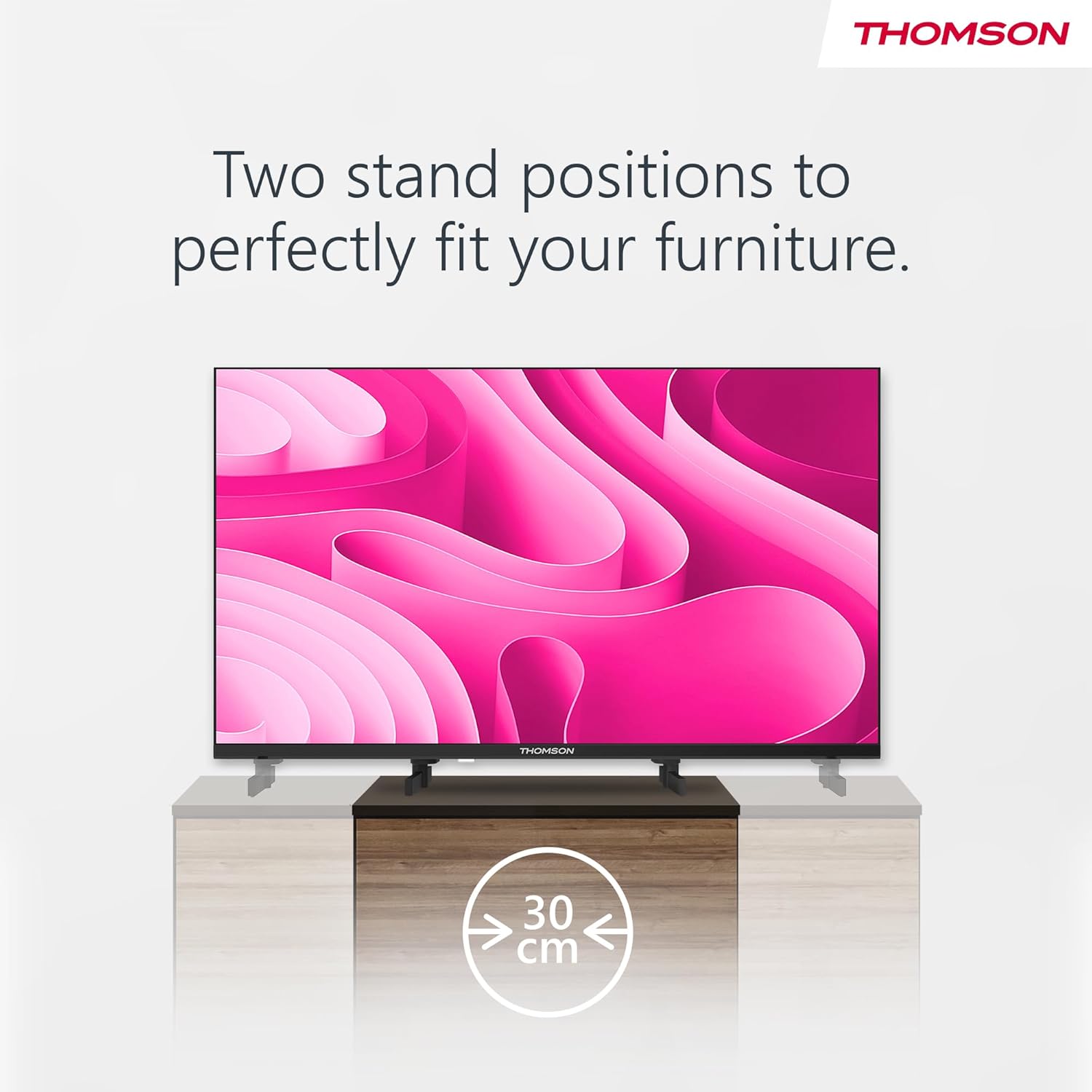
Illustration demonstrating the flexible stand design of the THOMSON TV, allowing for two different stand positions to accommodate various furniture sizes, including a compact 30 cm option.

Diagram illustrating the physical dimensions of the THOMSON 32-inch TV, including width, height with and without stand, and depth.
3.3 Connecting External Devices
Your TV offers multiple connection ports for various devices. Refer to the diagram below for port locations and types.

The back panel of the TV, clearly showing all available ports: 3x HDMI (1.4), Headphones, 2x USB (2.0), Digital Coaxial Audio Out, Satellite, Antenna, AV IN, and Common Interface (CI+) slot.
- HDMI: Connect Blu-ray players, game consoles, or set-top boxes.
- USB: Insert USB drives for multimedia playback.
- Antenna/Satellite: Connect your terrestrial or satellite antenna cable.
- AV IN: For older devices using composite video and stereo audio.
- CI+ Slot: Insert a CI+ module and smart card for encrypted channels.
- Headphones: Connect headphones for private listening.
- Audio Out (Digital Coaxial): For connecting to external audio systems.
3.4 First Time Setup
After connecting the power cable and turning on the TV, the initial setup wizard will guide you through language selection, country, and channel scanning. The integrated triple tuner supports DVB-C (cable), DVB-S2 (satellite), and DVB-T2 (terrestrial) reception.
4. Operating Your TV
4.1 Remote Control Functions
The ergonomic remote control features backlit buttons for convenient operation in any light. Familiarize yourself with the main buttons:

The ergonomic remote control for the THOMSON TV, featuring backlit buttons for easy use in low-light conditions, and dedicated buttons for recording and favorite apps.
- Power Button: Turns the TV on or off.
- Number Buttons: Direct channel selection.
- Volume +/-: Adjusts the volume level.
- Channel +/-: Changes the channel.
- Navigation Buttons (Up/Down/Left/Right/OK): Navigate through menus and confirm selections.
- GUIDE: Access the Electronic Program Guide (EPG).
- FAVORITES: Quick access to your preferred channels.
- REC: Initiates recording (requires compatible USB storage).
4.2 Electronic Program Guide (EPG)
Press the GUIDE button on your remote to view the Electronic Program Guide. This displays information about current and upcoming programs, allowing you to plan your viewing and set timers for your favorite shows.

The TV screen displaying the Electronic Program Guide (EPG), which provides information on current and upcoming programs, allowing users to set timers.
4.3 Multimedia Player
Connect a USB storage device to one of the TV's USB ports to access photos, music, videos, and text files. Use the remote control to navigate through your media files and enjoy them on the big screen.

Visual representation of the TV's multimedia player capabilities, supporting playback of photos, music, videos, and text files directly from a USB drive.
4.4 Dolby Audio
The THOMSON 32HD2S13 TV features Dolby Audio technology, providing a dynamic and immersive sound experience. This enhances clarity and depth for all your content, from movies to live sports.

An image depicting the immersive audio experience provided by Dolby Audio technology on the THOMSON TV, enhancing sound quality for viewers.
4.5 Hotel Mode
This TV includes a Hotel Mode feature, which allows for advanced control over settings such as maximum volume, default channel, and input source. This mode is typically used in hospitality environments to manage TV usage across multiple units.
5. Maintenance
5.1 Cleaning the TV
- Always unplug the TV before cleaning.
- Use a soft, dry cloth to wipe the screen and cabinet.
- For stubborn marks, lightly dampen the cloth with water or a mild, non-abrasive cleaner specifically designed for electronics.
- Never spray cleaner directly onto the screen or cabinet.
5.2 Software Updates
While specific software update guarantees are not available, it is recommended to check for any available firmware updates periodically through the TV's settings menu to ensure optimal performance and access to the latest features.
6. Troubleshooting
If you encounter issues with your TV, please consult the following table before contacting customer support.
| Problem | Possible Cause | Solution |
|---|---|---|
| No power | Power cord not connected; power outlet not working. | Ensure power cord is securely plugged in. Test outlet with another device. |
| No picture, but sound is present | Incorrect input source selected; backlight issue. | Press the SOURCE button on the remote to select the correct input. |
| No sound, but picture is present | Volume muted or too low; external audio system issue. | Press the VOLUME + button. Check audio connections to external devices. |
| Remote control not working | Batteries are dead or inserted incorrectly; obstruction. | Replace batteries. Ensure no obstruction between remote and TV. |
| Poor picture quality | Weak signal; incorrect picture settings. | Check antenna/cable connection. Adjust picture settings in the menu. |
7. Technical Specifications
| Feature | Detail |
|---|---|
| Brand | Thomson |
| Model Number | 32HD2S13 |
| Screen Size | 32 Inches (81 cm) |
| Display Technology | LED |
| Resolution | 768p (1366 x 768 pixels) |
| Refresh Rate | 60 Hz |
| Connectivity | 3x HDMI, 2x USB, AV IN, Headphone Jack, Digital Coaxial Audio Out |
| Tuner Type | Triple Tuner (DVB-C, DVB-S2, DVB-T2) |
| Special Features | Flat Panel, Hotel Mode, Media Player, CI+ Slot, Dolby Audio |
| Dimensions (Product) | 8.2D x 72W x 42H cm |
| Energy Efficiency Class | E |
| Energy Consumption (1000h) | 26 kWh |

The official EU energy efficiency label for the Thomson TV 32HD2S13, indicating its energy class E and energy consumption of 26 kWh per 1000 hours. For more details, visit the EPREL database.
8. Warranty and Support
THOMSON provides a comprehensive 3-year manufacturer's warranty for this product, ensuring reliability and peace of mind. This warranty covers manufacturing defects and ensures quality, as products are assembled in Europe.
For technical support, troubleshooting assistance beyond this manual, or warranty claims, please contact THOMSON customer service. Refer to the contact information provided with your product packaging or visit the official THOMSON website for regional support details.
Related documents32HD2S13


Ask a question about this manual
Ask about setup, troubleshooting, compatibility, parts, safety, or missing instructions. Manuals+ will review the question and use this page’s manual context to help answer it.