
HILEO RM
HILEO Open Ear Headphones & Earbuds User Manual
Model: RM | Brand: HILEO
Introduction
Thank you for choosing HILEO Open Ear Headphones & Earbuds. These headphones are designed to provide a comfortable, secure, and high-fidelity audio experience while maintaining situational awareness. Featuring an open-ear design, advanced sound technologies, and long-lasting battery life, they are ideal for various activities.
What's in the Box
- HILEO Open Ear Headphones (Left and Right)
- Charging Case
- USB Charging Cable
- User Manual
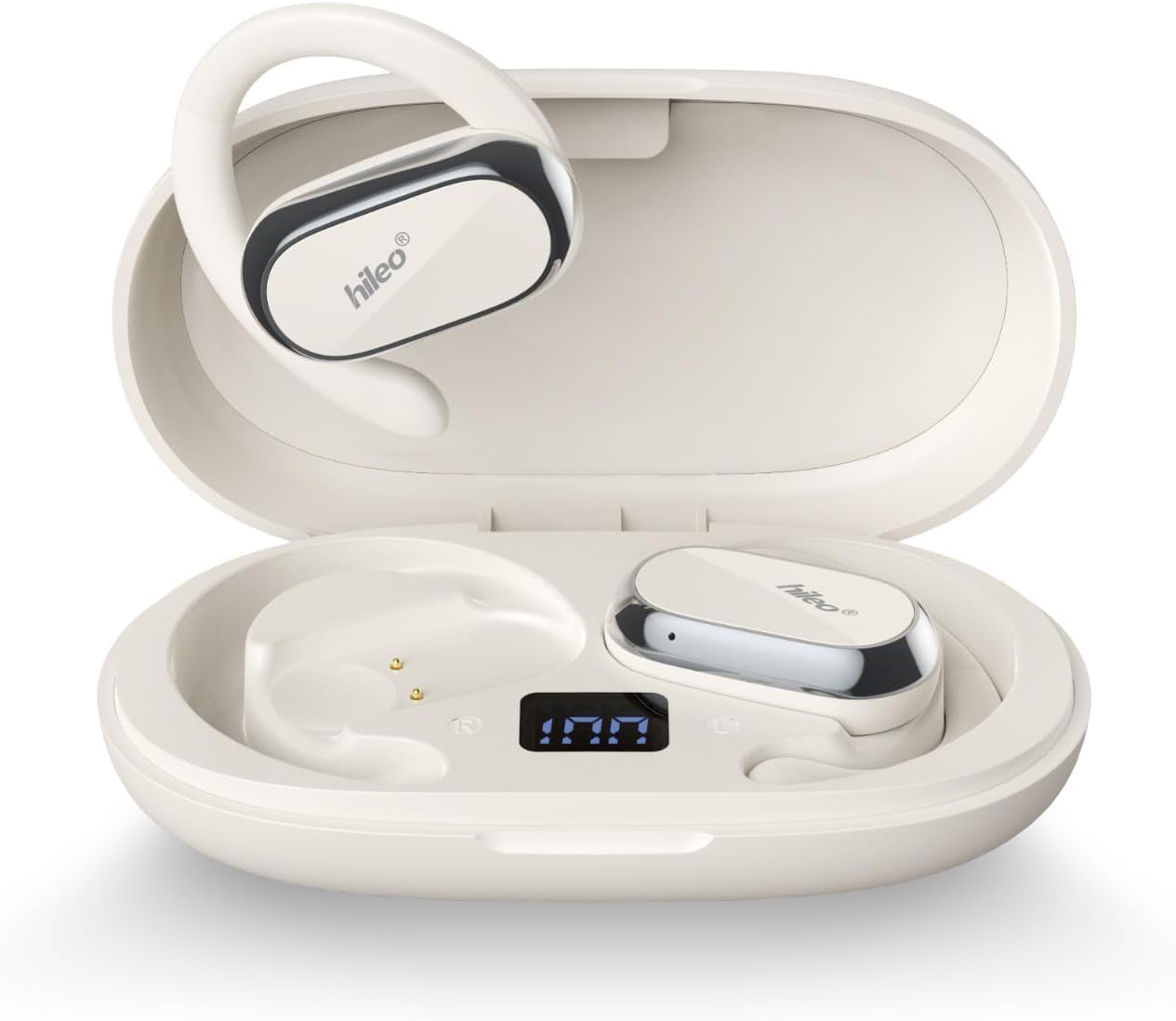
Image: HILEO Open Ear Headphones securely placed within their charging case, ready for use or charging.
Product Overview
The HILEO Open Ear Headphones feature an innovative design focused on comfort and sound quality. Key components include:
- Open-Ear Design: Sits outside the ear canal, preventing discomfort and allowing awareness of surroundings.
- Adjustable Ear Hooks: 90° rotatable design for a stable and customized fit.
- Skin-Friendly Silicone Material: Minimizes friction and enhances comfort during extended wear.
- 14.2mm Dynamic Drivers: Deliver clear and high-quality sound with powerful bass.
- LED Power Display: Integrated into the charging case to show battery percentage.
- ENC Call Noise Cancellation: Utilizes bidirectional acoustic noise cancellation for clear calls.
- DireectPitch™ Directional Sound Field Technology: Prevents sound leakage and ensures privacy.
- ACS Panoramic Audio: Creates an immersive 360° stereo surround sound experience.
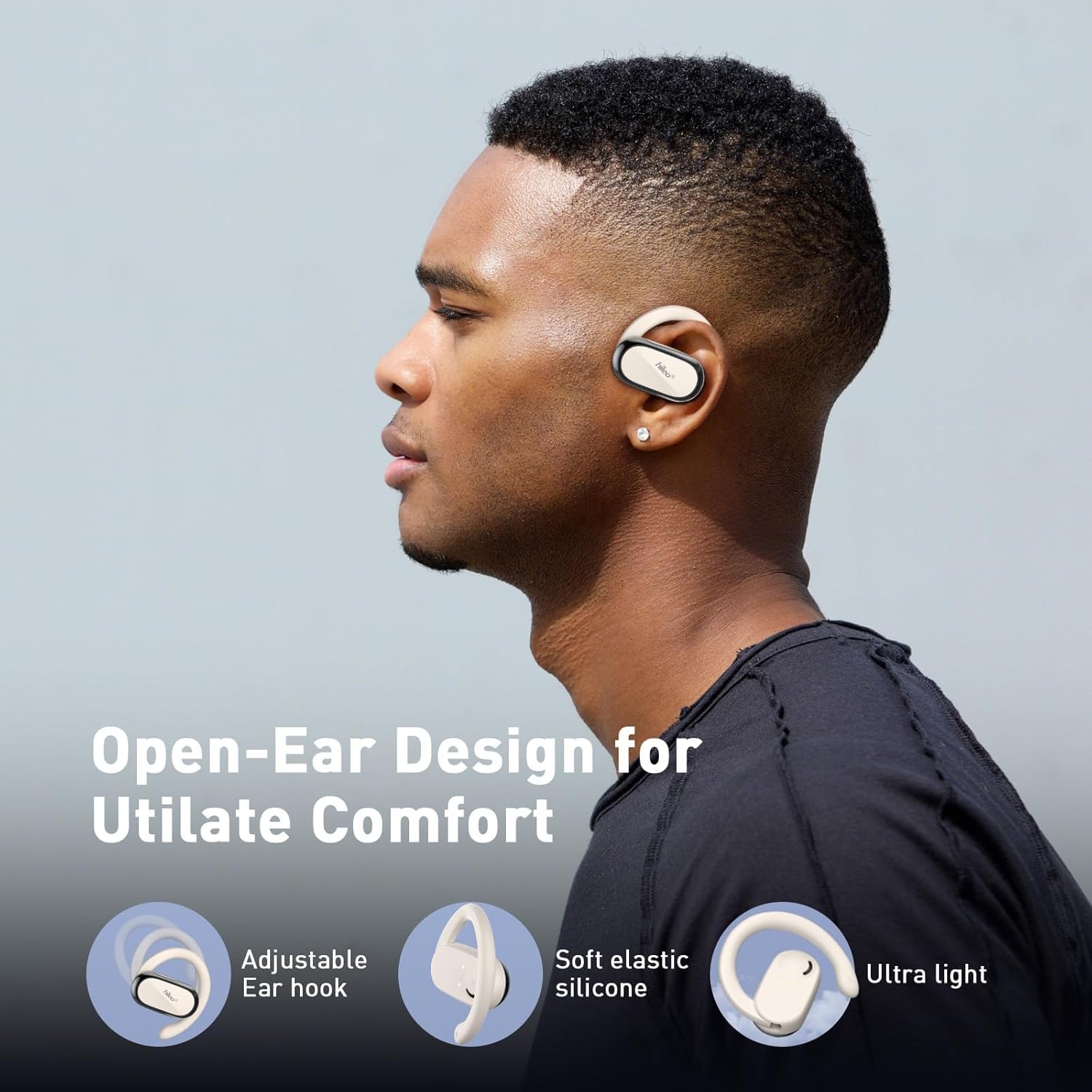
Image: A man wearing the HILEO Open Ear Headphones, demonstrating the comfortable and secure open-ear design with adjustable ear hooks and soft elastic silicone.

Image: A diagram showing the DireectPitch™ Directional Sound Field Technology, which directs sound precisely to the ear without significant leakage, ensuring privacy.

Image: A visual representation of the ACS Panoramic Audio Matrix, demonstrating how it creates a realistic 360° stereo surround sound field for an immersive audio experience.
Setup
1. Charging the Headphones and Case
Before first use, fully charge the charging case and headphones. Place the earbuds into the charging case. Connect the USB charging cable to the charging port on the case and to a power source. The LED display on the case will show the charging progress.
- Earbud Battery Capacity: 50 mAh
- Charging Case Battery Capacity: 600 mAh
- Earbud Playback Time: Up to 8 hours on a single charge
- Total Playback Time (with charging case): Up to 48 hours
- Charging Case Charging Time: Approximately 1.5 hours

Image: The HILEO charging case displaying the current battery percentage on its LED screen, indicating the charge level of the case.
2. Pairing with a Device
- Ensure the headphones are charged.
- Open the charging case. The headphones will automatically enter pairing mode.
- On your device (smartphone, tablet, etc.), enable Bluetooth.
- Search for "HILEO RM" or "HILEO hi92" in the list of available Bluetooth devices.
- Select the headphones to connect. Once connected, a voice prompt will confirm successful pairing.
The headphones utilize Bluetooth 5.3 for stable and efficient wireless communication with a range of up to 10 meters.
Operating Instructions
Wearing the Headphones
Gently place the ear hook over your ear, positioning the speaker unit just outside your ear canal. Adjust the 90° rotatable ear hook to achieve a secure and comfortable fit. The open-ear design ensures comfort and allows you to remain aware of your surroundings.

Image: A diagram illustrating the 90° rotatable ear hook and how to adjust it to fit different ear shapes for a stable and comfortable wearing experience.

Image: Individuals engaged in outdoor activities while wearing HILEO Open Ear Headphones, emphasizing the benefit of maintaining situational awareness for safety.
Controls
The HILEO Open Ear Headphones feature intuitive touch controls on the earbuds for easy management of audio and calls.
- Play/Pause: Single tap on either earbud.
- Answer/Hang Up Call: Single tap on either earbud.
- Next Track: Double tap on either earbud.
- Smart Voice Assistant: (Specific gesture, refer to quick start guide if available, generally a long press or triple tap)
- Volume Control: Volume is primarily controlled via your connected device.

Image: A woman wearing the HILEO Open Ear Headphones, with icons depicting the one-handed control functions such as play/pause, answer/hang up call, smart voice assistant, and next/previous track.
Maintenance
- Cleaning: Use a soft, dry, lint-free cloth to clean the earbuds and charging case. Avoid using harsh chemicals or abrasive materials.
- Storage: When not in use, store the headphones in their charging case to protect them and keep them charged.
- Water Resistance: The headphones are water resistant. While they can withstand sweat and light splashes, avoid submerging them in water. Ensure they are dry before placing them back in the charging case.

Image: HILEO Open Ear Headphones shown with water splashing over them, illustrating their water-resistant capabilities suitable for workouts and outdoor activities.
Troubleshooting
| Problem | Possible Solution |
|---|---|
| Headphones not pairing. |
|
| No sound or low volume. |
|
| Charging case not charging. |
|
| Sound quality issues (e.g., background noise, sound leakage). |
|
Specifications
| Feature | Detail |
|---|---|
| Model Name | hi92 |
| Item Model Number | RM |
| Connectivity Technology | Wireless (Bluetooth) |
| Bluetooth Version | 5.3 |
| Bluetooth Range | 10 Meters |
| Ear Placement | Open Ear |
| Form Factor | Open Ear |
| Earpiece Shape | Hook |
| Audio Driver Size | 14.2 Millimeters |
| Frequency Response | 100-16000 Hz |
| Noise Control | Active Noise Cancellation (ENC for calls) |
| Control Type | Media Control (Push Button/Touch) |
| Battery Life (Earbuds) | 8 Hours |
| Carrying Case Battery Average Life | 35 Hours (additional) |
| Carrying Case Battery Capacity | 600 Milliamp Hours |
| Carrying Case Battery Charging Time | 1.5 Hours |
| Water Resistance Level | Water Resistant |
| Item Weight | 6.7 ounces (0.19 Kilograms) |
| Product Dimensions | 6.53 x 1.41 x 5.51 inches |
Warranty and Support
For warranty information and customer support, please refer to the contact details provided with your product packaging or visit the official HILEO website. If you encounter any issues not covered in this manual, please reach out to HILEO customer service for assistance.
You can also visit the HILEO Store on Amazon for more information and products: HILEO Store
Ask a question about this manual
Ask about setup, troubleshooting, compatibility, parts, safety, or missing instructions. Manuals+ will review the question and use this page’s manual context to help answer it.