
ANCEL MT510-HL
ANCEL MT510 Motorcycle Diagnostic Scan Tool User Manual
Model: MT510-HL | Brand: ANCEL
Introduction
The ANCEL MT510 is a comprehensive motorcycle diagnostic scan tool designed specifically for Harley D/S/T/V Series motorcycles. It provides full system scanning capabilities, allowing users to effortlessly read and clear fault codes, view live data, freeze frame, and scan vehicle information. No professional skills required - now you can easily diagnose and repair faults on your own, saving valuable time and money.
Key features include a 5-inch full touch screen, Android 5.1.1 operating system, WiFi support for one-click updates, and various special functions for maintenance and calibration.
Product Overview
The ANCEL MT510 diagnostic tool features a robust design with a 5-inch touch screen for intuitive navigation. It comes with necessary cables and adapters for connecting to Harley-Davidson motorcycles.
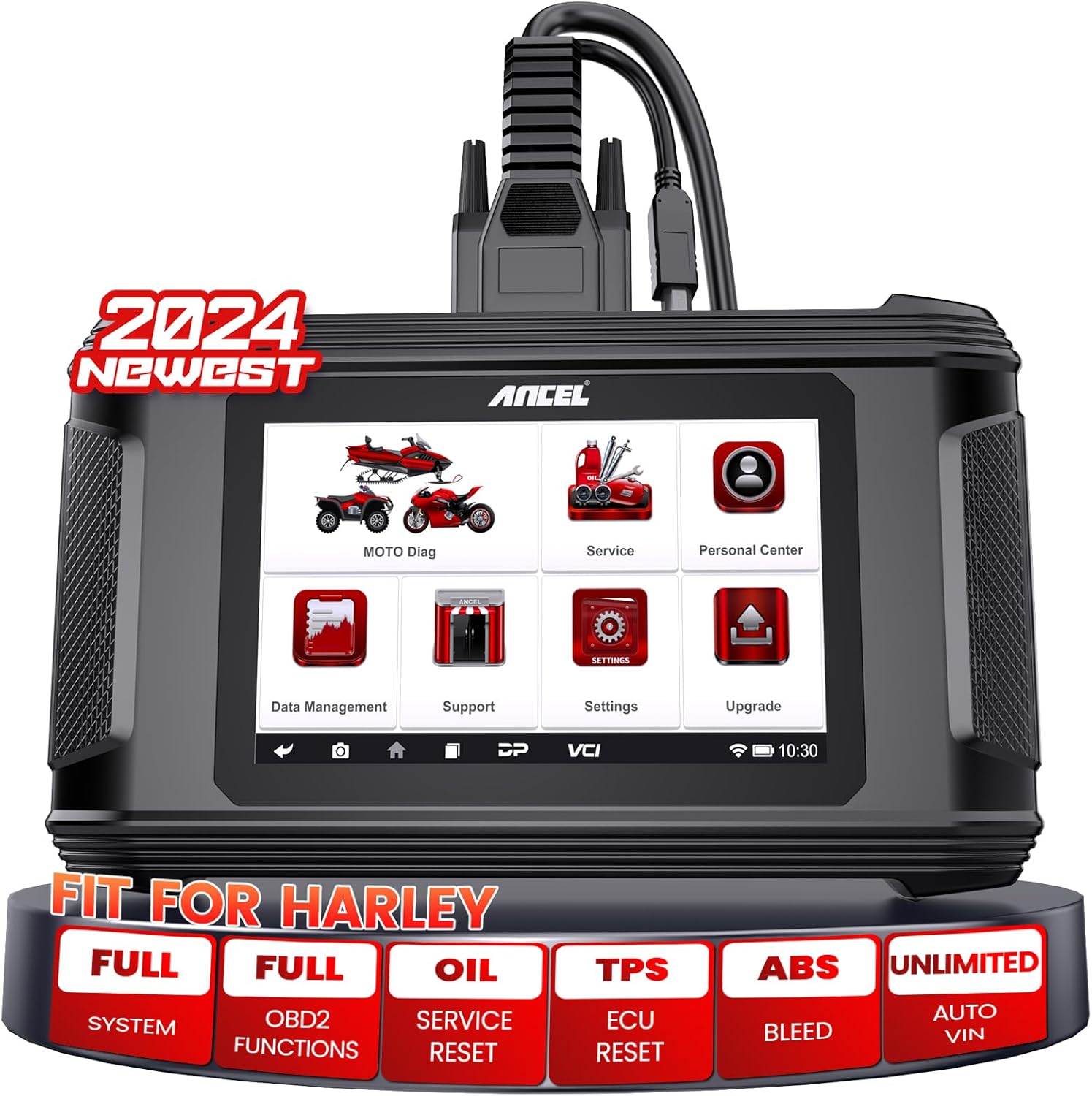
This image displays the ANCEL MT510 device, its main cable (M001A), a 12V 2ADC power adapter, and the M034 adapter cable specifically designed for Harley-Davidson motorcycles. The device features a 5-inch touch screen and a durable casing.

This diagram illustrates the comprehensive OE-level full system diagnostic capabilities of the MT510, covering Engine, ABS, TPMS, Instrument Panel, EPS, E-Lock, and Chassis Management systems for in-depth problem identification.
Setup
Before using the ANCEL MT510, ensure all components are present and the device is adequately charged or connected to power.
Unboxing and Initial Connection
- Open the product packaging and carefully remove the MT510 Motorcycle Scanner, M034 Adapter Cable (for Harley-Davidson), M001A Main Cable, and DC 12V Power Adapter.
- Connect the M001A Main Cable to the main cable port on the MT510 device.
- If needed, connect the DC 12V Power Adapter to the device for charging or continuous power during operation.
- For Harley-Davidson motorcycles, connect the M034 Adapter Cable to the M001A Main Cable.
This video demonstrates the contents of the ANCEL MT510 package and how to connect the main cable to the device. It highlights the plug-and-play nature of the tool.
Connecting to the Motorcycle
- Locate the diagnostic socket on your Harley-Davidson motorcycle. Refer to your motorcycle's owner's manual for the exact location.
- Connect the M034 Adapter Cable (or appropriate adapter for other models) to the motorcycle's diagnostic socket.
- Ensure all connections are secure before powering on the device.
- Turn the motorcycle ignition to the 'Run' position but do not start the engine.
This image illustrates the broad compatibility of the ANCEL MT510 with various motorcycle brands, including Harley-Davidson, BMW, Yamaha, Honda, Kawasaki, Suzuki, KTM, Ducati, and Triumph.
Operating the Device
The MT510 features an intuitive touch screen interface. Navigate through menus by tapping on icons and options.
Basic Diagnostic Functions
- Read Codes: Access and display diagnostic trouble codes (DTCs) stored in the motorcycle's ECU.
- Clear Codes: Erase DTCs from the ECU after repairs have been made.
- Live Data: View real-time data streams from various sensors and modules, presented in graphs, tables, or dashboards.
- Freeze Frame: Capture a snapshot of sensor data at the moment a fault code was set, aiding in diagnosis.
- Vehicle Information: Retrieve vehicle identification number (VIN) and other relevant vehicle details.

This image highlights the core diagnostic functions of the MT510, such as reading and clearing codes, viewing live data, freeze frame data, and vehicle information across all motorcycle systems.
This video provides a demonstration of the ANCEL MT510 in action, showcasing its interface and diagnostic process for Harley-Davidson motorcycles, including system selection and data display.
Special Functions
The MT510 supports various advanced service functions:
- ABS Bleed: Perform automated bleeding procedures for the Anti-lock Braking System.
- Oil Service Reset: Reset the oil service light after an oil change.
- TPS (Throttle Position Sensor) Reset: Calibrate the throttle position sensor.
- ECU Reset: Reset the Engine Control Unit.
- Idle Speed Adjustment: Adjust the engine's idle speed.
- Odometer Unit: Change the odometer display unit.
- Cruise Control: Adjust or enable/disable cruise control settings.
- Automatic Compression Release (ACR): Manage ACR settings.
- Side Stand Switch: Diagnose or adjust side stand switch functionality.
- Module Replacement: Assist in the replacement and adaptation of control modules.
- AFV Reset: Reset Adaptive Fuel Value.
- Vehicle Speed Sensor Calibration: Calibrate the vehicle speed sensor.
Note: Compatibility with specific functions may vary depending on your motorcycle model and year.

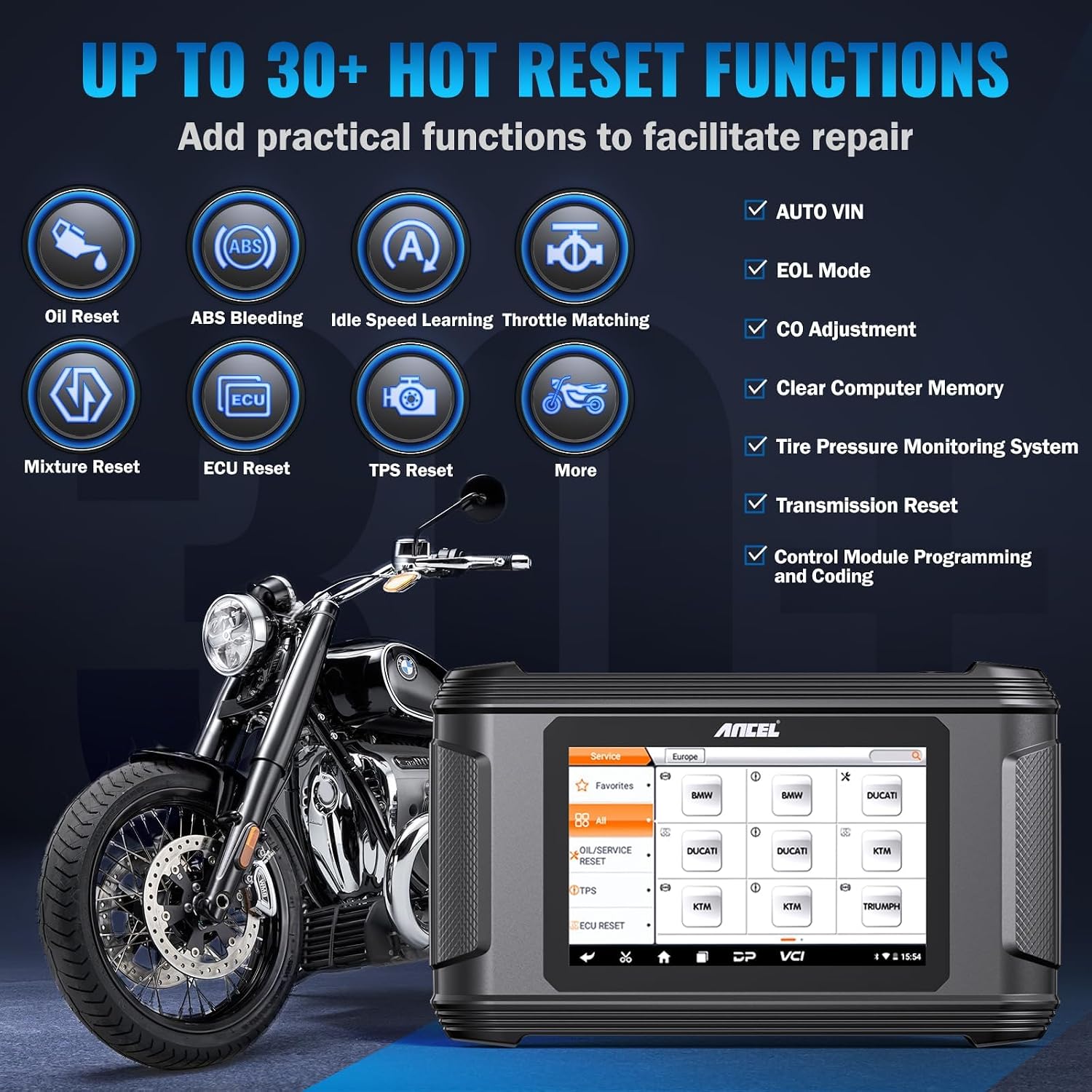
This image displays a selection of the over 30 hot reset functions available on the MT510, including Oil Reset, ABS Bleeding, Idle Speed Learning, Throttle Matching, ECU Reset, and TPS Reset, designed to facilitate repair and maintenance.
Maintenance
Regular maintenance of your ANCEL MT510 ensures optimal performance and access to the latest features.
Software Updates
The device supports one-click updates via WiFi. It is recommended to regularly update the software to ensure compatibility with new motorcycle models and access to improved features. One year of free updates is included with purchase, with renewal options available.
Data Management
The MT510 allows for data logging and playback of diagnostic data. You can manage files, view pictures, and review past diagnostic sessions directly on the device.

This image highlights features such as one-click updates, data record and replay, online feedback, and data management, all contributing to the device's ease of use and support.
Troubleshooting
If you encounter issues with your ANCEL MT510, consider the following common solutions:
- Device Not Powering On: Ensure the device is fully charged or connected to the power adapter. Check the power adapter and cable for damage.
- Connection Issues: Verify that all cables are securely connected to both the MT510 and the motorcycle's diagnostic port. Ensure the motorcycle's ignition is in the 'Run' position (not 'Off' or 'Accessory') and the engine is not running.
- Software Not Loading/Freezing: Perform a system restart. If the issue persists, check for available software updates via WiFi. Clearing the device's cache in the settings menu may also resolve performance issues.
- Compatibility Problems: Confirm that your motorcycle model and year are supported by the MT510. Refer to the product specifications or contact support if unsure. Some functions may not be available for all models.
- Diagnostic Function Not Working: Ensure you have selected the correct vehicle model and system within the device's menu. Some functions require specific conditions (e.g., engine off, ignition on).
The MT510 includes a dedicated "Support" module with common FAQs and remote assistance functions for seamless troubleshooting. If problems persist, contact ANCEL customer support.
Specifications
| Feature | Detail |
|---|---|
| Brand | ANCEL |
| Model Number | MT510-HL |
| Item Weight | 2.64 pounds |
| Product Dimensions | 12.7 x 9.25 x 2.75 inches |
| Operating System | Android 5.1.1 |
| Screen | 5-inch Full Touch Screen |
| Connectivity | WiFi Support |
| Battery | 2600mAh Li-ion battery |
| Processor | RK3128 Quad-Core |
| Memory | 1GB RAM, 16GB ROM (internal storage) |
Warranty and Support
ANCEL offers a 30-day return and exchange policy for the MT510 diagnostic tool. Additionally, 24-hour after-sales support is available to assist with any product-related inquiries or issues.
For technical assistance, software updates, or warranty claims, please refer to the contact information provided in your product packaging or visit the official ANCEL website. The device's "Support" module also offers remote assistance features.
Ask a question about this manual
Ask about setup, troubleshooting, compatibility, parts, safety, or missing instructions. Manuals+ will review the question and use this page’s manual context to help answer it.