
EBTOOLS Q33
User Manual: EBTOOLS Q33 Cordless Open Ear Headphones
Model: Q33
1. Introduction
Thank you for choosing the EBTOOLS Q33 Cordless Open Ear Headphones. These headphones utilize air conduction technology, providing a unique listening experience that allows you to remain aware of your surroundings, making them ideal for outdoor activities such as sports, running, hiking, driving, and cycling. This manual provides detailed instructions for the proper use and maintenance of your device.
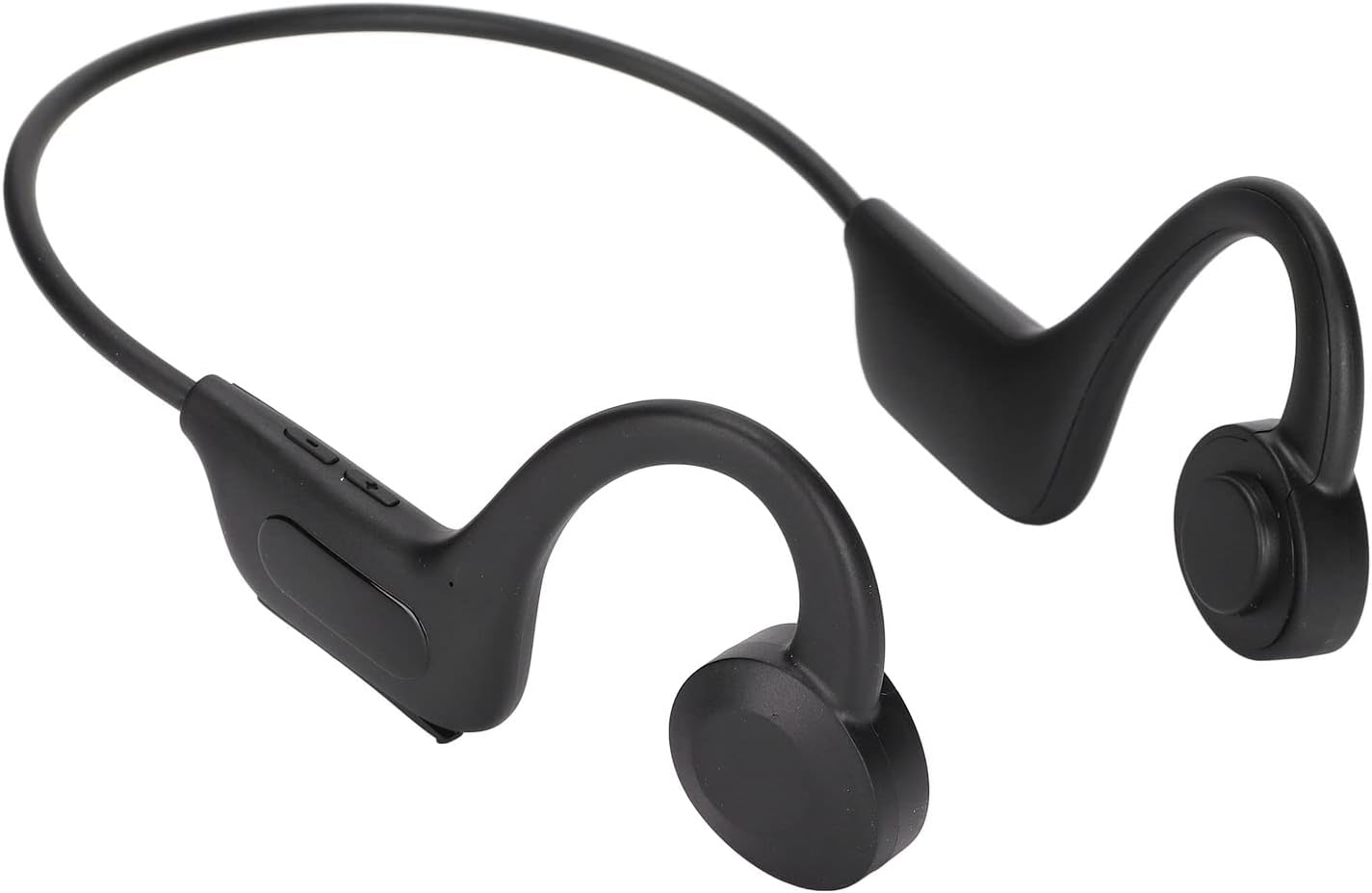
Image 1.1: EBTOOLS Q33 Cordless Open Ear Headphones. These black, lightweight headphones feature an open-ear design with a flexible band connecting the two earpieces, which rest comfortably over the ears.
2. Package Contents
Please verify that all items are present in your package:
- 1 x Cordless Open Ear Headphones (Model Q33)
- 1 x USB Data Cable
- 1 x User Manual (Chinese and English)
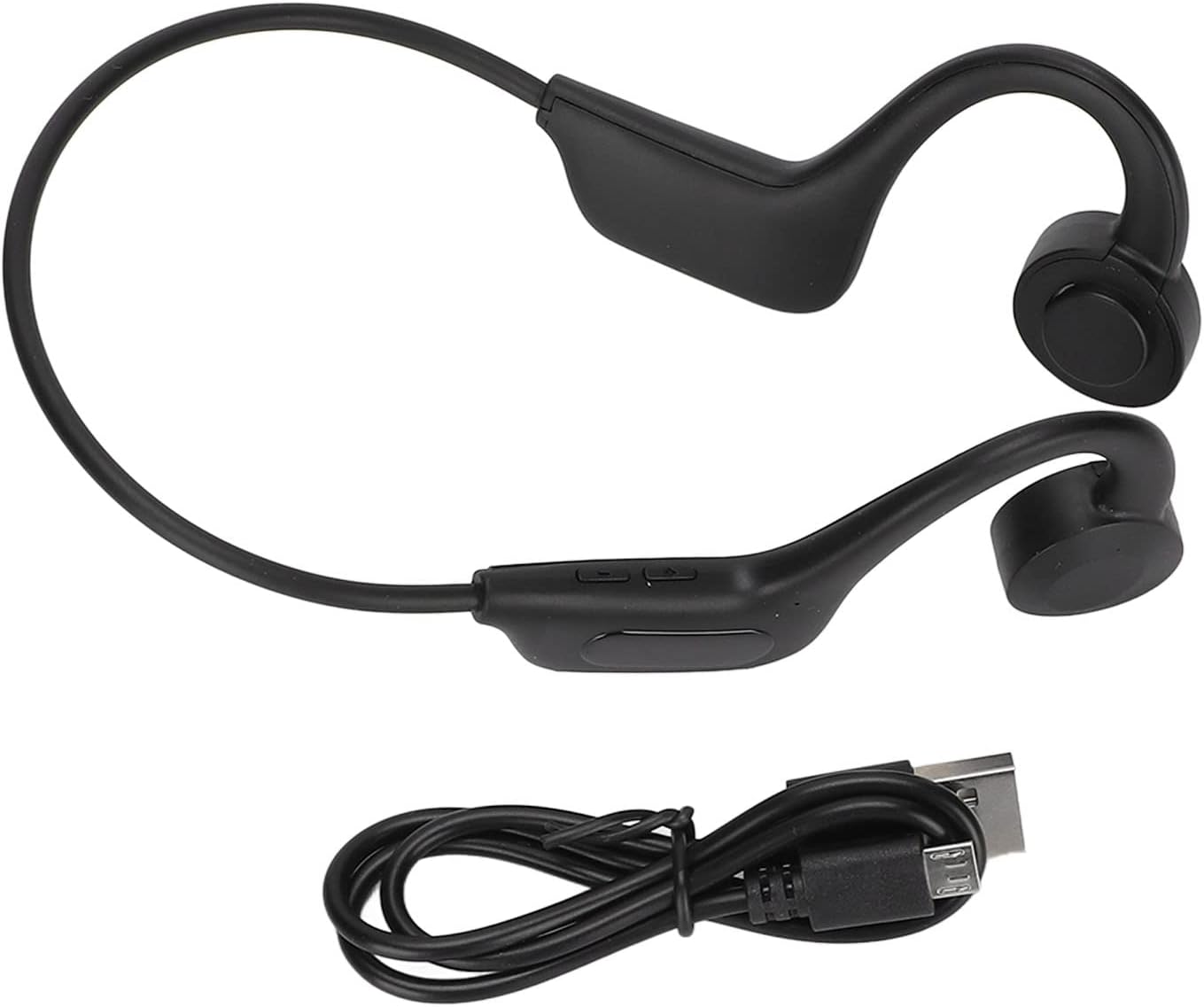
Image 2.1: The EBTOOLS Q33 headphones shown alongside the included USB charging cable. The headphones are black with a flexible neckband, and the cable is a standard black USB-A to micro-USB.
3. Specifications
| Feature | Specification |
|---|---|
| Model | Q33 (EBTOOLSpxquhg2zcg-11) |
| Material | ABS Plastic |
| Connection Type | Bluetooth V5.1 |
| Wireless Distance | ≥10m / 32.8ft |
| Supported Protocols | A2DP1.3/HFP1.6/HSP1.2/AVRCP1.6/D11.3 |
| Battery Type | Built-in 180mAh Lithium-ion Battery |
| Playback Time | Approximately 8 Hours |
| Standby Time | Approximately 80 Hours |
| Charging Time | Approximately 1 Hour |
| Form Factor | In Ear (Open Ear Design) |
| Color | Black |
| Special Features | Lightweight, Air Conduction |
4. Setup
4.1. Initial Charging
Before first use, fully charge your EBTOOLS Q33 headphones. Connect the provided USB data cable to the charging port on the headphones and the other end to a USB power source (e.g., computer USB port, wall adapter). The charging indicator light will typically show charging status and turn off or change color when fully charged.

Image 4.1: Close-up view of the charging port and control buttons on the EBTOOLS Q33 headphones. The micro-USB charging port is visible under a protective flap, alongside volume and power buttons.
4.2. Pairing with a Bluetooth Device
- Ensure the headphones are powered off.
- Long press the V+ button (Power button) until the indicator light flashes, indicating pairing mode.
- On your device (smartphone, tablet, etc.), enable Bluetooth and search for available devices.
- Select "Q33" from the list of found devices.
- Once connected, the indicator light on the headphones will typically stop flashing or change to a steady light.
5. Operating Instructions
5.1. Power On/Off
- Power On: Long press the V+ button. The headphones will power on and enter play mode.
- Power Off: Long press the V+ button again.
5.2. Playback Control
- Play/Pause: (Specific button not detailed in input, typically a single press on a multi-function button or V+).
- Volume Up: Short press V+ button.
- Volume Down: Short press V- button.
- Next Track: (Specific button not detailed in input, typically long press V+ or double press).
- Previous Track: (Specific button not detailed in input, typically long press V- or triple press).
5.3. Switching Modes (Bluetooth / Memory Card)
The Q33 headphones support both Bluetooth mode and Memory Card mode (if a memory card is inserted). To switch between these modes:
- Double click the V- button to toggle between Bluetooth mode and Memory Card mode.

Image 5.1: Detailed view of the control buttons on the left earpiece of the EBTOOLS Q33 headphones. The buttons include V+ (volume up/power), V- (volume down/mode switch), and a central multi-function button.
6. Maintenance
- Cleaning: Use a soft, dry cloth to wipe the headphones. Do not use abrasive cleaners or immerse the device in water.
- Storage: Store the headphones in a cool, dry place away from direct sunlight and extreme temperatures.
- Battery Care: To prolong battery life, avoid fully discharging the battery frequently. Charge the headphones regularly, even if not in use for extended periods.
7. Troubleshooting
| Problem | Possible Solution |
|---|---|
| Headphones do not power on. | Ensure the battery is charged. Connect to a power source and charge for at least 1 hour. |
| Cannot pair with device. | Ensure headphones are in pairing mode (indicator light flashing). Turn off and on Bluetooth on your device. Move closer to the headphones. |
| No sound. | Check volume levels on both headphones and connected device. Ensure headphones are properly connected via Bluetooth. |
| Poor sound quality. | Ensure there are no obstructions between the headphones and the connected device. Move closer to the device. Check for interference from other wireless devices. |
8. Warranty and Support
For warranty information and customer support, please refer to the documentation provided with your purchase or contact the seller directly. Keep your proof of purchase for any warranty claims.
For further assistance, you may visit the official EBTOOLS store on Amazon: EBTOOLS Store
Ask a question about this manual
Ask about setup, troubleshooting, compatibility, parts, safety, or missing instructions. Manuals+ will review the question and use this page’s manual context to help answer it.