
1. Introduction
Thank you for choosing the buuo Self Heating Coffee Mug. This innovative mug is designed to keep your beverages at your preferred temperature, ensuring a consistently enjoyable drinking experience. With its advanced heating technology and user-friendly features, you can savor every sip of your coffee, tea, or other hot drinks.

Image: The buuo Self Heating Coffee Mug, showcasing its sleek design and LED temperature display on the charging base, surrounded by coffee beans.
2. Safety Information
- Do not immerse the charging base in water or any other liquid.
- The mug is IPX7 waterproof and safe for hand washing, but avoid submerging the entire mug for extended periods.
- Ensure the mug contains liquid before activating the heating function to prevent damage.
- Use only the provided charging cable and docking coaster for safe and reliable charging.
- Keep out of reach of children when in use, as the mug and its contents will be hot.
- The mug's interior features an FDA-certified food-grade coating, resistant to acids, alkalis, and corrosion, ensuring beverage safety.
- This mug is designed to maintain the temperature of already hot beverages. It is not intended to heat cold liquids from scratch, which can prolong battery life and heating efficiency.
3. What's Included
Your buuo Self Heating Coffee Mug package includes the following components:
- One (1) 14 Oz buuo Temperature Control Mug
- One (1) Docking Coaster and dedicated Charging Cable
- One (1) Spill-proof Lid
4. Setup
4.1 Initial Charging
- Unpack all components from the box.
- Place the docking coaster on a stable, flat surface.
- Connect the dedicated charging cable to the docking coaster and plug the other end into a suitable power source.
- Place the buuo mug onto the docking coaster. Ensure the mug's flat, matte-finished bottom aligns correctly with the non-slip charging base for optimal contact.
- Allow the mug to fully charge before first use. The LED display will indicate charging status. A full charge of the 2550mAh lithium battery typically takes several hours.
4.2 First Use Preparation
Before using the mug for the first time, wash the interior of the mug and the lid with warm, soapy water. Rinse thoroughly and dry.
5. Operating Instructions
5.1 Powering On and Temperature Selection
- Pour your hot beverage into the mug. For best results and to maximize battery life, pour already hot liquids into the mug.
- Press the power button located on the mug (one-button start). The double-sided LED display will illuminate, showing the current temperature. This display is convenient for both right and left-handed users.
- Press the power button again to cycle through the three temperature settings:
- WARM: 120°F (49°C)
- HOT: 135°F (57°C)
- PIPING: 150°F (65°C)
- The mug will begin to maintain the selected temperature using its 360° heating technology, ensuring even heating with zero temperature variation.

Image: The buuo mug illustrating its three distinct temperature settings: 120°F (Low-temp), 135°F (Middle-temp), and 150°F (High-temp), activated by a one-click switch.

Image: The buuo mug highlighting its humanized design with a double-sided LED display, showing real-time temperature for both left and right-handed users.
5.2 Battery Life
The built-in 2550mAh lithium battery can maintain a temperature of 120°F (49°C) for up to 3 hours (approximately 336 minutes) on a full charge. Actual battery life may vary based on selected temperature, initial beverage temperature, and environmental conditions.
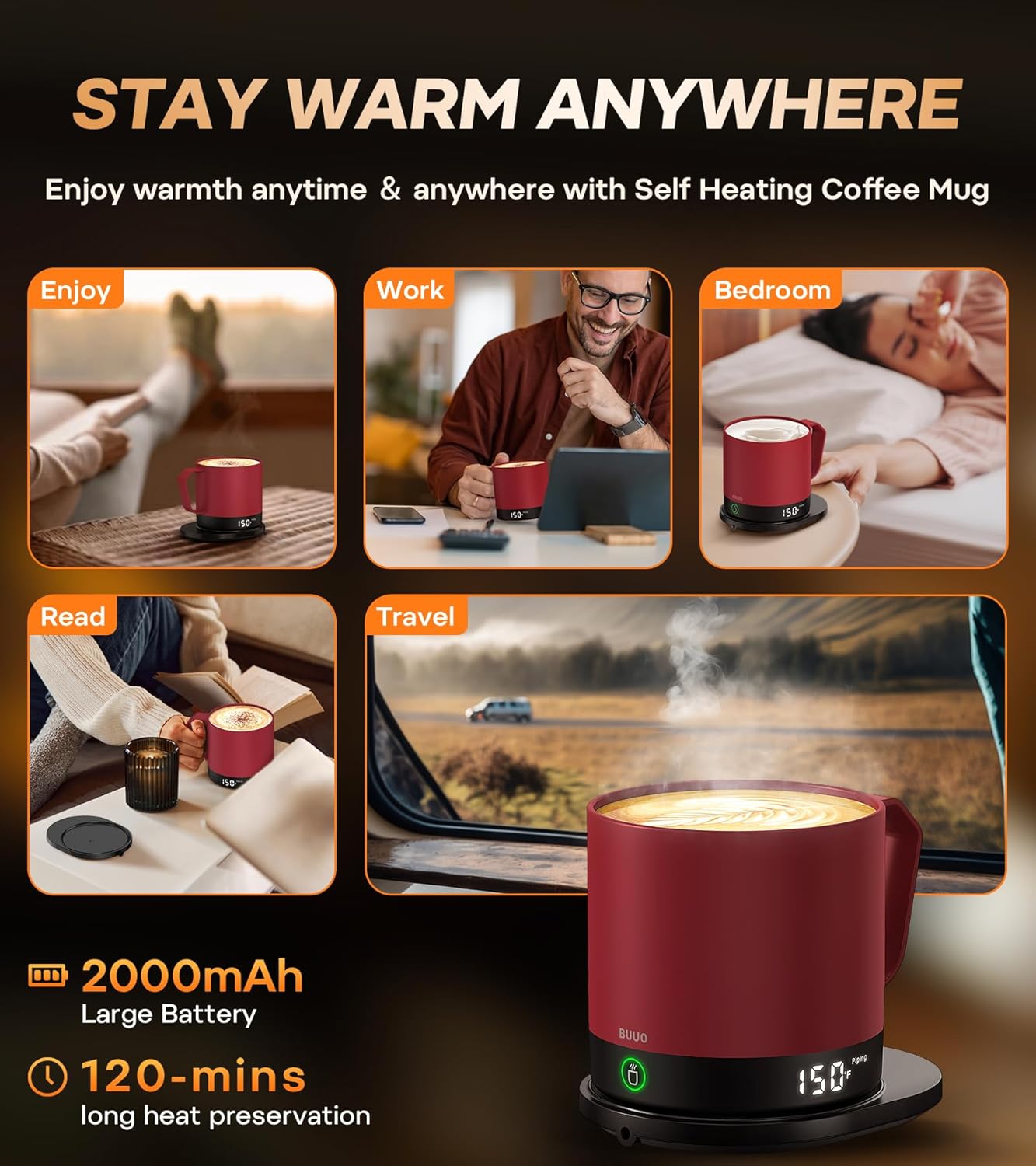
Image: The buuo mug demonstrating its versatility for use in various settings such as enjoying, working, in the bedroom, reading, and traveling, emphasizing its portability and long heat preservation.
6. Maintenance
6.1 Cleaning the Mug
- The buuo mug features an updated scratch-resistant coating and is IPX7 waterproof, making it safe for hand washing.
- Wash the interior and exterior of the mug with warm, soapy water using a soft sponge or cloth.
- Do not use abrasive cleaners, brushes, or scouring pads, as these can damage the coating.
- Rinse thoroughly with clean water and allow to air dry completely before storing or recharging.
- Do not place the mug in a dishwasher.

Image: Hands washing the buuo mug under running water, demonstrating its 100% waterproof capability for easy cleaning.
6.2 Cleaning the Charging Base
- Wipe the charging base with a soft, damp cloth.
- Do not immerse the charging base in water or any other liquid.
- Ensure the charging base is completely dry before plugging it back into a power source.
7. Troubleshooting
If you encounter any issues with your buuo Self Heating Coffee Mug, please refer to the following common troubleshooting tips:
- Mug not heating: Ensure the mug is properly seated on the charging base and that the base is connected to a power source. Check if the mug has sufficient liquid inside.
- LED display not working: Ensure the mug is charged. If the issue persists, try resetting the mug by placing it off and then back on the charging base.
- Short battery life: Ensure the mug is fully charged before use. Remember that the mug is designed to maintain the temperature of already hot beverages; heating cold liquids from scratch will significantly reduce battery life.
- Mug not charging: Verify that the charging cable is securely connected to both the base and the power outlet. Ensure the mug is correctly positioned on the charging base.
If these steps do not resolve your issue, please contact buuo customer support for further assistance.
8. Specifications
| Feature | Specification |
|---|---|
| Brand | buuo |
| Model | Self Heating Coffee Mug |
| Colour | Burgundy |
| Capacity | 14 Oz (411 g) |
| Product Dimensions | 10.41 x 10.41 x 10.41 cm |
| Item Weight | 535 g |
| Special Features | Temperature-Controlled, Double-Sided LED Display, IPX7 Waterproof |
| Power Source | Battery Powered (2550mAh Lithium Battery) |
| UPC | 717164574017 |
| ASIN | B0CGVBTCYF |
9. Warranty & Support
9.1 Warranty Information
The buuo Self Heating Coffee Mug comes with an extended 12-month warranty from the date of purchase. This warranty covers manufacturing defects and issues arising from normal use. Please retain your proof of purchase for warranty claims.
9.2 Customer Support
For any questions, technical support, or warranty claims, please contact buuo customer service through the retailer's platform or the official buuo website. Our support team is dedicated to assisting you with any inquiries you may have.