
Introduction
Thank you for choosing the MICTUNING N8 RGB+IC Car Underglow Light Bar Kit. This kit is designed to provide vibrant, customizable lighting for your vehicle's underbody, enhancing its appearance with dynamic chasing colors and various lighting effects. Featuring durable aluminum construction and IP68 waterproofing, this system is built for reliability and performance. Please read this manual thoroughly before installation and operation to ensure proper use and longevity of your product.
What's in the Box
Verify that all components are present before beginning installation.
- 1X Remote Control
- 1X Control Box
- 20X M4 Screws
- 2X Wire End Caps
- 18X Zip Ties
- 1X Fuse
- 8X Light Bars (4pcs 18-inch and 4pcs 24-inch)

Image: Overview of the MICTUNING N8 Car Underglow Light Bar Kit components.
Specifications
| Feature | Detail |
|---|---|
| Brand | MICTUNING |
| Model Number | MIC-06-098 (N8-RGB+IC) |
| Light Source Type | RGB+IC LED |
| Number of LEDs | 252 pcs |
| Voltage | 12 Volts (DC) |
| Material Type | Aluminum Alloy Housing |
| Water Resistance Level | IP68 Waterproof |
| Control Methods | Wireless App & Remote Control |
| Remote Control Range | Up to 49ft (under ideal conditions) |
| Light Bar Sizes | 4pcs 18-inch, 4pcs 24-inch |
| Compatible Vehicle Types | All-Terrain-Vehicles, Car, RV, Trailers, Trucks, Utility-Terrain-Vehicles, Vans (Universal Fit) |
Installation Guide
Follow these steps for proper installation of your MICTUNING N8 Underglow Light Kit.
Step 1: Planning and Positioning
Before mounting, determine the optimal placement for each light bar under your vehicle. Ensure the chosen areas are clean, dry, and provide sufficient space for secure attachment and wiring. Consider the length of the light bars (4x 18-inch, 4x 24-inch) to achieve balanced coverage.

Image: MICTUNING N8 Underglow Light Bars, highlighting IP68 waterproofing and durable aluminum housing.
Step 2: Mounting the Light Bars
Securely attach the LED light strips underneath your vehicle using the provided M4 screws and zip ties. Ensure the bars are firmly fixed to prevent movement or damage during vehicle operation. The aluminum housing is designed for secure attachment.

Image: Visual guide showing the four easy installation steps: positioning, drilling screws, connecting cords, and wiring to power source.
Step 3: Wiring Connections
Connect the light bar cords to the control box. When connecting, align the pins properly to avoid malfunction. The system uses positive and negative terminal wiring for power. Install the included fuse for circuit protection. Use the provided wire end caps for any unused connections to ensure waterproofing.

Image: Detailed view of the wiring connectors, emphasizing proper pin alignment to prevent malfunctions.
Step 4: Power Connection
Connect the control box to your vehicle's 12V DC power source using the positive and negative terminals. Ensure all connections are secure and insulated to prevent short circuits.
Installation Video
Video: MICTUNING N8 RGB IC Underglow Kit overview and installation demonstration by a seller.
Operating Instructions
Your MICTUNING N8 Underglow Light Kit can be controlled via the included remote control or the MICTUNING mobile application.
Remote Control Operation
The remote control allows for easy adjustment of various dynamic modes, brightness, frequency switching, and flashing settings. Point the remote towards the control box for optimal signal reception. The sensing range can reach up to 49ft under ideal conditions.
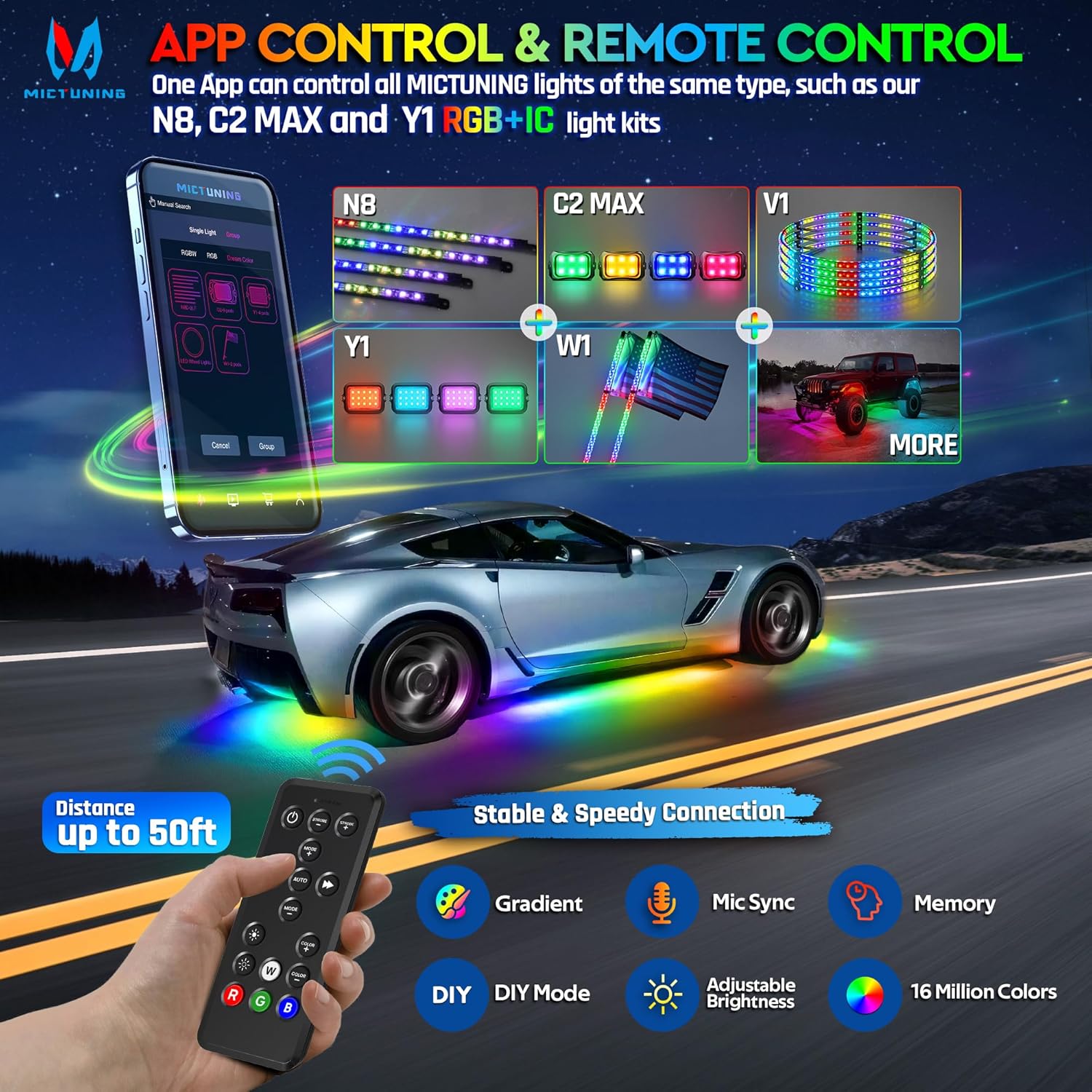
Image: Illustration of the MICTUNING N8 system with both app and remote control options, highlighting features like Gradient, Mic Sync, Memory, DIY Mode, Adjustable Brightness, and 16 Million Colors.
Mobile App Control (MICTUNING App)
Download the MICTUNING App from your device's app store. The app allows for comprehensive customization of your lighting show, including 76 default dynamic modes, 8 DIY modes, full on/off control, 16 million colors, gradient, jumping strobe, sound active modes, and speed/brightness adjustments. The MICTUNING App supports multi-device operation for compatible MICTUNING lights.

Image: Screenshots of the MICTUNING App interface demonstrating diverse lighting modes, color selection, and DIY pattern creation.
Pairing the Remote Control
To pair the remote control with the light kit, ensure the lights are powered on. Press and hold the designated pairing buttons on the remote (refer to the remote's specific instructions if different). A successful pairing is often indicated by the lights flashing a specific color, such as red three times.
Video: Demonstration of pairing the MICTUNING N8 Underglow kit remote control.
App Operation Video
Video: Detailed guide on operating the MICTUNING N8 RGB IC lights using the mobile application.
Maintenance
To ensure the longevity and optimal performance of your MICTUNING N8 Underglow Light Kit, follow these maintenance guidelines:
- Regular Cleaning: Periodically clean the light bars to remove dirt, dust, and road grime. Use a soft cloth and mild soap solution. Avoid abrasive cleaners or high-pressure washing directly on the light bars.
- Inspect Wiring: Regularly check all wiring connections for any signs of wear, corrosion, or loose connections. Secure any loose wiring with zip ties to prevent damage.
- Check Mounting: Ensure all light bars remain securely mounted. Re-tighten screws or replace zip ties if necessary.
- Waterproofing Integrity: Although the product is IP68 waterproof, avoid prolonged submersion or direct high-pressure water jets, especially around connection points, to maintain seal integrity.
Troubleshooting
If you encounter issues with your MICTUNING N8 Underglow Light Kit, refer to the following common problems and solutions:
| Problem | Possible Cause | Solution |
|---|---|---|
| Lights do not turn on. | No power, loose wiring, blown fuse, incorrect polarity. | Check power connections to the battery. Ensure all wires are securely connected. Inspect the fuse and replace if blown. Verify positive and negative terminals are correctly connected. |
| Remote control not working. | Dead battery in remote, remote not paired, obstruction. | Replace remote battery. Re-pair the remote control (refer to "Pairing the Remote Control" section). Ensure no obstructions between remote and control box. |
| App control not working. | Bluetooth not enabled, app not connected, outdated app. | Ensure Bluetooth is enabled on your phone. Open the MICTUNING App and ensure it's connected to the device. Update the app to the latest version. |
| Lights are flickering or inconsistent. | Loose connection, insufficient power, damaged light bar. | Check all wiring for secure connections. Ensure your vehicle's power supply is stable. If a single light bar is affected, it may be damaged and require replacement. |
| Colors are incorrect or not changing. | Incorrect app settings, remote issue, control box malfunction. | Verify settings in the MICTUNING App. Try using the remote control. If the issue persists, contact customer support. |
Warranty and Support
The MICTUNING N8 Car Underglow Light Bar Kit comes with a 2-Year Manufacturer Warranty. This warranty covers defects in materials and workmanship under normal use. Please retain your proof of purchase for warranty claims.
For technical assistance, troubleshooting beyond this guide, or warranty inquiries, please contact MICTUNING customer support through their official website or the contact information provided with your purchase. You can also visit the MICTUNING Store on Amazon for more information and product resources.