
1. Product Overview
The Skullcandy Ounce is a compact and durable wireless Bluetooth speaker designed for portability and outdoor use. It features IPX7 waterproofing, a 16-hour battery life, and a downward-firing passive radiator for enhanced audio quality. The integrated ballistic nylon carry strap allows for easy transport and attachment.
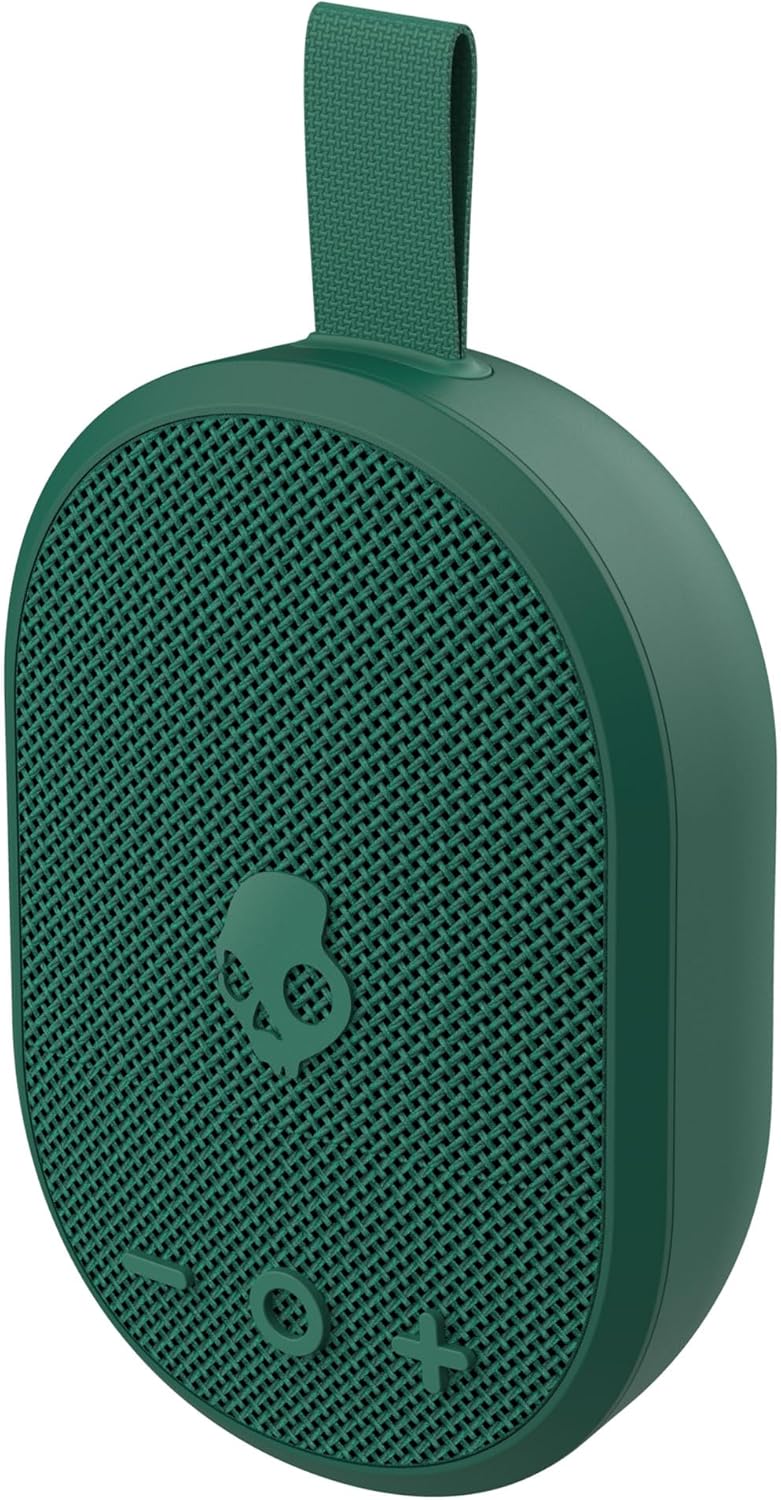
Image 1.1: The Skullcandy Ounce Wireless Bluetooth Speaker, showcasing its compact design and green color.
Key Features:
- Ultra-Portable and Lightweight: Designed for easy carrying.
- 16 Hour Battery Life: Extended playtime on a single charge.
- Crystal Clear Sound: Achieved through a downward-firing passive radiator and engineered fabric mesh.
- IPX7 Waterproof: Can be submerged in up to 1 meter of water for up to 30 minutes.
- Nylon Carry Strap: Built-in strap for convenient carrying and attachment.
- Bluetooth 5.3: For reliable wireless connectivity.

Image 1.2: Visual representation of the speaker's main features: IPX7 waterproof rating, 16-hour battery life, and Bluetooth 5.3 connectivity.
2. What's in the Box
Your Skullcandy Ounce package includes the following items:
- SKDY Ounce™ Wireless Speaker
- USB Charging Cable
- Quick Start Guide
- Stickers (may vary)
Video 2.1: An official product video demonstrating the Skullcandy Ounce speaker in various environments, highlighting its portability and durability.
3. Setup
3.1 Charging the Speaker
Before first use, fully charge your Skullcandy Ounce speaker. Connect the provided USB charging cable to the speaker's charging port and a compatible USB power source. The LED indicator will show charging status.

Image 3.1: The USB-C charging port located on the speaker, with a small green LED indicating power or charging status.
3.2 Bluetooth Pairing
- Ensure the speaker is charged and powered off.
- Press and hold the power button (usually the central button with the Skullcandy logo) until you hear an audible cue or see the LED indicator flash, indicating pairing mode.
- On your device (smartphone, tablet), navigate to Bluetooth settings.
- Select "Skullcandy Ounce" from the list of available devices.
- Once connected, the speaker will provide an audible confirmation, and the LED indicator will change to a solid color.

Image 3.2: A smartphone screen showing music playing, with wireless signals indicating connection to the Skullcandy Ounce speaker.
4. Operating Instructions
4.1 Controls
The Skullcandy Ounce features intuitive touch controls on its front surface:
- Power Button (Skullcandy Logo): Press and hold to power on/off. Single press to play/pause music.
- Volume Up (+): Increase volume.
- Volume Down (-): Decrease volume.
- Track Skip: Specific combinations of presses on volume buttons may skip tracks (refer to Quick Start Guide for details).

Image 4.1: A detailed view of the speaker's front panel, showing the Skullcandy logo power button, volume controls, and the integrated nylon carry strap.
4.2 Portability and Usage
The speaker's compact size and ballistic nylon carry strap make it ideal for on-the-go use. Attach it to your backpack, bike, or hang it in a convenient location. Its IPX7 waterproof rating ensures durability in various environments, including near water.

Image 4.2: The speaker shown attached to a person's clothing via its carry strap and a carabiner, demonstrating its portability.
5. Maintenance
5.1 Cleaning
To clean your Skullcandy Ounce speaker, use a soft, damp cloth. Avoid using harsh chemicals or abrasive cleaners. For sand or dirt, gently brush it off before wiping. Ensure the charging port cover is securely closed before cleaning with water.
5.2 Waterproof Care (IPX7)
While the speaker is IPX7 waterproof, meaning it can withstand submersion in up to 1 meter of water for 30 minutes, it is recommended to dry the speaker thoroughly after exposure to water. Always ensure the charging port cover is sealed to maintain its waterproof integrity.

Image 5.1: The speaker shown partially submerged in water, illustrating its IPX7 waterproof capability.
6. Troubleshooting
- No Power: Ensure the speaker is fully charged. Connect to a power source and check the LED indicator.
- Cannot Pair Bluetooth:
- Ensure the speaker is in pairing mode (LED flashing).
- Turn off and on your device's Bluetooth.
- Forget "Skullcandy Ounce" from your device's Bluetooth list and attempt to re-pair.
- Ensure no other devices are currently connected to the speaker.
- Low Volume or Distorted Sound:
- Adjust the volume on both the speaker and your connected device.
- Ensure the speaker is not obstructed.
- Check for any debris in the speaker grille.
- Water Damage Concerns: If the speaker has been submerged or heavily splashed, ensure it is completely dry before charging or prolonged use.
7. Specifications
| Feature | Detail |
|---|---|
| Model Name | Skullcandy Ounce |
| Model Number | 2SKSK1844 |
| Connectivity Technology | Bluetooth, USB |
| Wireless Communication | Bluetooth 5.3 |
| Battery Life | 16 Hours |
| Waterproof Rating | IPX7 |
| Speaker Type | Outdoor |
| Audio Output Mode | Stereo |
| Speaker Maximum Output Power | 3 Watts |
| Frequency Response | 30 Hz |
| Control Method | Touch |
| Product Dimensions | 2"D x 3"W x 4.4"H |
| Item Weight | 0.37 Kilograms (13 ounces) |
| UPC | 812350262270 |

Image 7.1: A visual representation of the speaker's dimensions for reference.
8. Warranty and Support
8.1 Warranty Information
The Skullcandy Ounce Wireless Bluetooth Speaker comes with a Limited Warranty. For specific terms and conditions, please refer to the warranty documentation included with your product or visit the official Skullcandy website.
8.2 Customer Support
For further assistance, technical support, or warranty claims, please contact Skullcandy customer service through their official website or the contact information provided in your product packaging.
Official Website: www.skullcandy.com