
Introduction
This manual provides detailed instructions for the setup, operation, and maintenance of your Mesqool CR1008iR Vibrating Alarm Clock. Please read this manual thoroughly before using the product to ensure proper function and longevity.
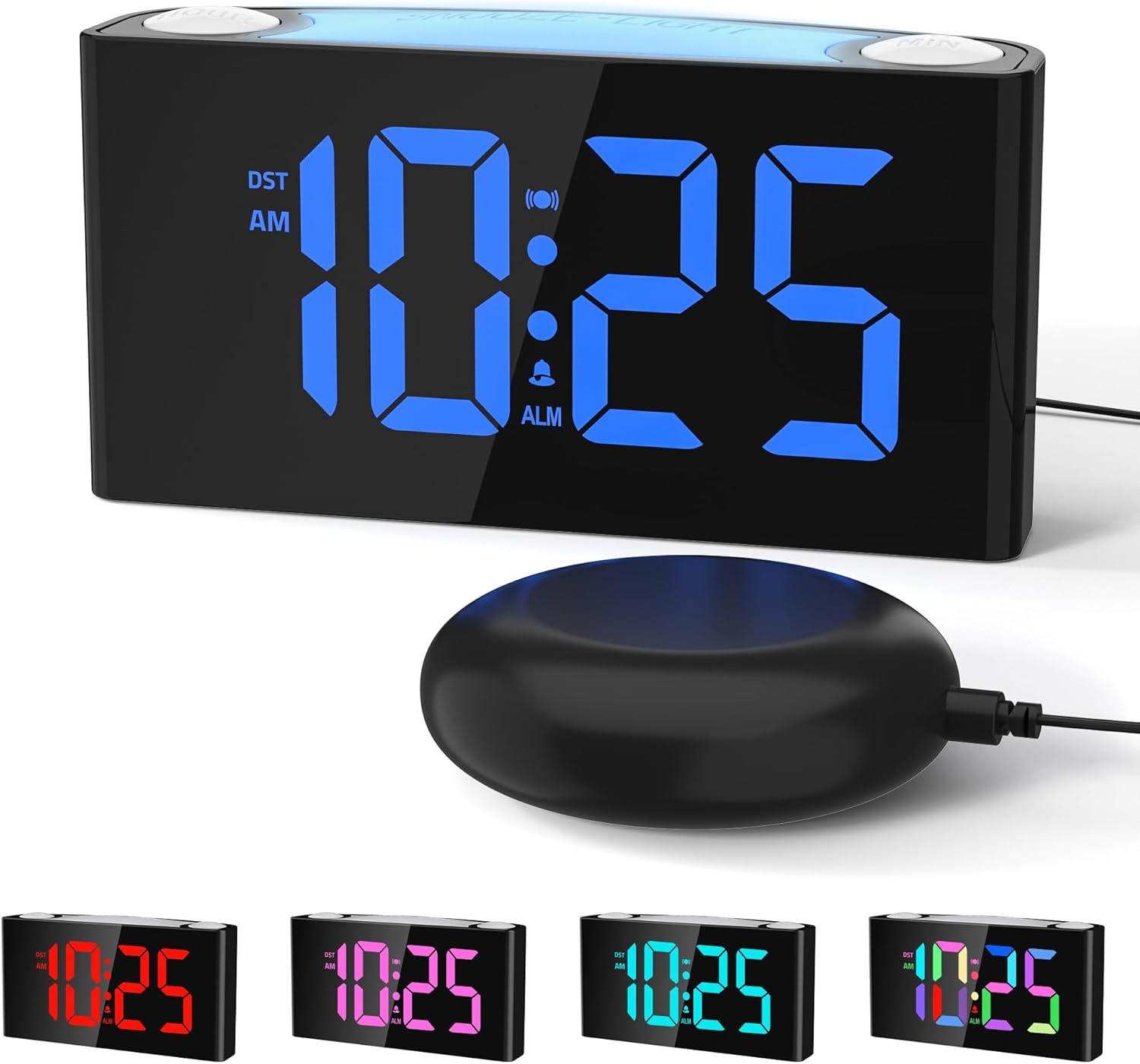
Image: The Mesqool CR1008iR Vibrating Alarm Clock, featuring a large digital display and an external bed shaker.
Product Overview
The Mesqool CR1008iR is a versatile alarm clock designed for various users, including heavy sleepers, seniors, and the hearing impaired. Key features include:
- Multiple Wake-Up Modes: Choose from loud buzzer, powerful bed shaker, or a combination of both.
- Customizable RGB Display: Large LED screen with 8-color options and dynamic display modes.
- 8-Color Night Light: Soft bottom glow with adjustable brightness.
- Dual USB Charging Ports: Includes USB-A and USB-C ports for convenient device charging.
- Battery Backup: Maintains time and alarm settings during power outages (requires 2x AAA batteries, not included).
- Snooze Function: Up to 81 minutes of extra rest with 9-minute snooze intervals.
- 12/24-Hour Format & DST: Easy switching between time formats and Daylight Saving Time activation.
Setup
- Power Connection: Connect the provided power adapter to the DC 5V port on the back of the alarm clock and plug it into a standard wall outlet. The display will illuminate.
- Battery Backup Installation: Open the battery compartment on the bottom of the clock. Insert two (2) AAA batteries (not included), ensuring correct polarity (+/-). These batteries will preserve your time and alarm settings during a power interruption but will not power the display or night light.
- Bed Shaker Connection: Plug the bed shaker cable into the designated shaker port on the back of the alarm clock. Place the bed shaker under your pillow or mattress for optimal vibration.

Image: The back of the Mesqool alarm clock, illustrating the battery compartment for backup AAA batteries.
Operating Instructions
1. Setting the Time
- Press and hold the TIME SET button (located on the back) until the hour digits flash.
- Use the HOUR button (top right) to adjust the hour.
- Use the MIN button (top left) to adjust the minute.
- Press TIME SET again to confirm and exit time setting mode.
2. Setting the Alarm
- Press and hold the ALARM SET button (located on the back) until the alarm hour digits flash.
- Use the HOUR button to adjust the alarm hour.
- Use the MIN button to adjust the alarm minute.
- Press ALARM SET again to confirm the alarm time.
- Immediately after setting the alarm time, press the ALARM MODE button (on the back) repeatedly to cycle through the alarm modes: Buzzer only, Vibration only, or Buzzer + Vibration. The corresponding icon will appear on the display.
- Press ALARM SET one more time to exit alarm setting mode.

Image: Visual representation of the three available wake-up modes: audible buzzer, physical bed shaker, and a combination of both.
3. Snooze Function
When the alarm sounds, press the large SNOOZE/LIGHT button on top of the clock to activate the snooze function. The alarm will pause for 9 minutes and then sound again. This can be repeated up to 9 times for a maximum of 81 minutes of snooze time.

Image: A hand pressing the large snooze button on the alarm clock, illustrating the snooze function and adjustable volume settings.
4. Adjusting Display Brightness
Press the DIMMER button (on the back) repeatedly to cycle through the 7 levels of display brightness, from brightest to off.
5. Night Light Function
Press the SNOOZE/LIGHT button (on top) to turn the night light on/off. Press and hold the SNOOZE/LIGHT button to cycle through the 8 available colors or activate the RGB breathing light mode. The night light has 3 adjustable brightness levels.

Image: The Mesqool alarm clock showcasing its 8-color dimmable night light feature, providing ambient illumination.
6. USB Charging Ports
The alarm clock features one USB-A and one USB-C charging port on the back. These ports can be used to charge compatible electronic devices such as smartphones, smartwatches, or earbuds. Ensure your device's charging cable is properly connected.

Image: The back of the Mesqool alarm clock with a smartphone and earbuds charging via its integrated USB-A and USB-C ports.
7. 12/24-Hour Format and Daylight Saving Time (DST)
- To switch between 12-hour and 24-hour time formats, press the 12/24H button (on the back).
- To activate or deactivate Daylight Saving Time, press the DST button (on the back). The time will adjust by one hour, and the DST indicator will appear/disappear on the display.

Image: The Mesqool alarm clock showing examples of its 12-hour, 24-hour, and Daylight Saving Time (DST) display options.
Maintenance
- Cleaning: Wipe the clock with a soft, dry cloth. Do not use abrasive cleaners or solvents.
- Storage: If storing the clock for an extended period, remove the AAA backup batteries to prevent leakage.
- Environment: Keep the clock away from direct sunlight, extreme temperatures, and high humidity.
Troubleshooting
| Problem | Solution |
|---|---|
| Clock display is off or flickering. | Ensure the power adapter is securely plugged into both the clock and the wall outlet. Check if the power outlet is functional. |
| Alarm does not sound/vibrate. | Verify that the alarm is set and activated (alarm icon visible on display). Check the alarm mode (buzzer, vibration, or both). Ensure the bed shaker is properly connected. |
| Time/alarm settings reset after power outage. | Install two (2) fresh AAA batteries for backup. The backup batteries only save settings, they do not power the display. |
| USB charging ports not working. | Ensure the clock is powered by the AC adapter. The USB ports require main power to function. Check the charging cable and device compatibility. |
| Display is too bright/dim. | Press the DIMMER button on the back to adjust the display brightness through its 7 levels. |
Specifications
- Brand: Mesqool
- Model: CR1008iR
- Display Type: Digital LED
- Power Source: Plug-in (AC adapter)
- Battery Backup: 2 x AAA batteries (not included) for settings retention
- Product Dimensions: 3.39"W x 1.93"H
- Item Weight: 15.5 ounces
- Material: Acrylonitrile Butadiene Styrene (ABS)
- Special Features: Vibrating Alarm, Loud Buzzer, 8-Color Night Light, Dual USB Charging (Type-A & Type-C), Dimmable Display, Snooze Function, 12/24H & DST.
Warranty Information
This Mesqool CR1008iR Vibrating Alarm Clock comes with a Limited Warranty. For specific details regarding warranty coverage, duration, and claims process, please refer to the warranty card included in your product packaging or contact Mesqool customer support.
Customer Support
If you encounter any issues or have questions not covered in this manual, please contact Mesqool customer support for assistance. You can typically find contact information on the product packaging, the official Mesqool website, or through your purchase platform.
For additional resources, you may visit the Mesqool Store on Amazon.


