
Introduction
Thank you for choosing the Syncwire Bluetooth 5.3 FM Transmitter Car Adapter. This device is designed to enhance your in-car audio experience by providing seamless Bluetooth connectivity, fast charging capabilities, and ambient lighting. Please read this manual carefully to ensure proper setup and operation.
Product Overview
The Syncwire FM Transmitter features advanced Bluetooth 5.3 technology for stable connections, dual USB ports (PD 36W and USB A 12W) for fast charging, Hi-Fi deep bass sound, and a customizable ambient light switch. It supports music streaming via Bluetooth and USB drive, and offers clear hands-free calling.

Front view of the Syncwire Bluetooth FM Transmitter, highlighting its USB ports, LED display, and control knob.
Setup Guide
- Power Connection: Insert the Syncwire FM Transmitter into your car's 12V/24V cigarette lighter socket. The LED display will light up, indicating it's powered on.
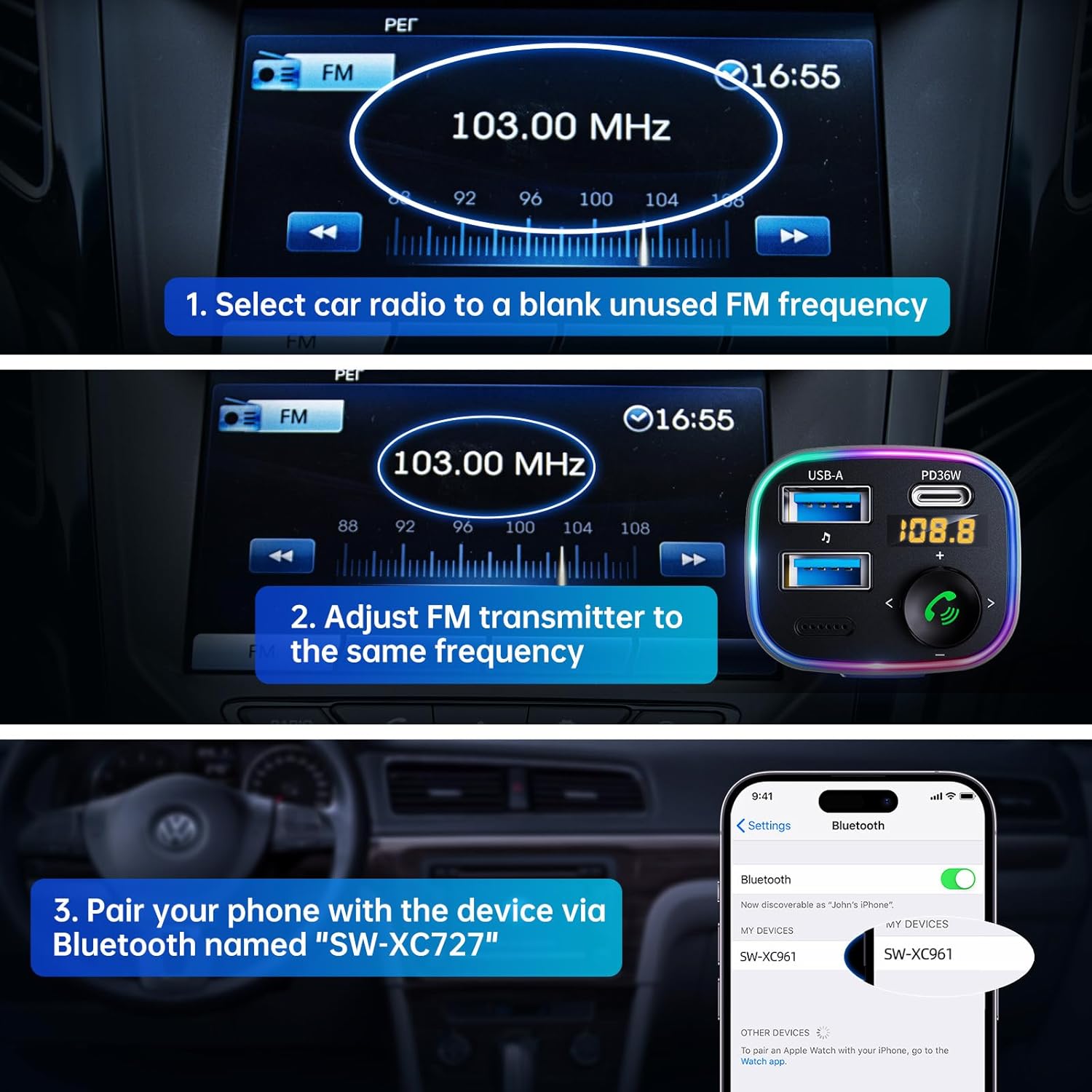
- FM Frequency Adjustment:

Visual guide for setting up the FM frequency and Bluetooth pairing.
- Tune your car radio to a blank, unused FM frequency (e.g., 103.00 MHz).
- Adjust the FM transmitter to the same frequency. Press and hold the multi-function button until the frequency flashes, then rotate the knob to match your car's FM frequency.
- Bluetooth Pairing:
The transmitter supports both USB drive playback and Bluetooth 5.4 connection for audio streaming.
- On your smartphone or Bluetooth-enabled device, enable Bluetooth and search for available devices.
- Select "SW-XC961" from the list to pair. A voice prompt will confirm successful pairing.
Operating Instructions
Music Streaming
- Bluetooth Streaming: Once paired, music from your device will automatically stream through your car's speakers via the set FM frequency.
- USB Drive Playback: Insert a USB flash drive (up to 64GB) containing MP3/WMA/WAV/FLAC files into the USB-A port. The device will automatically detect and play music from the drive.
Hands-Free Calling
- Answer/End Call: Short press the phone button (green icon) to answer an incoming call or end an ongoing call.
- Reject Call: Long press the phone button to reject an incoming call.
- Redial: Double press the phone button to redial the last dialed number.
- Switch Call Source: During a call, long press the phone button to switch the call between the transmitter and your phone.
Fast Charging

The device offers 5X faster charging than standard car chargers, with a USB-C PD 36W port and a USB-A 12W port.
- The PD 36W USB-C port provides ultra-fast charging for compatible devices.
- The 12W USB-A port provides standard charging for other devices.
- You can charge two devices simultaneously.
Hi-Fi Deep Bass & Ambient Light
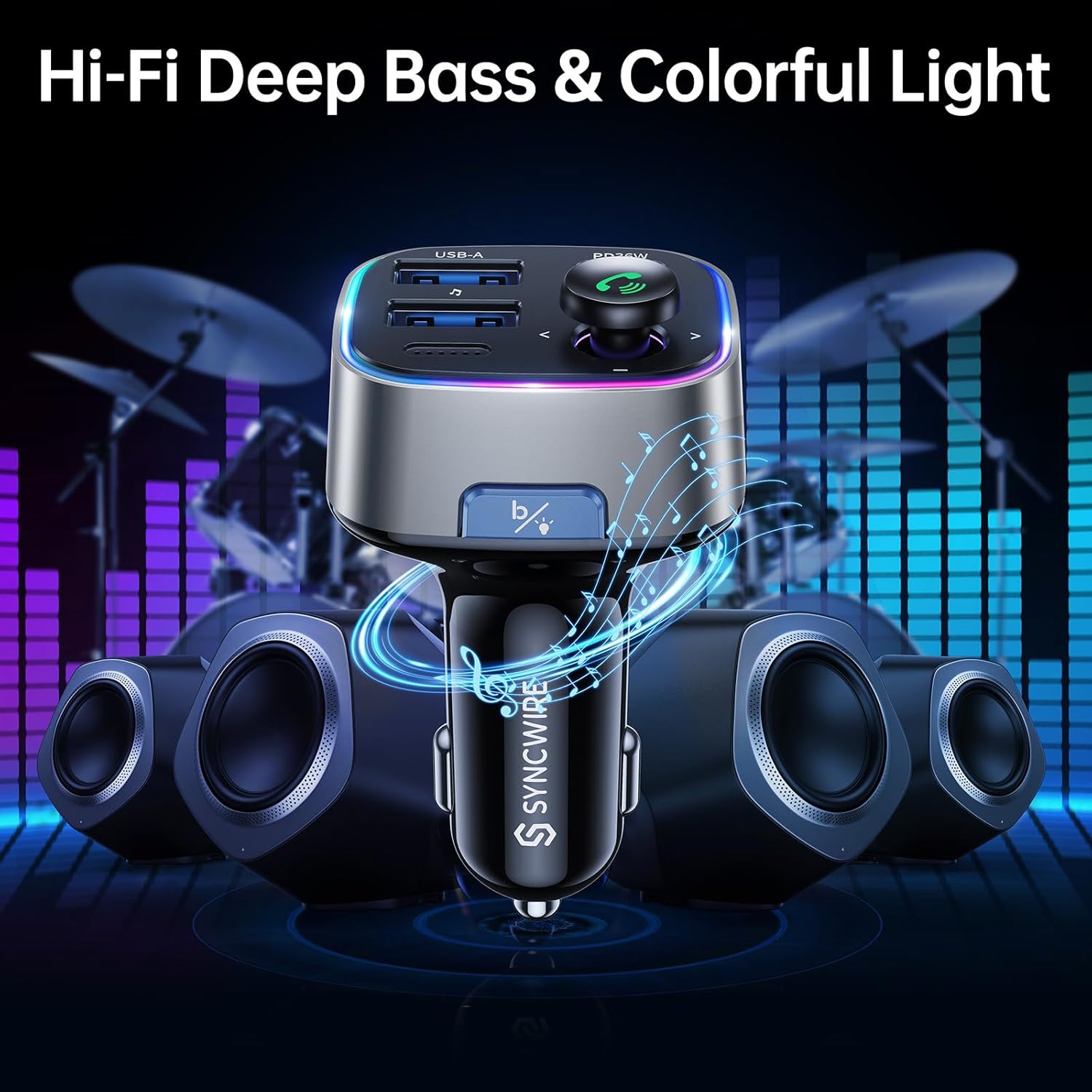
Enjoy powerful deep bass and immersive stereo sound with the Hi-Fi feature, complemented by customizable ambient lighting.
- Deep Bass Mode: Press the "B" button (Light/Bass Booster Button) once to activate the Hi-Fi Deep Bass mode for enhanced audio. Press again to return to standard mode.
- Ambient Light Control: Double press the "B" button to turn the rainbow ambient light ON or OFF.

The ambient light can be easily toggled on or off with a double tap of the 'B' button.
Maintenance
To ensure the longevity and optimal performance of your Syncwire FM Transmitter, please follow these maintenance guidelines:
- Keep the device dry and away from moisture.
- Clean the surface with a soft, dry cloth. Do not use harsh chemicals or abrasive cleaners.
- Avoid exposing the device to extreme temperatures.
- Do not disassemble the device. Any repairs should be performed by qualified personnel.
Troubleshooting
If you encounter any issues with your Syncwire FM Transmitter, please refer to the following common solutions:
- No Power: Ensure the transmitter is securely plugged into the cigarette lighter socket. Check your car's fuse for the cigarette lighter.
- Poor Sound Quality/Static:
- Adjust the FM frequency to a completely blank channel on your car radio and the transmitter.
- Move away from strong radio signals or other electronic interference.
- Ensure the volume on both your phone and car radio is set appropriately.
- Bluetooth Disconnection:
- Ensure your device is within the effective range (approx. 10 meters) of the transmitter.
- Forget the device from your phone's Bluetooth settings and re-pair.
- Restart both your phone and the FM transmitter.
- Charging Issues:
- Check if the charging cable is securely connected to both the transmitter and your device.
- Ensure your device supports the fast charging protocols (PD for USB-C).
- Try a different charging cable or device to isolate the issue.
If the problem persists, please contact Syncwire customer support for assistance.
Specifications
| Feature | Detail |
|---|---|
| Brand | SYNCWIRE |
| Model Number | SW-XC961 |
| Bluetooth Version | 5.3 |
| USB Ports | 1 x PD 36W (USB-C), 1 x 12W (USB-A) |
| Power Source | Corded Electric (12V/24V Car Socket) |
| Material | Premium Material |
| Item Weight | 2.11 ounces |
| Package Dimensions | 3.39 x 3.35 x 1.54 inches |
| Special Features | Colorful Light Switch, Hi-Fi Deep Bass Sound, LED Display, Music Adapter Support USB Drive, Hands-Free Calling |
Warranty and Support
Syncwire provides a 36 Months warranty and lifetime support for this product. If your Syncwire FM Transmitter does not fit your car or does not work as expected, please do not hesitate to contact us for a satisfying solution. We are committed to ensuring your satisfaction.
For further assistance, please visit the official SYNCWIRE Store or refer to the contact information provided with your purchase.