
Introduction
This manual provides detailed instructions for the setup, operation, and maintenance of your KSIX Compass Smartwatch. Designed for active lifestyles, this smartwatch features integrated GPS, call functionality, notification alerts, and comprehensive health monitoring. Please read this manual thoroughly to ensure proper use and to maximize your device's capabilities.
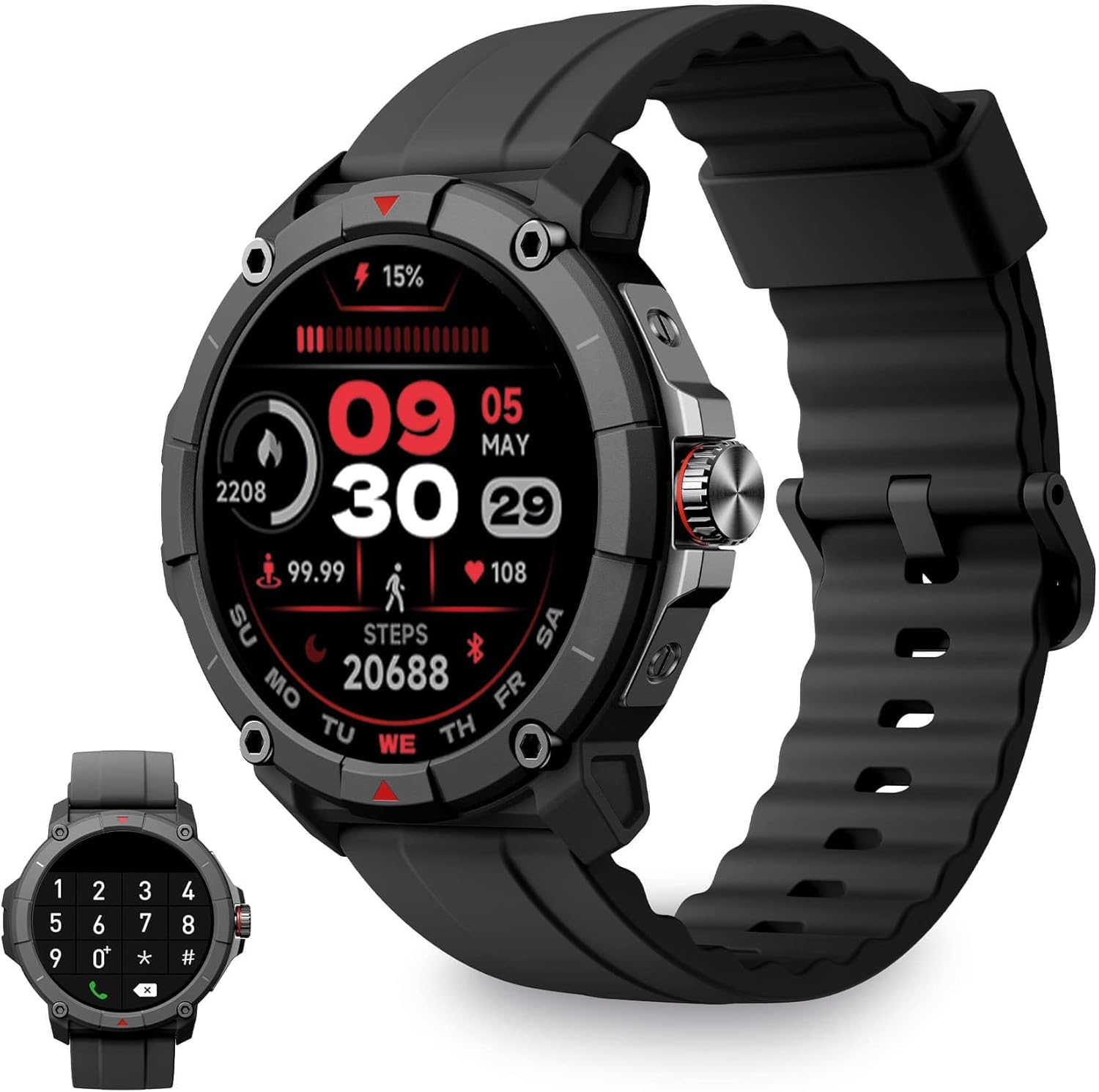
Image: KSIX Compass Smartwatch, front view showing the round display with a digital watch face, and the black silicone strap. A smaller inset image shows the dial pad on the watch screen.
1. Setup
1.1 Charging the Device
Before initial use, fully charge your KSIX Compass Smartwatch.
- Connect the charging cable to the charging port on the back of the smartwatch.
- Connect the other end of the cable to a USB power adapter (not included) or a computer's USB port.
- The watch display will indicate charging status.
A full charge typically takes approximately 2.5 hours and provides up to 7 days of battery life, depending on usage.

Image: Close-up of the KSIX Compass Smartwatch's side, highlighting the rotating crown. Text overlays indicate "Charging Time: 2.5h" and "Battery Life: 7 days".
1.2 Pairing with Your Smartphone
To unlock all features, pair your smartwatch with the companion app.
- Download the VeryFit app from the App Store (iOS 9.0 and above) or Google Play Store (Android 6.0 and above).
- Ensure Bluetooth is enabled on your smartphone.
- Open the VeryFit app and follow the on-screen instructions to create an account or log in.
- Select "Add Device" or similar option within the app and choose your KSIX Compass Smartwatch from the list of available devices.
- Confirm the pairing request on both your smartphone and the smartwatch.
The watch uses Wireless BLE 5.3 for a stable connection.
2. Operating Instructions
2.1 Basic Navigation
- Touchscreen: Swipe left, right, up, or down to navigate through menus and features. Tap to select.
- Rotating Crown: Rotate the crown on the side of the watch to scroll through lists or adjust settings. Press the crown to return to the home screen or confirm selections.

Image: The KSIX Compass Smartwatch displaying its 1.38-inch full-color TFT-LCD touchscreen. Several customizable watch faces are shown below, demonstrating different layouts and information displays.
2.2 Call Functionality
The KSIX Compass Smartwatch allows you to make and receive calls directly from your wrist using its built-in microphone and speaker.
- Making Calls: Access the dial pad or contact list on the watch screen to initiate a call.
- Receiving Calls: When a call comes in, you can answer or reject it directly from the watch.
2.3 Notifications
Receive notifications from various applications (e.g., WhatsApp, Instagram, Twitter) directly on your smartwatch when connected to your phone.

Image: The KSIX Compass Smartwatch displaying a call screen with options for frequent contacts and a dial pad. Below, icons for various social media and messaging apps (WhatsApp, Instagram, Twitter, Facebook, Gmail) are shown, representing notification capabilities.
2.4 Voice Assistant
The smartwatch is compatible with your preferred voice assistant (Alexa, Siri, or Google Assistant). Activate the voice assistant feature on your watch and speak your commands.
2.5 Sport Modes and GPS Tracking
The KSIX Compass Smartwatch includes integrated GPS for tracking your routes during outdoor activities like running and hiking. It supports over 100 sport modes.
- Select your desired sport mode from the watch menu.
- Ensure GPS connection is successful before starting your activity.
- Track your route and performance data in real-time.
- Review detailed activity logs in the VeryFit app after your workout.

Image: The KSIX Compass Smartwatch display showing "GPS connection successful" with a green pin icon, ready to start an activity. A blurred outdoor path is visible in the background.
2.6 Health Monitoring
Monitor various health metrics directly from your wrist.
- Heart Rate Monitor: Continuously tracks your heart rate.
- Blood Oxygen (SpO2) Monitor: Measures blood oxygen saturation levels.
- Blood Pressure Monitor: Provides blood pressure readings.
- Sleep Monitor: Tracks sleep patterns and quality.
- Pedometer: Counts steps taken throughout the day.
- Stress Meter: Monitors stress levels.
- Breathing Exercises: Guides you through relaxation breathing.
- Menstrual Cycle Tracking: Helps track and predict menstrual cycles.
All health data can be viewed in detail within the VeryFit app.
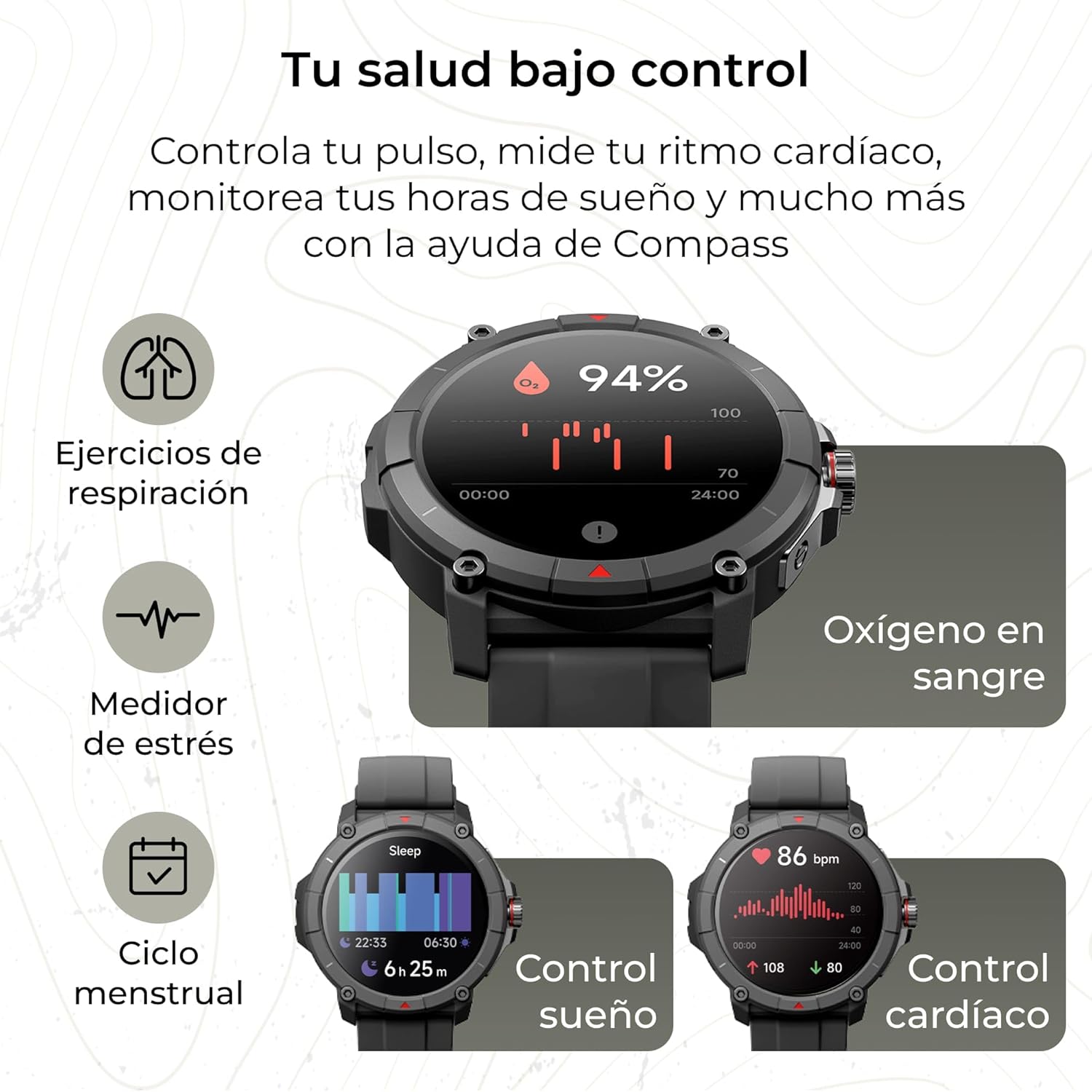
Image: The KSIX Compass Smartwatch displaying various health monitoring features. These include blood oxygen saturation (94%), heart rate control (86 bpm), sleep tracking (6h 25m), stress measurement, breathing exercises, and menstrual cycle tracking.
2.7 Additional Features
- Flashlight: Access a quick flashlight function.
- Camera Remote: Control your smartphone's camera remotely.
- Customizable Dials: Choose from multiple watch faces to personalize your device.
3. Maintenance
3.1 Cleaning Your Smartwatch
Regularly clean your smartwatch to ensure optimal performance and hygiene.
- Wipe the screen and body with a soft, lint-free cloth.
- For stubborn dirt, slightly dampen the cloth with water.
- Avoid using harsh chemicals or abrasive materials.
- Ensure the charging contacts are clean and dry before charging.
3.2 Water Resistance
The KSIX Compass Smartwatch is water-resistant up to 2 meters for 30 minutes, with an IP68 and 2ATM protection rating.
- It is suitable for daily use, such as hand washing, rain, and shallow swimming.
- Avoid hot water, saunas, or high-pressure water jets.
- Do not press buttons or operate the touchscreen underwater.
- Dry the watch thoroughly after exposure to water.

Image: A composite image showcasing various features of the KSIX Compass Smartwatch. Key elements include "100+ Sport Modes", "Integrated GPS", "2ATM Submersible" (with an image of the watch partially submerged in water), "7 Days Battery Life", "Hands-free Calling", "Customizable Dials", "Voice Assistants", and "24h Health Monitoring".
4. Troubleshooting
4.1 Connectivity Issues
- Watch Disconnects Frequently:
- Ensure the smartwatch is within Bluetooth range of your phone.
- Check if the VeryFit app is running in the background and has necessary permissions.
- Restart both your phone's Bluetooth and the smartwatch.
- If issues persist, try unpairing and re-pairing the device through the VeryFit app.
- Cannot Pair:
- Make sure the smartwatch is charged.
- Verify Bluetooth is enabled on your phone.
- Ensure no other devices are currently paired with the smartwatch.
- Restart your phone and the smartwatch, then try pairing again.
4.2 GPS Accuracy
- Inaccurate GPS Readings:
- Ensure you are in an open outdoor area with a clear view of the sky for optimal GPS signal reception.
- Wait for the "GPS connection successful" message before starting your activity.
- Sync the watch with the VeryFit app regularly to update GPS assistance data.
4.3 Battery Life Optimization
- Reduce screen brightness.
- Disable continuous heart rate monitoring if not needed.
- Limit the number of app notifications.
- Turn off "Always-On Display" if available.
- Use power-saving modes if offered by the device.
5. Specifications
| Brand | KSIX smart your tech |
| Model Name | Compass |
| Model Number | BXSW18N |
| Color | Black |
| Operating System | Wear OS [UNCERTAIN] (Compatible with iOS 9.0+ and Android 6.0+) |
| Screen Size | 1.38 Inches (TFT-LCD Touchscreen) |
| Connectivity | Wireless Bluetooth (BLE 5.3) |
| Special Features | Compass, GPS, Heart Rate Monitor, SpO2, Blood Pressure, Sleep Tracker, Pedometer, Voice Assistant, Call Functionality, Notifications, Flashlight, Camera Remote |
| Compatible Devices | Smartphone, Tablet |
| Battery Composition | Lithium-ion |
| Battery Life | Up to 7 days (typical usage) |
| Charging Time | Approx. 2.5 hours |
| Water Resistance | 2ATM, IP68 (up to 2 meters for 30 minutes) |
6. Safety Information
Please observe the following safety guidelines:
- Do not attempt to disassemble or modify the device.
- Keep the device away from extreme temperatures and direct sunlight.
- Avoid exposing the device to strong impacts or drops.
- Consult a medical professional before starting any new exercise regimen or if you have health concerns. The health monitoring features are for informational purposes and not for medical diagnosis.
- Dispose of the device and its battery responsibly according to local regulations.

