
Introduction
This instruction manual provides detailed information for the proper setup, operation, and maintenance of your Behringer U-PHORIA UMC404HD USB Audio Interface and the accompanying H&A XLR Microphone Cables. The UMC404HD is an audiophile-grade 4x4, 24-Bit/192 kHz USB Audio/MIDI Interface featuring Midas Mic Preamplifiers, designed to elevate your studio experience with pristine audio quality and versatile recording capabilities. Please read this manual thoroughly before using the product to ensure optimal performance and safety.
Safety Instructions
Always observe the following basic safety precautions when using this product:
- Read these instructions.
- Keep these instructions.
- Heed all warnings.
- Follow all instructions.
- Do not use this apparatus near water.
- Clean only with dry cloth.
- Do not block any ventilation openings. Install in accordance with the manufacturer’s instructions.
- Do not install near any heat sources such as radiators, heat registers, stoves, or other apparatus (including amplifiers) that produce heat.
- Protect the power cord from being walked on or pinched, particularly at plugs, convenience receptacles, and the point where they exit from the apparatus.
- Only use attachments/accessories specified by the manufacturer.
- Unplug this apparatus during lightning storms or when unused for long periods of time.
- Refer all servicing to qualified service personnel. Servicing is required when the apparatus has been damaged in any way, such as power-supply cord or plug is damaged, liquid has been spilled or objects have fallen into the apparatus, the apparatus has been exposed to rain or moisture, does not operate normally, or has been dropped.
Package Contents
Please check the package contents upon unboxing to ensure all items are present and undamaged:
- 1x Behringer U-PHORIA UMC404HD USB Audio Interface
- 4x H&A 25' XLR M to F Microphone Cables
- USB Cable (for connecting to computer)
- Quick Start Guide (or similar documentation)
Product Overview
Behringer U-PHORIA UMC404HD USB Audio Interface
The UMC404HD is a high-performance 4-input, 4-output USB audio interface designed for professional recording. It features four Midas-designed microphone preamplifiers with +48V phantom power, ensuring exceptional audio quality for microphones and instruments. With 24-bit/192 kHz resolution, it delivers studio-grade sound for all your recording needs. The interface also includes MIDI I/O for connecting MIDI devices and direct monitoring capabilities.

Image: The complete bundle, showing the U-PHORIA UMC404HD interface and the four included XLR microphone cables.

Image: A detailed view of the UMC404HD's front panel, highlighting the four combination XLR/TRS inputs, gain controls, PAD and INST switches, and monitoring section.
H&A 25' XLR M to F Microphone Cables
This bundle includes four high-quality 25-foot XLR male to female microphone cables. These cables are essential for connecting your microphones and other XLR-compatible audio equipment to the UMC404HD interface, ensuring reliable signal transmission and durability for various recording environments.
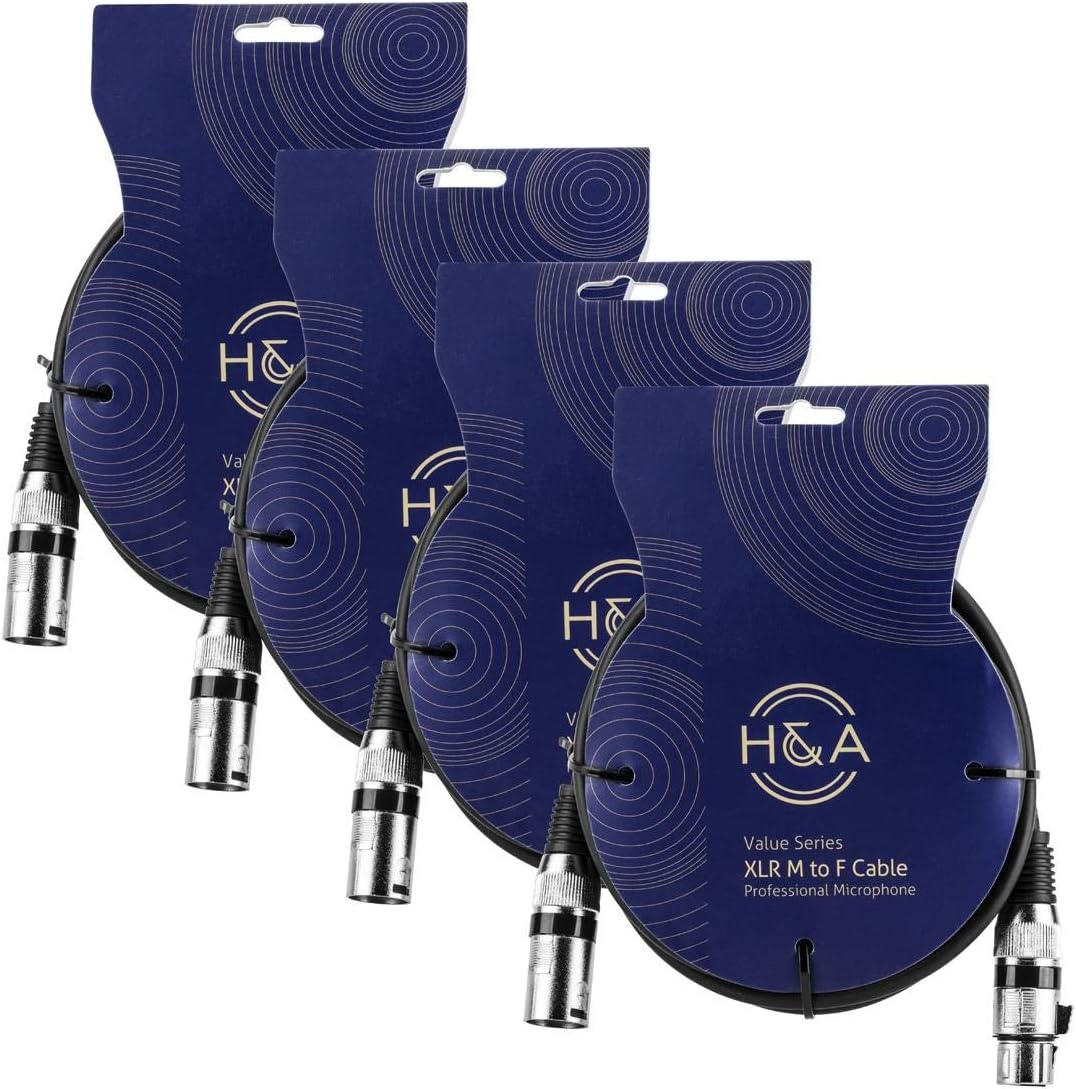
Image: The four H&A XLR microphone cables, individually packaged, as they appear in the bundle.

Image: A close-up view of one of the 25-foot H&A XLR microphone cables, showing its coiled form and the male and female XLR connectors.
Setup Guide
System Requirements
The UMC404HD is compatible with personal computers. Ensure your operating system meets the minimum requirements for USB audio devices.
Driver Installation
Before connecting the UMC404HD to your computer, it is recommended to download and install the latest drivers from the Behringer official website. Follow the on-screen instructions provided by the installer.
Hardware Connections
- USB Connection: Connect the UMC404HD to an available USB port on your computer using the provided USB cable. The interface is USB bus-powered, so no external power supply is typically needed.
- Microphone/Instrument Connection: Connect your microphones or instruments to the combination XLR/TRS inputs (INPUT 1-4) on the front panel using the H&A XLR cables for microphones or 1/4" TRS cables for instruments.
- Monitor/Headphone Connection: Connect your studio monitors to the MAIN OUT (L/R) jacks on the rear panel using 1/4" TRS cables. Connect your headphones to the PHONES output on the front panel.
- MIDI Connection: If using MIDI devices, connect your MIDI controller's MIDI OUT to the UMC404HD's MIDI IN, and the UMC404HD's MIDI OUT to your MIDI device's MIDI IN.
- Power On: Once all connections are made, the UMC404HD will power on automatically when connected to your computer via USB.
Operating the UMC404HD
Input Controls
- GAIN Knobs (1-4): Adjust the input level for each channel. Turn clockwise to increase gain.
- PAD Switch: Engages a 20dB attenuation pad for high-level input signals, preventing clipping.
- LINE/INST Switch: Toggles between line-level input (for keyboards, preamps) and instrument-level input (for guitars, basses).
- SIG/CLIP Indicators: The SIG (Signal) LED illuminates when an input signal is detected. The CLIP LED illuminates when the input signal is too high and clipping is occurring; reduce the GAIN until the CLIP LED no longer lights up.
Output and Monitoring
- MIX Knob: Blends the direct input signal (IN) with the playback signal from your computer (PB) for zero-latency monitoring.
- MONITOR A/B Switch: Selects between two pairs of monitor outputs (A and B) if connected.
- MAIN OUT Knob: Controls the overall output level of the main monitor outputs.
- PHONES Knob: Controls the volume of the headphone output.
Phantom Power (+48V)
Press the +48V button to supply phantom power to condenser microphones connected to inputs 1-4. Ensure phantom power is only enabled when required by your microphone type.
MIDI I/O
The MIDI IN and OUT ports allow you to connect MIDI keyboards, controllers, and other MIDI-compatible devices to your computer for recording and playback of MIDI data.
Care and Maintenance
- Cleaning: Use a soft, dry cloth to clean the exterior of the unit. Do not use liquid cleaners or aerosols.
- Storage: Store the interface and cables in a cool, dry place away from direct sunlight and extreme temperatures.
- Handling: Avoid dropping or subjecting the unit to strong impacts. Do not place heavy objects on top of the interface.
- Cables: Coil cables neatly after use to prevent tangling and damage. Avoid sharp bends or kinks.
Troubleshooting Common Issues
| Problem | Possible Cause | Solution |
|---|---|---|
| No sound from monitors/headphones | Incorrect volume levels; incorrect input/output routing in software; faulty cables. | Check GAIN, MAIN OUT, and PHONES knobs. Verify audio settings in your DAW/OS. Test cables. |
| Distorted audio | Input signal too hot (clipping); incorrect sample rate/buffer size. | Reduce GAIN until CLIP LED no longer illuminates. Engage PAD switch if necessary. Adjust sample rate/buffer size in your audio software. |
| Interface not recognized by computer | Drivers not installed or outdated; faulty USB cable/port. | Ensure drivers are correctly installed and up to date. Try a different USB port or cable. Restart computer. |
| Phantom power not working | +48V button not engaged; faulty microphone. | Press the +48V button. Ensure your microphone requires phantom power and is functioning correctly. |
Technical Specifications
| Feature | Detail |
|---|---|
| Model | UMC404HD |
| Connectivity | USB 2.0 |
| Inputs | 4x Combination XLR/TRS (Midas Mic Preamps) |
| Outputs | 4x Analog Outputs, Main Out (L/R), Headphone Out |
| Resolution | 24-Bit/192 kHz |
| Phantom Power | +48V (switchable) |
| MIDI I/O | Yes |
| Compatible Devices | Personal Computer |
| Item Weight | 7.28 pounds |
| Product Dimensions | 16 x 6.02 x 3.51 inches |
Warranty and Support
The Behringer U-PHORIA UMC404HD USB Audio Interface is covered by the manufacturer's warranty. For specific warranty terms and conditions, please refer to the documentation included with your product or visit the official Behringer website. For technical support, driver downloads, and further assistance, please visit the Behringer support page or contact their customer service directly.
For information regarding the H&A XLR Microphone Cables, please refer to the manufacturer's documentation or website for support and warranty details.


