
Introduction
The Crossbeats RoadEye Dash Cam is a compact and reliable car camera designed to provide clear video evidence and enhance driving safety. It features Full HD 1080P recording, a 150° wide-angle lens, a 3-inch IPS screen, night vision, G-Sensor, loop recording, parking monitor, motion detection, and Advanced Driver Assistance System (ADAS).

Image: Crossbeats RoadEye Dash Cam highlighting its powerful, compact, and reliable design with key features like Ultra HD, Wi-Fi, G-Sensor, and Night Vision.
Box Contents
Please verify that all items listed below are included in your package:
- 1x Dash cam
- 1x Charging cable (3.5m/11.4 ft)
- 1x 3M Adhesive Sticky Mount
- 1x Electrostatic Film
- 1x Car Charger
- 5x Wiring Buckle
- 1x Trim Remover
- 1x User Manual
- 1x Warranty Card
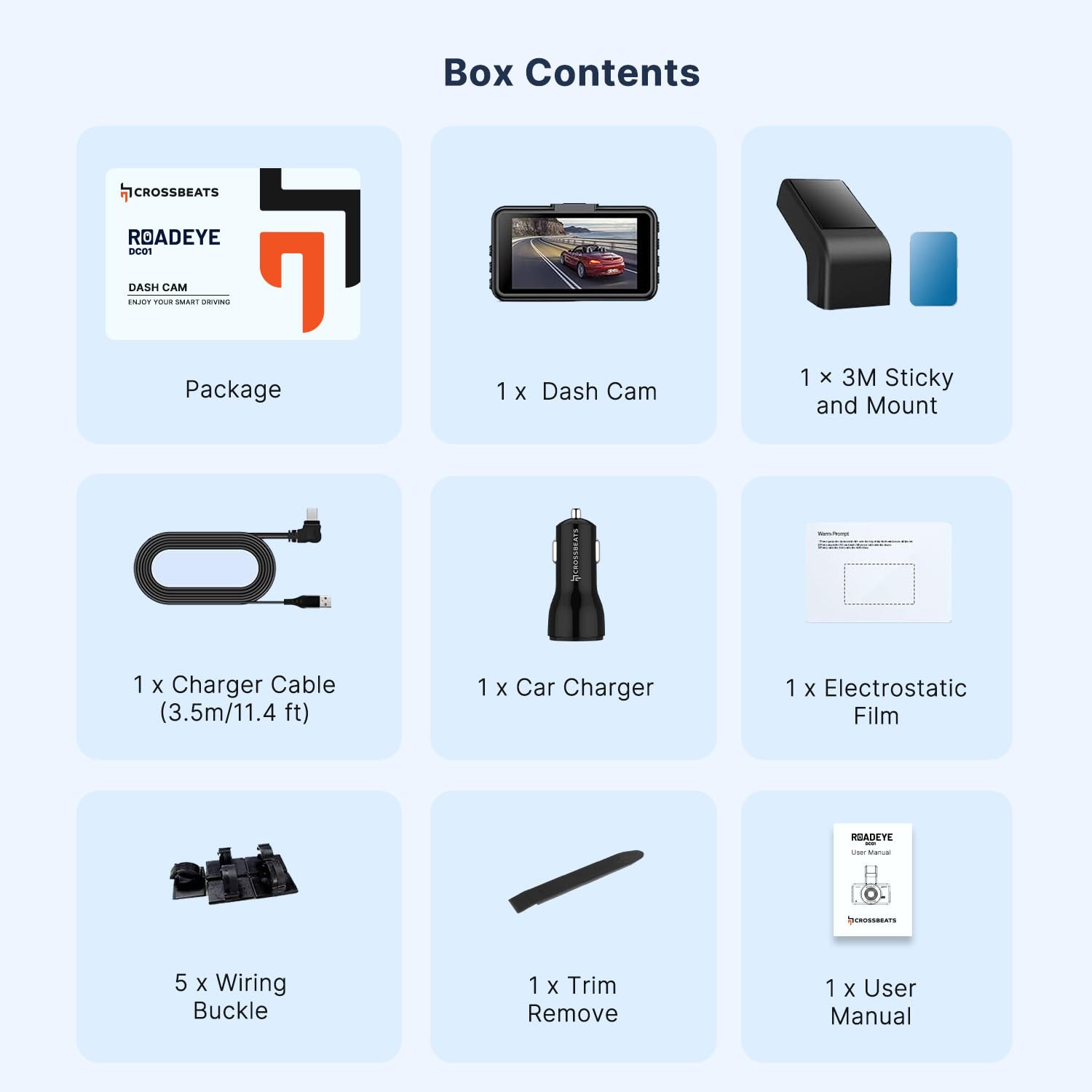
Image: A visual representation of all components included in the Crossbeats RoadEye Dash Cam package.
Product Features
Display & Video Quality
The RoadEye Dash Cam features a 3-inch IPS screen and records in Full HD 1080P at 30 frames per second, providing a crystal-clear view of the road. Its 150-degree wide-angle lens, combined with advanced IR sensors, ensures comprehensive coverage and eliminates blind spots.

Image: Illustration of the 150° wide-angle view, demonstrating the camera's ability to monitor the front of the car and two adjacent lanes clearly.
Connectivity & App Control
With built-in Wi-Fi, the dash cam easily connects to your mobile device (Android and iOS compatible). The KA-CAM App allows you to view footage, playback, live view, and download files directly to your phone for convenient sharing.

Image: The dash cam's built-in dual-band 5GHz Wi-Fi for faster data transfer and smart app control via the KA-CAM app on a smartphone.
Advanced Driver Assistance System (ADAS)
The ADAS feature detects road line markings and alerts the driver if they unintentionally depart from their lane (ALDA™). An alarm signal and visual warning are displayed if there is a risk of collision (FOCA™). Note: ADAS may not operate properly when weather or road conditions are unfavorable. ADAS can improve vehicle safety but has limits and cannot prevent all accidents.

Image: Visual representation of the ADAS system, including Lane Departure Warning System (LDWS) and Forward Collision Warning (FCW).
Recording Features (Loop Recording & G-Sensor Lock)
This dash cam seamlessly records 1/3/5 minute clips, overwriting the oldest video with the newest when the SD card is full. It also has a built-in G-Sensor, which automatically detects sudden shakes and immediately locks the current video file, saving it to an emergency file to prevent overwriting. These features provide crucial evidence in case of disputes.

Image: Illustration of the G-sensor locking video footage during an accident, ensuring critical moments are saved.
Night Vision
The RoadEye dash camera is loaded with a super high-quality Sony Sensor, providing better night vision than many other sensors. Combined with an F1.8 Aperture 6 Elements Glass Lens, it delivers excellent clearer views in low-light conditions, capturing small details like license plates.

Image: Super Night Vision feature, showing clear capture of details like license plates even at night, powered by an Advanced Novatek Processor and Sony STARVIS IMX498 sensor.
Parking Monitor
The 24-hour parking monitor function works when connected to an external power source through a hardwire kit (not included). If someone hits your car and triggers the G-Sensor, the camera will turn on and record a one-minute video before locking and saving it as important evidence.

Image: Parking Monitor feature, illustrating how the dash cam detects impacts and records footage while the vehicle is parked.
Durability
The dash cam is designed to operate in temperatures from -20℃ to 60℃, resisting significant temperature variations. With a high heat resistance chipset and adhesive pad, it works reliably and stays attached to the windshield even in hot sun.

Image: The dash cam operating in varying weather conditions, highlighting its extreme safe and stable design.
Setup
1. Prepare SD Card
Insert a compatible SD card (34GB/64GB/128GB U3 Class10 recommended) into the dash cam. Format the SD card within the dash cam settings before first use to ensure optimal performance and prevent data corruption.
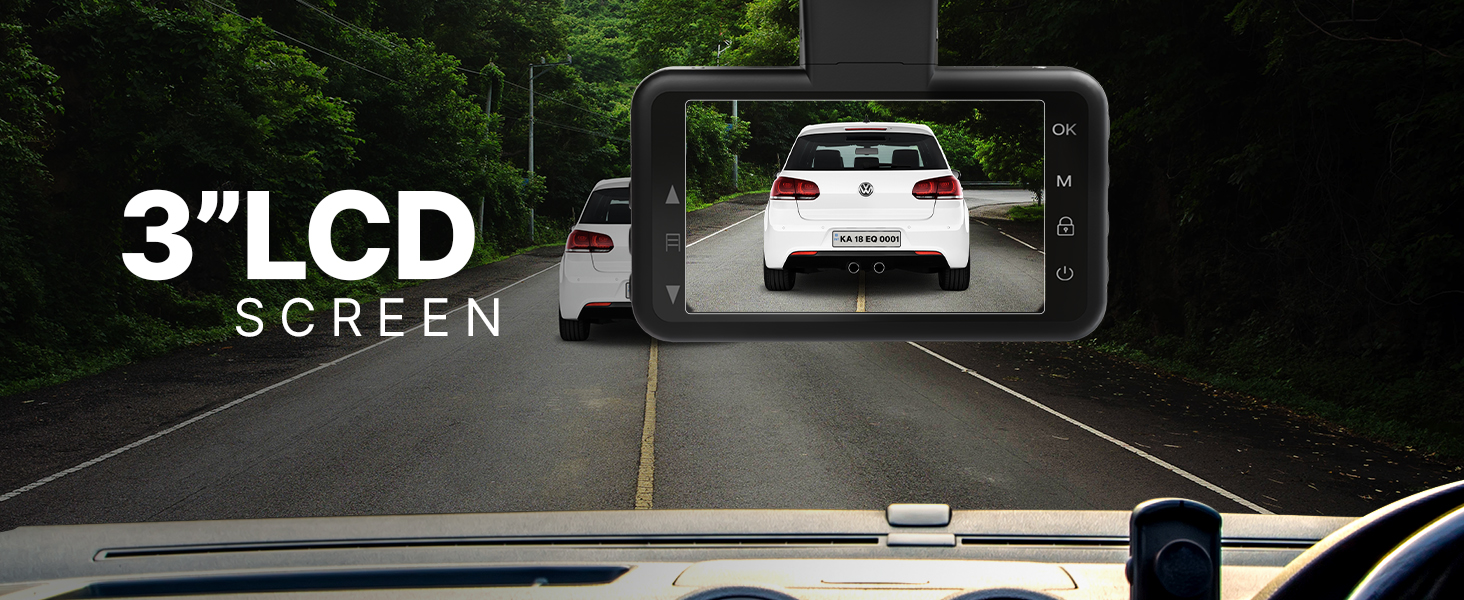
Image: Guide to compatible and incompatible SD cards for the Crossbeats RoadEye Dash Cam.
2. Mount the Dash Cam
- Clean the windshield area where the dash cam will be mounted.
- Apply the electrostatic film to the windshield first, then attach the 3M adhesive sticky mount to the film.
- Ensure the dash cam has a clear view of the road and does not obstruct the driver's vision.
3. Connect Power
- Connect the charging cable to the dash cam and the car charger.
- Plug the car charger into your vehicle's 12V power outlet.
- Route the cable neatly using the provided wiring buckles and trim remover.
Operation
Power On/Off
The dash cam will automatically power on and begin recording when the vehicle's ignition is turned on. It will power off automatically when the ignition is turned off.
Recording Modes
- Loop Recording: Continuously records video in segments (1/3/5 minutes) and overwrites the oldest files when the SD card is full.
- G-Sensor: Automatically detects collisions or sudden movements and locks the current video file to prevent it from being overwritten.
- Parking Monitor: When hardwired (kit not included), it records a short video if an impact is detected while parked.
Accessing Footage
- On-Device: Use the 3-inch IPS screen and navigation buttons to view recorded videos.
- Via App: Connect the dash cam to your smartphone via Wi-Fi using the KA-CAM App to view, download, and manage recordings.
Settings
Adjust recording resolution, loop recording duration, G-sensor sensitivity, and other settings through the dash cam menu or the KA-CAM App.
Maintenance
SD Card Management
- Regularly format the SD card (at least once a month) to ensure optimal performance and prevent data corruption.
- Replace the SD card if it shows signs of wear or error messages.
Cleaning
- Wipe the lens with a soft, lint-free cloth to maintain clear video quality.
- Clean the dash cam body with a dry or slightly damp cloth. Avoid using harsh chemicals.
Firmware Updates
Check the Crossbeats website or KA-CAM App for any available firmware updates to improve performance and add new features.
Troubleshooting
Dash Cam Not Powering On
- Check the power connection to the car charger and the vehicle's 12V outlet.
- Ensure the vehicle's ignition is on.
- Verify the charging cable is not damaged.
Recording Issues (Stops Recording/Corrupted Files)
- Format the SD card.
- Ensure the SD card is a compatible U3 Class10 card.
- Try a different SD card to rule out card malfunction.
- Reduce G-sensor sensitivity if too many emergency files are being created.
Wi-Fi Connection Problems
- Ensure the dash cam's Wi-Fi is enabled.
- Restart both the dash cam and your smartphone.
- Make sure you are within range of the dash cam's Wi-Fi signal.
- Reinstall the KA-CAM App if necessary.
Poor Video Quality (Blurry/Dark)
- Clean the camera lens.
- Adjust exposure settings in the dash cam menu.
- Ensure the protective film is removed from the lens.
- Verify night vision is enabled in low-light conditions.
ADAS Not Functioning Correctly
- Ensure the windshield is clean and free of obstructions.
- ADAS performance can be affected by weather and road conditions.
- Check settings in the dash cam menu or app.
Specifications
| Feature | Detail |
|---|---|
| Brand | CrossBeats |
| Model Name | RoadEye-Dash cam |
| Display Type | IPS |
| Screen Size | 3 Inches |
| Video Capture Resolution | 1080p |
| Frame Rate | 30FPS |
| Field Of View | 150 Degrees |
| Connectivity Technology | Infrared, Wi-Fi |
| Special Features | 3” LCD screen, ALDA™ (Accidental Lane Departure Alerts), G-Sensor, HD 1296P Recording, Night Vision Enabled, Parking Monitor |
| Flash Memory Type | SD (Supports 34GB/64GB/128GB U3 Class10) |
| Control Method | App |
| Operating Temperature | -20℃ to 60℃ |
| Item Dimensions (D x W x H) | 8.8D x 5.1W x 4H Centimeters |
| Item Weight | 135 Grams |
| Country of Origin | China |
Warranty & Support
Warranty
The Crossbeats RoadEye Dash Cam comes with a 12-month warranty against manufacturing defects from the date of purchase.
Customer Support
Lifetime customer support is available for this product. For any assistance, technical queries, or warranty claims, please refer to the contact information provided in your warranty card or visit the official Crossbeats website for support resources.
Official Product Videos
For visual guides and demonstrations of the Crossbeats RoadEye Dash Cam's features and functionality, please refer to the official product videos available on the product's Amazon detail page or the Crossbeats official website. These videos provide helpful insights into installation, operation, and advanced features.