
Introduction
This manual provides comprehensive instructions for the safe and efficient operation, installation, and maintenance of your Duluth Forge DLS-24R-1 24-Inch Dual Fuel Ventless Fireplace Logs Set. Please read all instructions carefully before installation and use. Retain this manual for future reference.
This ventless gas log set is designed to provide supplemental heat and ambiance. It operates on either natural gas or liquid propane and features a remote control for convenient operation.
Safety Information
General Safety Warnings
- READ ALL INSTRUCTIONS: Before installing or operating this appliance, read this entire manual carefully. Failure to follow instructions may result in property damage, bodily injury, or even death.
- PROFESSIONAL INSTALLATION: Installation and service must be performed by a qualified installer, service agency, or gas supplier.
- VENTILATION: This is a vent-free appliance. Adequate ventilation is crucial. Do not obstruct airflow to the unit.
- OXYGEN DEPLETION SENSOR (ODS): This appliance is equipped with an Oxygen Depletion Sensor (ODS) pilot system, which automatically shuts off the appliance if oxygen levels in the room fall below a safe threshold. Do not tamper with or bypass the ODS.
- FUEL TYPE: This unit is designed for use with either Natural Gas or Liquid Propane. Ensure the correct fuel type is used and connections are secure.
- INDOOR USE ONLY: This appliance is designed for indoor use only. Do not install or use outdoors.
- CLEARANCES: Maintain minimum clearances to combustibles as specified in the installation section.
- CARBON MONOXIDE: Carbon monoxide poisoning can be fatal. Symptoms include headache, dizziness, and nausea. If you suspect carbon monoxide, evacuate the area and call emergency services.
Product Overview
The Duluth Forge DLS-24R-1 Ventless Fireplace Logs Set offers a realistic flame experience with the convenience of gas. It features dual fuel technology, allowing operation with either natural gas or liquid propane.
Key Features:
- Dual Fuel Technology: Operates on Natural Gas or Liquid Propane.
- Heat Output: 33,000 BTU, capable of heating up to 1,300 sq. ft.
- Realistic Logs: 9 hand-painted ceramic logs with intricate detailing.
- Remote Control: Thermostatic remote control for adjusting heat and turning the unit on/off.
- Safety: Equipped with an Oxygen Depletion Sensor (ODS) and battery-assisted Piezo ignition.
Included Components:
- Gas Burner Chassis
- 9 Hand-Painted Ceramic Logs
- Remote Control and Receiver Box
- AA & AAA Batteries (for remote and ignition)
- Bag of Glowing Ember Material
- Hardware Pack
- Damper Clamp

Figure 1: All components included with the Duluth Forge DLS-24R-1 set.
Dimensions:
- Product Dimensions: 26.5"D x 14.5"W x 16.5"H
- Minimum Firebox Size Required: 20" H x 28" W in front (23" W at rear) x 15" D

Figure 2: Product dimensions and minimum firebox size.
Product Overview Video:
Video 1: Official product overview of the Duluth Forge fireplace logs set, demonstrating its features and appearance.
Setup and Installation
Proper installation is critical for safe and efficient operation. If you are not familiar with gas appliance installation, consult a qualified professional.
Pre-Installation Checklist:
- Verify that your firebox meets the minimum size requirements.
- Ensure adequate ventilation in the installation area.
- Confirm the gas supply type (Natural Gas or Liquid Propane) matches the unit's configuration.
- Gather necessary tools and additional fittings (e.g., 3/8" flare to pipe fitting, flex pipe) not included with the set.
Installation Steps:
- Prepare the Firebox: Ensure the firebox is clean and free of debris. Install the damper clamp to prevent accidental closing of the damper.
- Position the Burner Chassis: Place the gas burner chassis centrally within the firebox.
- Connect Gas Line: Connect the gas supply line to the burner chassis. Use appropriate fittings and ensure all connections are leak-tested.
- Install Logs: Carefully arrange the 9 hand-painted ceramic logs onto the grate according to the provided log placement diagram (refer to separate diagram if included, or general guidance for natural appearance).
- Distribute Ember Material: Spread the glowing ember material evenly over the burner pan to enhance the realistic flame effect.
- Install Remote Receiver: Connect the remote receiver box to the burner and place it in an accessible but discreet location within the firebox, ensuring it is not exposed to direct flame.
- Insert Batteries: Install the required AA and AAA batteries into the remote control and receiver box.

Figure 3: Installed fireplace logs set in a firebox.
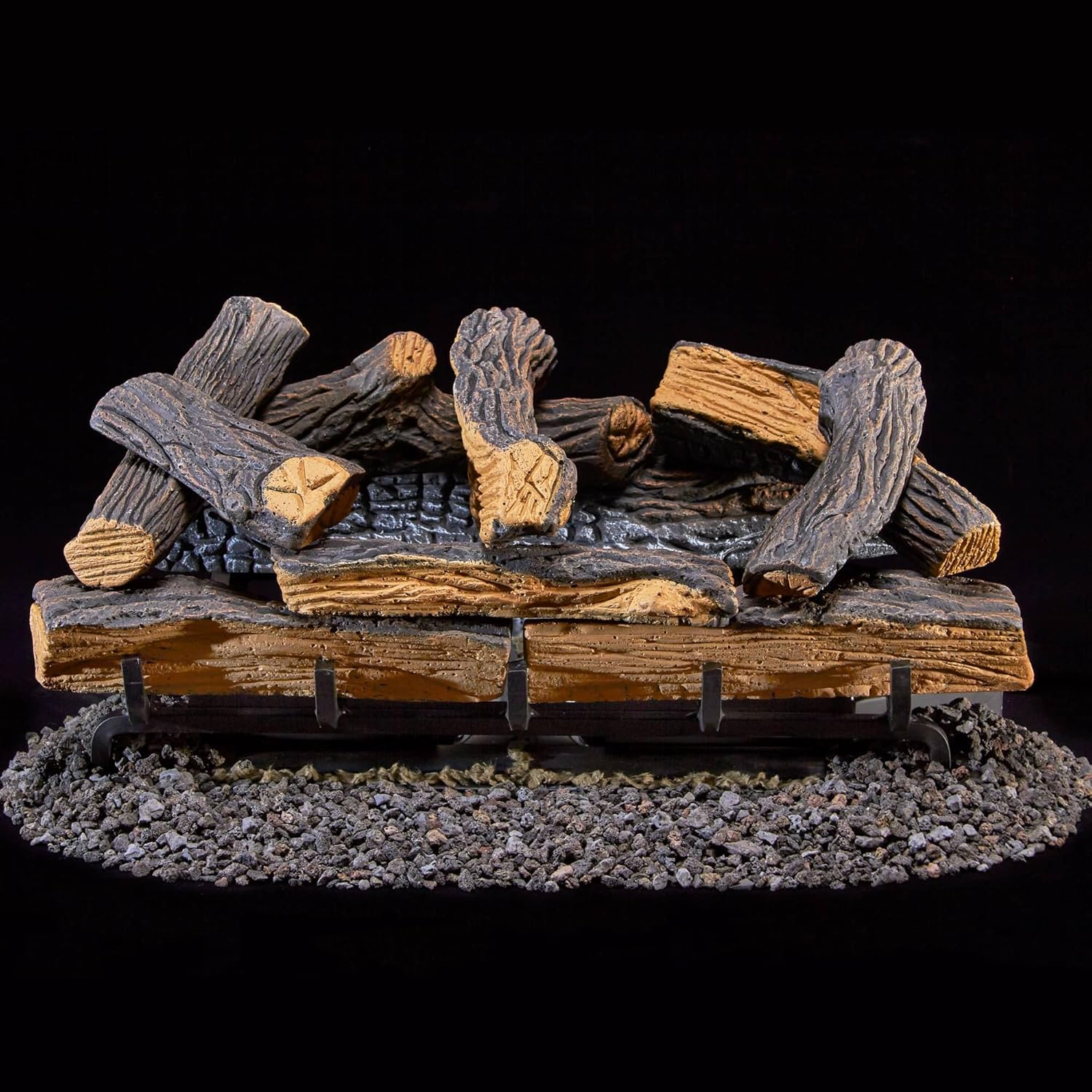
Figure 4: Log placement on the grate.
Operating Instructions
Your Duluth Forge fireplace logs set is designed for user-friendly operation via the included remote control.
Remote Control Functions:
- ON/OFF: Press the 'ON' button to ignite the pilot and main burner. Press 'OFF' to turn off the main burner, leaving the pilot light on.
- MODE: Toggle between Thermostat Mode and Manual Mode.
- SET: In Thermostat Mode, use the 'SET' button to adjust the desired room temperature. The LCD screen displays current room temperature and settings.
The remote control requires 4 AA batteries, and the receiver box requires 2 AAA batteries (all included).
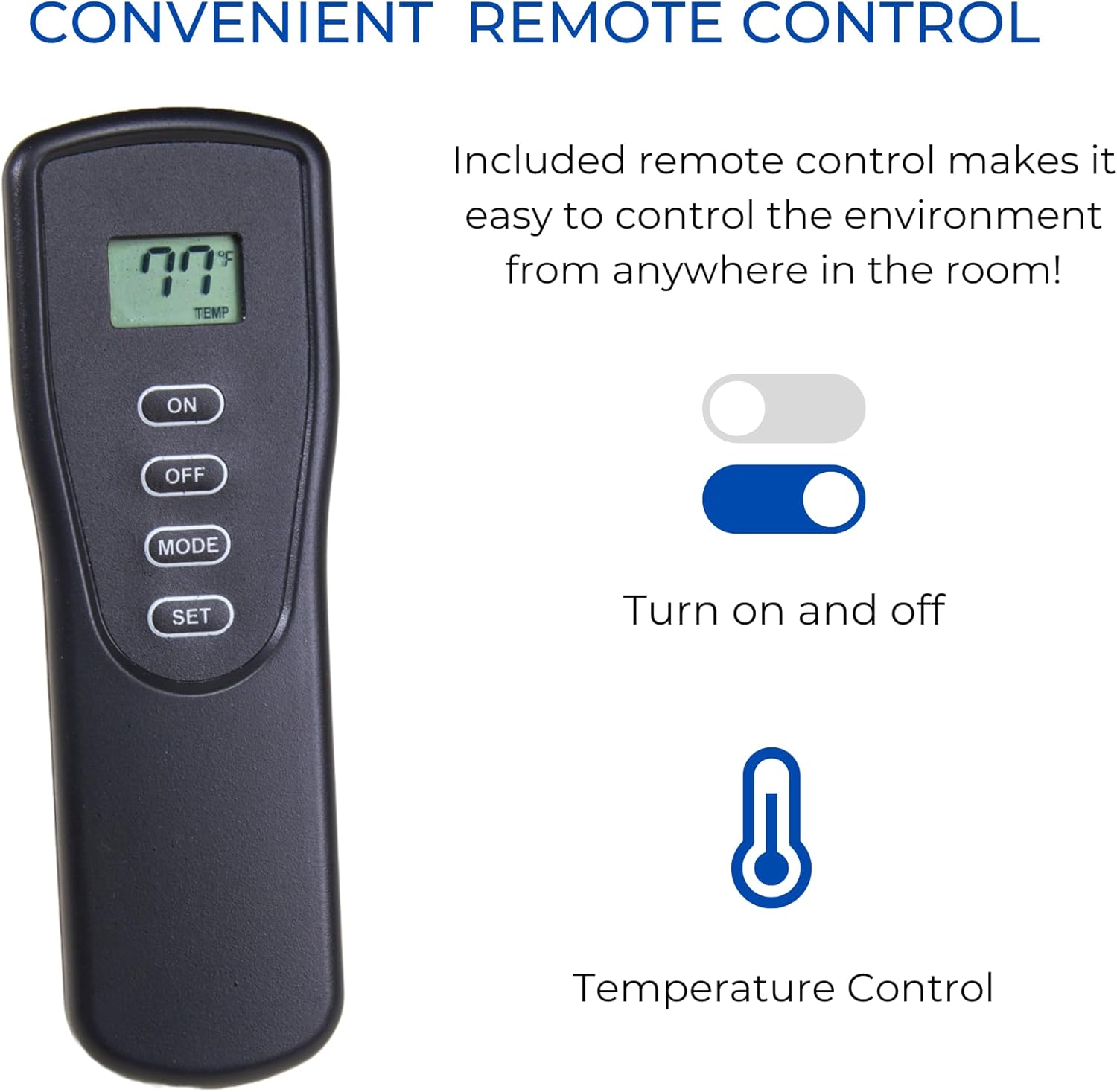
Figure 5: Remote control for convenient operation.

Figure 6: Detailed view of the remote control.
Maintenance
Regular maintenance ensures the longevity and safe operation of your fireplace logs set. Always turn off the gas supply and allow the unit to cool completely before performing any maintenance.
Cleaning:
- Logs: The ceramic logs may accumulate dust or soot. Gently brush them with a soft brush. Do not use abrasive cleaners or water, as this can damage the ceramic material.
- Burner and Pilot: Keep the burner ports and pilot assembly clean. Dust and lint can obstruct gas flow and affect performance. Use a vacuum cleaner with a soft brush attachment or compressed air to remove debris.
- Ember Material: Periodically check the glowing ember material. Replace if it appears worn or no longer glows effectively.
Annual Inspection:
It is recommended to have a qualified service technician inspect your appliance annually to ensure all components are functioning correctly and safely.
Troubleshooting
Before contacting customer support, review the following common issues and solutions:
| Problem | Possible Cause | Solution |
|---|---|---|
| Unit does not ignite. | No gas supply; Pilot light not lit; Low batteries in remote/receiver. | Ensure gas valve is open; Follow pilot lighting instructions; Replace batteries. |
| Pilot light goes out. | Insufficient oxygen (ODS activation); Drafts; Dirty pilot assembly. | Increase ventilation; Block drafts; Clean pilot assembly. |
| Unusual odor during operation. | Initial burn-off of manufacturing oils; Gas leak. | Initial odor should dissipate after a few hours of use. If odor persists or is strong, turn off gas and call a professional. |
| Flames are not realistic or too blue. | Incorrect log placement; Dirty burner ports. | Adjust log placement as per diagram; Clean burner ports. |
For issues not listed or if solutions do not resolve the problem, contact a qualified service technician or Duluth Forge customer support.
Specifications
- Model: DLS-24R-1
- Brand: Duluth Forge
- Power Source: Natural Gas or Liquid Propane
- Heat Output: 33,000 BTU
- Heating Coverage: Up to 1,300 sq ft
- Product Dimensions: 26.5"D x 14.5"W x 16.5"H
- Minimum Firebox Size: 20" H x 28" W in front (23" W at rear) x 15" D
- Material: Ceramic (logs), Metal (chassis)
- Ventilation Type: Vent Free
- Ignition: Battery Assisted Piezo
- Control: Remote Control (Thermostatic/Manual)
- Item Weight: 28.2 pounds
Warranty and Support
Limited Warranty:
This Duluth Forge product comes with a limited warranty. Please refer to the warranty card included in your product packaging for specific terms, conditions, and duration of coverage. Keep your proof of purchase for warranty claims.
Customer Support:
For technical assistance, troubleshooting, or warranty inquiries, please contact Duluth Forge customer support. Contact information can typically be found on the product packaging or the official Duluth Forge website. When contacting support, please have your model number (DLS-24R-1) and purchase date available.


