
1. Important Safety Information
Read and understand all instructions in this manual before installing, operating, or servicing this appliance. Failure to follow these instructions may result in fire, explosion, property damage, personal injury, or loss of life.
- This appliance is for use with Natural Gas or Liquid Propane only. Verify your gas supply type before installation.
- Do not store or use gasoline or other flammable vapors and liquids in the vicinity of this or any other appliance.
- Installation and service must be performed by a qualified installer, service agency, or gas supplier.
- Proper ventilation is crucial. This is a ventless appliance, but adequate room air must be available for combustion.
- Keep children and pets away from the appliance when it is in operation.
WARNING: Improper installation, adjustment, alteration, service, or maintenance can cause injury or property damage. Refer to this manual. For assistance or additional information, consult a qualified installer, service agency, or gas supplier.
2. Product Overview
The Duluth Forge DLS-24R-2 is a 24-inch dual fuel ventless fireplace log set designed to provide supplemental heat for indoor spaces. It features patented dual fuel technology, allowing operation with either natural gas or liquid propane. The unit includes a remote control for convenient operation and an Oxygen Depletion Sensor (ODS) for safety.

Image 2.1: The Duluth Forge DLS-24R-2 log set in operation, displaying realistic flames and glowing embers.
Key Features:
- Dual Fuel Technology: Operates on Natural Gas or Liquid Propane.
- Heat Output: 33,000 BTU, capable of heating up to 1,300 sq. ft.
- Remote Control: Thermostatic remote for temperature control and on/off functions.
- Realistic Design: 8 hand-painted ceramic logs with an ember burner chassis for a lifelike appearance.
- Safety Assurance: Equipped with a Safety Pilot O.D.S. (Oxygen Depletion Sensor) and battery-assisted Piezo ignition.
3. Setup and Installation
3.1 Pre-Installation Checklist
- Ensure the appliance is installed in a masonry or agency-approved firebox.
- Verify minimum firebox dimensions: 20" H x 28" W (front) / 23" W (rear) x 15" D.
- Confirm gas supply type (Natural Gas or Liquid Propane) matches the appliance settings.
- Gather necessary tools for installation (e.g., wrenches, pipe sealant).
3.2 Unpacking and Component Identification
Carefully unpack all components and inspect for any damage. The package should include:
- Gas Burner Chassis with Grate
- 8 Hand-Painted Ceramic Logs
- Bag of Embers
- Remote Control
- Receiver Box
- AA & AAA Batteries (for remote and ignition)
- Hardware Pack
- Damper Clamp
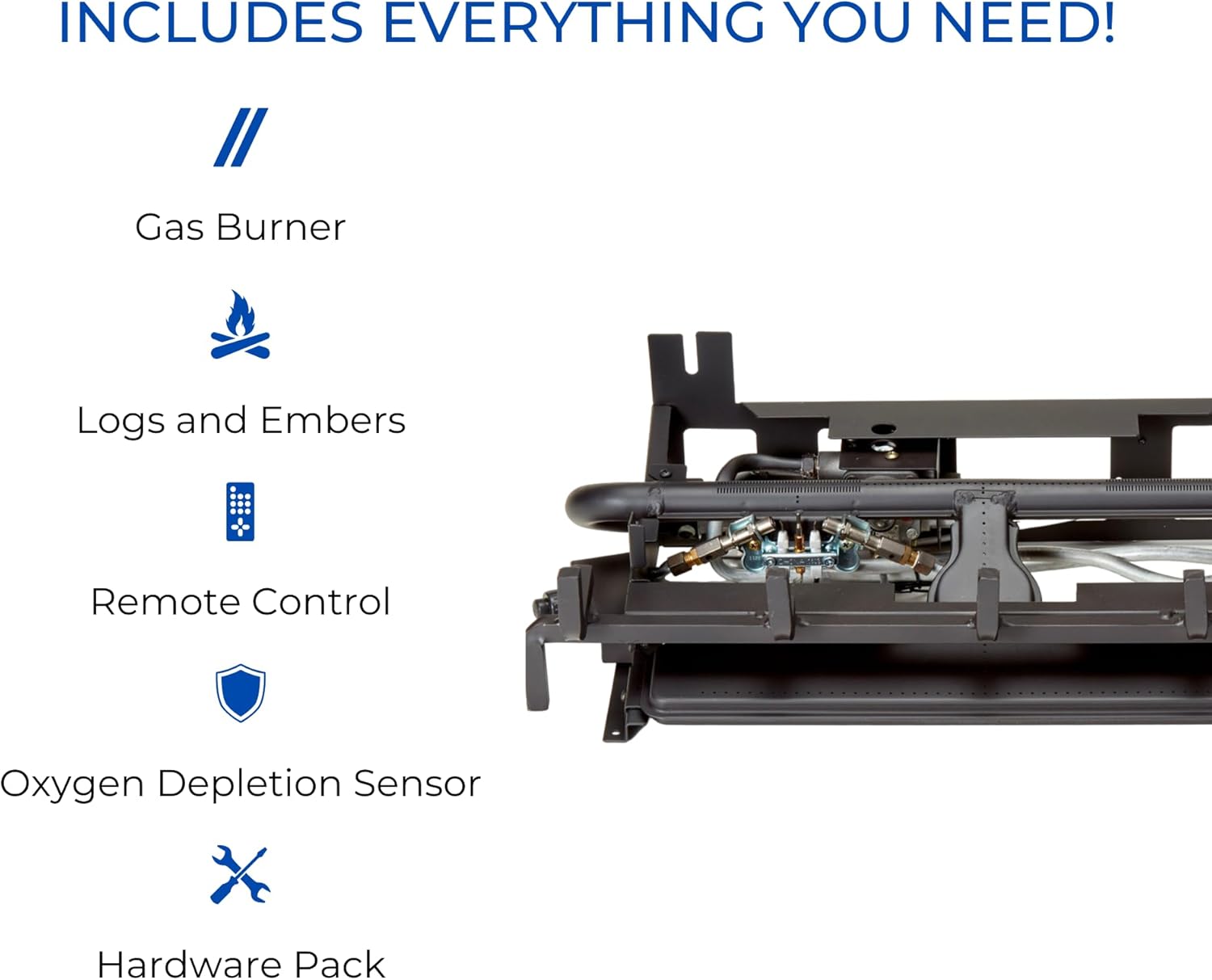
Image 3.1: Overview of the main components included with the log set, such as the gas burner, logs, remote, and ODS.
3.3 Gas Connection
- Position the burner chassis inside the firebox.
- Connect the gas supply line to the appliance's inlet. Use appropriate pipe sealant on all threaded connections.
- Perform a leak test on all gas connections using a soap solution. Bubbles indicate a leak. Tighten connections as needed and retest.
- Ensure the damper clamp is installed to prevent accidental closure of the fireplace damper.
3.4 Log Placement
Carefully arrange the 8 ceramic logs on the grate according to the provided log placement diagram (refer to the separate diagram included in your packaging). Proper log placement is essential for safe and efficient operation, ensuring flames are not impinged and airflow is maintained.
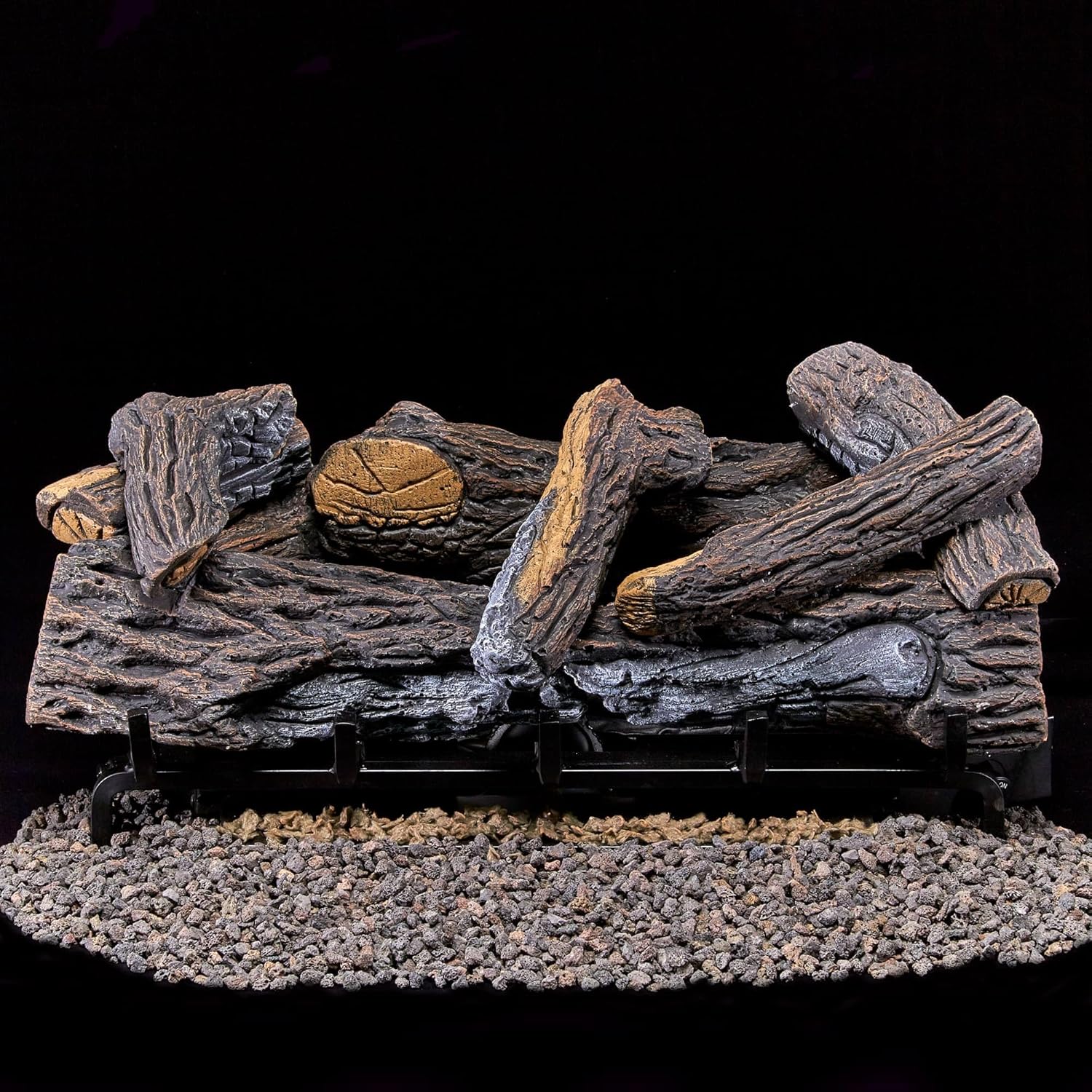
Image 3.2: The 8 hand-painted ceramic logs correctly arranged on the burner grate before operation.
3.5 Battery Installation
- Install 4 AA batteries into the receiver box.
- Install 2 AAA batteries into the remote control.
- Install 1 AAA battery for the Piezo ignition system.
4. Operating Instructions
4.1 Initial Startup
Before first use, ensure all gas connections are secure and leak-free. Allow a qualified technician to perform the initial startup if you are unsure.
4.2 Remote Control Operation
The remote control allows for convenient operation of your log set. It features ON, OFF, MODE, and SET buttons, along with an LCD screen displaying temperature and mode.
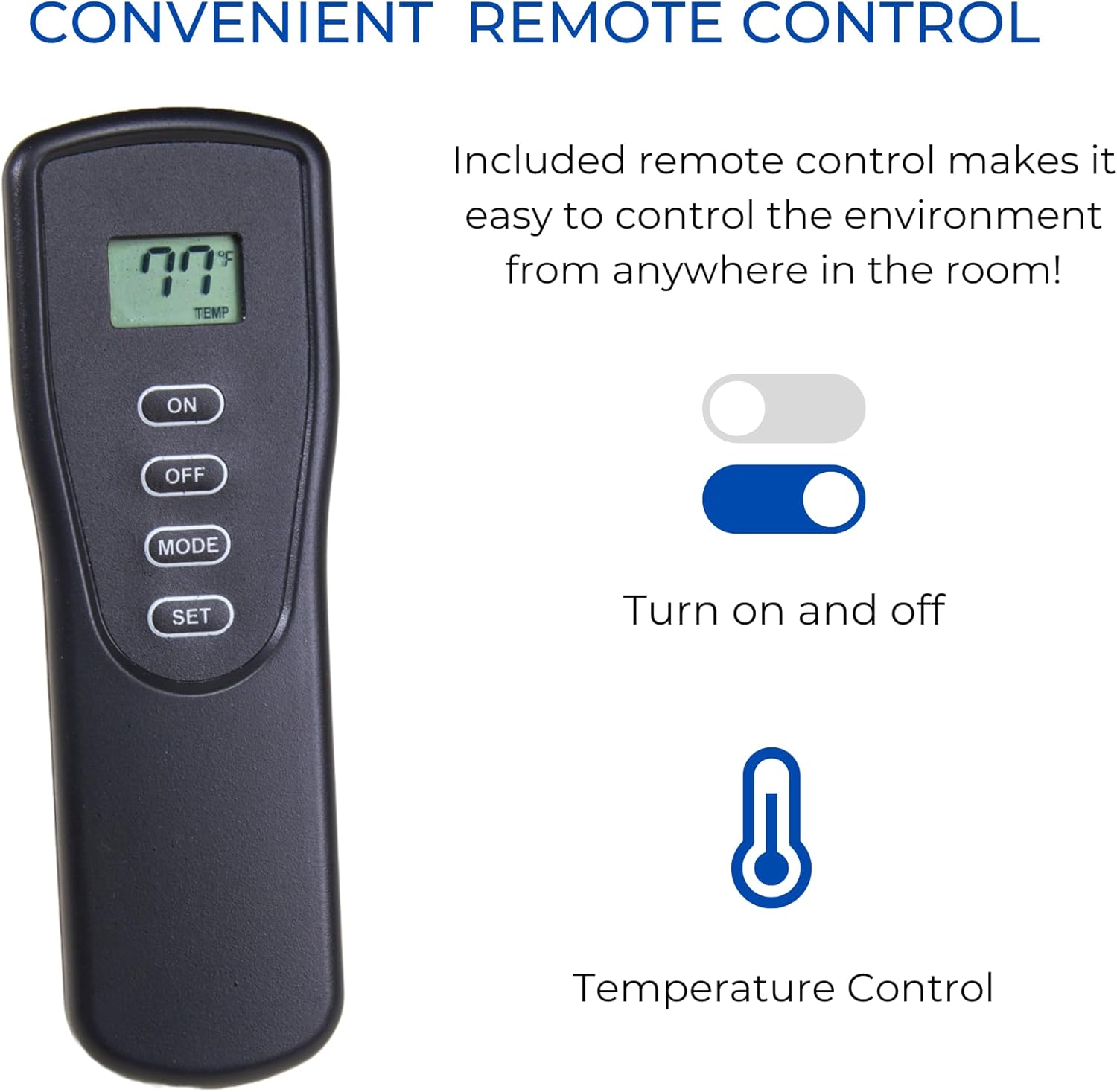
Image 4.1: The remote control unit for the Duluth Forge DLS-24R-2, showing its display and control buttons.
- Turning On: Press the ON button. The Piezo ignition will spark, and the pilot light will ignite, followed by the main burner.
- Turning Off: Press the OFF button to extinguish the main burner and pilot light.
- Mode Selection: Press the MODE button to toggle between Manual and Thermostat modes.
- Temperature Setting (Thermostat Mode): In Thermostat mode, use the SET button and arrow keys (if available on your remote model) to adjust the desired room temperature. The unit will cycle on and off to maintain this temperature.
- LCD Display: Shows current room temperature (°F or °C), burner status (On/Off), and selected mode.
4.3 Manual Operation
In Manual mode, the log set will operate continuously at its set heat output until manually turned off. There is no temperature regulation in this mode.
5. Maintenance
Regular maintenance ensures safe and efficient operation of your log set.
5.1 General Cleaning
- Ensure the appliance is completely cool before cleaning.
- Use a soft, dry cloth to wipe down the logs and chassis. Do not use abrasive cleaners or solvents.
- Periodically vacuum around the burner and pilot assembly to remove dust and debris.
5.2 Log Inspection
Inspect the ceramic logs periodically for any signs of cracking or deterioration. If a log is damaged, replace it with an authentic Duluth Forge replacement log to maintain safety and performance.
5.3 Pilot Light and Burner Maintenance
The pilot light and burner ports should be kept clean. Any blockage can affect performance and safety. If you notice irregular flame patterns or difficulty igniting, consult a qualified service technician.
5.4 Battery Replacement
Replace batteries in the remote control and receiver box annually, or when the remote's display becomes dim or the unit becomes unresponsive.
6. Troubleshooting
This section addresses common issues you might encounter with your Duluth Forge log set.
| Problem | Possible Cause | Solution |
|---|---|---|
| Pilot light will not ignite or stay lit. | No gas supply; ODS activated; thermocouple issue; dirty pilot assembly; low battery for ignition. | Check gas valve; ensure adequate ventilation; clean pilot assembly; replace ignition battery; consult technician if ODS or thermocouple issue persists. |
| Main burner does not ignite. | Pilot light not lit; gas valve closed; remote control issue; receiver box issue. | Ensure pilot is lit; open gas valve fully; check remote batteries; replace receiver box batteries. |
| Remote control not responding. | Dead batteries in remote or receiver; remote out of range; interference. | Replace all batteries; move closer to unit; remove obstructions. |
| Unit turns off unexpectedly. | ODS activation due to low oxygen; thermostat setting reached (if in Thermostat mode); gas supply interruption. | Increase ventilation; check thermostat setting; verify gas supply. |
| Unusual odors. | Initial burn-off of manufacturing oils; dust accumulation; gas leak. | Ensure good ventilation during initial use; clean unit; if gas odor persists, shut off gas and call service immediately. |
If troubleshooting steps do not resolve the issue, contact a qualified service technician or the manufacturer for assistance.
7. Specifications
| Feature | Specification |
|---|---|
| Model Name | DLS-24R-2 |
| Brand | Duluth Forge |
| Power Source | Gas Powered (Natural Gas or Liquid Propane) |
| Heat Output | 33,000 British Thermal Units (BTU) |
| Heating Coverage | Up to 1,300 sq ft |
| Product Dimensions (Approx.) | 26.5"D x 14.5"W x 16.5"H |
| Item Weight | 49.4 pounds |
| Material | Ceramic Logs, Powder Coated Chassis |
| Ventilation Type | Vent Free |
| Special Feature | Remote Control, Oxygen Depletion Sensor (ODS) |
| UPC | 815192023948 |
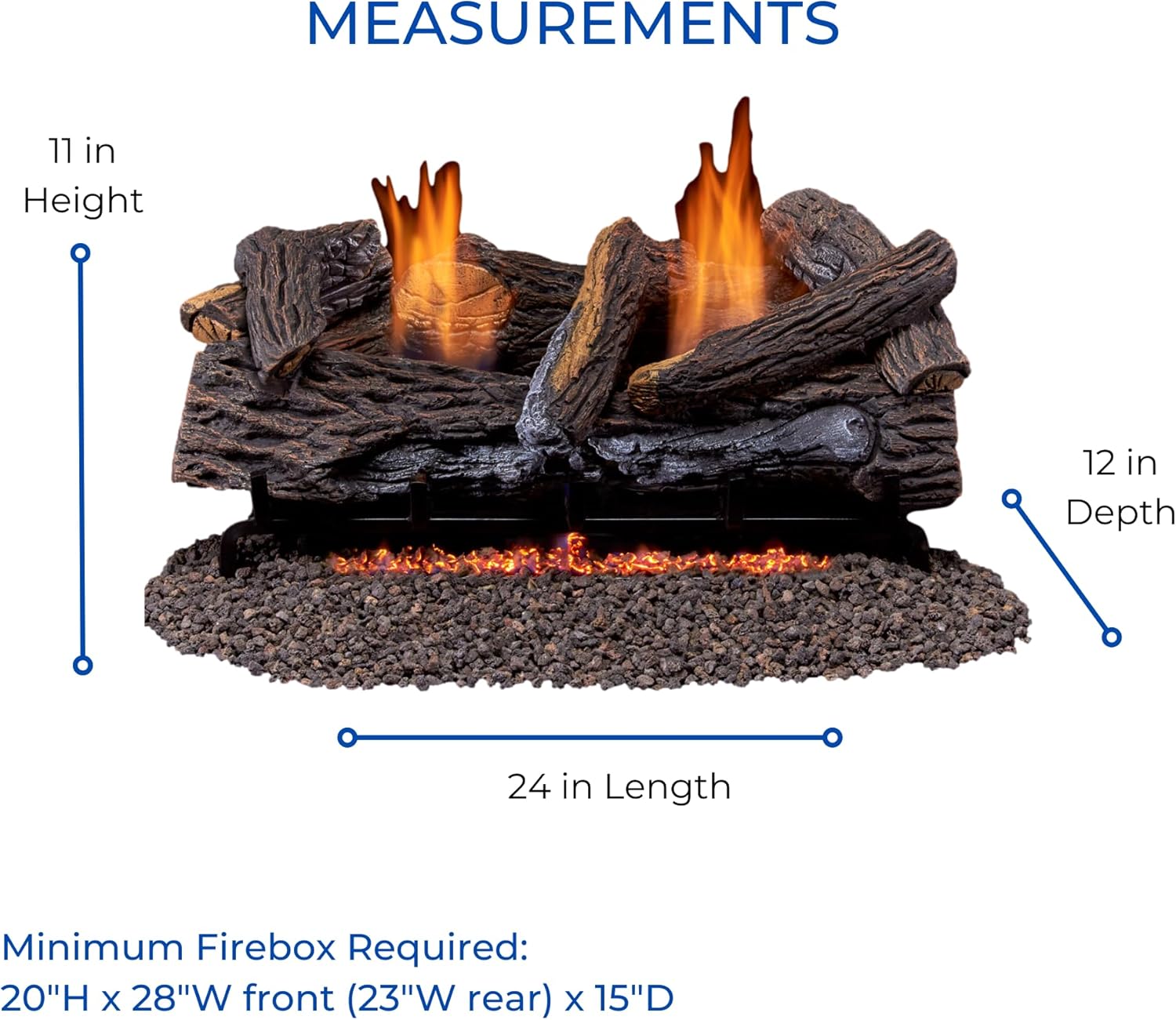
Image 7.1: Diagram illustrating the key dimensions of the Duluth Forge DLS-24R-2 log set.
8. Warranty Information
This Duluth Forge product comes with a Limited Warranty. For specific details regarding the terms, conditions, and duration of your warranty, please refer to the warranty card included with your product or contact the manufacturer directly. Keep your proof of purchase for warranty claims.
9. Customer Support
For technical assistance, replacement parts, or any questions regarding your Duluth Forge DLS-24R-2 log set, please contact the manufacturer, Factory Buys Direct.
- Manufacturer: Factory Buys Direct
- Refer to the contact information provided in your product packaging or visit the official Duluth Forge website for the most current support details.
When contacting support, please have your model number (DLS-24R-2) and proof of purchase readily available.


