
aycy MT65
aycy MT65 Smartwatch User Manual
Model: MT65 | Brand: aycy
Introduction
The aycy MT65 Smartwatch is designed to keep you connected and active. Featuring a vibrant 1.85-inch HD touchscreen, it allows you to make and receive Bluetooth calls directly from your wrist, manage notifications, and track your health and fitness activities with precision. Its robust IP68 waterproof rating ensures durability for various environments.

Image: The aycy MT65 Smartwatch, showcasing its main interface with various health and activity metrics, and its sleek design.
What's in the Box
Upon opening your aycy MT65 Smartwatch package, you should find the following items:
- 1 x aycy MT65 Smartwatch
- 1 x Aqua Watch Strap
- 1 x Magnetic Charging Cable
- 1 x User Manual
Setup Guide
1. Charging the Smartwatch
Before first use, fully charge your smartwatch. Connect the magnetic charging cable to the charging points on the back of the watch and plug the USB end into a standard USB power adapter (not included) or a computer USB port.
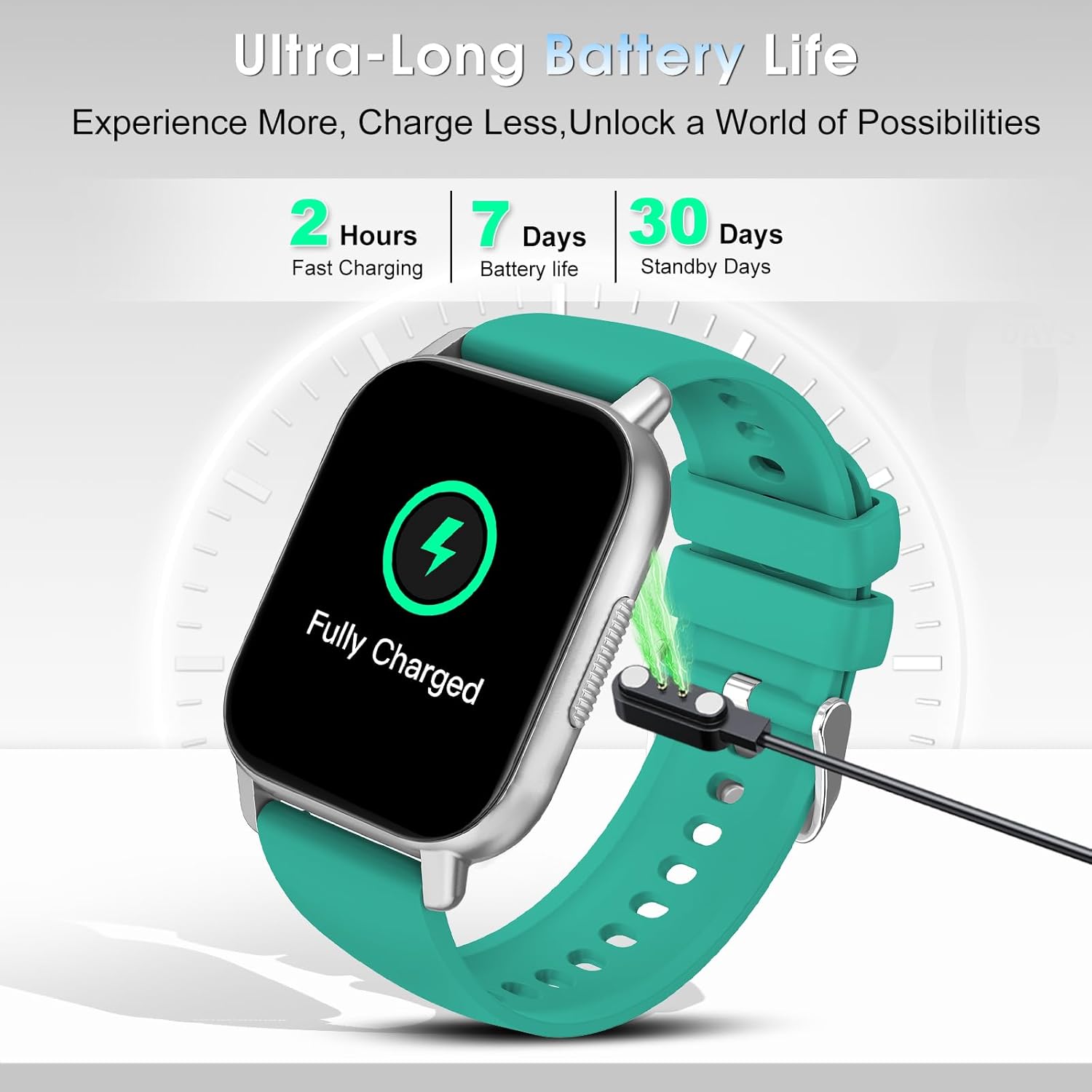
Image: The smartwatch connected to its magnetic charger, indicating a full charge. A full charge typically takes about 2 hours.
A full charge provides up to 5-7 days of typical use and up to 30 days of standby time.
2. Downloading the App
Search for and download the 'Dafit' app from your smartphone's app store (Google Play Store for Android or Apple App Store for iOS).
3. Pairing with Your Smartphone
- Ensure Bluetooth is enabled on your smartphone.
- Open the 'Dafit' app and follow the on-screen instructions to add your device.
- Select 'MT65' from the list of available devices.
- Confirm the pairing request on both your phone and the smartwatch.
- For Bluetooth call functionality, you may need to pair the watch a second time via your phone's Bluetooth settings (look for 'MT65_CALL' or similar).
Operating Instructions
1. Basic Navigation
- Swipe Up/Down: Scroll through menus and notifications.
- Swipe Left/Right: Access quick functions or different data screens.
- Tap: Select an item or confirm an action.
- Side Button: Press to wake/sleep the screen, return to the home screen, or access the main menu.
2. Bluetooth Calling & Notifications
Once paired, the smartwatch allows you to make and receive calls directly. You can also view call history and access contacts synced from your phone.
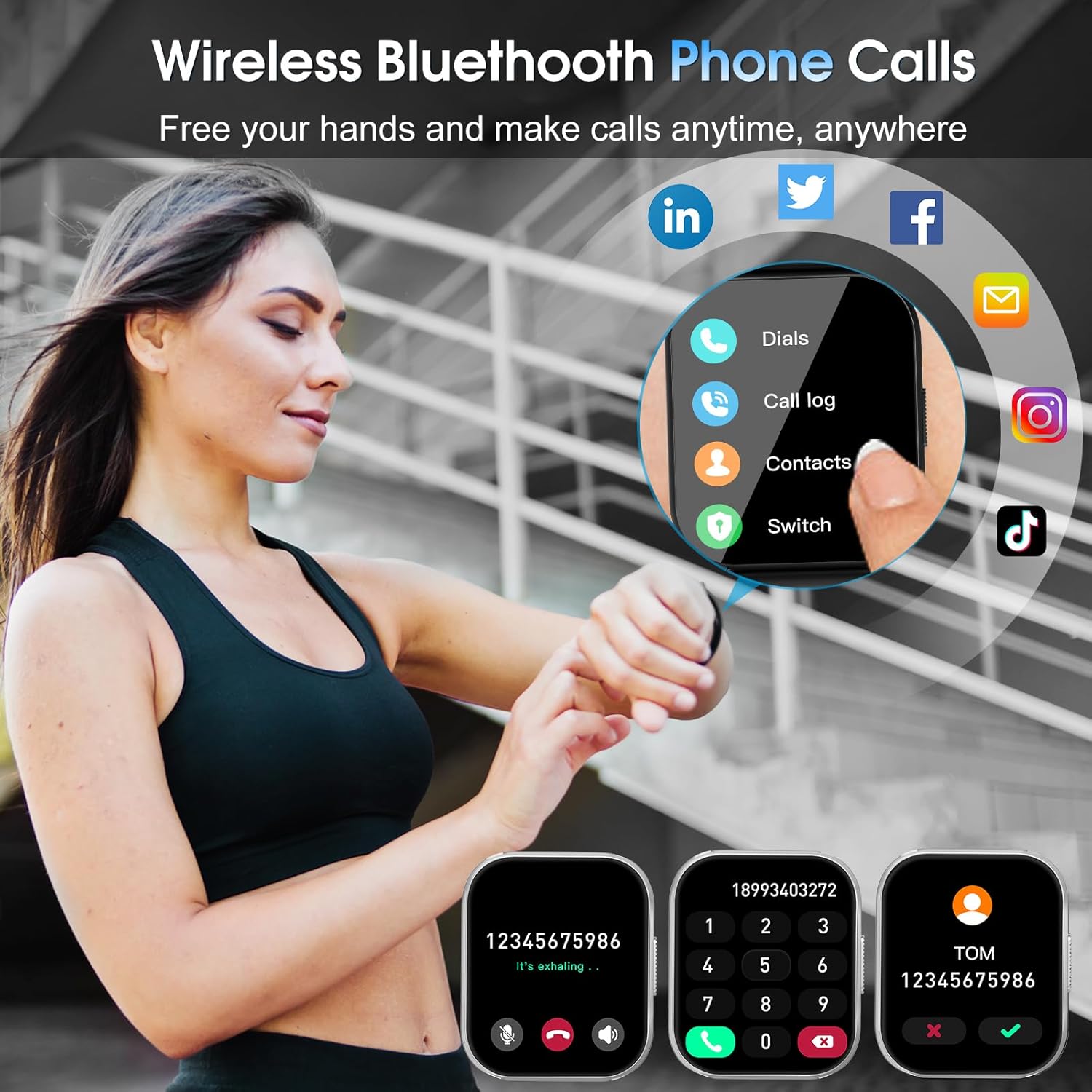
Image: The smartwatch displaying its Bluetooth call features, including the dial pad and contact list, enabling hands-free communication.
Receive real-time notifications from social media apps (Facebook, WhatsApp, Instagram, Twitter) and other applications directly on your watch. The watch will vibrate to alert you.
3. Health Monitoring (24/7)
The smartwatch continuously monitors your heart rate and automatically tracks your sleep patterns, providing detailed analysis in the Dafit app.
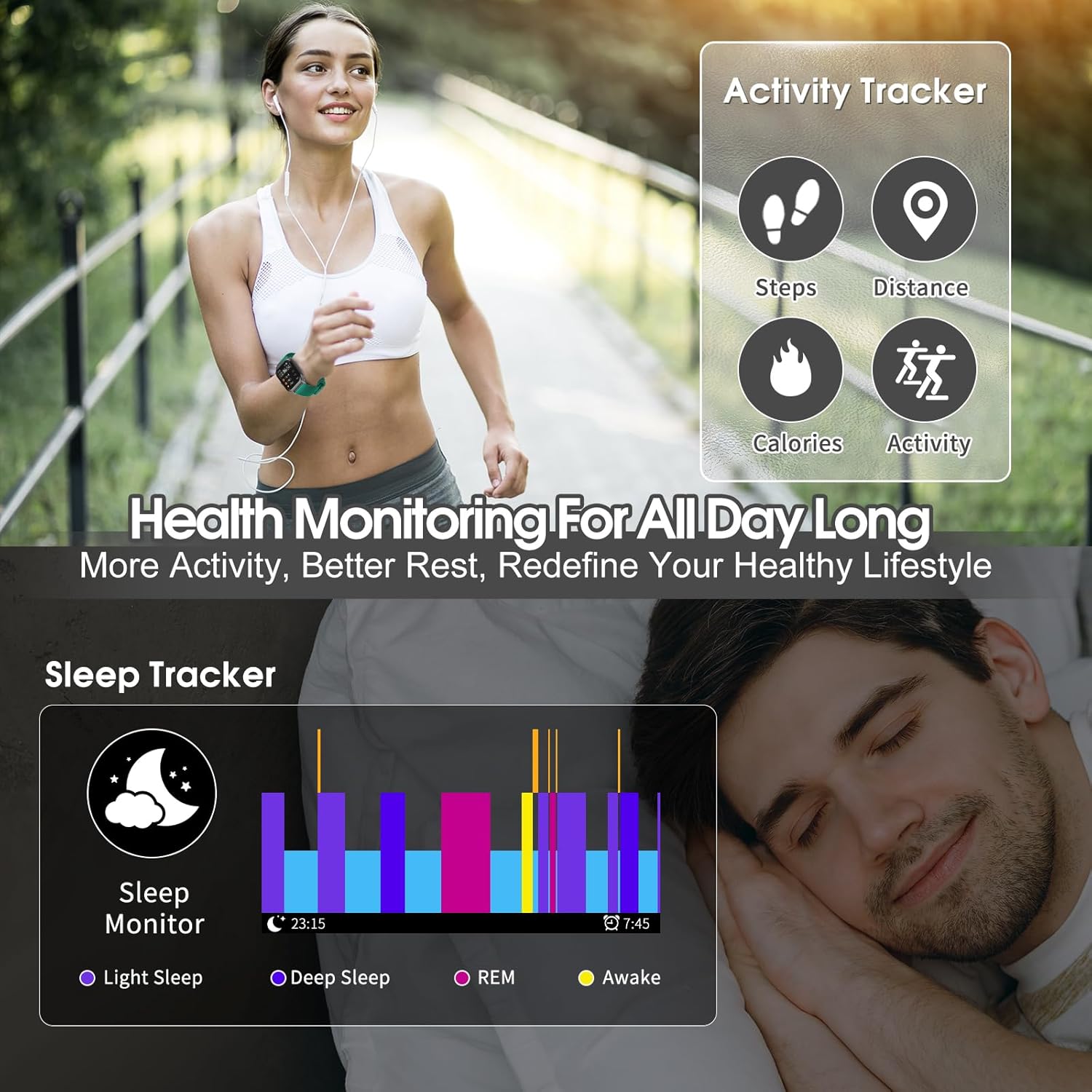
Image: Visual representation of the smartwatch's health tracking features, including activity metrics and a comprehensive sleep analysis chart.
4. Sports Modes
With over 110 sports modes, the watch accurately records steps, heart rate, calories burned, and distance for various activities.

Image: A display of the smartwatch's extensive sports mode selection, featuring icons for over 110 different activities.
5. Customizable Dials
Personalize your watch face with over 200 custom dials available through the Dafit app, or create your own using your favorite photos.
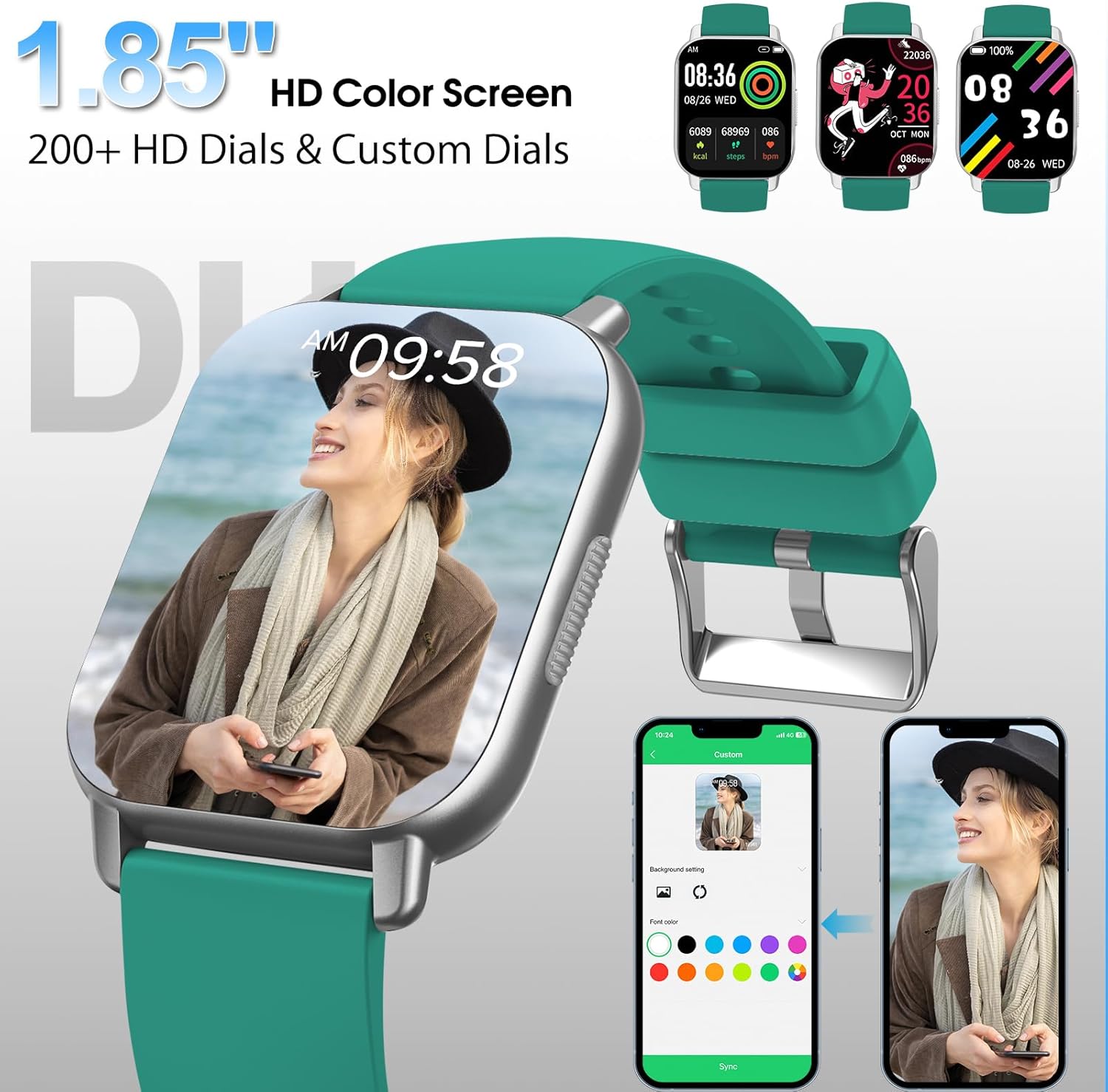
Image: The smartwatch showcasing a personalized watch face, demonstrating the customization options available via the Dafit app.
Maintenance
1. Waterproof Rating (IP68)
The aycy MT65 Smartwatch is IP68 waterproof, meaning it is resistant to dust and can withstand immersion in water up to 1.5 meters for 30 minutes. It is suitable for daily use, including hand washing, rain, and swimming. However, it is not recommended for hot showers, saunas, or diving.

Image: The smartwatch being used during swimming, highlighting its IP68 waterproof rating and suitability for various water-related activities.
2. Cleaning
Wipe the watch and strap regularly with a soft, damp cloth. Ensure the charging contacts are clean and dry before charging.
3. Battery Care
To prolong battery life, avoid extreme temperatures and do not leave the watch fully discharged for extended periods.
Troubleshooting
- Watch not turning on: Ensure the watch is fully charged. Connect it to the magnetic charger and check if the charging indicator appears.
- Cannot pair with phone:
- Ensure Bluetooth is enabled on your phone and the watch is within range.
- Restart both the watch and your phone.
- Check if the 'Dafit' app has necessary permissions (location, Bluetooth).
- Forget the device in your phone's Bluetooth settings and try pairing again through the app.
- Notifications not received:
- Ensure the watch is connected to the app.
- Check notification settings within the 'Dafit' app for specific applications.
- Ensure your phone's notification settings allow the 'Dafit' app to display notifications.
- Inaccurate health data:
- Ensure the watch is worn snugly on your wrist, not too loose or too tight.
- Clean the sensor on the back of the watch.
- Note that smartwatches are not medical devices and data is for reference only.
Specifications
| Feature | Detail |
|---|---|
| Model Name | MT65 |
| Brand | aycy |
| Screen Size | 1.85 Inches |
| Display Type | HD Color Touchscreen |
| Connectivity | Bluetooth |
| Operating System | Android (Compatible with iOS) |
| Waterproof Rating | IP68 |
| Battery Capacity | 280 mAh (Lithium-polymer) |
| Battery Life (Typical Use) | 5-7 Days |
| Standby Time | Up to 30 Days |
| Charging Time | Approx. 2 Hours |
| Sports Modes | 110+ |
| Health Monitoring | Heart Rate, Sleep Tracking, Pedometer |
Warranty and Support
Warranty Information
The aycy MT65 Smartwatch comes with a 2-year manufacturer's warranty. Please retain your proof of purchase for warranty claims.
Customer Support
For any questions, technical assistance, or warranty claims, please contact aycy customer support through the contact information provided on the product packaging or the official aycy website. You can also refer to the 'Help' or 'FAQ' section within the Dafit app for common queries.
Ask a question about this manual
Ask about setup, troubleshooting, compatibility, parts, safety, or missing instructions. Manuals+ will review the question and use this page’s manual context to help answer it.