
1. Introduction
The Comfytemp Wireless TENS Unit Muscle Stimulator is a versatile 3-in-1 device combining TENS (Transcutaneous Electrical Nerve Stimulation), EMS (Electrical Muscle Stimulation), and Massage therapies. Designed for at-home use, it provides effective pain relief, accelerates muscle recovery, and offers soothing massage to alleviate muscle soreness. Its wireless design and smart app control ensure a convenient and personalized experience.
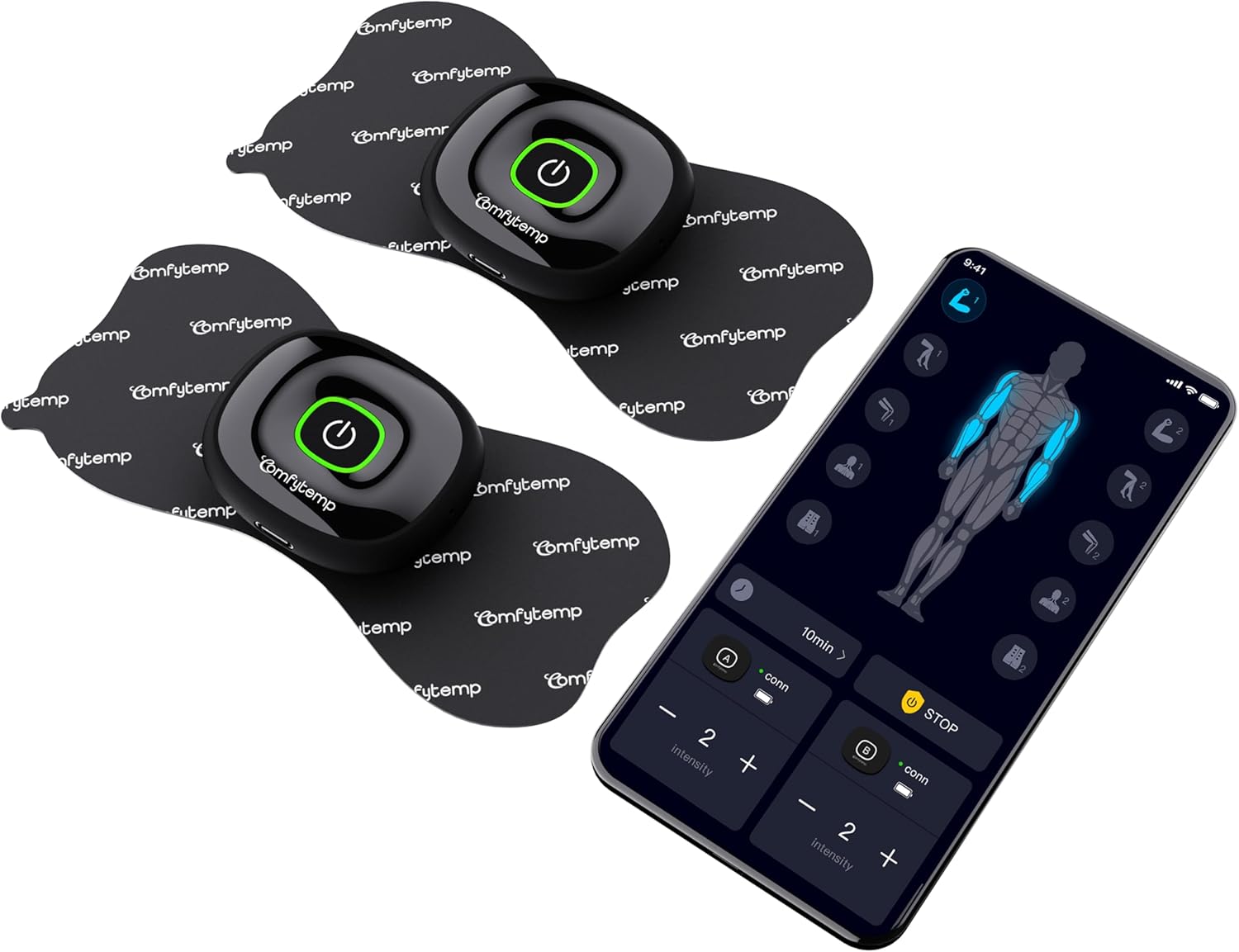
This image displays the Comfytemp Wireless TENS Unit, showing the two main stimulator devices, electrode pads, and a smartphone screen illustrating the control application.
2. Safety Information
Caution:
Do not use this product if you have an implanted defibrillator, cardiac pacemaker, or any other implanted metallic or electronic device. This unit is not a medical device and is not intended to diagnose or treat any medical condition or disease. If you have any of the following conditions (such as acute illness, tumor, pregnancy, heart disease, high fever, abnormal blood pressure, abnormal skin condition, etc. that require the active supervision of a doctor), please read the Comfytemp TENS device user manual or consult your physician for use.
3. Package Contents
- 1 x Host A Device
- 1 x Host B Device
- 2 x Butterfly Electrode Pads
- 2 x Wire Electrode Pads
- 1 x Type-C cable
- 1 x Storage Box
- 1 x User manual

The package includes two host devices, two butterfly electrode pads, two wire electrode pads, a Type-C cable, a storage box, and a user manual.
4. Setup
To begin using your Comfytemp Wireless TENS Unit, follow these steps:
- Download and Install the App: Scan the QR code provided in the user manual or search for "Comfytemp" in your device's app store to download the official application. The TENS device must be used with the app.
- Charge Devices: Ensure both host devices are fully charged using the included Type-C cable before first use.
- Sync Your Device: Long press the power button on the host device to turn it on. The LED will flash yellow, indicating it is ready for Bluetooth Low Energy (BLE) connection.
- Connect the Device: Open the Comfytemp app on your smartphone. Look for the device's BLE connection and click the "+" icon to add the device.
- Attach Electrode Pads: Connect the electrode pads to the host devices. Ensure the sticky part of the pads is clean and free of lotions or oils for optimal adhesion.
- Apply to Skin: Place the electrode pads on the desired body area.

This visual guide illustrates the four steps for getting started: 1. Download and install the app. 2. Sync your device by long-pressing to turn it on. 3. Connect the device via BLE. 4. Begin using by selecting therapy, mode, timing, and intensity.
5. Operating Instructions
The Comfytemp Wireless TENS Unit offers a comprehensive range of therapy options controlled via the mobile app.
5.1 Therapy Modes
Choose from 32 pre-programmed modes across three main therapy types:
- TENS (Pain Relief): Targets nerve endings to block pain signals.
- EMS (Muscle Stimulation): Contracts muscles to improve strength and recovery.
- Massage (Relaxation): Provides soothing pulses to alleviate muscle soreness and promote relaxation.

This device offers three therapy types: TENS for pain relief, EMS for muscle stimulation, and Massage for muscle relaxation, with 32 pre-programmed modes.
5.2 Dual Host Control
The device features two independent host units, allowing you to control the intensity for each unit separately. This enables simultaneous treatment of different body areas with customized intensity levels.

The device features dual hosts (A/B) allowing for separate intensity control, enabling simultaneous treatment of different body areas.
5.3 Intensity and Timing
Adjust the intensity levels (up to 20 levels) and set the treatment duration from 10 to 60 minutes directly through the app interface.
5.4 One-Click Stop
For your safety and convenience, the app includes a one-click stop function that allows you to immediately end the treatment at any time.

The app provides a convenient one-click stop function, allowing users to end the treatment at any time for enhanced safety and control.
5.5 User-Friendly App Interface
The app provides a clear and intuitive interface for easy navigation and control of all device functions, including battery display and intensity levels.

The app features a user-friendly interface with adjustable timing (10-60 minutes), a one-click stop button, battery display, and 20 intensity levels for personalized control.
6. Electrode Pad Usage and Maintenance
The Comfytemp TENS Unit comes with premium medical PET TENS pads designed for all-day adhesion and painless removal.
6.1 Pad Types and Application
The package includes two types of pads:
- Butterfly-shaped pads (5.2 x 2.4 inches): Ideal for smaller muscle groups or targeted pain points.
- Line-shaped pads (3.5 x 2.8 inches): Suitable for larger areas or broader muscle groups.
The strong magnetic buckle ensures a stable connection between the host device and the electrode pad, preventing detachment even during movement.

The strong magnetic buckle ensures a stable connection between the host and electrode, preventing detachment even during physical activity.

The device includes two types of electrode pads: smaller butterfly-shaped pads for targeted pain points or small muscle groups, and larger wire-connected pads for broader areas or larger muscle groups.
6.2 Cleaning and Reusability
When the electrode pads lose adhesion, rinse the sticky part with clean water and gently scrape off any surface residue. Allow them to air-dry completely. This process can renew adhesion, enabling reuse for 60+ cycles. For optimal performance, ensure your skin is clean and free of lotions or oils before applying the pads. Shaving the area may also help prolong pad life.
7. Targeted Pain Relief Areas
The Comfytemp Wireless TENS Unit is effective for pain relief and muscle stimulation across various body parts, including:
- Waist
- Abdomen
- Shoulder
- Ankle
- Arm
- Leg
- Deltoid Muscle
- Bicep Muscles
- Tricep Muscles
- Forearm Muscles
- Quads
- Hamstring Muscle
- Calf Muscle
- Trapezius
- Latissimus Dorsi Muscles
- Glutes

The Comfytemp TENS unit is effective for targeted pain relief in various areas such as the waist, abdomen, shoulder, ankle, arm, and leg.
8. Specifications
| Feature | Detail |
|---|---|
| Model Number | K6108 |
| Package Dimensions | 6.5 x 4.69 x 3.23 inches |
| Item Weight | 13.12 ounces |
| Batteries | 1 Lithium Polymer battery (included) |
| Manufacturer | Shenzhen Yicaiwangluo Technology Co.,Ltd |
9. Troubleshooting
If you encounter any issues with your Comfytemp Wireless TENS Unit, please refer to the following common solutions:
- Electrodes do not adhere to the body:
- Clean the sticky part of the electrodes with clean water. If they don't stick well, use new ones.
- Before applying the electrodes, clean your skin and avoid using lotions or oils. Shaving the area may help the electrodes last longer.
- No noticeable stimulation:
- Restart the program.
- The two electrodes need to be pasted on the skin before the device can output pulses.
- Check electrode positions and ensure that adjacent electrodes do not overlap.
- The device's intensity works better when the battery is charged. Please charge it for 2 hours before using.
For further assistance, please contact customer support.
10. Warranty and Support
Comfytemp is committed to providing excellent customer service. Your product is covered by a comprehensive warranty and dedicated support.
- 365 Days Warranty: Enjoy peace of mind with a full year of warranty coverage.
- 30 Days Free Return: If you are not satisfied, you can return the product within 30 days for free.
- 24 Hrs Quick Customer Support: Our customer support team is available to assist you promptly with any inquiries or issues.

Comfytemp offers a 365-day warranty, 30-day free returns, and 24-hour quick customer support.


