Important Compatibility Note
This Sit Proflame remote transmitter, model 0.584.023, is designed as a direct replacement for existing 0.584.023 Sit Proflame remote transmitters. It is crucial to verify that your current remote transmitter matches this model number exactly.
This silver transmitter will not replace black transmitters or other models with different numbers, as they possess distinct features and functionalities. Attempting to use this transmitter with incompatible systems may result in improper operation or damage.
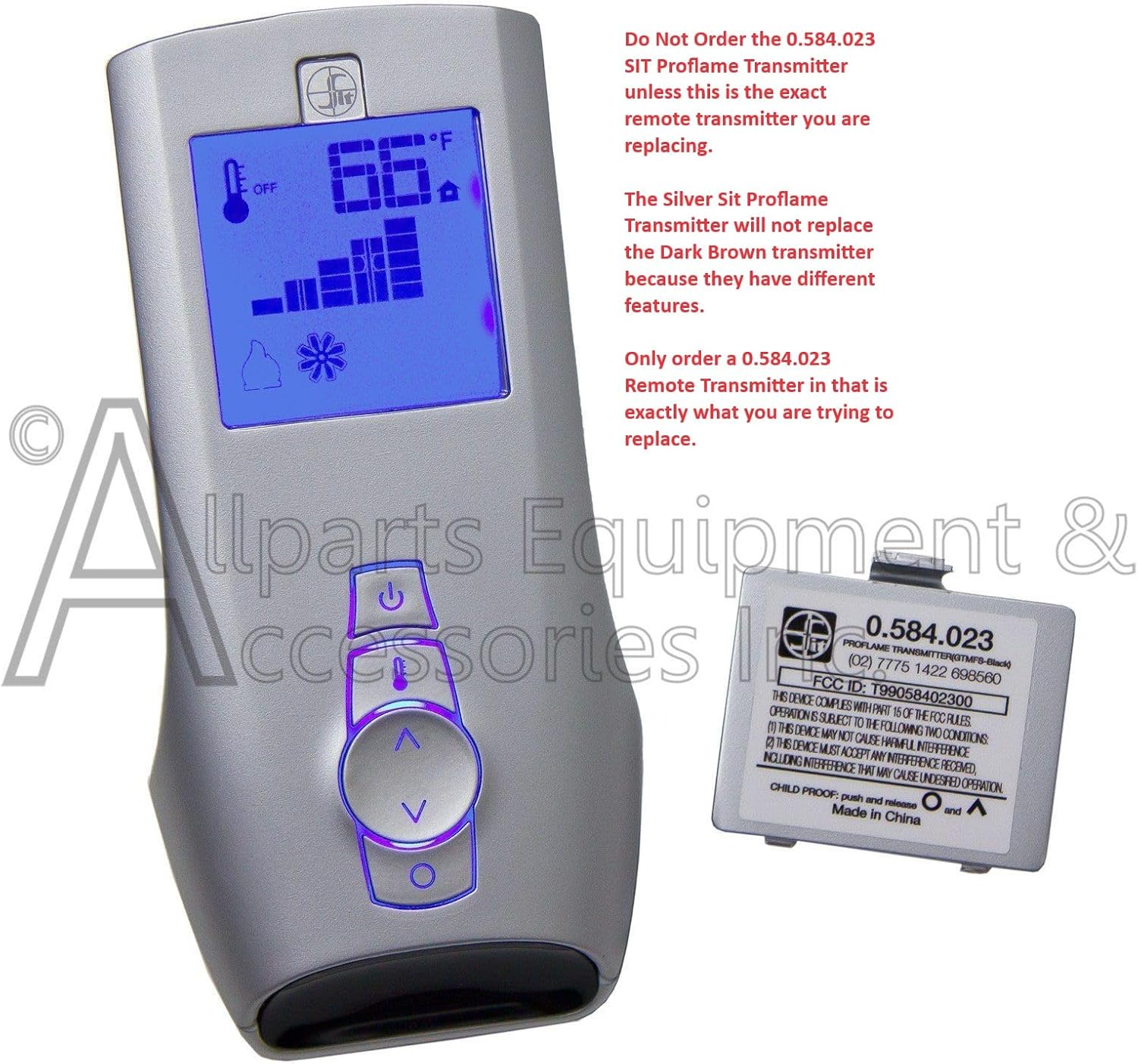
Image: The Sit 0.584.023 Proflame 1 Silver Transmitter with an overlay emphasizing that it will not replace black transmitters or other models.
Product Overview
The Allparts Equipment & Accessories Sit 0.584.023 Proflame 1 Silver Transmitter is a handheld thermostat remote control designed for fireplace systems. It provides convenient control over your fireplace's operation, including on/off functions, temperature settings, flame height, and fan speed when used with a compatible IPI Proflame DFC module.

Image: The Sit 0.584.023 Proflame 1 Silver Transmitter shown alongside its removable battery compartment cover.
Key Features:
- Seamless Replacement: Designed to replace previous 0.584.023 Sit Proflame remotes with a simple programming process.
- Comprehensive Control: Adjusts flame height, fan speed, and manages electronic ignition when paired with an IPI Proflame DFC module.
- On/Off and Thermostatic Control: Provides basic on/off functionality for the main burner and thermostatic control for appliance heating.
- User-Friendly Interface: Features a clear display and intuitive button layout.
- Battery-Powered: Operates on 3 AAA batteries (not included).
- Backlight Screen: For improved visibility in various lighting conditions.

Image: The remote control displayed with graphical icons illustrating its features: Low Battery Indication, Flame Height, Smart Temperature Control, Fan Speed, Backlight Screen, and Ignition Control.
Specifications
| Feature | Detail |
|---|---|
| Brand | Allparts Equipment & Accessories |
| Model Name | Proflame 1 Silver Transmitter GTMF Series |
| Controller Type | SIT |
| Special Features | Smart Sense, Adjustable Flame, Fan Control |
| Color | Gray |
| Specific Uses | Fireplace Gas Log Sets |
| Temperature Control Type | Heating |
| Connectivity Technology | RF (Proprietary) |
| Included Components | Temperature Sensor |
| Power Source | Battery Powered (3 AAA batteries, not included) |
| Voltage | 4.5 Volts |
| Control Method | Remote, Button Control |
| Mounting Type | Handheld |
| Backlight | Yes |
| Product Dimensions | 6 x 3 x 2 inches |
| Item Model Number | 0.584.023 |
| UPC | 744790339956 |
Setup
1. Battery Installation
- Locate the battery compartment on the back of the remote control.
- Slide open the battery compartment cover.
- Insert 3 AAA batteries, ensuring correct polarity (+/-). Batteries are not included with the remote.
- Close the battery compartment cover securely.
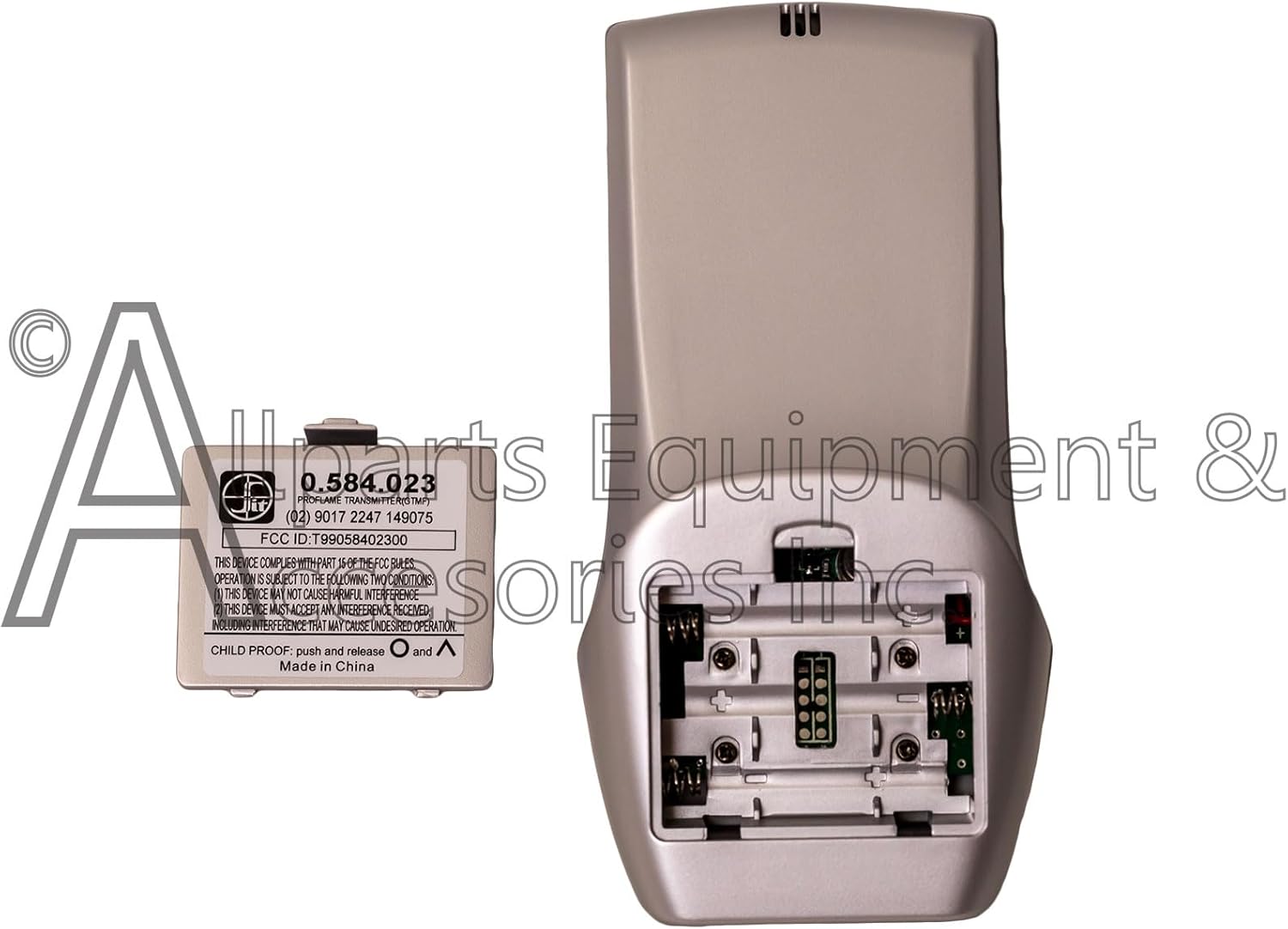
Image: The rear view of the remote control with the battery cover removed, showing the empty battery slots.
2. Pairing the Remote Control
To establish communication between the remote control and your fireplace module, follow these pairing steps:
- Press the 'ON' button on the remote control to activate its screen.
- Locate and press the 'Program' button on your fireplace module (receiver). You should hear three beeps from the module, indicating it is in pairing mode.
- Press the 'ON' button on the remote control again to turn it off, then immediately press it back on. This action completes the pairing process.
If pairing is successful, the remote display should show current temperature or settings, and the fireplace should respond to commands.

Image: A diagram illustrating the seamless replacement process, showing an old transmitter being replaced by the Sit Controls 0.584.023.
Operating Instructions
The remote control provides various functions to manage your fireplace. Familiarize yourself with the buttons and display indicators.
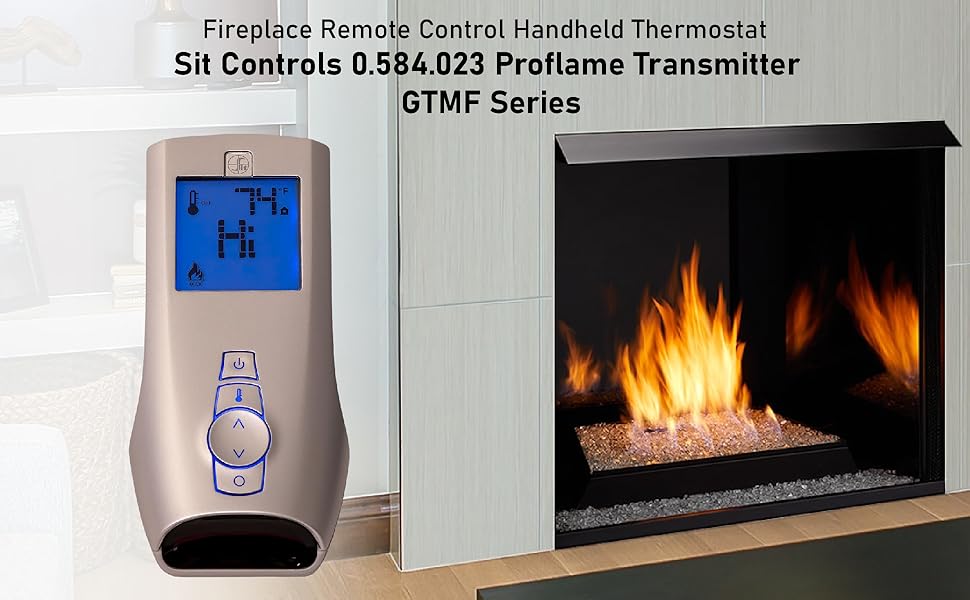
Image: The remote control positioned near a modern fireplace with a visible flame, demonstrating its intended use.
Basic On/Off Control:
- Press the Power button (┏) once to turn the fireplace ON.
- Press the Power button (┏) again to turn the fireplace OFF.

Image: The remote control's screen displaying 'OFF' and the current room temperature, indicating the fireplace is not active.
Temperature Control:
- Use the Up arrow (▲) and Down arrow (▼) buttons to adjust the desired room temperature. The display will show the set temperature.
- The remote will automatically regulate the fireplace to maintain the set temperature.

Image: The remote control's screen displaying 'HI' for high flame setting and the current room temperature.
Flame Adjustment and Fan Speed:
- Depending on your fireplace model and module, you can use specific buttons (often the Flame icon button or Fan icon button) to cycle through flame height settings or fan speeds. Refer to your fireplace's specific instructions for detailed control modes.
Child Lock Feature:
To prevent unintended operation, the remote control includes a child lock feature.
- To activate or deactivate the child lock, simultaneously push and release the Up arrow (▲) and Circle button (○).

Image: A graphic icon depicting a child's face next to a locked padlock, with text indicating to push and release the Up arrow and Circle buttons for child proofing.
Maintenance
Battery Replacement:
When the low battery indicator appears on the remote's display, or if the remote becomes unresponsive, replace the batteries promptly. Follow the battery installation steps outlined in the Setup section.
Cleaning:
To clean the remote control, use a soft, dry cloth. Do not use abrasive cleaners, solvents, or immerse the remote in water, as this can damage the electronic components.
Troubleshooting
- Remote Not Responding:
- Check if the batteries are correctly installed and not depleted. Replace if necessary.
- Ensure the remote is within range of the fireplace module.
- Re-attempt the pairing process as described in the Setup section.
- Incorrect Temperature Reading:
- Replace the batteries in both the remote and the receiver module (if applicable).
- Ensure the remote is not placed near a heat source or in direct sunlight, which could affect its temperature sensor.
- Fireplace Not Turning On/Off:
- Verify that the remote is properly paired with the fireplace module.
- Check the fireplace's main power supply and ensure it is turned on.
- Confirm that the fireplace's pilot light is lit, if applicable to your system.
Support
Allparts Equipment & Accessories is a USA-based company committed to delivering quality products. For any questions or issues regarding your Sit 0.584.023 Proflame 1 Silver Transmitter, please contact our technical support team. Our team offers extensive experience to assist you.
Please refer to the contact information provided with your purchase or visit the official Allparts Equipment & Accessories website for support details.


