
1. Important Safety Information
Please read all instructions carefully before installation and use. Retain this manual for future reference.
- Electrical Safety: Always disconnect power at the circuit breaker before installing, cleaning, or servicing the fan. Ensure all electrical connections comply with local codes and ordinances. If you are unsure about wiring, consult a qualified electrician.
- Mounting: The mounting structure must be capable of supporting the weight of the fan. Ensure the fan is securely mounted to avoid falling.
- Blade Clearance: Keep hands, clothing, and other objects clear of the fan blades during operation.
- Usage: This fan is designed for indoor use only. Do not expose to water or excessive humidity.
2. Package Contents
Verify that all components are present before beginning installation.

Image: Overview of the fan components and installation hardware.
- VOLISUN 19.7-inch Low Profile Ceiling Fan with LED Light
- Remote Control
- Mounting Bracket
- S-Hook (for easier installation)
- Expansion Screws and Tubes
- Junction Box Screws
- Self-tapping Screws
- Wire Connectors
- User Manual
3. Specifications
| Feature | Description |
|---|---|
| Brand | VOLISUN |
| Model Number | 21236ZM |
| Color | Black |
| Material | Acrylic, Acrylonitrile Butadiene Styrene, Aluminum |
| Style | Contemporary |
| Light Source | LED |
| Color Temperature | 3000K-6500K Dimmable |
| Brightness | 4320 Lumen |
| Wattage | 36 watts |
| Voltage | 110 Volts |
| Control Method | App, Remote Control, Wall Switch |
| Fan Speeds | 6 |
| Mounting Type | Flush Mount |
| Item Dimensions (L x W x H) | 19.7"L x 19.7"W x 4.92"H |
| Recommended Room Size | 15-25 m² |
| Certifications | FCC, UL |
4. Setup and Installation
The VOLISUN ceiling fan is designed for simplified installation with most components pre-assembled. A comprehensive user manual is included in the package for detailed instructions.
4.1 Pre-Installation Steps
- Turn off power at the circuit breaker.
- Carefully unpack all components and verify against the package contents list.
- Prepare the ceiling mounting area, ensuring it can support the fan's weight.
4.2 Mounting the Fan
- Attach the mounting bracket to the ceiling junction box using the provided screws.
- Utilize the included 'S' safety hook to temporarily hang the fan from the mounting bracket. This allows for hands-free wiring.
- Connect the electrical wires (live, neutral, ground) from the ceiling to the fan's wiring, ensuring secure connections with wire connectors.
- Carefully lift the fan and align it with the mounting bracket, securing it into place with the appropriate screws.
Video: Step-by-step guide on how to install the VOLISUN ceiling fan with light.
5. Operating Instructions
The VOLISUN ceiling fan offers multiple control options for convenience.
5.1 Remote Control Functions

Image: Remote control for the VOLISUN ceiling fan, showing various buttons for light and fan functions.
- Power On/Off: Turn the light and/or fan on or off.
- Fan Speed: Select from 6 distinct wind speed options (1-6).
- Light Brightness: Adjust the light intensity from 5% to 100% (dimmable).
- Color Temperature: Change the light color from warm white (3000K) to cool white (6500K).
- Reversible Fan: Switch between forward mode (cooling) and reverse mode (air circulation for warmth).
- Timer Function: Set the fan to turn off automatically after 1 or 2 hours.
- Memory Function: The fan remembers your last light settings (brightness and color temperature) when turned off and on via remote or wall switch.
5.2 App Control
The fan can also be controlled via a mobile application. Follow the instructions in the included user manual for pairing the fan with your mobile device. For specific app instructions, refer to the video at http://www.mihuansemi.com/zhikong/.
5.3 Wall Switch Control
The fan's light can be controlled by a standard wall switch. The memory function ensures it returns to your last preferred light settings.
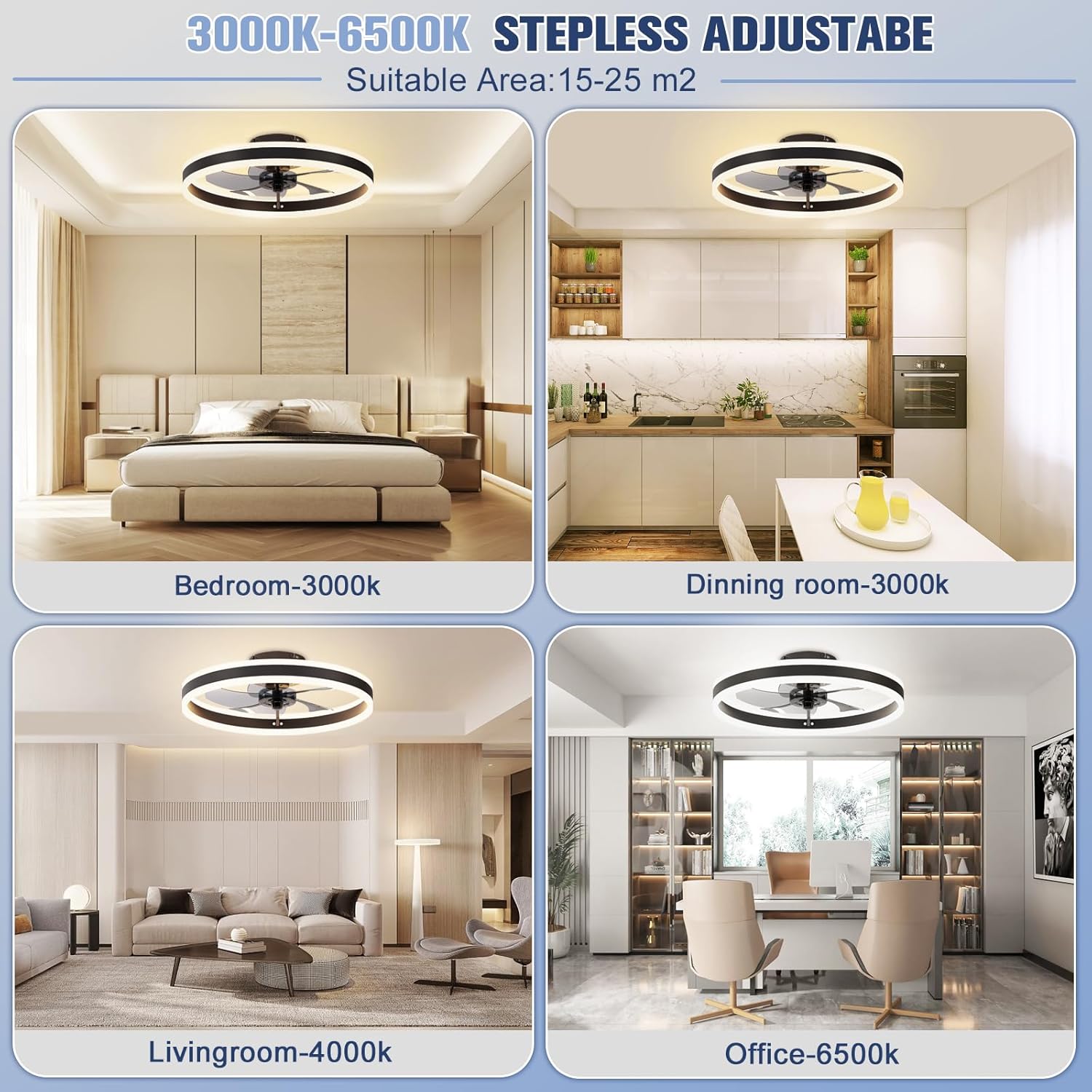
Image: Examples of different light color temperatures (3000K, 4000K, 6500K) in various room settings.
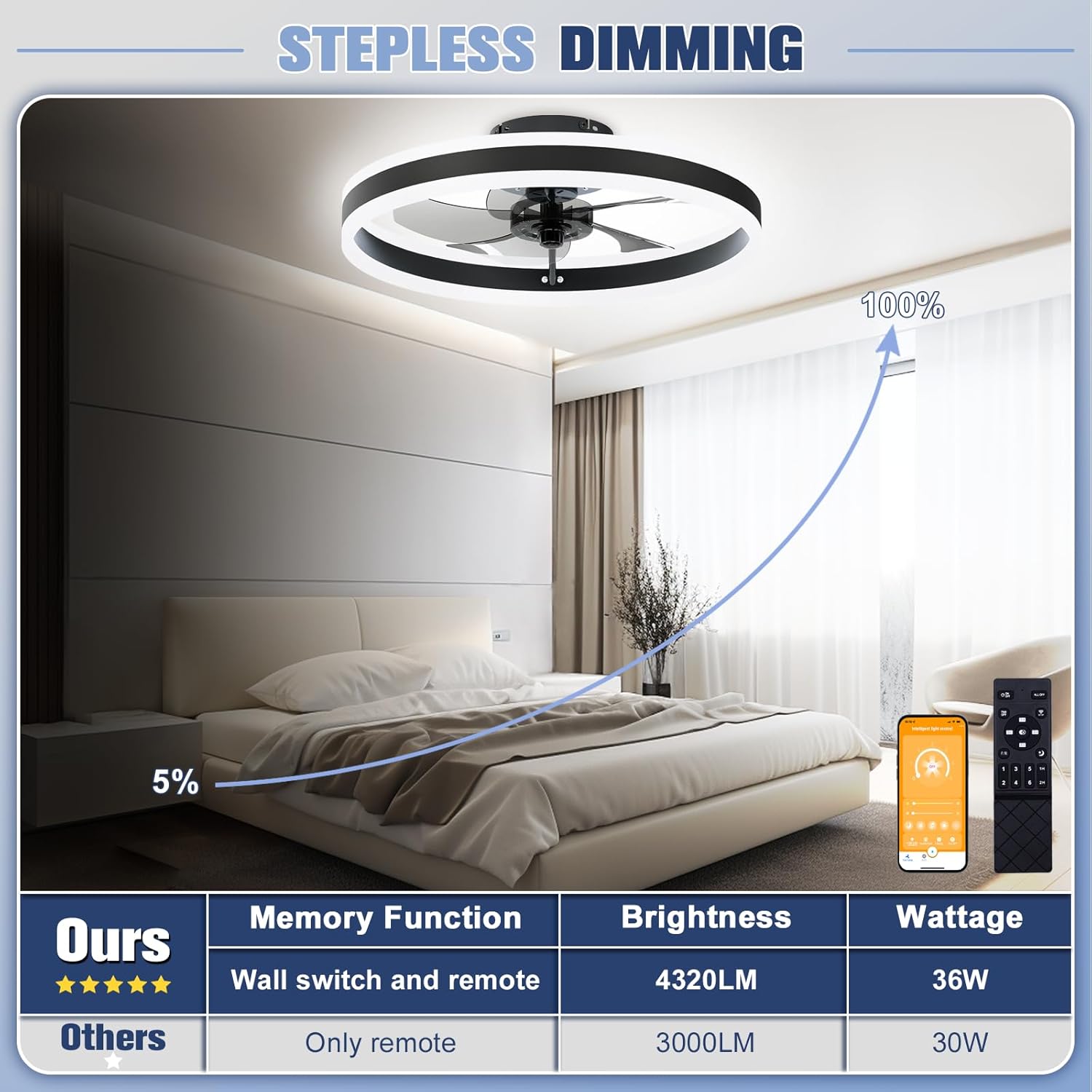
Image: Illustration of the dimmable light feature, adjustable from 5% to 100% brightness.

Image: Diagram showing the reversible fan function for cooling in summer and circulating warm air in winter.
6. Maintenance
Regular maintenance ensures optimal performance and longevity of your fan.
- Cleaning: Before cleaning, ensure the power is off. Use a soft, damp cloth to wipe down the fan's exterior. Avoid harsh chemicals or abrasive cleaners.
- Dust Removal: Periodically clean dust from the fan blades and light cover to maintain airflow and light output.
- Inspection: Check all connections and mounting hardware periodically to ensure they remain secure.
7. Troubleshooting
If you encounter issues, refer to the following common problems and solutions.
| Problem | Possible Solution |
|---|---|
| Fan does not operate | Check power supply at the circuit breaker. Ensure all wiring connections are secure. Verify remote control batteries are functional. |
| Light does not turn on | Check power supply. Ensure light is not dimmed to its lowest setting. Verify remote control batteries. |
| Remote control not responding | Replace remote control batteries. Ensure there are no obstructions between the remote and the fan. Re-pair the remote if necessary (refer to user manual for pairing instructions). |
| Fan makes unusual noise | Ensure all mounting screws are tight. Check for any obstructions around the fan blades. |
8. Warranty and Support
VOLISUN stands by the quality of its products.
- Warranty: This product comes with a comprehensive 3-year service warranty covering LED fan light malfunctions or any defects.
- Customer Service: For any inquiries, technical assistance, or warranty claims, please contact VOLISUN customer support. Refer to the contact information provided in your product packaging or visit the official VOLISUN website.