
1. Product Overview
The AMEGAT 20000mAh 30W Portable Power Bank (Model PBQ2010) is a high-capacity external battery designed to provide fast and efficient charging for a wide range of electronic devices. Featuring bi-directional 30W USB-C Power Delivery and multiple output ports, it ensures your devices remain powered on the go.
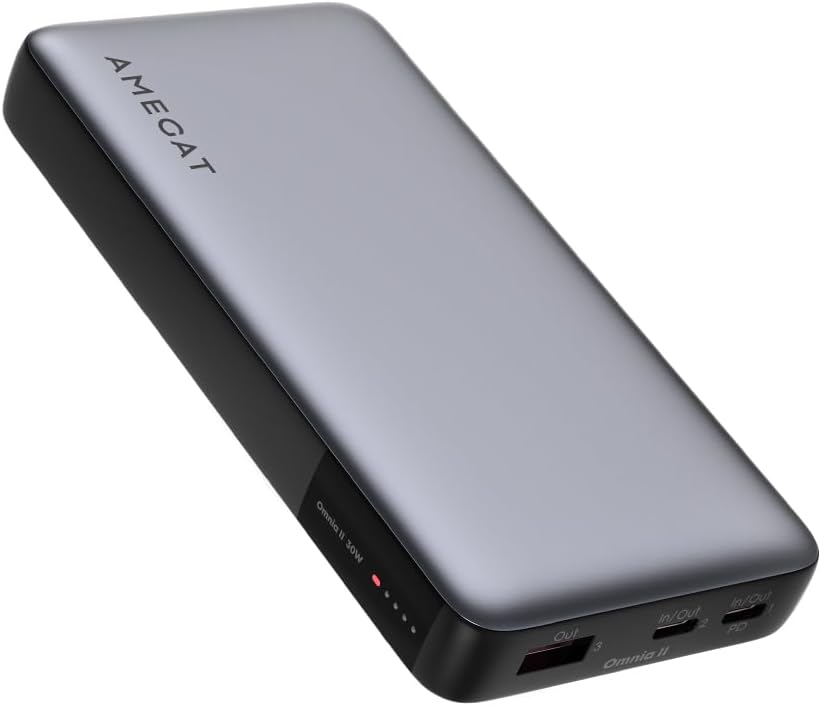
Image 1: AMEGAT 20000mAh 30W Portable Power Bank, showcasing its sleek grey design and port layout.
2. Safety Information
Please read all safety instructions carefully before using this product to ensure safe and optimal performance. Failure to follow these instructions may result in fire, electric shock, product damage, or property damage.
- Do not expose the power bank to extreme temperatures (above 60°C/140°F) or direct sunlight.
- Avoid dropping, disassembling, or attempting to repair the device yourself.
- Keep away from water, moisture, and flammable materials.
- Use only certified cables and chargers for recharging the power bank and charging your devices.
- The smart chip includes overcharge, overvoltage, overcurrent, and over-temperature protection to ensure a safe charging environment.
- This power bank meets aviation flight safety standards and can be carried on an airplane.
3. Package Contents
Verify that all items are present in your package:
- 1 x AMEGAT 30W Portable Power Bank (20000mAh)
- 1 x 30W USB-C to USB-C Cable
- 1 x User Manual (this document)
4. Product Diagram
Familiarize yourself with the ports and indicators on your power bank:

Image 2: Diagram illustrating the dimensions of the AMEGAT power bank and the location of its USB-A and USB-C ports, along with the LED indicator.
- USB-A Output Port: For charging devices with a USB-A cable.
- USB-C In/Out Ports (x2): For recharging the power bank or charging devices with a USB-C cable. Supports Power Delivery (PD) for fast charging.
- LED Display: Indicates the remaining battery level and charging status.
5. Setup
5.1 Initial Charging of the Power Bank
Before first use, fully charge your AMEGAT power bank. This ensures optimal battery performance and longevity.
- Connect the provided USB-C to USB-C cable to one of the power bank's USB-C In/Out ports.
- Connect the other end of the cable to a compatible 30W (or higher) USB-C wall charger (not included).
- The LED display will show the charging progress. A full recharge takes approximately 4.3 hours with a 30W charger.
- Once fully charged, the LED display will indicate 100%. Disconnect the power bank from the charger.

Image 3: The AMEGAT power bank connected to a wall adapter via a USB-C cable for recharging, with the LED display showing charging status.
6. Operating Instructions
6.1 Charging Your Devices
The power bank features three output ports (2x USB-C, 1x USB-A) to charge multiple devices simultaneously.
- Connect your device's charging cable to the appropriate port on the power bank (USB-A or USB-C).
- Connect the other end of the cable to your device.
- The power bank will automatically begin charging your device. The LED display will show the remaining battery level.
- To achieve 30W fast charging, ensure your device and cable support Power Delivery (PD) via the USB-C port.
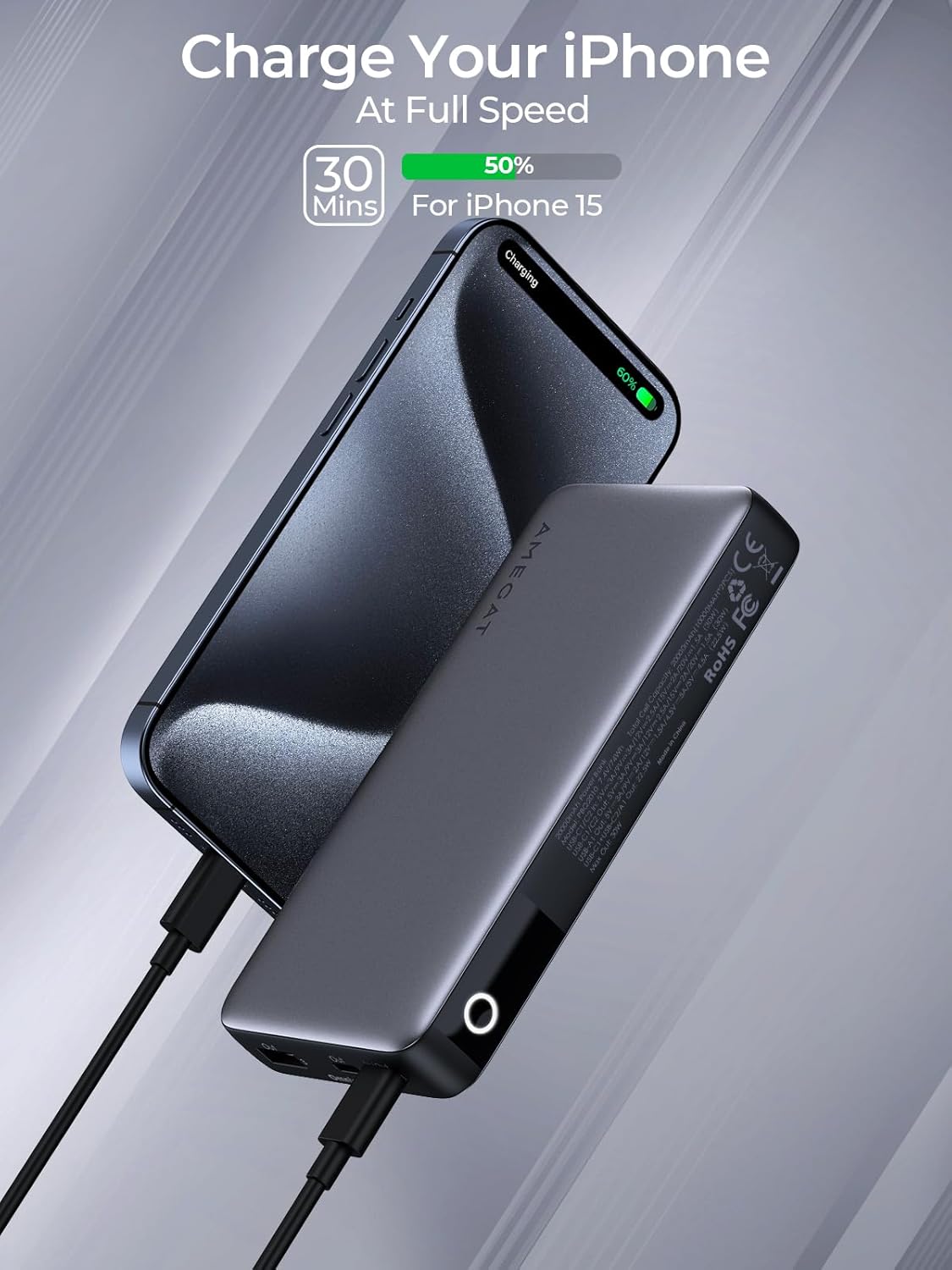
Image 4: An iPhone 15 being charged by the AMEGAT power bank via a USB-C cable, illustrating fast charging capability.

Image 5: The AMEGAT power bank simultaneously charging an iPad, an iPhone, and AirPods, demonstrating its multi-device charging capability.
6.2 Low-Current Charging Mode
This mode is ideal for charging low-power devices such as Bluetooth earphones, smartwatches, or other small accessories.
- To activate low-current charging, press and hold the power button for 2 seconds.
- Connect your low-power device to the power bank.
- To exit low-current charging mode and resume normal charging, press and hold the power button again for 2 seconds.

Image 6: The AMEGAT power bank charging a pair of wireless earbuds, illustrating the low-current charging mode for small devices.
6.3 LED Indicator
The built-in LED display provides real-time information about the power bank's status:
- Battery Level: Shows the remaining percentage of battery charge.
- Charging Status: Indicates when the power bank is being recharged or when it is charging a device.
7. Maintenance
Proper maintenance ensures the longevity and optimal performance of your power bank.
- Clean the power bank with a dry, soft cloth. Do not use abrasive cleaners or solvents.
- Store the power bank in a cool, dry place away from direct sunlight and extreme temperatures.
- If not used for extended periods, recharge the power bank at least once every three months to maintain battery health.
- Avoid exposing the ports to dust or debris.
8. Troubleshooting
If you encounter issues with your power bank, refer to the following common problems and solutions:
- Power bank not charging:
- Ensure the charging cable is securely connected to both the power bank and the wall charger.
- Verify that the wall charger is functioning correctly and provides sufficient power (e.g., 30W USB-C PD charger).
- Try a different USB-C cable.
- Device not charging from power bank:
- Check if the power bank has sufficient charge.
- Ensure the charging cable is securely connected to both the power bank and your device.
- Try a different charging cable or a different port on the power bank.
- For low-power devices, ensure low-current charging mode is activated.
- Slow charging:
- Ensure your device and cable support fast charging protocols (e.g., USB-C PD for 30W output).
- Avoid charging multiple devices simultaneously if you require maximum speed for a single device.
- Check if the cable is damaged or incompatible.
If the problem persists, please contact customer support.
9. Specifications
| Feature | Specification |
|---|---|
| Model Number | PBQ2010 |
| Battery Capacity | 20000mAh |
| USB-C Input/Output | 30W Max (Bi-directional Power Delivery) |
| USB-A Output | 22.5W Max |
| Total Output | 30W Max |
| Product Dimensions | 5.75 x 2.91 x 0.91 inches (146 x 74 x 23 mm) |
| Item Weight | 15.2 ounces (431 grams) |
| Battery Type | Lithium Polymer |
| Special Features | Auto Shut-Off, Fast Charging, LED Indicator Lights, Overcharge Protection, Overvoltage Protection, Overcurrent Protection, Over-temperature Protection |
| Color | Grey |
| Manufacturer | Shenzhen Autral Technology Innovation Co.,Ltd |
10. Warranty and Support
AMEGAT products are designed and manufactured to the highest quality standards. For warranty information, please refer to the warranty card included with your purchase or visit the official AMEGAT website.
If you have any questions, concerns, or require technical assistance, please contact AMEGAT customer support through the following channels:
- Website: Visit the AMEGAT official website for FAQs and support contact information.
- Email: Refer to your product packaging or the AMEGAT website for customer service email addresses.
Please have your product model number (PBQ2010) and purchase details ready when contacting support.

