

Introduction
Product Overview
The ODK 66 Inch Gaming Desk is a versatile L-shaped computer desk designed to optimize your workspace for gaming, studying, or home office activities. It features integrated USB charging ports, power outlets, and colorful LED lights to enhance your experience. The desk also includes ample storage solutions with shelves and a monitor stand, ensuring a tidy and efficient setup.
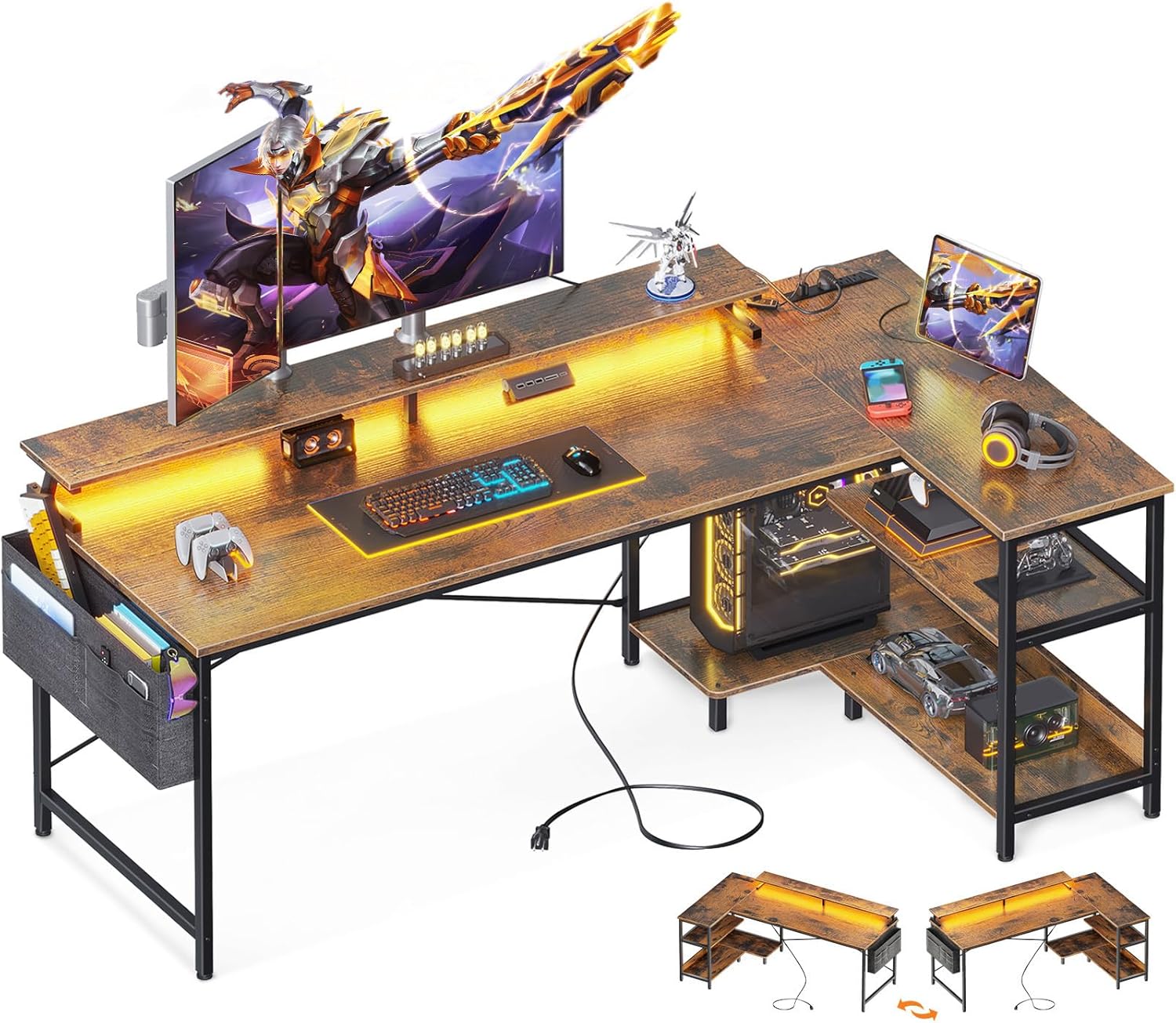
Figure 1: ODK 66 Inch Gaming Desk (Rustic Brown)
Safety Guidelines
Please read and follow these safety guidelines carefully to ensure safe assembly and use of your ODK Gaming Desk:
- Two-Person Assembly: For ease and safety, it is highly recommended that two people assemble this desk.
- Check All Parts: Before assembly, take out all parts from the package and verify that all components are included and in good condition.
- Stable Surface: Ensure the desk is placed on a stable and level surface to prevent wobbling or tipping. Adjustable non-slip foot pads are provided for stability on uneven ground.
- Electrical Safety: When using the integrated power outlets and USB ports, ensure all devices are compatible with the desk's power specifications (120V/12A AC outlets, 5V/2A USB ports). Do not overload the outlets.
- Cable Management: Utilize the cable management features to keep wires tidy and prevent tripping hazards.
Parts List
The ODK 66 Inch Gaming Desk comes with all necessary components for assembly. Please refer to the included instruction manual for a detailed list of labeled parts and hardware. Key components include:
- Main Desktop Panels (A, B)
- Metal Frame Components (C, E, F, G, H, J, K, T)
- Storage Shelves (L, M, N, O)
- Monitor Stand (Q, R, V)
- USB Charging Ports & Power Outlets Unit (U)
- Side Storage Bag (D)
- Adjustable Non-Slip Footpads
- Assembly Hardware (screws, wrench)
Setup and Assembly
Assembly of the ODK Gaming Desk is designed to be straightforward. All parts are clearly labeled, and detailed instructions are provided. The entire assembly process typically takes about 0.5 to 1 hour with two people.
Assembly Steps:
For a visual guide, please refer to the official installation video below. Follow the steps carefully for optimal results.
Video 1: ODK Installation Video. This video provides a step-by-step guide for assembling your ODK Gaming Desk.
- Install Foot Pads: Attach the foot pads (7) onto components K and H. Then, install component G onto H using screws (1).
- Connect Frame Components: Use component M to connect K and H with screws (2). Also, use component I to connect K and H with screws (1). Pay close attention to the positions of the screw holes.
- Install Small Shelves: Install components P on O and N respectively using screws (1).
- Install Shelves onto Frame: Install components O and N onto the main frame using screws (2).
- Tighten All Screws: Once all components are in place, tighten all screws (2) to ensure stability.
- Fix Rods: Fix rods F and T between shelves J and C using screws (3) and (6).
- Install Desktop: Carefully place desktop panels A and B onto the assembled frame and secure them with screws (3).
- Install Monitor Shelf and Storage Bag: Install the monitor shelf (Q) with screws (1). Attach the side storage bag (D) to the desk frame using screws (6).
- Install USB Port: Install the USB port unit (U) onto the desktop using screws (4).
The desk is reversible, allowing you to configure the L-shape with the storage shelves on either the left or right side to suit your space and preference.
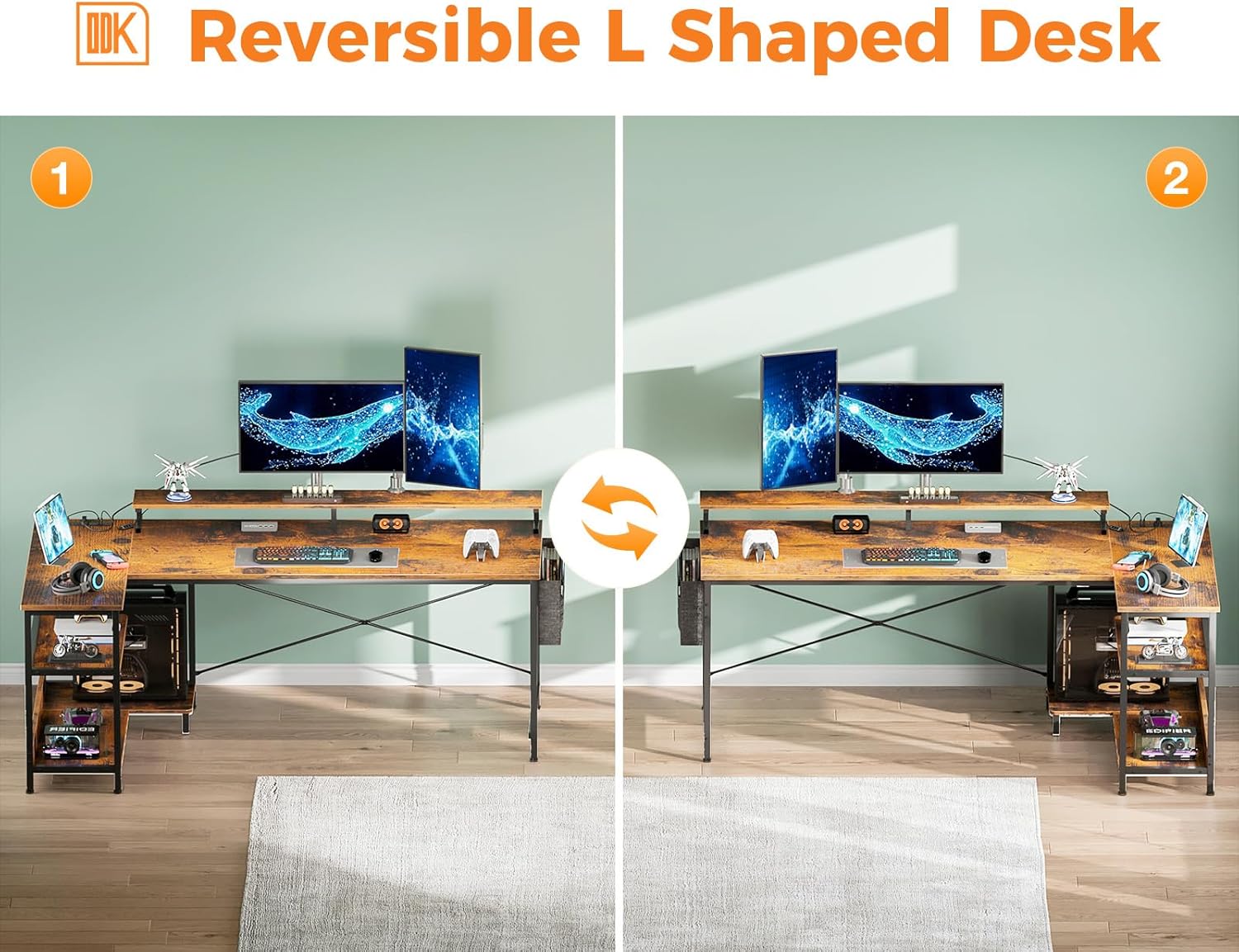
Figure 2: Reversible L-Shaped Design
Operating Instructions
USB Charging Ports & Power Outlets
The desk is equipped with 3 standard AC power outlets (120V/12A) and 2 USB charging ports (5V/2A). These are conveniently located on the desktop for easy access, allowing you to charge smartphones, gaming gear, or other electronic devices directly from your workstation.

Figure 3: Integrated Power Outlets and USB Ports
LED Lights
The gaming desk features an integrated LED strip with customizable lighting options. You can adjust the lighting to reduce eye strain, improve focus, and create a comfortable ambiance for work or gaming.
- 10 Static Colors: Choose from a variety of solid colors to match your mood or setup.
- 6 Brightness Grades: Adjust the intensity of the lights.
- 10 Dynamic Modes: Explore different lighting effects and patterns.
- Memory Function: The lights will remember your last setting.
- Switching Controls: Easily control the lights using the integrated switch.

Figure 4: LED Light Strip and Controls
Video 2: ODK Product Video. This video showcases the features and functionality of the ODK Gaming Desk, including the LED lights.
Maintenance
Proper maintenance will ensure the longevity and continued performance of your ODK Gaming Desk:
- Cleaning: The premium MDF board desktop is easy to clean and waterproof. Use a soft, damp cloth to wipe down surfaces. Avoid harsh chemicals that may damage the finish.
- Stability Check: Periodically check all screws and connections to ensure they remain tight. The adjustable non-slip footpads can be adjusted to maintain stability on uneven floors and protect your flooring from scratches.
- Avoid Overloading: Do not exceed the recommended weight capacity for the desktop and shelves to prevent damage.

Figure 5: Premium Desktop Material

Figure 6: Adjustable Non-Slip Footpads
Troubleshooting
If you encounter any issues with your ODK Gaming Desk, please refer to the following common solutions:
- Wobbly Desk: Ensure all screws are securely tightened. Adjust the non-slip footpads on each leg to compensate for uneven flooring.
- LED Lights Not Working: Check if the USB cable for the LED lights is properly connected to a power source. Verify that the control switch is functioning correctly.
- Power Outlets/USB Ports Not Functioning: Ensure the main power cord is securely plugged into a wall outlet. Check if the wall outlet itself is receiving power. Avoid overloading the outlets.
If your ODK L-shaped desk arrives damaged, missing a part, or scratched, or if you experience any issues not covered here, please feel free to contact our professional customer support team. They are available to help you solve the problem within 24 hours.
Specifications
| Feature | Detail |
|---|---|
| Brand | ODK |
| Model | 66 Inch Gaming Desk |
| Product Dimensions | 31.5"D x 66"W x 34.6"H |
| Color | Rustic Brown |
| Base Material | Metal |
| Top Material Type | Engineered Wood |
| Special Feature | Reversible, USB Charging Ports, LED Lights, Storage Shelves, Monitor Stand |
| Power Outlets | 3 AC Outlets (120V/12A) |
| USB Ports | 2 USB Ports (5V/2A) |
| Required Assembly | Yes (Tools Included) |
Warranty and Support
ODK is committed to providing high-quality products and excellent customer service. If you encounter any issues with your ODK Gaming Desk, such as damage upon arrival, missing parts, or scratches, please contact our dedicated customer support team.
Our professional customer support team is ready to assist you and aims to resolve any problems within 24 hours. Please refer to your purchase documentation for specific contact information.
Additionally, protection plans are available for purchase to provide extended coverage for your product:
- 2-Year Protection Plan
- 3-Year Protection Plan
- Complete Protect (monthly plan covering eligible purchases)
For more details on protection plans or to initiate a support request, please visit the ODK Store on Amazon or contact us directly through your order details.
