
AMEGAT PBQ2011
AMEGAT 20000mAh 65W Portable Power Bank User Manual
Model: PBQ2011
1. Product Overview
The AMEGAT 20000mAh 65W Portable Power Bank is a high-capacity, fast-charging solution designed to power a wide range of electronic devices, including laptops, tablets, and smartphones. Featuring a digital display and multiple output ports, it offers convenient and efficient charging on the go.

Image 1: Front view of the AMEGAT 20000mAh 65W Portable Power Bank.
2. What's in the Box
- 1 x AMEGAT 65W Portable Power Bank (Model: PBQ2011)
- 1 x 65W USB-C to USB-C Cable
- 1 x User Manual (this document)
3. Setup
3.1 Initial Charging
Before first use, fully charge your AMEGAT Power Bank. Connect the included USB-C to USB-C cable to the 'In/Out 1 PD' port on the power bank and the other end to a 65W (or higher) USB-C wall charger (not included). The digital display will show the charging percentage and input wattage.

Image 2: The power bank's digital display showing 100% charge and 65W input during recharge.
3.2 Checking Battery Level
Press the power button once to activate the digital display, which will show the remaining battery percentage and current charging/discharging wattage.
4. Operating Instructions
4.1 Charging Devices
The power bank features one USB-A output port and two USB-C input/output ports (PD 3.0 compatible) for versatile charging.
- Single Device Charging: Connect your device to any available port. The USB-C 'In/Out 1 PD' port can deliver up to 65W for fast charging compatible laptops like MacBook Air.
- Multiple Device Charging: You can charge up to three devices simultaneously. The power bank intelligently distributes power. For example, when using both USB-C ports, USB-C 1 can output up to 45W and USB-C 2 up to 20W.

Image 3: The power bank simultaneously charging a laptop, smartphone, and wireless earbuds.
4.2 Understanding the Digital Display
The LCD screen provides real-time information:
- Battery Percentage: Shows the remaining charge of the power bank.
- Current Wattage: Displays the power (in watts) being input to charge the power bank or output to charge your connected devices. This allows you to monitor fast charging status.
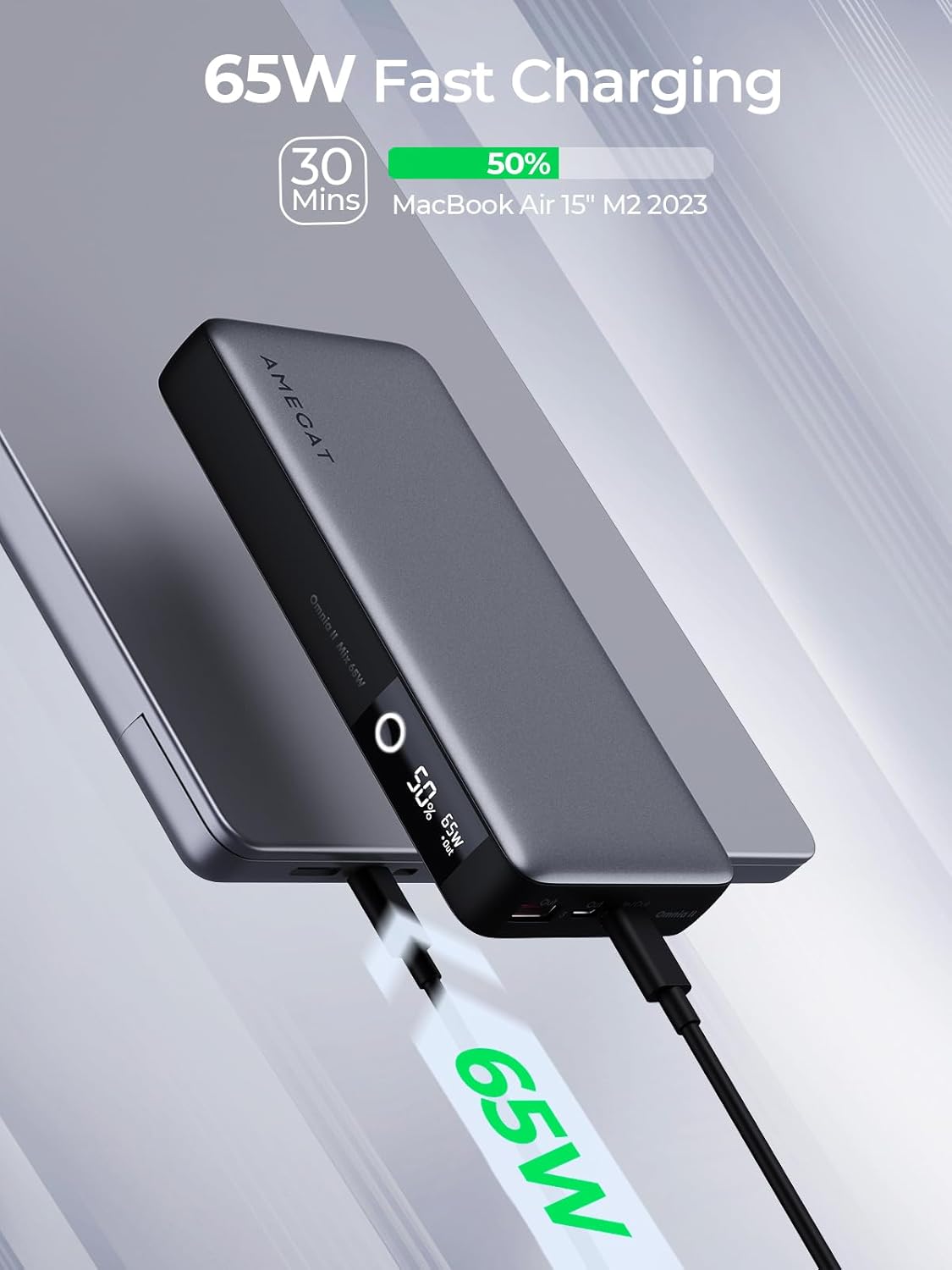
Image 4: The power bank's display showing 65W fast charging for a MacBook Air.
4.3 Device Compatibility
This power bank is universally compatible with most USB-C and USB-A powered devices, including:
- Laptops (e.g., MacBook Pro, Surface GO, Thinkbooks, Dell)
- Tablets (e.g., iPad Pro, iPad Air, Galaxy Tab)
- Smartphones (e.g., iPhone, Samsung Galaxy, Google Pixel, LG)
- Other devices (e.g., Steam Deck, Nintendo Switch, Wireless Earbuds, Drones)

Image 5: Visual representation of the power bank's wide compatibility with different device types.
5. Maintenance
- Cleaning: Use a soft, dry cloth to clean the power bank. Avoid liquid cleaners or aerosols.
- Storage: Store the power bank in a cool, dry place away from direct sunlight and extreme temperatures.
- Battery Health: For optimal battery life, fully charge the power bank at least once every three months if not in regular use.
6. Troubleshooting
- Device not charging: Ensure the power bank has sufficient charge. Check that the charging cable is securely connected to both the power bank and your device. Try a different cable or port.
- Slow charging: Verify that your device supports fast charging and that you are using a compatible cable. Ensure the power bank is not simultaneously charging multiple high-power devices if you expect maximum output from a single port.
- Digital display not working: Press the power button to activate the display. If it remains off, the power bank might be fully discharged.
7. Specifications
| Feature | Detail |
|---|---|
| Model Number | PBQ2011 |
| Battery Capacity | 20000 Milliamp Hours (mAh) |
| Output Power | Up to 65W (USB-C PD 3.0) |
| Input Power | Up to 65W (USB-C) |
| Ports | 2 x USB Type-C (In/Out), 1 x USB Type-A (Out) |
| Special Features | Digital Display, Auto Shut-Off, Fast Charging |
| Product Dimensions | 6.18 x 2.87 x 0.98 inches |
| Item Weight | 15.8 ounces |
| Color | Black |
| Manufacturer | DONGGUAN BESKY INDUSTRIAL CO.,LTD |
| Country of Origin | China |

Image 6: Dimensions of the AMEGAT Portable Power Bank.
8. Safety Information
- Do not expose the power bank to extreme temperatures, direct sunlight, or water.
- Avoid dropping or subjecting the power bank to strong impacts.
- Keep out of reach of children.
- This power bank is Airline Approved for carry-on luggage, adhering to typical airline regulations for battery capacity. Always check with your specific airline before travel.

Image 7: The power bank is designed with comprehensive protection and is airline approved.
9. Warranty and Support
For warranty information or technical support, please contact AMEGAT customer service through the retailer's platform or the official AMEGAT website. Please have your model number (PBQ2011) and purchase details ready.
Related documentsPBQ2011


Ask a question about this manual
Ask about setup, troubleshooting, compatibility, parts, safety, or missing instructions. Manuals+ will review the question and use this page’s manual context to help answer it.