
Introduction
Thank you for choosing the Caiord P3 Mini Portable Bluetooth Karaoke Machine. This compact and versatile system is designed to bring fun and entertainment to any occasion, whether it's a family party, outdoor gathering, or a casual sing-along. Featuring a powerful speaker, two wireless microphones, and dynamic LED lights, the P3 offers an immersive karaoke experience. Please read this manual carefully to ensure proper use and to fully enjoy all the features of your new karaoke machine.
What's in the Box
- 1 x Caiord P3 Karaoke Machine (Speaker)
- 2 x Wireless Microphones
- 1 x USB Charging Cable
- 1 x User Manual

Image: Contents of the Caiord P3 Karaoke Machine package, including the main speaker unit, two wireless microphones, a USB charging cable, and the user manual.
Product Features
- Compact & Portable Design: Mini size with a durable handle for easy transport.
- Powerful Sound: 6W HD loudspeaker with noise reduction chip for clear and loud audio.
- Dual Wireless Microphones: Two microphones included for duets and interactive fun.
- Bluetooth 5.3 Connectivity: Ensures instant pairing and stable transmission.
- Multiple Voice Effects: Features 4 voice effects (monster, baby, female, male) for added entertainment.
- Dynamic LED Lights: 3 lighting modes that sync with music rhythm to create a party atmosphere.
- Long Battery Life: Built-in 2000mAh rechargeable battery provides 4-5 hours of singing time.
- Multi-functional Inputs: Supports Bluetooth, TF Card, and AUX cable audio modes.
- Wide Compatibility: Connects to smartphones, computers, tablets, and laptops.
Setup Instructions
- Charge the Devices: Before first use, fully charge the karaoke machine and both microphones using the provided USB charging cable. The indicator light on the microphones will turn off when fully charged.
- Power On:
- For the speaker: Long press the power button on the top panel until the LED lights illuminate and you hear a "Power On" prompt.
- For the microphones: Long press the power button on each microphone until the indicator light turns blue. The microphones will automatically connect to the speaker.
- Connect via Bluetooth:
- On your mobile device (smartphone, tablet, or laptop), go to Bluetooth settings.
- Search for "P3" in the list of available devices and select it to pair. You will hear a "Bluetooth Connected" prompt from the speaker.
- Once connected, you can play music from your device through the karaoke machine.
- Alternative Connectivity (TF Card/AUX):
- To use a TF card: Insert a TF card with pre-loaded music into the TF card slot on the back of the speaker. The speaker will automatically switch to TF card mode.
- To use AUX: Connect an AUX cable (not included) from your audio device to the AUX port on the back of the speaker. The speaker will automatically switch to AUX mode.

Image: Diagram illustrating the various connectivity options for the Caiord P3 Karaoke Machine, including Bluetooth, TF card, and AUX input, compatible with different devices.
Operating Instructions
Speaker Controls:
- Power On/Off: Long press the power button.
- Play/Pause: Short press the play/pause button.
- Volume Up/Next Song: Short press '+' for volume up; Long press '+' for next song.
- Volume Down/Previous Song: Short press '-' for volume down; Long press '-' for previous song.
- Switch Music/Bluetooth Mode: Short press 'M' button.
- Remove Original Voice: Long press 'M' button.
- Switch Light: Short press the light button.
- Turn On/Off Light Effects: Double click the light button.
Microphone Controls:
- Power On/Off: Long press the power button.
- Play/Pause: Short press the play/pause button.
- Volume Up/Next Song: Short press '+' for volume up; Long press '+' for next song.
- Volume Down/Previous Song: Short press '-' for volume down; Long press '-' for previous song.
- Accompaniment/Echo Adjustment: Short press the 'M' button.
- Open/Close Mic Volume: Long press the 'M' button.
- Switch Sound Effects: Short press the sound effects button (female, male, monster, baby voice).
- Remove Original Voice: Long press the sound effects button.

Image: A visual guide to the buttons and functions on both the main speaker unit and the wireless microphones.
How to Use Wireless Microphones:
Video: This video demonstrates how to properly use and operate the wireless microphones included with the Caiord P3 Karaoke Machine, covering power, volume, and effect controls.
Voice Effects:
The Caiord P3 offers 4 fun voice effects to enhance your karaoke experience:
- Monster Voice
- Baby Voice
- Female Voice
- Male Voice
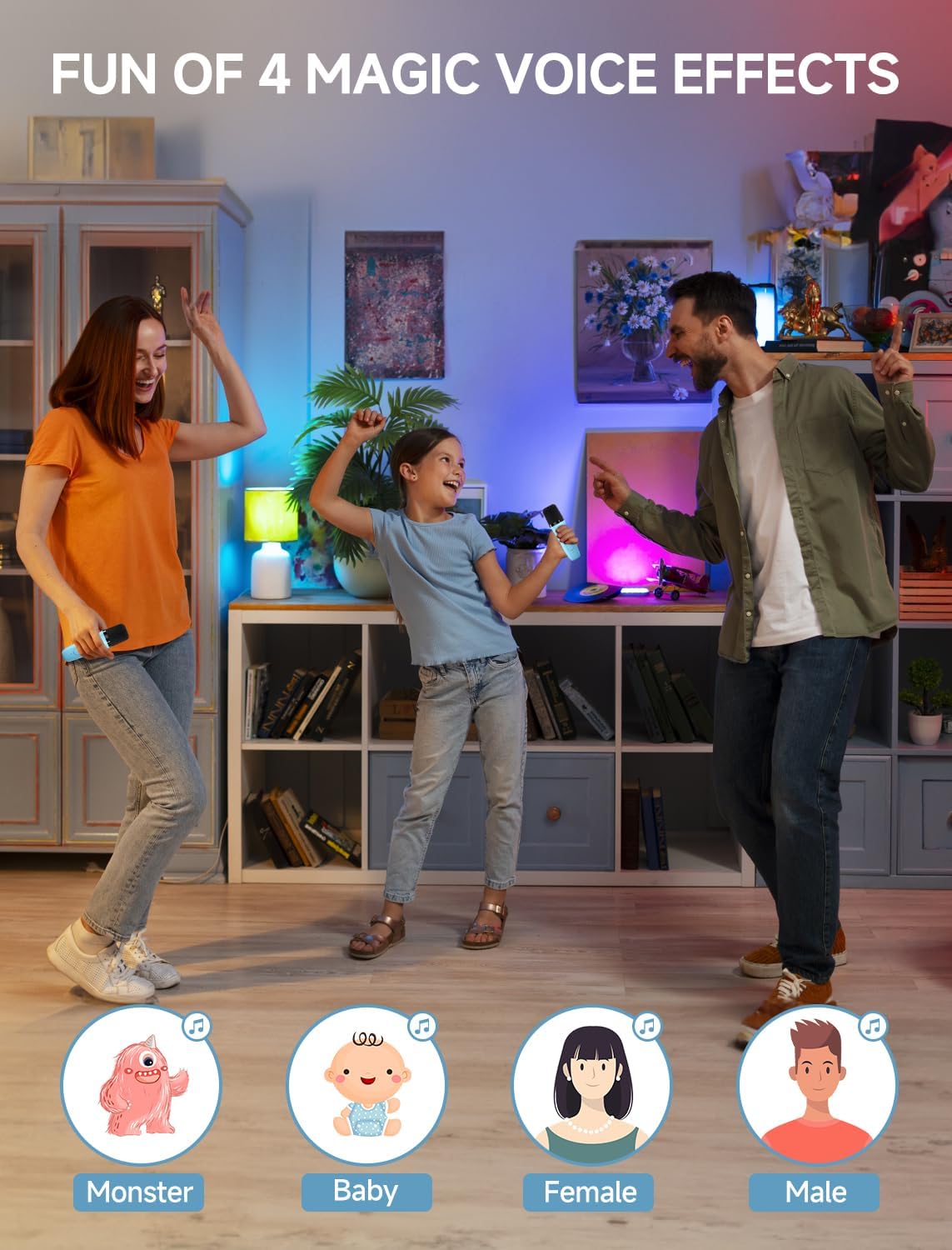
Image: Visual representation of the four magical voice effects available on the karaoke machine.
Light Modes:
Enhance your party atmosphere with 3 dynamic colorful light modes:
- Color Rotating Light
- Water Ripple Light
- Single Color Light

Image: Illustration of the three dynamic light modes that can be activated on the karaoke machine.
Charging Instructions
The Caiord P3 Karaoke Machine and its wireless microphones are equipped with rechargeable batteries. Use the provided USB charging cable to charge the devices.
- Connect the USB charging cable to a compatible USB power adapter (5V/1A recommended).
- Plug the other end of the cable into the charging port on the karaoke machine (Type-C) and the microphones (Micro-USB).
- The charging indicator light on the microphones will be red during charging and turn off when fully charged.
- Full charging time for the speaker is approximately 4 hours, providing 4-5 hours of working time.

Image: Visual representation of the charging and working times for the karaoke machine.
Maintenance
- Keep the device clean by wiping it with a soft, dry cloth.
- Avoid exposing the machine to direct sunlight, high temperatures, or extreme cold.
- Do not immerse the machine or microphones in water or any other liquids.
- Store the device in a cool, dry place when not in use.
- Do not attempt to disassemble or repair the device yourself. Contact customer support for assistance.
Troubleshooting
| Problem | Reason | Solution |
|---|---|---|
| No sound with speaker | Volume too low on phone/speaker; Speaker not connected to phone. | Increase volume; Connect Bluetooth. |
| Speaker doesn't turn on | Battery is out of power. | Charge the speaker. |
| Bluetooth cannot connect | Device not in pairing mode; Interference. | Ensure device is in pairing mode; Move closer to speaker; Restart devices. |
| Disconnection of sound | Distance is too far; Low battery. | Shorten the distance; Charge the battery. |
| No sound in TF card mode | Unsupported music format; TF card not inserted. | Change to MP3 format; Insert TF card. |
| Speaker cannot be charged | Charging cable faulty; Charging plug not inserted. | Change the charging cable; Insert the charging plug. |
| No sound with mic | Microphone not powered on; Volume too low. | Power on microphone; Increase mic volume. |
| Mic doesn't turn on | Battery is too low. | Charge the battery. |
| Sound of mic is stuck | Battery is too low. | Charge the battery. |
| Mic cannot be charged | Charging cable faulty; Charging port dirty. | Change the charging cable; Clean the charging port. |
Specifications
| Model Name: | P3 |
| Brand: | Caiord |
| Speaker Power: | 6W |
| Connectivity: | Bluetooth 5.3, TF Card, AUX |
| Microphone Battery: | 3.7V 2000mAh |
| Speaker Battery: | 2000mAh |
| Input Charging Voltage: | 5V=1A |
| Charging Time: | Approx. 4 hours |
| Working Time: | Approx. 4-5 hours |
| Item Dimensions (D x W x H): | 3.35"D x 5.71"W x 5.59"H |
| Color: | Blue |
Warranty and Support
The Caiord P3 Karaoke Machine comes with a 1 Year Manufacturer Warranty. For any product inquiries, technical support, or warranty claims, please contact Caiord customer service through the retailer where you purchased the product or visit the official Caiord website for contact information.
Important Safety Information:
- Do not expose the product to extreme temperatures or humidity.
- Do not throw the machine or attempt to disassemble it.
- Use only the qualified power adapter with standard certification for charging.