
1. Overview
The GENBOLT GB216K-4G is a state-of-the-art 4G LTE wireless security camera designed for comprehensive outdoor and indoor surveillance. This completely wireless solution operates independently of Wi-Fi networks, making it ideal for locations without internet access or stable power supply. Equipped with a high-capacity 15000mAh rechargeable battery and an 8W solar panel, it ensures continuous operation with minimal maintenance.
Key features include 3-megapixel resolution for clear imaging, PIR human motion detection to minimize false alarms, 360-degree pan and tilt capabilities for wide area coverage, and two-way audio communication. It supports both MicroSD card and cloud storage options for flexible video recording and playback.

Figure 1.1: GENBOLT 4G LTE Wireless Outdoor Solar Security Camera (Model: GB216K-4G)
2. Product Features
- 4G LTE & No Wi-Fi/Power Required: Operates completely wirelessly using 4G LTE communication, suitable for areas without Wi-Fi. Includes a free dedicated SIM card with 300MB data (Japan only).
- PIR Human Detection Recording: Equipped with a PIR human motion sensor that records photos and videos upon detection, activating from a sleep mode to conserve energy. Sends push notifications to your smartphone app (Android/iOS compatible).
- Rechargeable Battery & Solar Charging: Features a built-in 15000mAh high-capacity rechargeable battery. Supports both USB and solar charging for continuous power and electricity savings. Battery level can be monitored via the app.
- Cloud Storage & SD Card: Supports up to 128GB MicroSD card for local storage. Offers a 7-day free trial for cloud storage, allowing easy playback and download of recordings even if the camera is offline.
- Outdoor/Indoor Compatible & IP65 Waterproof: Designed with IP65 waterproof specifications, allowing flexible installation angles and safe outdoor use.
- 360-Degree Monitoring: Provides 355° horizontal pan and 90° vertical tilt for comprehensive area coverage.
- Two-Way Audio: Enables real-time communication through the camera.
- Color Night Vision: Offers clear color imaging even in low-light conditions.

Figure 2.1: 4G SIM Card Features and App Data Monitoring

Figure 2.2: Versatile Use Cases for the GENBOLT 4G Camera
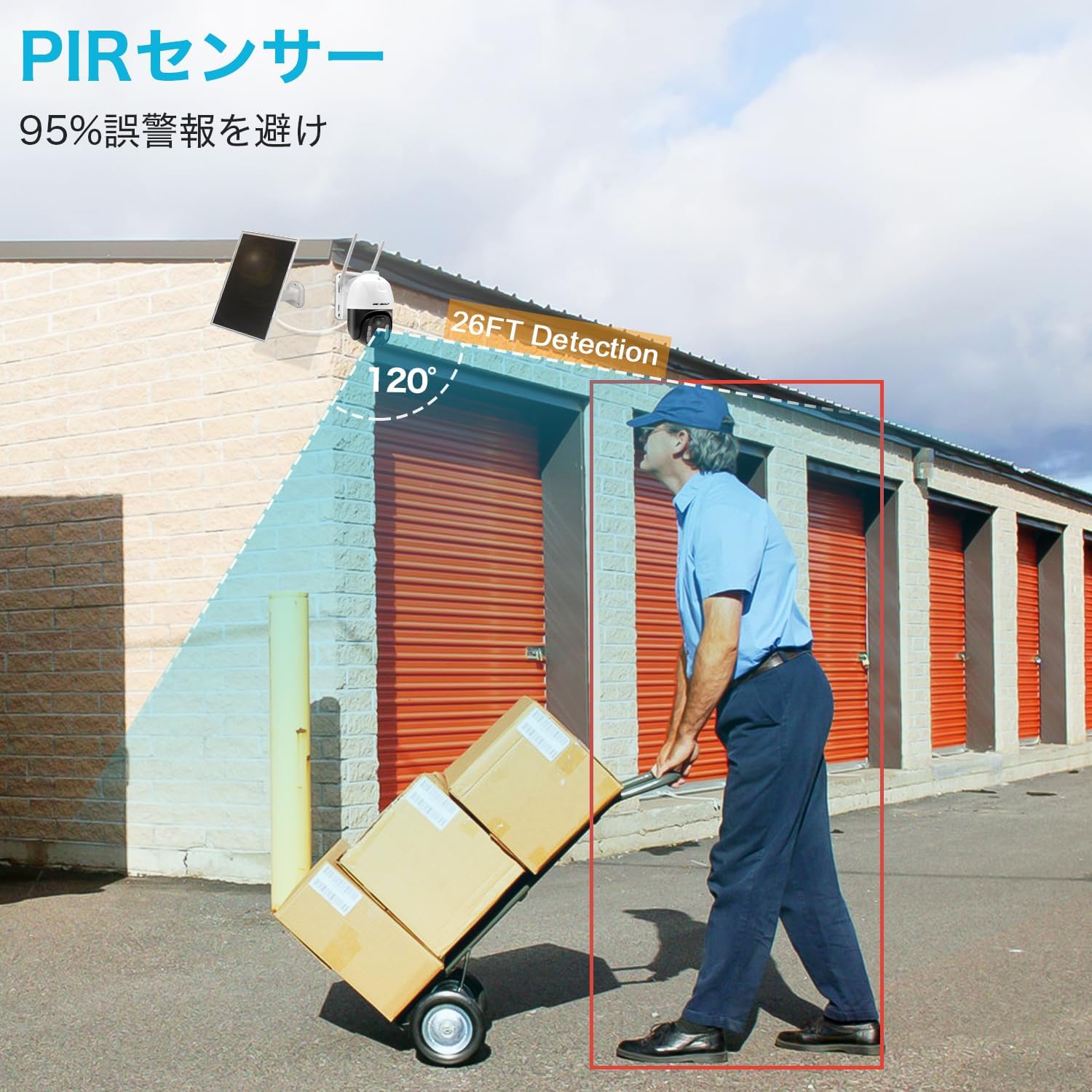
Figure 2.3: PIR Human Detection Capability
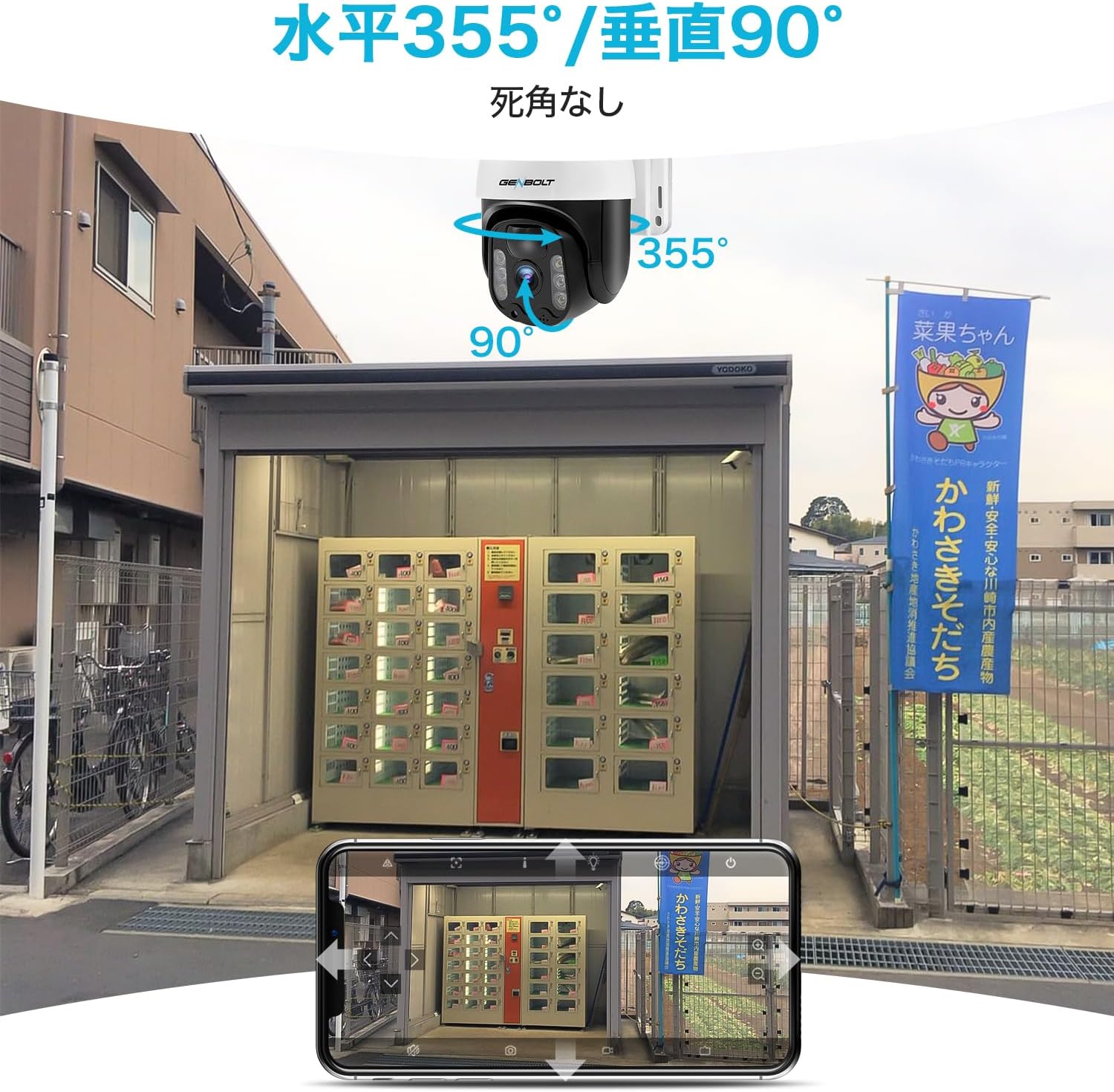
Figure 2.4: 360-Degree Pan and Tilt Functionality

Figure 2.5: Color Night Vision vs. Infrared Night Vision
3. Package Contents
Please check the package contents upon unboxing to ensure all components are present:
- GENBOLT 4G LTE Security Camera
- Solar Panel (8W) with 3M Type-C cable
- Dedicated SIM Card (pre-inserted or included separately)
- USB Charging Cable
- Mounting Screws and Wall Plugs
- User Manual (this document)

Figure 3.1: Camera Components and Included Accessories
4. Setup
4.1 Initial Charging
Before first use, fully charge the camera's internal battery using the provided USB cable and a compatible USB power adapter (not included). The charging port is typically located on the camera body, often protected by a rubber cover.
4.2 SIM Card Insertion
Ensure the dedicated SIM card is properly inserted into the camera's SIM card slot. Refer to the diagram in Figure 3.1 for the location of the SIM card slot. The camera comes with a free SIM card with 300MB of data, no separate contract is required for initial use.
4.3 App Installation and Camera Pairing
- Download the dedicated GENBOLT app from your smartphone's app store (compatible with Android and iOS).
- Open the app and create an account if you don't have one.
- Power on the camera. Wait approximately 10 seconds for the blue status light to stop blinking, indicating it has connected to the network.
- In the app, select the option to add a new camera.
- Scan the QR code located on the camera (refer to Figure 4.1 for typical location).
- Follow the on-screen prompts in the app to complete the pairing process.

Figure 4.1: Initial Camera Setup Steps
4.4 Mounting the Camera and Solar Panel
Choose a suitable location for mounting the camera and solar panel. Ensure the solar panel receives ample direct sunlight throughout the day for optimal charging. The camera's IP65 waterproof rating allows for outdoor installation.
- Use the provided mounting screws and wall plugs to securely attach the camera and solar panel to a wall or other stable surface.
- Connect the solar panel cable to the camera's charging port.
- Adjust the camera angle to achieve the desired surveillance coverage. The camera supports 355° horizontal and 90° vertical rotation.

Figure 4.2: Solar Panel Installation for Continuous Power
5. Operation
5.1 Live View and Pan/Tilt Control
Access the live video feed from your camera through the GENBOLT smartphone app. Use the on-screen controls to pan the camera horizontally (355°) and tilt it vertically (90°) to adjust the viewing angle as needed.
5.2 Motion Detection and Alerts
The camera utilizes a PIR human motion sensor. When motion is detected, the camera will wake from sleep mode, begin recording, and send a push notification to your smartphone. You can review the recorded photos and videos directly from the app.
5.3 Two-Way Audio
Use the two-way audio feature in the app to listen to the camera's surroundings or speak through the camera's speaker.
5.4 Recording and Storage
Recordings are triggered by motion detection. The camera supports two storage methods:
- MicroSD Card: Insert a MicroSD card (up to 128GB, not included) into the designated slot for local storage.
- Cloud Storage: Utilize the cloud storage service for remote access to recordings. A 7-day free trial is available. Recordings can be accessed even if the camera is offline.

Figure 5.1: Cloud Storage Playback Interface
5.5 Sharing Access
The app allows you to share camera access with family members or trusted individuals. This feature enables multiple users to view the live feed and recordings.
6. Maintenance
- Cleaning: Periodically clean the camera lens and solar panel with a soft, damp cloth to ensure clear image quality and efficient solar charging. Avoid abrasive cleaners.
- Battery Monitoring: Regularly check the battery level via the app, especially during periods of low sunlight or high activity, to ensure continuous operation.
- Firmware Updates: Keep the camera's firmware updated through the app to ensure optimal performance and access to new features.
- Storage Management: If using a MicroSD card, periodically check its storage capacity and back up important recordings. Cloud storage typically manages space automatically.
7. Troubleshooting
| Problem | Possible Cause | Solution |
|---|---|---|
| Camera not powering on. | Low battery; Power switch off. | Charge the battery via USB or ensure solar panel is receiving sunlight. Check if the power switch is in the 'ON' position. |
| No network connection (blue light blinking rapidly or off). | SIM card not inserted correctly; No 4G signal; SIM data exhausted. | Reinsert SIM card. Move camera to an area with better 4G coverage. Check SIM data balance via the app. |
| False alarms from motion detection. | PIR sensitivity too high; Environmental factors (e.g., swaying branches). | Adjust PIR sensitivity settings in the app. Reposition the camera to avoid areas with frequent non-human motion. |
| Cannot view recordings. | MicroSD card full/corrupted; Cloud storage trial expired. | Check MicroSD card status, format if necessary (will erase data). Renew cloud storage subscription if trial has ended. |
| Poor image quality. | Dirty lens; Low light conditions. | Clean the camera lens. Ensure sufficient lighting for optimal image clarity. |
8. Specifications
| Specification | Value |
|---|---|
| Product Model Number | GB216K-4G |
| Video Capture Resolution | 1296p (3 Megapixels) |
| Wireless Communication Technology | 4G SIM Communication |
| Form Factor | Dome |
| Mounting Type | Wall-Mounted |
| Night Vision Range | 30 meters |
| Material | Acrylonitrile Butadiene Styrene (ABS), Metal |
| Product Dimensions (LxWxH) | 20 x 16 x 15 cm |
| Year Model | 2023 |
| Zoom Magnification (Digital) | 4x |
| Motor Type | Digital Zoom |
| Waterproof Rating | IP65 |
| Battery Included | Yes |
| Product Weight | 1.71 kg |
| Recommended Uses | Home Security, Night Vision |
| Connectivity Technology | 4G SIM |
| Special Features | 3MP, Solar Charging, Motion Sensor, Two-Way Audio, Night Vision |
| Indoor/Outdoor Use | Outdoor Use |
| Compatible Devices | Smartphone, Tablet |
| Power Source | Solar Powered |
| Connection Protocol | Cellular |
9. Warranty and Support
The GENBOLT GB216K-4G security camera comes with a one-year warranty from the date of purchase.
Customer Technical Support
For any questions or issues regarding the product, please contact our customer technical support team at the following email address:
Email: jk@genbolt.com
Please provide your product model number (GB216K-4G) and a detailed description of your issue when contacting support to ensure a prompt resolution.