
GoolRC RM14678-2
GoolRC 1:14 Brushless RC Truck RM14678-2 User Manual
Model: RM14678-2 | Brand: GoolRC
Introduction
This manual provides essential instructions for the safe operation, setup, and maintenance of your GoolRC 1:14 Brushless RC Truck, model RM14678-2. Please read this manual thoroughly before operating the vehicle to ensure optimal performance and longevity.

Image: The GoolRC 1:14 Brushless RC Truck, showcasing its design and scale.
Package Contents
Verify that all items listed below are included in your package:
- 1* Remote Control Car
- 1* Remote Controller
- 2* Battery (7.5V 1500mAh LiPo)
- 1* Balance Charger (USB)
- 1* Wrench
- 1* Other Fittings (e.g., spare parts, screws)
- 1* User Manual (this document)

Image: Visual representation of the GoolRC RC Truck and its included accessories, such as the remote control, batteries, charger, and tools.
Product Features
The GoolRC 1:14 Brushless RC Truck is engineered for high performance and durability across various terrains.
- Upgraded 2847 Brushless Motor: Provides precise low-speed torque and achieves speeds up to 70 KM/H. Features an advanced metal heat dissipation cooling system.
- 4WD All-Terrain Capability: IPX4 waterproof design with extra-large soft composite tires for strong grip and wear resistance. Suitable for wet grass, pavement, dirt, gravel, and dunes.
- Advanced Shock-Proof Performance: Equipped with 4 independent spring-type shock absorbers to mitigate impacts on uneven surfaces. Includes a front bumper and rear head-up wheels for protection during jumps and descents.
- Extended Battery Life: Two 7.5V 1500mAh LiPo batteries provide approximately 40 minutes of runtime. Fast USB charger included.
- Ergonomic 2.4 GHz Radio Transmitter: Offers steering, throttle response, and 3-speed switching with a remote distance exceeding 120 meters. Features bright LED lights for night driving.
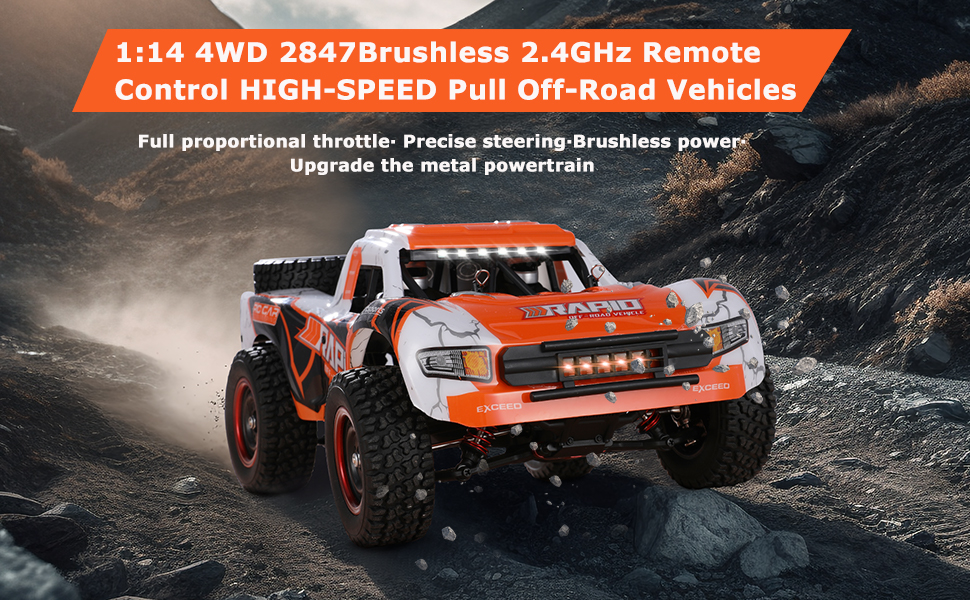
Image: The GoolRC 1:14 4WD Brushless RC Truck, highlighting its high-speed capabilities and robust design.

Image: Detailed view of the powerful 2847 brushless motor and its heat dissipation system.

Image: Underside view of the RC truck, showing the solid chassis, metal transmission, anti-collision bumper, independent shock absorbers, and anti-wear rubber tires.
Setup Guide
1. Charging the Battery
Before first use, fully charge the LiPo batteries. Use only the provided USB balance charger.
- Connect the USB charger to a compatible USB power source (e.g., computer USB port, USB wall adapter).
- Connect the LiPo battery to the balance charger. Ensure correct polarity.
- The charger's indicator light will show charging status (refer to charger's specific instructions for light indications).
- Once fully charged, disconnect the battery from the charger and the charger from the power source.
Caution: Do not overcharge batteries. Always supervise charging. Disconnect immediately if the battery becomes hot or swells.

Image: The GoolRC RC Truck highlighting its dual battery system, providing extended runtime.
2. Installing Batteries
For the RC Truck:
- Carefully remove the body shell of the RC truck.
- Locate the battery compartment.
- Insert a charged LiPo battery into the compartment and connect it to the vehicle's power connector.
- Secure the battery and reattach the body shell.
For the Remote Controller:
- Open the battery compartment cover on the back of the remote controller.
- Insert the required batteries (typically AA, not included in the provided list, but standard for RC remotes) ensuring correct polarity.
- Close the battery compartment cover.
3. Binding the Remote Controller
The RC truck and remote controller are usually pre-bound from the factory. If re-binding is necessary:
- Ensure both the RC truck and remote controller batteries are fully charged.
- Turn on the RC truck. The indicator light on the truck's receiver may flash.
- Turn on the remote controller.
- Observe the indicator lights on both devices. They should become solid, indicating a successful bind. If not, refer to the specific binding procedure in the included printed manual or contact support.
Operating Instructions
Remote Controller Functions

Image: The ergonomic 2.4 GHz radio transmitter, showing the steering wheel, throttle, LED light key, and 3-speed switch.
- Steering Wheel: Rotate left or right to control the direction of the truck.
- Throttle Trigger: Pull to accelerate forward, push to brake or reverse.
- 3-Speed Switch: Adjusts the maximum speed of the truck (High, Medium, Low). Select a lower speed for beginners or confined spaces.
- LED Light Key: Activates or deactivates the truck's LED lights for visibility.
- Battery Compartment: Located at the bottom of the remote for battery installation.

Image: Diagram illustrating the continuously variable speed control and key functions of the 2.4GHz remote control.
Driving Tips
- Start Slowly: Begin with the low-speed setting to familiarize yourself with the controls.
- Steering: Practice smooth steering inputs. Over-steering at high speeds can cause loss of control.
- Braking/Reversing: Push the throttle trigger forward to apply brakes. Push again to engage reverse.
- Terrain Adaptation: The truck is designed for various terrains. Adjust your speed and driving style according to the surface.

Image: The GoolRC RC Truck operating on diverse terrains including sand, rock, grass, mountain, mud, and water roads.
- Head-up Wheel: The rear head-up wheel helps prevent rollovers during rapid acceleration or when landing from jumps.
Safety Guidelines
- Operate the RC truck in open areas, away from people, pets, and obstacles.
- Avoid driving in public roads or near traffic.
- Do not operate in extreme weather conditions (heavy rain, snow, strong winds). While IPX4 rated, prolonged exposure to water is not recommended.
- Keep fingers, hair, and loose clothing away from moving parts.
- Always turn off the truck and remote controller when not in use.
- Recommended age for operation is 14 years and up.
Maintenance
- Cleaning: After each use, especially in dirty or wet conditions, clean the truck with a soft brush or cloth. Remove any debris from the wheels, chassis, and motor area. Do not use water directly on electronic components.
- Battery Care:
- Store LiPo batteries in a cool, dry place, away from direct sunlight and heat sources.
- Do not store fully charged or fully discharged for extended periods. Charge to storage voltage (around 3.8V per cell) if storing for more than a few days.
- Inspect batteries regularly for damage, swelling, or leaks. Discontinue use if any damage is observed.
- Inspections: Regularly check screws, connections, and moving parts for looseness or damage. Tighten as necessary.
- Lubrication: Periodically apply a small amount of RC-safe lubricant to moving metal parts, such as drive shafts and gears, to reduce wear.
Troubleshooting
| Problem | Possible Cause | Solution |
|---|---|---|
| Truck does not respond to remote. | Low battery in truck or remote; not bound; power switch off. | Charge/replace batteries; re-bind the remote; ensure power switches are ON. |
| Reduced speed or power. | Low truck battery; motor overheating; debris in drivetrain. | Recharge battery; allow motor to cool; clean drivetrain. |
| Steering is erratic or unresponsive. | Damaged servo; loose steering linkage; remote battery low. | Check servo and linkages; replace remote batteries. |
| Truck makes unusual noises. | Damaged gears; foreign object in drivetrain. | Inspect and replace damaged gears; remove foreign objects. |
Specifications
| Feature | Detail |
|---|---|
| Model Number | RM14678-2 |
| Scale | 1:14 |
| Motor Type | 2847 Brushless Motor |
| Max Speed | Up to 70 KM/H (43.5 MPH) |
| Drive System | 4WD (Four-Wheel Drive) |
| Waterproof Rating | IPX4 |
| Battery Type | 2 x 7.5V 1500mAh LiPo (included) |
| Runtime | Approx. 40 minutes (with 2 batteries) |
| Remote Control Frequency | 2.4 GHz |
| Remote Control Distance | Exceeds 120 meters (393.7 feet) |
| Product Dimensions | 8.3 x 13.8 x 5.9 inches |
| Item Weight | 2.78 pounds |
| Recommended Age | 14 years and up |

Image: Diagram showing the dimensions of the GoolRC 1:14 Brushless RC Truck.
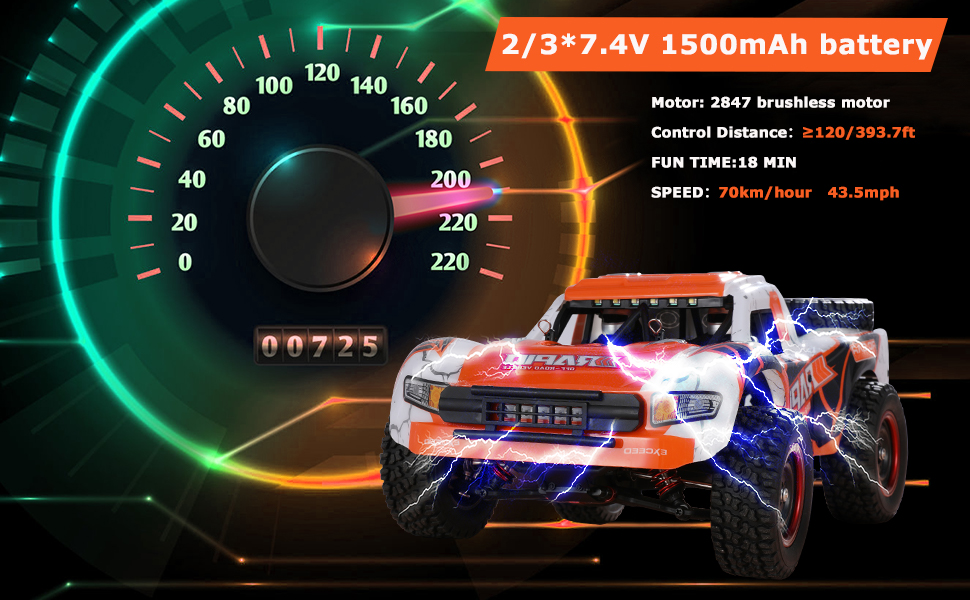
Image: Visual representation of the truck's speed (70 KM/H) and battery performance (18 min fun time per battery, 2-3 batteries included).
Warranty and Support
For warranty information, technical support, or replacement parts, please contact GoolRC customer service. Refer to the contact details provided on the product packaging or the official GoolRC website.
Keep your purchase receipt as proof of purchase for any warranty claims.
Ask a question about this manual
Ask about setup, troubleshooting, compatibility, parts, safety, or missing instructions. Manuals+ will review the question and use this page’s manual context to help answer it.