
UYIKOO HUT10
UYIKOO Mini Camera Hook Type Instruction Manual
Model: HUT10
1. Introduction
Thank you for purchasing the UYIKOO Mini Camera Hook Type. This compact and discreet camera is designed for various indoor security and evidence recording needs. It features 1080P video resolution, motion detection, and supports up to 256GB MicroSD cards for extended recording. Please read this manual carefully before use to ensure proper operation and to maximize the product's potential.
Applicable Scenarios:
- Monitoring vacant homes or offices.
- Recording meetings or important events.
- Crime prevention and security monitoring.
- Collecting evidence for domestic abuse or other incidents.
- Outdoor activities (as a portable DV).
- Pet monitoring, childcare, or elderly care.
- Use in warehouses, shops, or offices.

Image: Various application scenarios for the UYIKOO Mini Camera.

Image: The UYIKOO Mini Camera discreetly placed in various indoor settings.
2. Product Overview
The UYIKOO Mini Camera is designed to blend seamlessly into your environment, appearing as a regular coat hook. Its compact size and simple design make it an ideal choice for discreet surveillance.
2.1. Key Features
- High-Definition Video: Records in 1920x1080P Full HD at 30 frames per second, capturing clear and detailed footage.
- Motion Detection: Automatically starts and stops recording when motion is detected, conserving storage space and battery life.
- Loop Recording: Overwrites the oldest files when the memory card is full, ensuring continuous recording. Videos are saved in 15-minute segments for easy review.
- Large Storage Support: Compatible with MicroSD cards up to 256GB, allowing for extensive data storage.
- Easy Operation: Simple one-button operation for recording, no complex WiFi setup or app pairing required for basic functions.
- Discreet Design: Designed as a functional coat hook, it integrates naturally into any indoor space without drawing attention.
- Continuous Recording While Charging: Eliminates concerns about battery life during long recording sessions.

Image: 1080P Full HD video quality.

Image: Discreet hook-type design.

Image: Hidden lens and camouflage design.
2.2. Package Contents
Please check that all items are included in your package:
- UYIKOO Mini Camera Hook Type (Main Unit)
- USB Cable
- Card Reader
- Mounting Plate
- Screws and Wall Plugs
- Double-sided Adhesive Tape
- Instruction Manual (Japanese)

Image: Product components and included accessories.

Image: Detailed view of accessories.
3. Setup
Follow these steps to set up your UYIKOO Mini Camera.
3.1. Inserting the MicroSD Card
- Locate the MicroSD card slot on the device (refer to the Product Overview diagram).
- Gently insert a MicroSD card (up to 256GB, Class 10 recommended) into the slot until it clicks into place.
3.2. Mounting the Camera
The camera can be mounted using the included screws and wall plugs or the double-sided adhesive tape.
- Using Screws: Attach the mounting plate to your desired wall location using the screws and wall plugs. Then, slide the camera onto the mounting plate.
- Using Double-sided Adhesive Tape: Peel off the protective film from the double-sided tape and firmly press it onto the back of the camera. Then, press the camera firmly onto a clean, dry, and smooth surface.
Important: Do not hang heavy items on the hook. It is intended for light items like T-shirts, towels, hats, or thin clothing only.

Image: Proper and improper use of the hook.
Video: Product unboxing and initial setup, demonstrating how to prepare the camera for use.
Video: Demonstration of attaching the camera to a surface using the mounting mechanism.
4. Operating Instructions
The UYIKOO Mini Camera is designed for simple, straightforward operation without the need for complex app configurations.
4.1. Basic Recording (No WiFi/App Required)
For basic recording, simply insert a MicroSD card and power on the camera. Press the operation button once to start recording. The indicator light will turn off during recording to maintain discretion.
- Continuous Recording: Press the button once to start. The indicator light will turn off.
- Motion Detection Recording: Press the button twice to activate motion detection. Recording will start automatically when motion is detected.
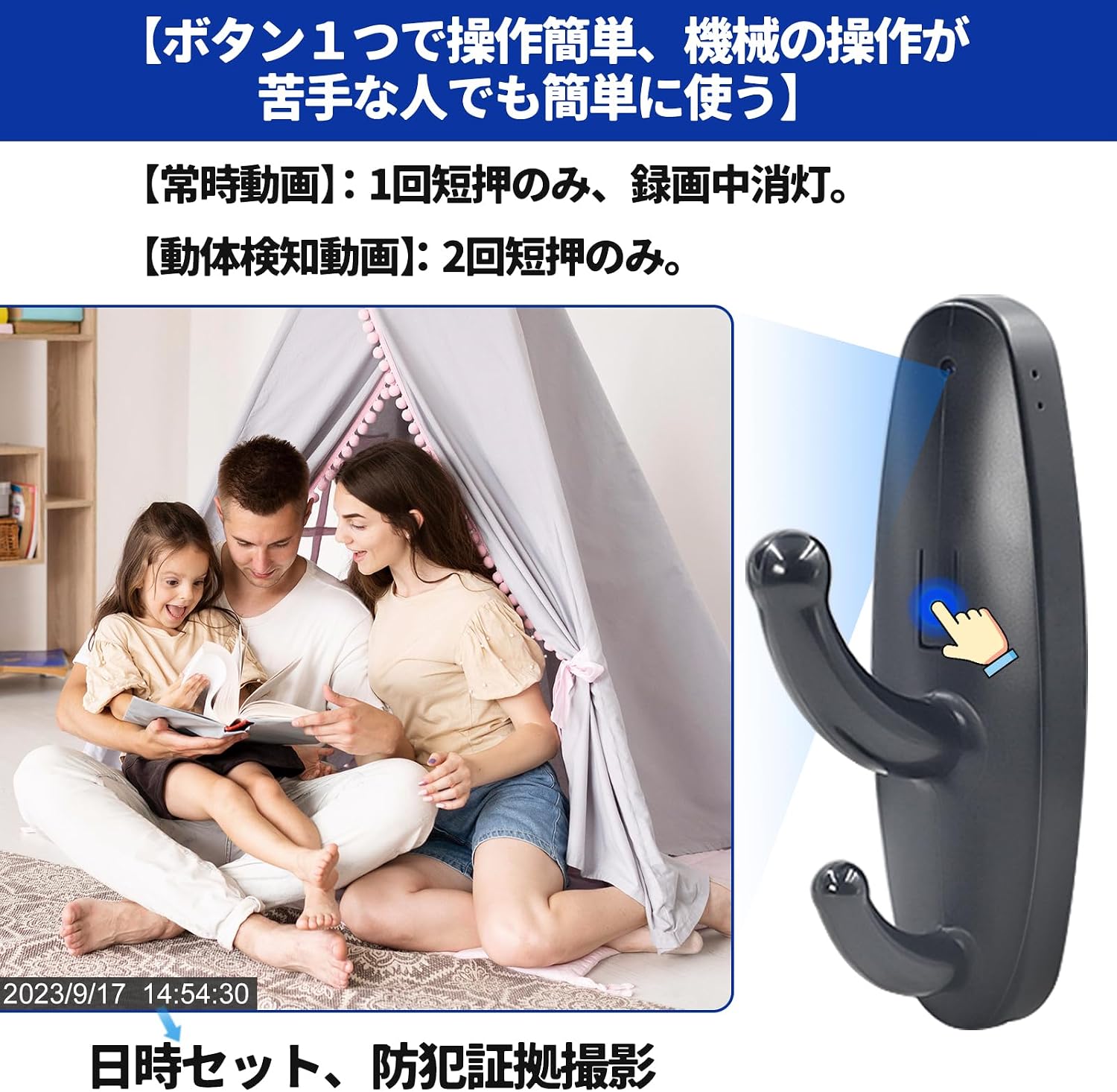
Image: Simple one-button operation for recording.

Image: Motion detection feature.

Image: Motion detection in action.

Image: Easy operation for all users.
4.2. Viewing and Saving Footage
To view or save recorded data, connect the camera to your computer's USB port using the included USB cable. The camera will appear as a removable drive, allowing you to access the video files.
4.3. Continuous Recording While Charging
The camera supports recording while connected to a power source, ensuring uninterrupted surveillance for extended periods. This eliminates concerns about the battery running out during critical moments.

Image: Continuous recording while charging.
Video: Demonstration of camera operation and sample shooting footage.
Video: Indoor shooting test footage from the camera.
5. Maintenance
To ensure the longevity and optimal performance of your camera, please follow these maintenance guidelines:
- Keep the camera clean by wiping it with a soft, dry cloth. Avoid using harsh chemicals or abrasive materials.
- Ensure the camera lens is free from dust and smudges for clear video quality.
- Store the camera in a cool, dry place away from direct sunlight and extreme temperatures.
- Regularly check the MicroSD card for errors and format it periodically to maintain performance.
- As a hook, avoid hanging heavy objects to prevent damage to the camera or its mounting.
6. Troubleshooting
If you encounter any issues with your UYIKOO Mini Camera, please refer to the following solutions:
6.1. Recording Issues
- Camera not recording: Ensure a MicroSD card is properly inserted and has sufficient free space. Check if the battery is charged or if the camera is connected to a power source.
- Poor video quality: Clean the camera lens. Ensure adequate lighting in the recording environment.
- Motion detection not working: Verify that motion detection mode is correctly activated (press button twice).
6.2. File Access Issues
- Cannot access files on PC: Ensure the USB cable is securely connected. Try a different USB port or cable.
- Character encoding issues with 'time' folder on Windows 10/11: Open the 'time' folder, click 'Save As', change the encoding to UTF-8, and overwrite the original file. This should resolve character display problems.
7. Specifications
| Feature | Detail |
|---|---|
| Model Number | HUT10 |
| Video Capture Resolution | 1080p (1920x1080) |
| Frame Rate | 30fps |
| Storage | MicroSD card up to 256GB (not included) |
| Recording Time | Approx. 130 minutes (on full charge) |
| Special Features | Motion Sensor, Loop Recording |
| Connectivity Technology | No Wi-Fi/Bluetooth (for basic recording) |
| Battery Type | Lithium |
| Item Weight | 38 g |
| Package Dimensions | 12.7 x 6.3 x 4.2 cm |
8. Warranty and Support
For any product inquiries or issues, please contact the seller directly through your Amazon account. In case of initial defects, free replacement is available. The manufacturer is committed to providing sincere support to meet customer needs.
Contact Method: Amazon Account Service > Order History > Purchased Product > Seller > Ask a Question.
Related documentsHUT10


Ask a question about this manual
Ask about setup, troubleshooting, compatibility, parts, safety, or missing instructions. Manuals+ will review the question and use this page’s manual context to help answer it.