Introduction
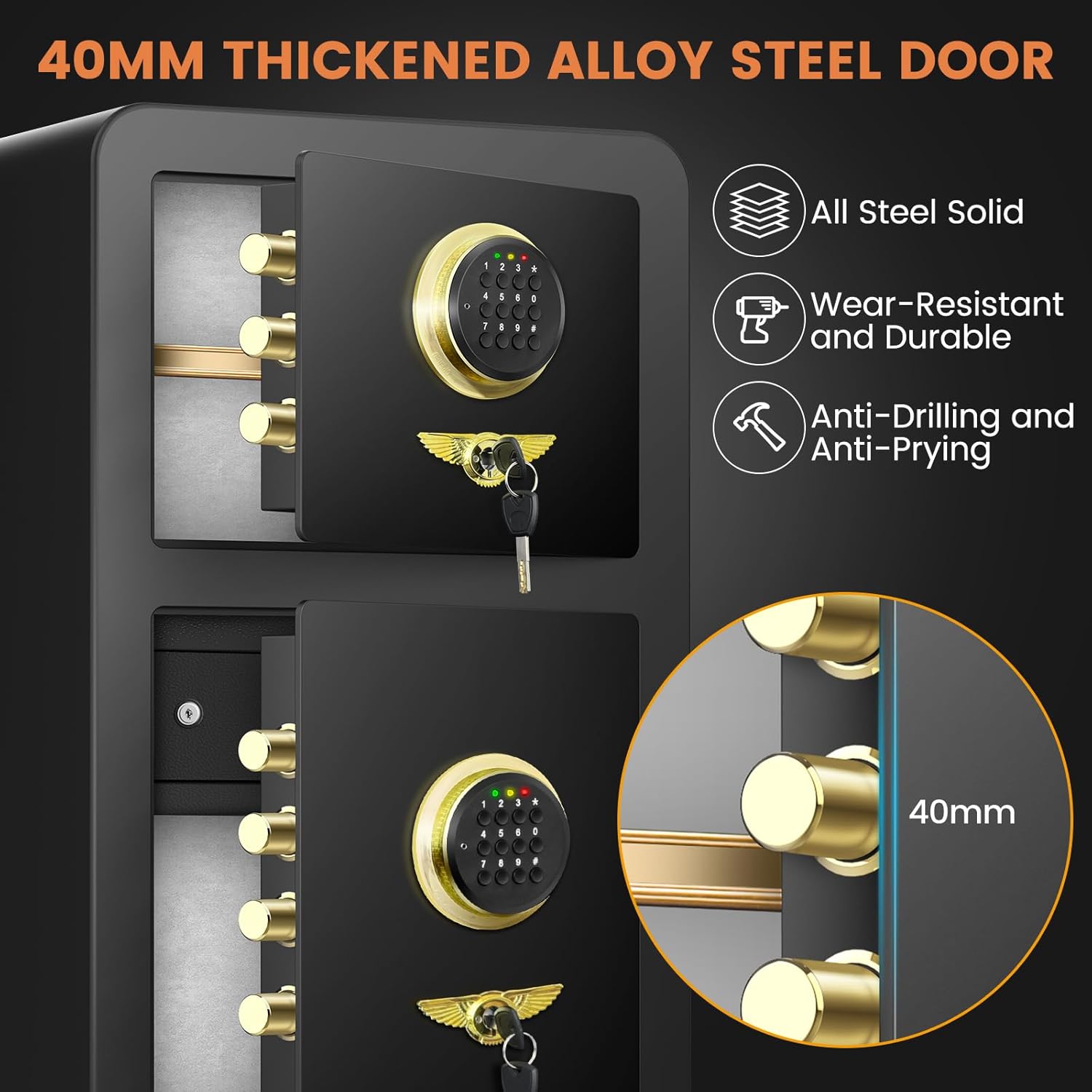
The Thmosz 6.1 Cu ft Extra Large Home Safe is designed to provide robust security for your valuable possessions. Featuring a double-layer design, this heavy-duty safe offers ample storage and advanced protection against fire, theft, and water damage. Its user-friendly interface and multiple unlocking methods ensure both security and convenient access.
Key Features:
- Extra Large Capacity: 6.1 Cu ft with double compartments for extensive storage.
- Fireproof: Endures 1 hour at 1700°F to protect contents from fire.
- Waterproof: Designed to protect valuables from water damage.
- Heavy Duty Anti-Theft: Features 7 live-locking bolts, seamless construction, and pry-resistant hinges. Weighs 78 lbs and can be bolted to the floor or wall.
- Multiple Unlocking Methods: Digital keypad, emergency keys, and external battery box for versatile access.
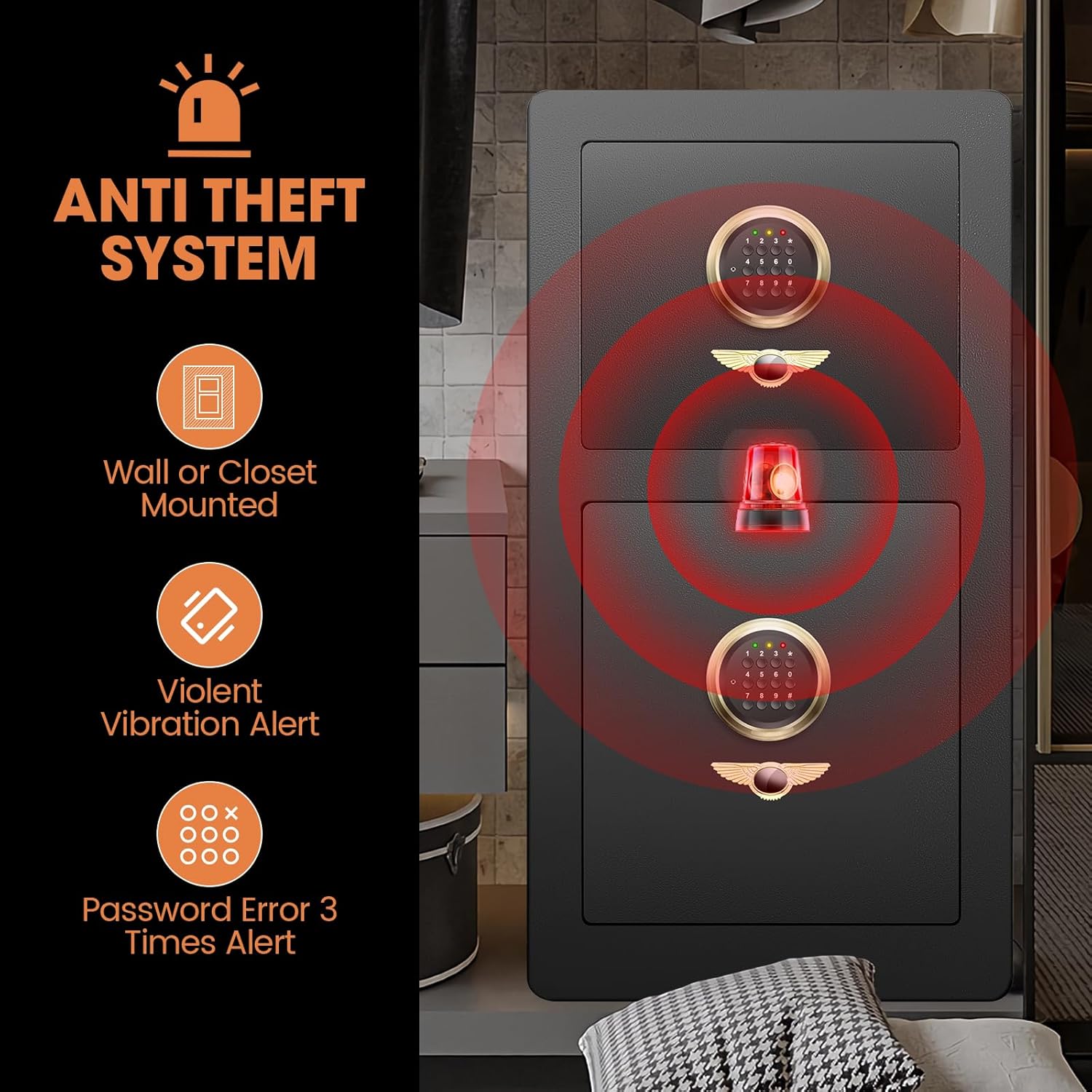
- Dual Anti-Theft Alarm System: Activates upon incorrect password attempts (3 times) or violent vibration.
- Removable Shelf & Hidden Lock Box: Customizable interior space and an additional secure compartment.
- Enhanced Interior: Soft felt lining to prevent scratches and a built-in LED light for visibility.
Safety Information
- Always keep emergency keys in a secure location away from the safe.
- Do not store emergency keys inside the safe.
- Ensure the safe is securely mounted if opting for wall or floor installation to prevent unauthorized removal.
- Keep the safe closed and locked when not in use, especially if children are present.
- Avoid exposing the safe to extreme temperatures or direct sunlight for prolonged periods.
Package Contents
Please verify that all components are present in the package:
- Double door safe box (1)
- Emergency key (4)
- Lock box key (2)
- Expansion bolt (4)
- External battery box (1)
Setup
1. Battery Installation
The safe requires 4 AA batteries (not included) for the digital keypad. The battery compartment is located on the inside of the safe door. Open the safe using the emergency key, insert the batteries according to the polarity markings, and close the compartment cover.


2. Setting Your Personal Password
- With the safe door open, locate the red reset button on the inside of the door (usually near the hinge or battery compartment).
- Press the red reset button. The keypad will beep, and the indicator lights will illuminate.
- Enter your desired 1-8 digit personal password on the keypad.
- Press the "#" key to confirm. The safe will beep, indicating the new password has been set.
- Test the new password with the door open to ensure it works correctly before closing the safe.
3. Mounting the Safe (Optional)
For enhanced security, the safe can be bolted to a wall or floor using the provided expansion bolts.
- Choose a suitable location for mounting, ensuring it is a stable surface.
- Mark the drilling points through the pre-drilled holes at the back or bottom of the safe.
- Drill holes into the wall or floor at the marked positions.
- Insert the expansion bolts into the drilled holes.
- Align the safe with the bolts and secure it tightly.

Operating Instructions
Unlocking Methods
Your Thmosz safe offers three convenient ways to unlock it:
- Daily Access (Digital Keypad): Enter your personal 1-8 digit password, then press "#" to confirm. Turn the knob clockwise to open the safe.
- First Time Operation / Forgotten Passcode (Emergency Key): If you forget your password or for initial setup, remove the cover over the emergency keyhole (often disguised as a decorative emblem). Insert the emergency key and turn it counter-clockwise while simultaneously turning the knob clockwise to open the safe.
- Emergency Use (Lost Key + Dead Batteries): If batteries are dead and you cannot locate your emergency key, connect the external battery box to the port on the keypad. This will provide temporary power, allowing you to enter your password and open the safe.


Using the Hidden Lock Box
The lower compartment of the safe includes a hidden steel lock box for extra security. This box is ideal for storing highly sensitive documents or small, high-value items. It is secured with its own key.

Adjusting the Removable Shelf
The upper compartment features a removable shelf, allowing you to customize the interior space to accommodate items of various sizes. Simply lift and remove the shelf as needed.

Anti-Theft Alarm System
The safe is equipped with a dual anti-theft alarm system:
- Password Error Alarm: If an incorrect password is entered 3 consecutive times, the system will lock and sound an alarm for 60 seconds.
- Vibration Alarm: If the safe detects violent movement or attempts to pry it open while locked, the alarm will sound.
To stop the alarm, enter the correct password.
Maintenance
- Cleaning: Wipe the exterior with a soft, damp cloth. Avoid abrasive cleaners or solvents.
- Battery Replacement: Replace batteries annually or when the low battery indicator appears on the keypad to ensure continuous operation. Use 4 AA batteries.
- Key Care: Keep emergency keys clean and dry. Do not force keys into the lock.
Troubleshooting
| Problem | Possible Cause | Solution |
|---|---|---|
| Keypad not responding / No power | Dead batteries | Replace the 4 AA batteries inside the door. If the safe is locked, use the external battery box to provide temporary power and open it. |
| Safe will not open with password | Incorrect password entered; Batteries low/dead | Ensure correct password is entered followed by '#'. If still unsuccessful, use the emergency key or external battery box to open. Reset password if necessary. |
| Alarm sounds unexpectedly | Incorrect password entered 3 times; Safe detected violent vibration | Enter the correct password to stop the alarm. Avoid moving the safe forcefully when locked. |
| Door does not close properly | Obstruction in the door frame; Bolts not fully retracted | Check for any items blocking the door. Ensure the knob is turned to retract the bolts before closing. |
Specifications
| Feature | Detail |
|---|---|
| Brand | Thmosz |
| Model Number | 80G |
| Product Dimensions | 15"D x 16.54"W x 31.5"H |
| Capacity | 6.1 Cubic Feet |
| Item Weight | 78 Pounds |
| Material | Alloy Steel |
| Color | Black |
| Lock Type | Programmable Keypad |
| Mounting Type | Wall or Floor Mount |
| Special Features | Alarm System, Combination Lock, Anti-Theft, Removable Shelf, Fireproof |
| Water Resistance Level | Waterproof |
| Included Components | Double door safe box*1, Emergency key*4, Lock box key*2, Expansion bolt*4, External battery box *1 |

Warranty and Support
Thmosz provides a 120-day unreasonable return policy and a lifetime warranty service for this product. If you encounter any issues or have questions regarding your safe, please contact Thmosz customer support for assistance. We are committed to resolving any problems within 24 hours.
For further support, you may refer to the official User Manual (PDF).
Product Overview