Introduction
The RAVPower RP-PC172 65 Watt 3-Port Wall Charger is designed to provide rapid and safe charging for your electronic devices. With a powerful 65W output and three charging ports (one USB-A and two USB-C), it simplifies your charging needs, allowing you to power up multiple devices simultaneously. Its compact design makes it an ideal travel companion, ensuring you have a reliable charging solution wherever you go. This charger incorporates advanced safety features and premium fireproof materials to protect your devices against excessive current, overheating, overvoltage, and short-circuit issues.
Key Features:
- Dual USB-C and single USB-A charging ports with a combined 65W output.
- Compact and portable design for easy travel.
- Capable of charging up to 3 devices simultaneously.
- Integrated over-charge and short-circuit protection for device safety.
- Delivers up to 3x faster charging speed compared to standard chargers of similar size.
Setup Instructions
Follow these steps to set up your RAVPower RP-PC172 Wall Charger:
- Unpack the Charger: Carefully remove the RAVPower RP-PC172 wall charger from its packaging.
- Inspect for Damage: Before use, visually inspect the charger for any signs of physical damage. Do not use if damaged.
- Connect to Power Outlet: Plug the charger into a standard wall power outlet (220 Volts input). Ensure the connection is secure.
- Prepare Devices: Obtain the appropriate charging cables for your devices (USB-C to USB-C, USB-A to USB-C/Lightning/Micro USB, etc.).
- Connect Devices: Plug one end of your charging cable into an available port on the RAVPower charger (USB-A or USB-C) and the other end into your device.
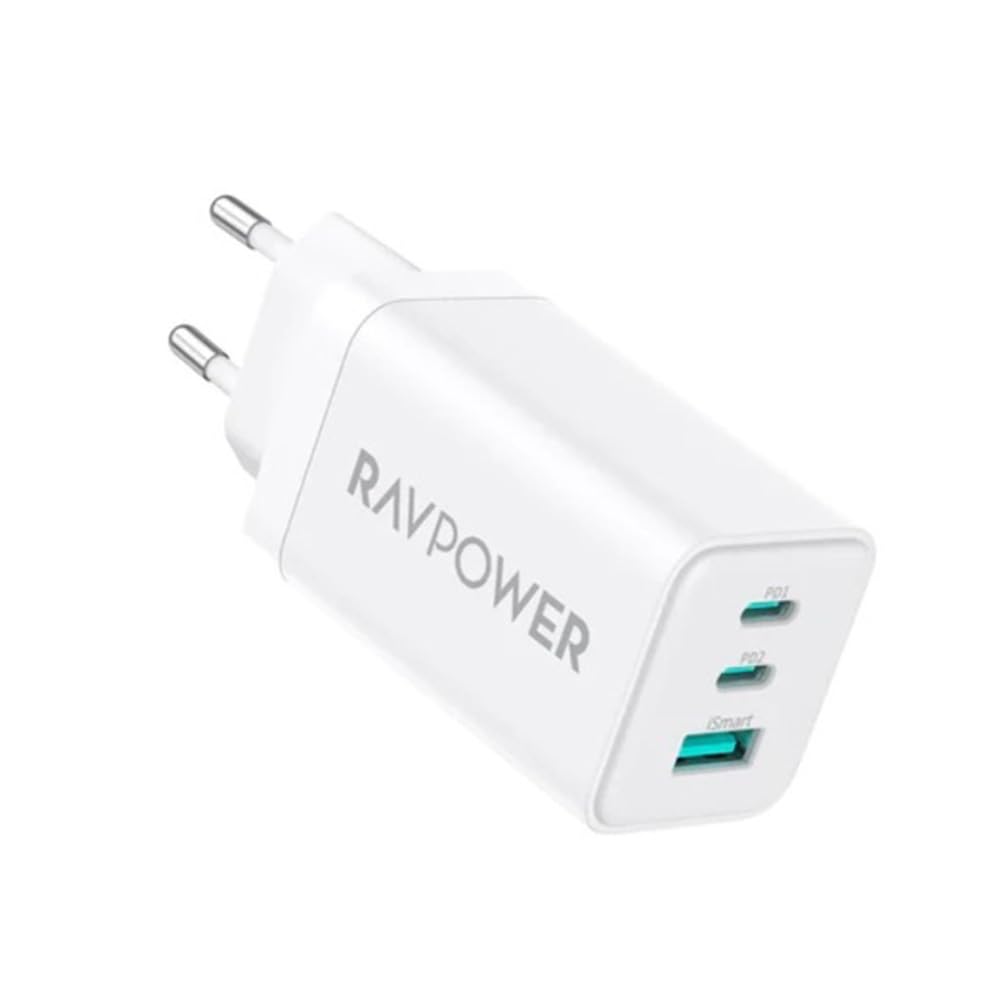
Image: The RAVPower RP-PC172 charger plugged into a wall outlet, demonstrating its 65W power delivery to a MacBook Pro. This illustrates the compact design and ease of connection.
Operating Instructions
The RAVPower RP-PC172 charger is designed for simple and efficient operation. Here’s how to use it effectively:
- Single Device Charging: For optimal fast charging, connect your device to one of the USB-C ports. The charger will automatically detect your device and deliver the maximum safe charging speed up to 65W.
- Multiple Device Charging: You can charge up to three devices simultaneously using the two USB-C ports and one USB-A port. The charger intelligently distributes power to ensure efficient charging for all connected devices.
- Fast Charging: This charger supports various fast charging protocols. Ensure your device and charging cable also support fast charging for the quickest results.

Image: The RAVPower RP-PC172 charger demonstrating fast charging capabilities for an iPhone 13 Pro Max and an iPad Pro 12.9 inch simultaneously. This highlights the efficiency of the charger for multiple devices.

Image: The RAVPower RP-PC172 charger providing power to three devices concurrently: a Nintendo Switch, a smartphone, and a tablet. This illustrates the convenience of charging multiple gadgets without waiting.
Device Compatibility:
The charger offers wide compatibility with various devices:
- USB-C Port: Compatible with MacBook Pro/Air, iPad Pro/Mini/Air, iPhone 13/13 Pro/13 Pro Max, Dell XPS 13/16/17, Nintendo Switch, and other USB-C powered mobile devices.
- USB-A Port: Compatible with Samsung Galaxy S22/S22+/S10/S10+/Note 20/20+, and other USB-A powered smartphones and tablets.

Image: A visual representation of the RAVPower RP-PC172 charger's wide compatibility, detailing compatible devices for both USB-C and USB-A ports, including laptops, tablets, and smartphones.
Maintenance
Proper maintenance ensures the longevity and safe operation of your RAVPower RP-PC172 Wall Charger:
- Cleaning: Disconnect the charger from the power outlet before cleaning. Use a soft, dry cloth to wipe the surface. Do not use liquid cleaners, aerosols, or solvents.
- Storage: When not in use, store the charger in a cool, dry place away from direct sunlight and extreme temperatures.
- Avoid Moisture: Do not expose the charger to water or high humidity.
- Handle with Care: Avoid dropping or subjecting the charger to strong impacts.
- Cable Management: Do not bend or crimp charging cables excessively, as this can damage them and affect charging performance.
Safety Precautions:
- Do not disassemble or modify the charger.
- Keep out of reach of children.
- Do not operate the charger if it has been damaged in any way.
- Ensure adequate ventilation around the charger during use.

Image: An internal diagram of the RAVPower RP-PC172 charger, illustrating its robust safety features including protection against overheating, overcharging, overvoltage, and short-circuiting. This ensures safe operation for your devices.
Troubleshooting
If you encounter issues with your RAVPower RP-PC172 Wall Charger, refer to the following common problems and solutions:
- Device Not Charging:
- Ensure the charger is securely plugged into a working wall outlet.
- Check if the charging cable is properly connected to both the charger and your device.
- Try using a different charging cable to rule out a faulty cable.
- Test the charger with a different device to confirm if the issue is with the charger or the device.
- Try a different wall outlet.
- Slow Charging:
- Ensure your device and cable support fast charging protocols compatible with the charger.
- If charging multiple devices, the total power output is shared. Disconnect other devices to see if charging speed improves for a single device.
- Avoid using your device intensively while charging, as this can slow down the charging process.
- Charger Overheating:
- It is normal for the charger to feel warm during operation, especially during fast charging or when charging multiple devices.
- If the charger becomes excessively hot, disconnect it immediately from the power outlet and all devices. Allow it to cool down.
- Ensure the charger is in a well-ventilated area and not covered.
If the problem persists after trying these solutions, please contact RAVPower customer support for further assistance.
Specifications
| Feature | Detail |
|---|---|
| Model Number | RP-PC172 (6974740775150) |
| Manufacturer | RAVPower |
| Total Power Output | 65W (Max) |
| Total USB Ports | 3 (2x USB-C, 1x USB-A) |
| Input Voltage | 220 Volts |
| Amperage | 16 Amps |
| Connector Type | USB |
| Color | White |
| Product Dimensions | 5 x 3 x 2 cm |
| Item Weight | 25 g |
| Special Features | Short Circuit Protection, Travel-friendly |
| Country of Origin | China |
Warranty Information
The RAVPower RP-PC172 65W 3-Port Wall Charger comes with an 18-month warranty from the date of purchase. This warranty covers manufacturing defects and issues arising from normal use. It does not cover damage caused by misuse, accidents, unauthorized modifications, or external factors.
To claim warranty service, please retain your proof of purchase (receipt or order confirmation). For detailed warranty terms and conditions, please refer to the official RAVPower website or contact customer support.
Customer Support
If you have any questions, require technical assistance, or need to report an issue that cannot be resolved using the troubleshooting guide, please contact RAVPower customer support.
For the most up-to-date contact information, including email, phone numbers, or online support portals, please visit the official RAVPower website:
When contacting support, please be prepared to provide your product model number (RP-PC172) and a detailed description of the issue.


