
HUIZHEN FORE20E30
HUIZHEN Replacement Parts Kit User Manual
For Kyvol Cybovac E20, E30, E31 Robot Vacuum Cleaners
Product Overview
This HUIZHEN Replacement Parts Kit is designed to maintain the optimal performance of your Kyvol Cybovac E20, E30, and E31 robot vacuum cleaners. Regular replacement of these components ensures efficient cleaning and extends the lifespan of your device.
The kit includes essential accessories for comprehensive maintenance:
- 2 x Main Roller Brushes
- 6 x Side Brushes
- 6 x HEPA Filters
- 1 x Cleaning Tool

Figure 1: Complete contents of the HUIZHEN Replacement Parts Kit.
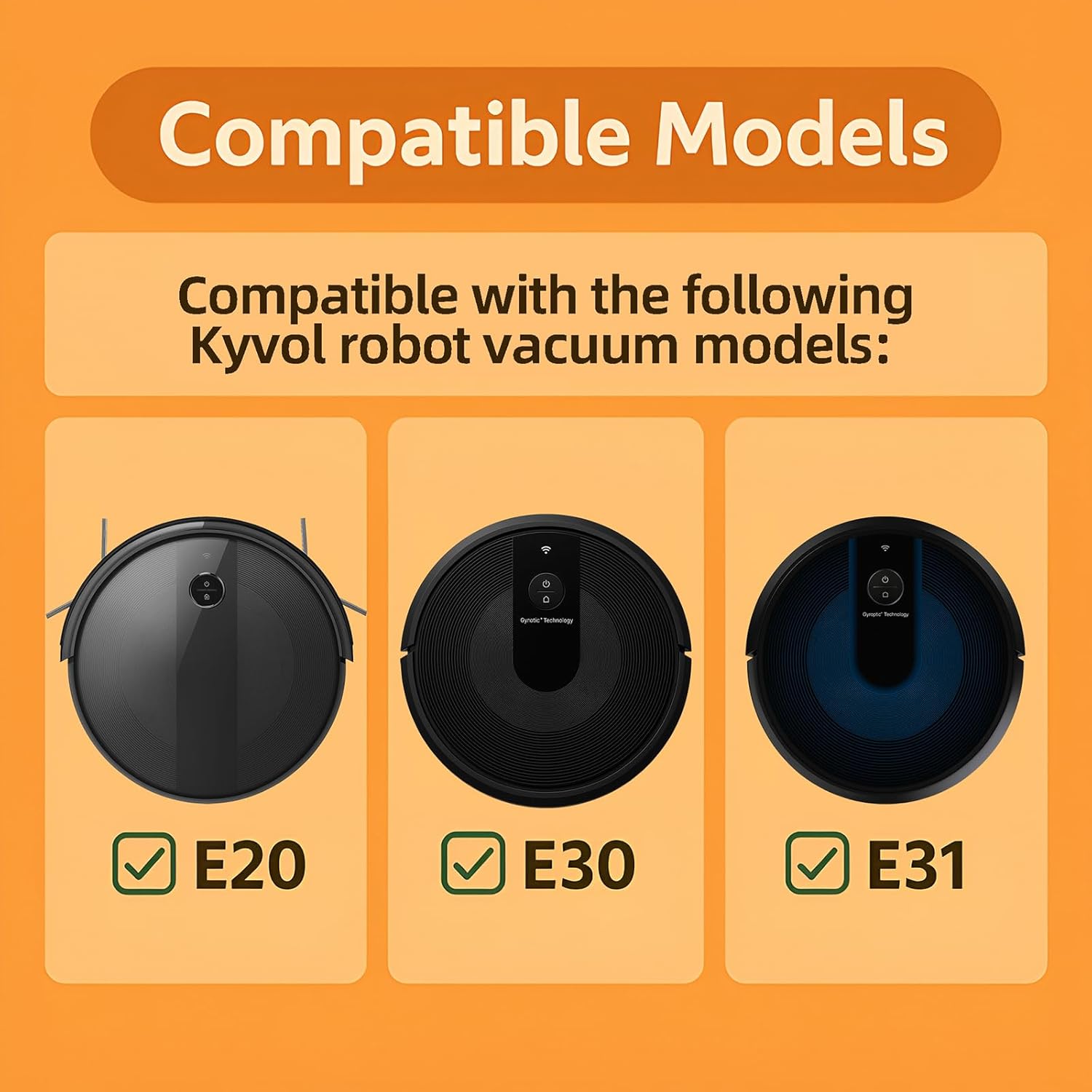
Figure 2: Compatible Kyvol Cybovac robot vacuum models: E20, E30, and E31.
Installation Guide
Follow these steps to correctly install the replacement parts into your Kyvol Cybovac robot vacuum cleaner.
1. Installing the Main Roller Brush
- Turn off your robot vacuum cleaner and place it upside down on a clean, flat surface.
- Locate the brush guard cover on the bottom of the vacuum. Typically, there are two tabs or screws securing it.
- Open or remove the brush guard cover.
- Carefully remove the old main roller brush. Clean any debris from the brush compartment.
- Insert the new main roller brush, ensuring the ends align with the slots in the vacuum.
- Close or reattach the brush guard cover securely.

Figure 3: Main Roller Brush features, designed for effective cleaning and tangle prevention.
2. Installing the Side Brushes
- With the vacuum still upside down, locate the side brush slots.
- Remove any old side brushes. Some models may require a small screwdriver to remove a screw.
- Align the new side brush with the corresponding slot.
- Press the side brush firmly down until you hear a distinct clicking sound. This indicates it is properly secured. Failure to hear a click means the brush is not fully installed and may fall off during operation.

Figure 4: Side Brush design, featuring soft bristles safe for all floor types and an easy-to-replace slot design.
3. Installing the HEPA Filters
- Open the dustbin compartment of your robot vacuum.
- Remove the dustbin from the vacuum.
- Locate the filter housing within the dustbin.
- Remove the old HEPA filter.
- Insert the new HEPA filter into the housing, ensuring it fits snugly.
- Close the filter housing and reinsert the dustbin into the vacuum.

Figure 5: HEPA Filter effectiveness in capturing fine particles like pollen, hair, pet dander, kitchen fume, dust, and lint.
Maintenance and Care
Regular maintenance of your replacement parts is crucial for optimal cleaning performance and extending the life of your robot vacuum.
Cleaning the Main Roller Brush
Periodically remove the main roller brush and use the provided cleaning tool or a pair of scissors to cut and remove any hair, string, or debris tangled around the brush and its bearings.
Cleaning the Side Brushes
Inspect side brushes for tangled hair or debris. Remove any obstructions. If the bristles are bent or curled, you can soak them in warm water for a few minutes to help them recover their shape. This will not affect their quality or performance.
Cleaning the HEPA Filters
Tap the HEPA filter gently against a trash can to dislodge dust and debris. Use the cleaning tool's brush end to remove fine dust from the filter pleats. Filters are washable; rinse with water and ensure they are completely dry before reinstallation to prevent damage to the vacuum.

Figure 6: Using the cleaning tool to maintain your HEPA filters.
Recommended Replacement Schedule
| Component | Recommended Replacement |
|---|---|
| Main Roller Brush | Every 6-12 months, or as needed based on usage. |
| Side Brushes | Every 3-6 months, or if bristles are worn or damaged. |
| HEPA Filters | Every 3 months, or more frequently if you have pets or allergies. |
Note: These are general guidelines. Actual replacement frequency may vary depending on your usage habits and home environment.
Troubleshooting
This section addresses common issues you might encounter with the replacement parts.
Side Brush Falls Off During Cleaning
- Cause: The side brush was not properly installed.
- Solution: Remove the side brush and re-install it, ensuring you press it down firmly until you hear a distinct clicking sound. This confirms it is securely locked in place.
Side Brush Bristles are Bent or Curled
- Cause: This can occur during shipping or prolonged use.
- Solution: Soak the bent or curled bristles in warm water for a few minutes. This will help them return to their original shape. Allow them to air dry completely before re-installing.
Reduced Cleaning Efficiency
- Cause: Worn brushes or clogged filters.
- Solution: Inspect the main roller brush and side brushes for wear or damage. Clean them thoroughly. Check the HEPA filters for excessive dust buildup and clean or replace them as per the recommended schedule.
Specifications
| Attribute | Detail |
|---|---|
| Brand | HUIZHEN |
| Model Number | FORE20E30 |
| Compatible Devices | Kyvol Cybovac E20, E30, E31 Robot Vacuum Cleaners |
| Material | ABS materials + Soft bristles + HEPA Filter |
| Item Weight | 6.4 ounces (approx. 181 grams) |
| Package Dimensions | 7.56 x 4.96 x 2.76 inches (approx. 19.2 x 12.6 x 7 cm) |
| Number of Pieces | 15 (2 Main Roller Brush, 6 Side Brush, 6 Hepa Filter, 1 Cleaning Tools) |
| Special Features | Washable components |
Warranty and Support
Specific warranty information for this HUIZHEN Replacement Parts Kit is not provided within this manual. Please refer to the product packaging or the retailer's website for details regarding warranty coverage and customer support.
For further assistance or inquiries, please contact the seller or manufacturer directly through the platform where the product was purchased.
Ask a question about this manual
Ask about setup, troubleshooting, compatibility, parts, safety, or missing instructions. Manuals+ will review the question and use this page’s manual context to help answer it.