
Cecotec Bolero Dresscode 9300 Inverter Max A
Cecotec Bolero Dresscode 9300 Inverter Max A 9 kg Washing Machine User Manual
Model: Bolero Dresscode 9300 Inverter Max A (02794)
1. Introduction
This manual provides essential information for the safe and efficient operation of your Cecotec Bolero Dresscode 9300 Inverter Max A 9 kg front-load washing machine. Please read it thoroughly before installation, use, or maintenance.

Image: Front view of the Cecotec Bolero Dresscode 9300 Inverter Max A washing machine, highlighting its 9 kg capacity, Class A energy rating, and Inverter Motor technology.
Key Features:
- 9 kg load capacity with a maximum spin speed of 1400 rpm.
- Class A energy efficiency rating.
- 15 diverse washing programs to suit various fabric types and soil levels.
- Inverter Plus Motor for efficient, quiet, and durable operation, offering over 70% energy savings compared to universal motors.
- SteamMax function for enhanced cleaning and wrinkle reduction.
- Extra Rinse function for thorough detergent removal.
- DrumClean program for maintaining drum hygiene.
- Delay Start function (0-24 hours) for convenient scheduling.
- KidLock feature for child safety.
- User-friendly control panel with LED display.
- Memory function to recall your most frequently used program and settings.
2. Safety Instructions
Always adhere to the following safety guidelines to prevent injury or damage to the appliance.
- Ensure the washing machine is properly grounded.
- Do not allow children to operate or play with the appliance.
- Keep packaging materials out of reach of children.
- Do not install the appliance in areas exposed to direct sunlight or extreme temperatures.
- Ensure water inlet and outlet hoses are securely connected to prevent leaks.
- Do not overload the machine beyond its 9 kg capacity.
- Unplug the appliance before cleaning or maintenance.
- In case of malfunction, contact authorized service personnel. Do not attempt repairs yourself.
3. Setup and Installation
3.1 Unpacking
Carefully remove all packaging materials. Inspect the appliance for any damage incurred during transit. Retain packaging for future transport if necessary.
3.2 Removing Transport Bolts
Before use, remove all transport bolts located at the rear of the machine. Failure to do so will cause excessive vibration and damage during operation. Store the bolts for future use.
3.3 Placement and Leveling
Place the washing machine on a firm, level surface. Adjust the leveling feet until the appliance is stable and balanced. Proper leveling reduces noise and vibration.
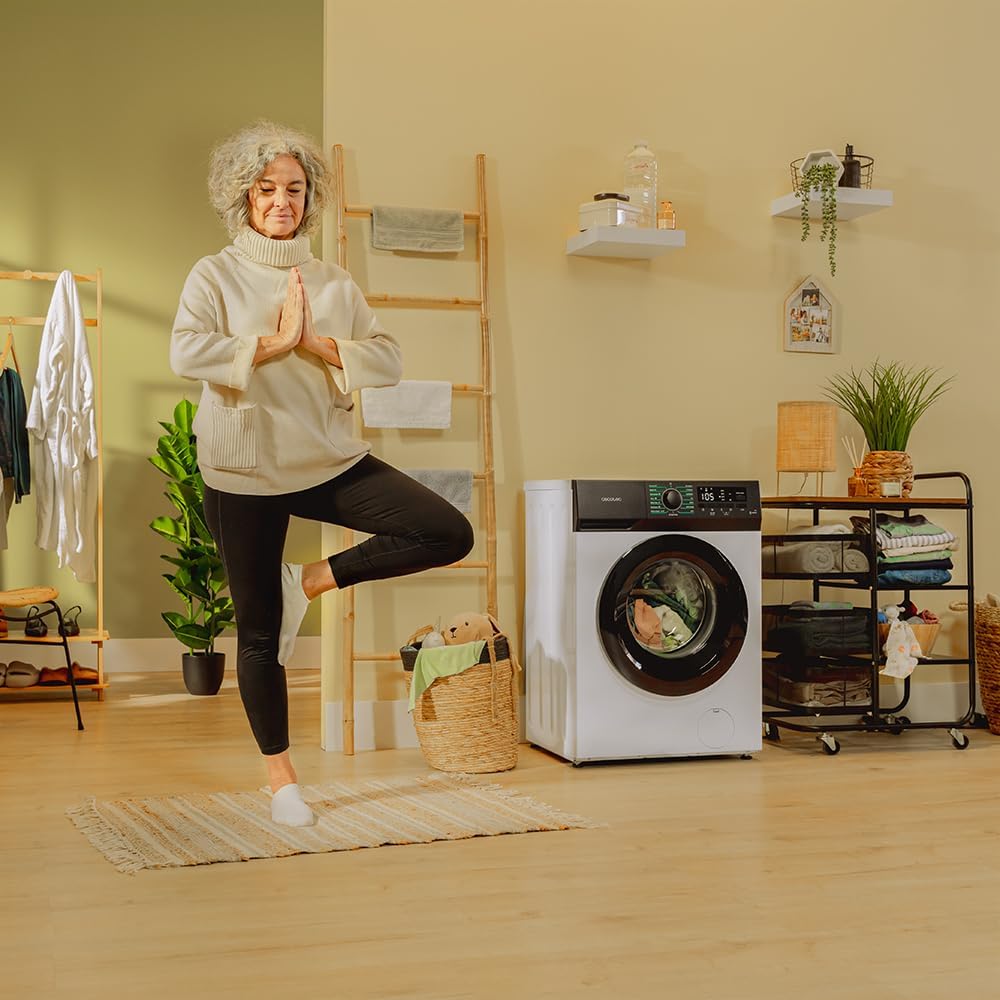
Image: Front-side view of the Cecotec Bolero Dresscode 9300 washing machine, illustrating its dimensions (85 cm height, 60 cm width, 53 cm depth).
3.4 Water Connection
Connect the water inlet hose to a cold water tap and the appliance's inlet valve. Ensure all connections are tight to prevent leaks. Position the drain hose correctly into a standpipe or sink, ensuring it is not kinked.
3.5 Electrical Connection
Plug the power cord into a grounded electrical outlet. Ensure the voltage and frequency match the specifications of the appliance.
4. Operating Instructions
4.1 Loading Laundry
Open the door and load laundry into the drum. Do not exceed the 9 kg capacity. Close the door firmly.
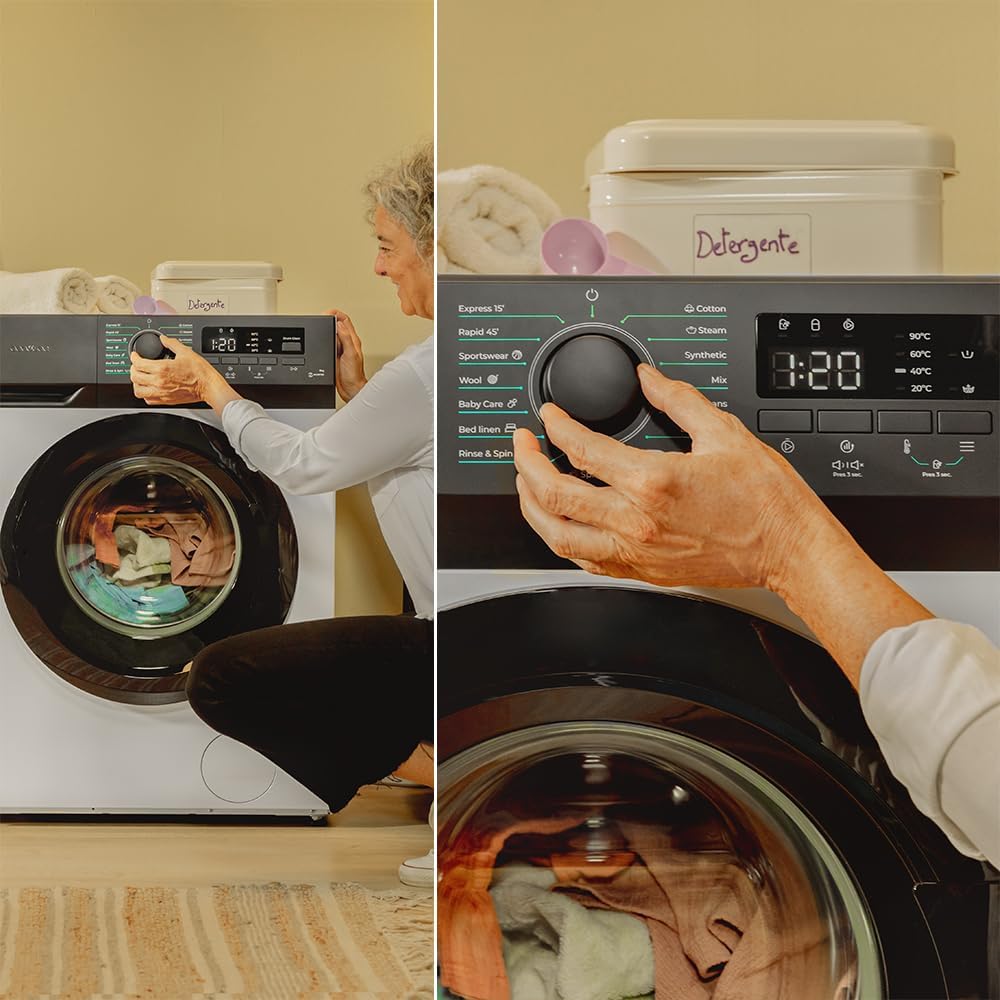
Image: A woman loading clothes into the front-load washing machine, demonstrating the loading process.
4.2 Adding Detergent and Softener
Add the appropriate amount of detergent to the main wash compartment and softener to its designated compartment in the dispenser drawer.
4.3 Program Selection
Turn the program selector knob on the control panel to choose one of the 15 available programs. The LED display will show the selected program's default settings.

Image: A woman adjusting the program selection knob on the washing machine's control panel, which features an LED display.
4.4 Customizing Settings
Use the touch buttons on the LED display to adjust settings such as spin speed (up to 1400 rpm), temperature, and to activate special functions:
- SteamMax: Adds steam at the end of the wash cycle to reduce wrinkles and refresh clothes.
- Extra Rinse: Performs an additional rinse cycle for sensitive skin or heavily soiled items.
- Delay Start: Set a delay for the wash cycle to begin, from 0 to 24 hours.
- KidLock: Activates the child lock to prevent accidental program changes.
- Memory Function: The machine can memorize your most frequently used program and settings for quick selection.

Image: A detailed view of the washing machine's LED control panel, showing various program options and function buttons.
4.5 Starting the Wash Cycle
Press the Start/Pause button to begin the selected wash cycle.

Image: Inside view of the washing machine drum during a wash cycle, showing clothes and water.
5. Maintenance
5.1 DrumClean Function
Regularly use the DrumClean program to clean the washing machine drum and prevent odor buildup. This program runs at a high temperature to sanitize the drum.
5.2 Cleaning the Detergent Dispenser
Remove and clean the detergent dispenser drawer periodically to prevent residue buildup. Rinse it under running water and reinsert.
5.3 Cleaning the Filter
Locate and clean the drain pump filter regularly to remove lint and small objects. Refer to the full manual for detailed instructions on accessing and cleaning the filter.
5.4 Exterior Cleaning
Wipe the exterior of the washing machine with a soft, damp cloth. Avoid abrasive cleaners or solvents.
6. Troubleshooting
If you encounter issues with your washing machine, consult the following common troubleshooting steps.
| Problem | Possible Cause | Solution |
|---|---|---|
| Machine does not start | Power cord unplugged, door not closed properly, program not selected, Delay Start active. | Check power connection, ensure door is latched, select a program, check Delay Start settings. |
| No water intake | Water tap closed, inlet hose kinked, water pressure too low. | Open water tap, straighten hose, check household water pressure. |
| Water leakage | Hose connections loose, detergent dispenser overflowing, drain pump filter loose. | Tighten hose connections, do not overfill detergent dispenser, secure filter cover. |
| Excessive vibration/noise | Transport bolts not removed, machine not level, uneven load. | Remove transport bolts, adjust leveling feet, redistribute laundry inside the drum. |
| Clothes not clean | Overloading, insufficient detergent, incorrect program selection. | Reduce load size, use correct detergent amount, select appropriate program. |
For more complex issues or if the problem persists, please contact Cecotec customer support.
7. Specifications
| Feature | Detail |
|---|---|
| Brand | Cecotec |
| Model Number | 02794 |
| Product Dimensions (D x W x H) | 53 x 60 x 85 cm |
| Product Weight | 62.8 kg |
| Capacity | 9 Kilograms |
| Color | White | Series 300 |
| Power | 1950 Watts |
| Max Spin Speed | 1400 rpm |
| Energy Efficiency Class | A |
| Number of Programs | 15 |
| Motor Type | Inverter Plus |
| Special Features | SteamMax, DrumClean, Delay Start, KidLock |
| Components Included | 1 x Washing Machine |
| ASIN | B0CG285MJ2 |
| Date First Available | July 31, 2023 |
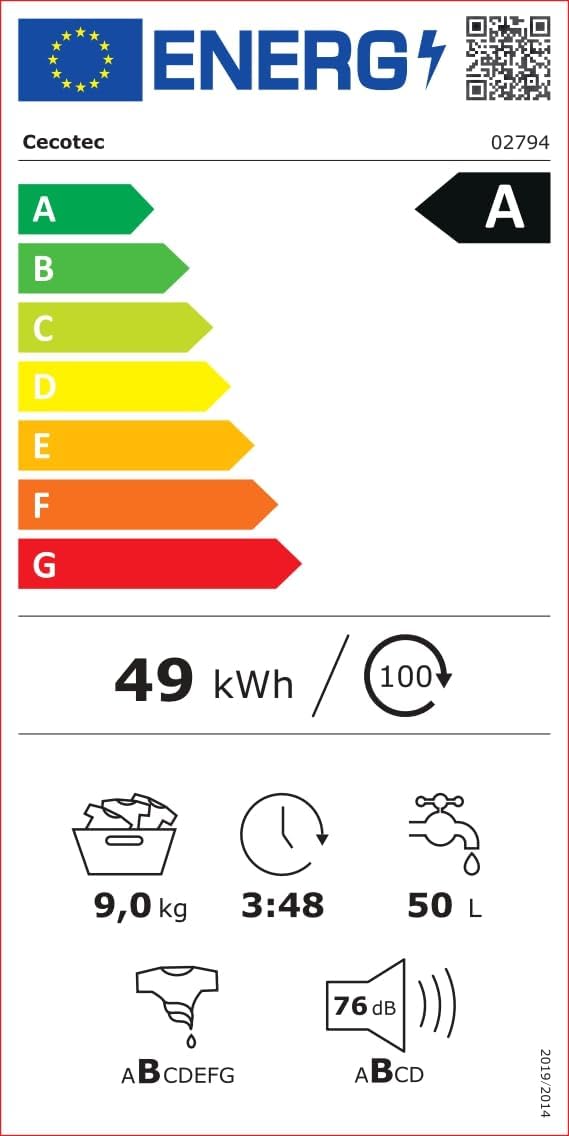
Image: EU Energy Label for the Cecotec Bolero Dresscode 9300 washing machine, showing Class A energy rating, 49 kWh/100 cycles, 9.0 kg capacity, 3:48 program duration, 50 L water consumption, and 76 dB noise level. For more details, visit the EPREL database.

Image: Product Information Sheet for the Cecotec Bolero Dresscode 9300 washing machine, detailing technical specifications and compliance information.
8. Warranty and Support
8.1 Warranty Information
The Cecotec Bolero Dresscode 9300 Inverter Max A washing machine comes with a minimum warranty period of 3 years provided by the supplier. Please retain your proof of purchase for warranty claims.
8.2 Customer Support
For technical assistance, spare parts, or any inquiries regarding your appliance, please contact Cecotec customer service. Refer to the official Cecotec website or your purchase documentation for contact details.
Related documentsBolero Dresscode 9300 Inverter Max A

Ask a question about this manual
Ask about setup, troubleshooting, compatibility, parts, safety, or missing instructions. Manuals+ will review the question and use this page’s manual context to help answer it.