
Introduction
This manual provides detailed instructions for the QCY H3 ANC Bluetooth Headphones. Please read this manual thoroughly before using the product to ensure proper operation and to maintain optimal performance. These headphones feature advanced Active Noise Cancellation (ANC), Hi-Res Audio, and multipoint connectivity for a superior listening experience.

Image: QCY H3 ANC Bluetooth Headphones in white, showcasing their sleek design.
What's in the Box
Upon unboxing your QCY H3 ANC Headphones, please verify that all components are present:
- Active Noise Cancelling Headphones x1
- USB Type-C Charging Cable x1
- 3.5mm Audio Cable x1
- User Manual x1

Image: The contents of the QCY H3 ANC headphone box, including the headphones, charging cable, audio cable, and user manual.
Product Overview and Controls
Familiarize yourself with the physical components and controls of your QCY H3 ANC Headphones:
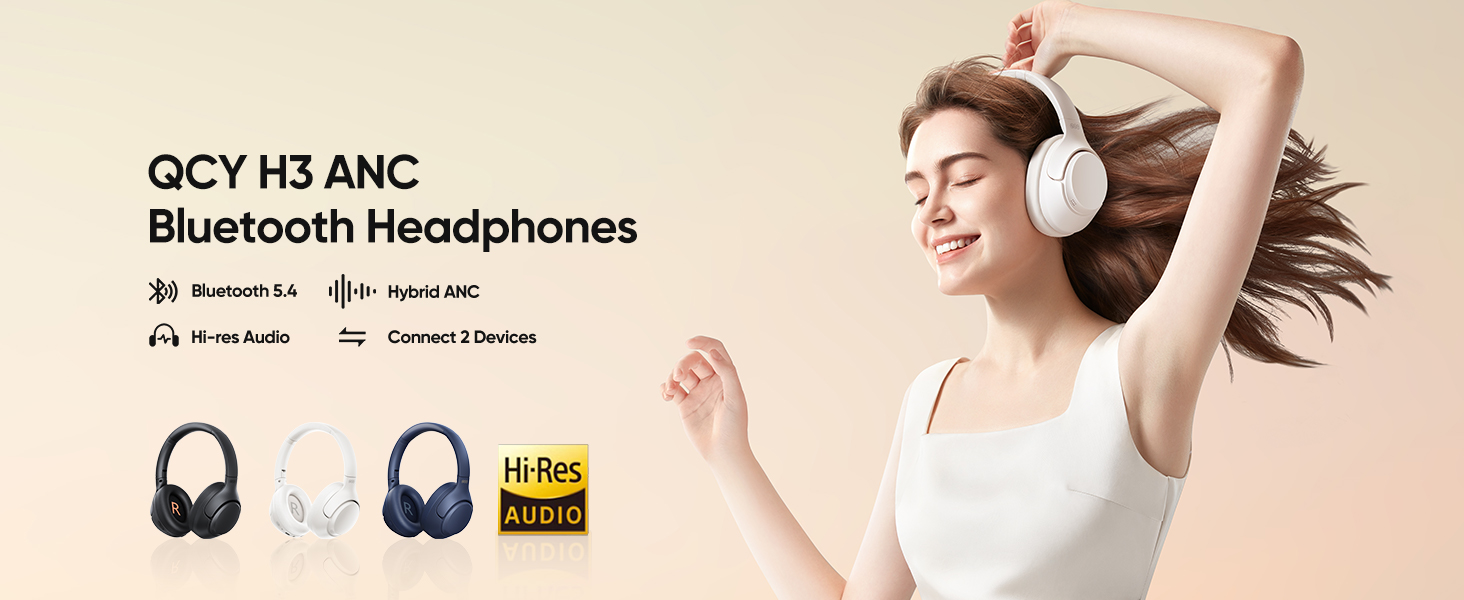
Image: A detailed diagram illustrating the control buttons and ports on the QCY H3 ANC headphones.
Control Functions:
| Button/Action | Function |
|---|---|
| ANC Button | Press to switch among ANC ON, ANC OFF, and Transparency modes. Double press in ANC ON mode for Adaptive Noise Canceling. |
| MFB (Multi-Function Button) | Press and hold for 2s/4s for Power on/off. Press for Pause/playback. Press to Answer/end call. Press and hold for 1s to Ignore call. Double press for Low-latency mode. Triple press for Voice assistant. |
| VOL+ | Press for Volume up. Press and hold for 1s to Skip track forward. |
| VOL- | Press for Volume down. Press and hold for 1s to Skip track backward. |
| VOL+ and VOL- | Press and hold both for 10s for Factory reset. |
Setup and Initial Use
Charging the Headphones
Before first use, fully charge your QCY H3 ANC headphones. Connect the provided USB Type-C charging cable to the charging port on the headphones and the other end to a compatible USB power source. A full charge takes approximately 3.5 hours.
Bluetooth Pairing
- Ensure the headphones are powered off.
- Press and hold the MFB until the indicator light flashes, indicating pairing mode.
- On your device (smartphone, tablet, computer), enable Bluetooth and search for available devices.
- Select "QCY H3 ANC" from the list of found devices to connect.
- Once connected, the indicator light will change, and you will hear an audible confirmation.
QCY App Integration
For enhanced customization and control, download the official QCY App from your device's app store. The app allows you to:
- Adjust EQ settings for personalized sound profiles.
- Select and fine-tune noise canceling modes.
- Access additional features and firmware updates.

Image: Screenshots of the QCY app interface, demonstrating options for transparent mode, EQ customization, and connection pop-up.
Operating Instructions
Active Noise Cancellation (ANC)
The QCY H3 ANC headphones feature up to 43dB of active noise cancellation, effectively reducing ambient sounds. You can switch between different ANC modes using the ANC button or the QCY App:
- Indoor Mode: Optimized for quiet environments like offices or homes.
- Commuting Mode: Ideal for public transport, reducing engine and crowd noise.
- Boosted Mode: Provides maximum noise cancellation for extremely noisy environments.
- Anti-wind-noise Mode: Specifically designed to minimize wind interference during outdoor use.
The headphones also feature Bimodal Ear Canal Adaptive Technology, which detects your ear-canal structure and wearing style to optimize the audio curve for consistent premium sound.

Image: Visual representation of the 43dB Hybrid Active Noise Cancelling feature, showing the four distinct noise cancellation modes: Outdoor, Transport, Anti-wind noise, and Indoor.
Transparency Mode
Transparency Mode allows you to hear your surroundings without removing the headphones. This is useful for staying aware of announcements, conversations, or traffic. Activate this mode using the ANC button.

Image: A woman wearing the QCY H3 ANC headphones while conversing, demonstrating the Transparency Mode feature which allows users to hear their environment.
Multipoint Connection
The QCY H3 ANC headphones support simultaneous connection to two devices. This allows you to seamlessly switch between audio sources, such as watching a movie on your laptop and answering a call on your smartphone, without needing to manually disconnect and reconnect.

Image: The QCY H3 ANC headphones shown connected to both a smartphone and a tablet, illustrating the multipoint connection feature.
Hi-Res Audio and Sound Quality
Equipped with custom oversized 40mm dynamic drivers, the QCY H3 ANC headphones deliver Hi-Res Audio with a frequency response range of up to 40kHz. This ensures rich, detailed sound quality beyond CD-level, providing an immersive listening experience.

Image: An exploded view diagram of the QCY H3 ANC headphone's internal components, highlighting the 40mm composite dynamic driver responsible for Hi-Res Audio and cinema-level 3D sound.
Crystal Clear Calls
The headphones feature three noise-canceling microphones with Aispeech Algorithm (VDCNN Neural Network Algorithm) and 3-Mic Beamforming Technology. This setup precisely captures your voice and effectively cancels out ambient noise and wind, ensuring crystal-clear conversations even in noisy environments.

Image: A diagram showing the placement of feedforward, feedback, and calling microphones within the QCY H3 ANC headphones, illustrating how they contribute to crystal clear calls by separating noise from voice.
Battery Life
Enjoy extended listening with up to 60 hours of playtime with ANC off, and approximately 35 hours with ANC on. The headphones also support wired mode via the included 3.5mm audio cable, allowing continued use even when the battery is depleted.

Image: An illustration detailing the ultra-long battery life of the QCY H3 ANC headphones, showing approximately 60 hours with ANC off and 35 hours with ANC on.
Comfort and Portability
The QCY H3 ANC headphones are designed for all-day comfort with synthetic protein leather ear pads and slow spring memory foam earcups. The 90° swiveling ear cups and self-adjustable headband ensure a fatigue-free listening experience. Their foldable and lightweight design enhances portability for on-the-go use.

Image: A collage of images highlighting the comfort features of the QCY H3 ANC headphones, including soft ear pads, compatibility with glasses, lightweight design, adjustability, and the 3.5mm audio jack.
Convenient Storage
The headphones feature a foldable design for easy storage and portability. Follow these steps to fold your headphones:
- Rotate the left side headphone cup inwards.
- Fold the left side headphone cup towards the headband.
- Rotate and fold both sides of the headphones inwards to achieve a compact form.

Image: A three-step visual guide demonstrating how to fold the QCY H3 ANC headphones for convenient storage.
Maintenance
To ensure the longevity and optimal performance of your QCY H3 ANC headphones, follow these maintenance guidelines:
- Keep the headphones clean by wiping them with a soft, dry cloth. Avoid using abrasive cleaners or solvents.
- Store the headphones in a cool, dry place, away from direct sunlight and extreme temperatures.
- Avoid exposing the headphones to water or excessive moisture. While they have some water resistance, they are not fully waterproof.
- Do not attempt to disassemble or repair the headphones yourself, as this will void the warranty.
- Charge the headphones regularly, even if not in use, to maintain battery health.
Troubleshooting
If you encounter any issues with your QCY H3 ANC headphones, refer to the following common solutions:
- No Power: Ensure the headphones are fully charged.
- Cannot Pair: Make sure the headphones are in pairing mode (indicator light flashing). Turn off Bluetooth on other devices that may be connected. Try restarting both the headphones and your device.
- No Sound: Check the volume level on both the headphones and your connected device. Ensure the headphones are properly paired. If using the 3.5mm audio cable, ensure it is securely connected.
- Poor Sound Quality: Move closer to your connected device to avoid interference. Ensure there are no obstacles between the headphones and the device. Check the audio source quality.
- ANC Not Working Effectively: Ensure the earcups form a good seal around your ears. Adjust the ANC mode via the QCY App or ANC button to suit your environment.
- Microphone Issues: Ensure the microphone is not obstructed. Check microphone settings on your connected device.
- Factory Reset: If issues persist, perform a factory reset by pressing and holding both VOL+ and VOL- buttons for 10 seconds. This will clear all pairing information.
For more detailed troubleshooting or persistent issues, please refer to the official QCY User Manual PDF or contact QCY customer support.
Specifications
Key technical specifications for the QCY H3 ANC Bluetooth Headphones:
| Feature | Specification |
|---|---|
| Model Name | QCY H3 |
| Connectivity Technology | Bluetooth 5.4, Wired, Wireless |
| Wireless Communication Technology | Bluetooth |
| Audio Driver Size | 40 Millimeters |
| Frequency Response | 40 KHz (Up to 40,000 Hz) |
| Sensitivity | 99 dB |
| Noise Control | Active Noise Cancellation, Adaptive Noise Cancellation, Hybrid Noise Cancellation |
| Charging Time | 3.5 Hours |
| Item Weight | 263 Grams (9.3 ounces) |
| Product Dimensions | 6.31 x 3.22 x 7.75 inches |
| Headphones Jack | 3.5 mm Jack |
| Control Type | Media Control, Touch |
| Compatible Devices | IOS/Android |
| Water Resistance Level | Waterproof (Note: This typically refers to splash resistance, not submersion) |
Official Product Video
Video: An official product video showcasing the QCY H3 headphones, highlighting features such as noise cancellation, adaptive audio, and clear call technology.
Warranty and Support
For warranty information and customer support, please refer to the official QCY website or the contact information provided in your product packaging. You can also access the full user manual in PDF format for additional details:
Visit the official QCY Store for more products and information.