
QCY QCY H3 ANC
Contents
QCY H3 ANC Bluetooth Headphones User Manual
Model: QCY H3 ANC | Brand: QCY
Introduction
The QCY H3 ANC Bluetooth Headphones are designed to provide a superior audio experience with advanced Active Noise Cancelling (ANC) technology, Hi-Res Audio, and comfortable wear. This manual provides essential information for setting up, operating, and maintaining your headphones.
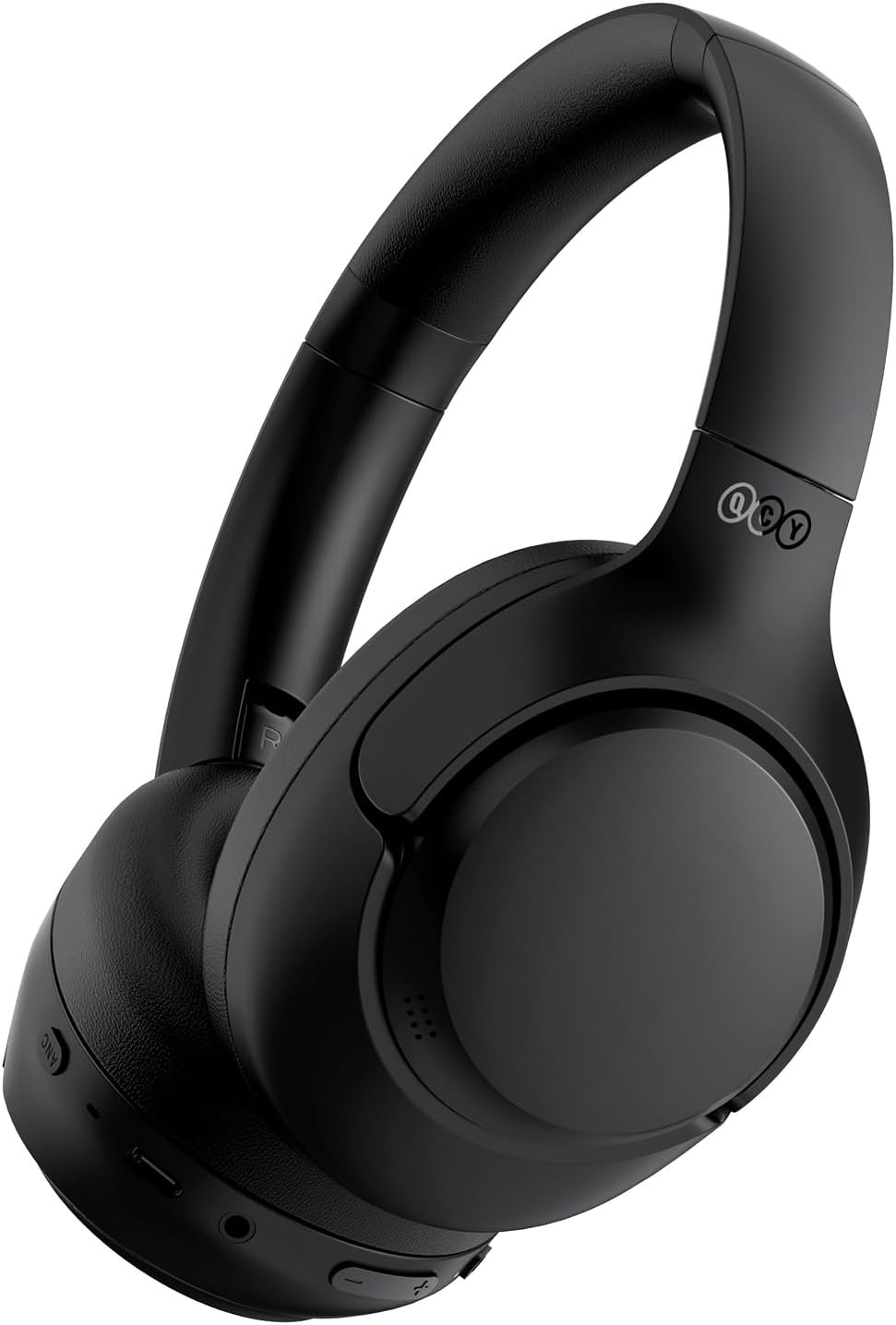
Image: The QCY H3 ANC Bluetooth Headphones, showcasing their sleek black design.
What's in the Box
- Headset * 1
- Type-C cable * 1
- Audio cable * 1
- User manual * 1

Image: All items included in the QCY H3 ANC headphone package.
Product Overview and Controls
Familiarize yourself with the headphone's physical features and control buttons.

Image: Close-up of the QCY H3 ANC headphones highlighting the soft earcups and adjustable headband for all-day comfort.

Image: A comprehensive diagram illustrating the functions of each button on the QCY H3 ANC headphones.
- ANC Button: Press to switch among ANC ON, ANC OFF, and Transparency modes. Double press in ANC ON to activate Adaptive Noise Canceling.
- MFB (Multi-Function Button): Press and hold for 2s/4s for Power on/off. Press for Pause/playback. Press for Answer/end call. Press and hold for 1s to Ignore call. Double press for Low-latency mode. Triple press for Voice assistant.
- VOL +/-: Press for Volume up/down. Press and hold for 1s to Skip track forward/backward.
- Factory Reset: Press and hold both VOL + and VOL - for 10s.
Setup
Charging
Before first use, fully charge your headphones using the provided Type-C cable. The charging port is located on the right earcup.

Image: The USB-C charging port on the QCY H3 ANC headphones.
Bluetooth Pairing
- Ensure the headphones are powered off.
- Press and hold the Power button until the indicator light flashes, indicating pairing mode.
- On your device (smartphone, tablet, computer), enable Bluetooth and search for "QCY H3 ANC".
- Select the headphones to connect. A voice prompt will confirm successful pairing.
Multipoint Connection
The QCY H3 headphones support connecting to two devices simultaneously. After connecting to the first device, disable its Bluetooth. Then, connect to the second device. Re-enable Bluetooth on the first device, and the headphones will automatically connect to both.

Image: Demonstrating the dual-connection capability of the QCY H3 ANC headphones with a phone and a tablet.
QCY APP Customization
Download the QCY APP from your device's app store to unlock full customization options, including EQ settings, noise canceling modes, and firmware updates.
Image: The QCY app interface, showing options for sound effects, noise canceling modes, and device management.
Operating Instructions
Active Noise Cancelling (ANC)
The QCY H3 ANC headphones feature up to 43dB Active Noise Cancelling. The Bimodal Ear Canal Adaptive Technology optimizes noise cancellation and audio curves for different users and wearing styles.

Image: A user experiencing the 43dB Hybrid Active Noise Cancelling feature on an airplane.
Choose from various noise canceling modes via the QCY APP:
- Indoor Mode: Ideal for offices, libraries, and cafes.
- Commuting Mode: Suitable for subway stations, public buses, and planes.
- Boosted Mode: For enhanced noise reduction.
- Anti-wind-noise Mode: Perfect for riding and outdoor activities.

Image: Visual representation of the different adaptive noise reduction modes for various environments.
Audio Quality
Experience Hi-Res Audio with custom oversized 40mm dynamic drivers, providing a frequency response range of 40kHz for detailed sound reproduction.

Image: Breakdown of the Hi-Res Audio components within the QCY H3 ANC headphones.
Call Functionality
Equipped with 6 microphones, the headphones precisely capture your voice and cancel out ambient noise and wind for crystal-clear calls.
Image: A user demonstrating the clear call quality of the QCY H3 ANC headphones.
Battery Life
Enjoy extended listening with up to 60 hours of playtime in ANC OFF mode and 35 hours with ANC ON. The headphones also support wired mode via the included 3.5mm audio cable.

Image: An infographic detailing the impressive battery life of the QCY H3 ANC headphones.
Official Product Video
Video: An official product video from QCY showcasing the features and design of the H3 ANC headphones.
Maintenance
- Clean the earcups and headband regularly with a soft, dry cloth.
- Avoid exposing the headphones to extreme temperatures, humidity, or liquids.
- Store the headphones in a cool, dry place, ideally folded to save space and protect them.

Image: The QCY H3 ANC headphones in their folded position, ready for compact storage.
Troubleshooting
No Power
Ensure the headphones are fully charged. Connect to a power source using the USB-C cable.
Cannot Pair with Device
- Make sure the headphones are in pairing mode (indicator light flashing).
- Ensure Bluetooth is enabled on your device and it's within range.
- Forget the device from your Bluetooth list and try pairing again.
- Perform a factory reset (hold VOL+ and VOL- for 10s).
Poor Sound Quality
- Check the audio source and ensure the volume is not too low or too high, causing distortion.
- Adjust EQ settings via the QCY APP.
- Ensure the earcups form a good seal around your ears.
ANC Not Working Effectively
- Ensure ANC mode is activated using the ANC button.
- Adjust the ANC level or mode via the QCY APP for optimal performance in your environment.
Specifications
| Feature | Detail |
|---|---|
| Model Name | H3 |
| Item Model Number | QCY H3 ANC |
| Brand | QCY |
| Connectivity Technology | Wireless (Bluetooth 5.4) |
| Bluetooth Range | 15 Meters |
| Noise Control | Active Noise Cancellation, Hybrid Noise Cancellation, Adaptive Noise Cancellation |
| Battery Life | 60 Hours (ANC OFF) |
| Audio Driver Type | Dynamic Driver |
| Audio Driver Size | 40 Millimeters |
| Frequency Response | 40 KHz |
| Headphones Jack | 3.5 mm Jack |
| Item Weight | 9.2 ounces (260 Grams) |
| Material | Plastic |
| Control Type | App Control, Button |
| Compatible Devices | IOS/Android |
Warranty and Support
For detailed warranty information and customer support, please refer to the official QCY website or the user manual PDF provided with your product.
You can also find the user manual online: QCY H3 ANC User Manual (PDF)
Visit the official QCY Store for more products and support: QCY Official Store
Ask a question about this manual
Ask about setup, troubleshooting, compatibility, parts, safety, or missing instructions. Manuals+ will review the question and use this page’s manual context to help answer it.