
1. Introduction
This manual provides detailed instructions for the safe and proper installation, operation, and maintenance of your ELIVED YD5010 Soundbar Mount and YD3028 Full Motion TV Wall Mount. Please read this manual thoroughly before installation and retain it for future reference. The ELIVED YD3028 TV Wall Mount is designed for most 42-90 inch flat and curved TVs, supporting up to 154 lbs (70 kg) with VESA patterns from 150x100mm to 800x400mm. The ELIVED YD5010 Soundbar Mount is compatible with various soundbars up to 15 lbs (6.8 kg) and can be attached to most TV wall mounts or TV stands.

Image 1.1: ELIVED YD5010 Soundbar Mount and YD3028 Full Motion TV Wall Mount components.
2. Safety Information
WARNING: Failure to read and follow all instructions may result in personal injury, property damage, or voiding of warranty. Improper installation can lead to serious injury or damage.
- Do not install this product if you do not understand these instructions or have doubts about the safety of the installation.
- Ensure the mounting surface can safely support the combined weight of the mount and the TV.
- Always use a stud finder to locate wood studs. Do not install into drywall alone.
- For concrete or brick walls, use appropriate anchors (not always included, check package contents).
- Do not exceed the maximum weight capacity of 154 lbs (70 kg) for the TV mount and 15 lbs (6.8 kg) for the soundbar mount.
- This product is intended for indoor use only.
- Keep children and pets away during installation.
- Check all connections periodically to ensure they remain secure.
3. Package Contents
3.1. ELIVED YD3028 Full Motion TV Wall Mount Components
Verify all components are present and undamaged before installation. If any parts are missing or defective, contact ELIVED customer support.
- Wall Plate Assembly
- TV Brackets (x2)
- Mounting Hardware (various screws, washers, spacers for TV and wall)
- Level
- Hex Key
- Instruction Manual
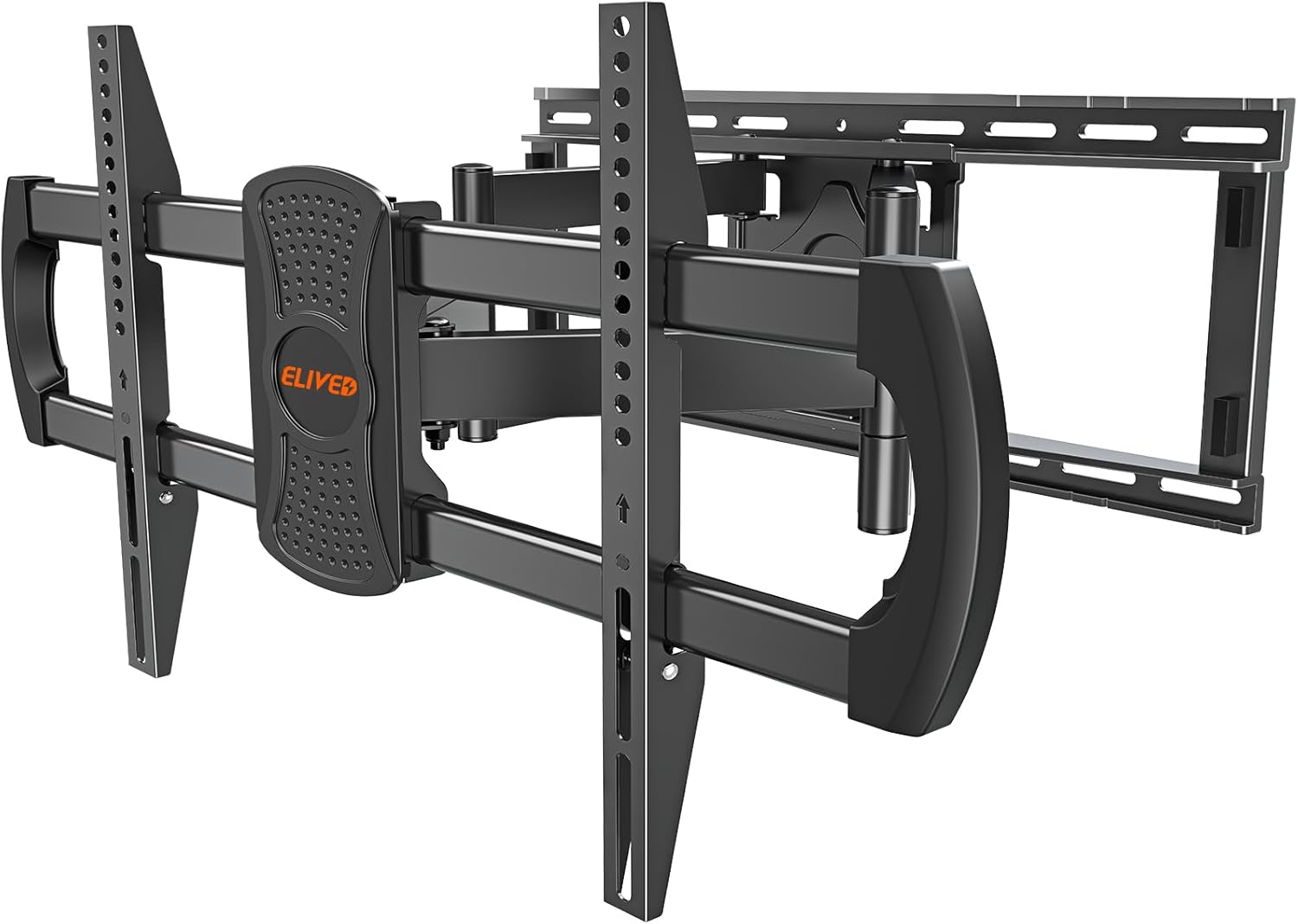
Image 3.1: Front view of the ELIVED YD3028 Full Motion TV Wall Mount.
3.2. ELIVED YD5010 Soundbar Mount Components
Verify all components are present and undamaged before installation. If any parts are missing or defective, contact ELIVED customer support.
- Soundbar Mounting Arms (x2, extendable)
- L-shaped Brackets (x2)
- Soundbar Mounting Hardware (various screws, washers, spacers)

Image 3.2: Components of the ELIVED YD5010 Soundbar Mount, including extendable arms and L-shaped brackets.
4. Setup and Installation
4.1. Pre-Installation Checks
- Check TV Compatibility: Ensure your TV's weight does not exceed 154 lbs (70 kg) and its VESA mounting pattern (horizontal x vertical) is between 150x100mm and 800x400mm.
- Check Wall Type: This mount is designed for installation on wood studs (up to 24" spacing), concrete walls, or brick walls. Do not install on drywall alone.
- Gather Tools: You will need a drill, stud finder, level, Phillips head screwdriver, and a socket wrench.

Image 4.1: Diagram illustrating compatible VESA mounting patterns (horizontal x vertical) ranging from 150x100mm to 800x400mm.
4.2. Installing the YD3028 TV Wall Mount
- Locate Studs/Mark Holes: Use a stud finder to locate the center of two adjacent wood studs. Mark the desired height for the wall plate. For concrete/brick walls, mark the drill holes directly.
- Drill Pilot Holes: Drill pilot holes at the marked locations. Ensure the depth is appropriate for the lag bolts.
- Attach Wall Plate: Secure the wall plate assembly to the wall using the provided lag bolts and washers. Use a level to ensure it is perfectly horizontal.
- Attach TV Brackets to TV: Carefully place your TV face down on a soft, clean surface. Attach the TV brackets to the back of your TV using the appropriate screws, washers, and spacers from the hardware kit. Ensure the brackets are centered and securely fastened.
- Hang TV on Wall Plate: With assistance, carefully lift the TV and hook the TV brackets onto the wall plate. Ensure the safety locks engage to prevent accidental dislodgement.

Image 4.2: The pre-assembled ELIVED YD3028 TV mount designed for installation on wood studs (up to 24 inches spacing), concrete, or brick walls.

Image 4.3: The reinforced articulating arms of the ELIVED YD3028 TV mount, capable of supporting TVs up to 154 lbs.
4.3. Installing the YD5010 Soundbar Mount
The YD5010 soundbar mount offers flexible installation options to accommodate various soundbar designs.
- Attach Soundbar Arms to TV Brackets: Secure the soundbar mounting arms to the TV brackets (which are already attached to your TV). Use the provided screws and ensure they are tightly fastened.
- Adjust Arm Length: The soundbar arms are extendable up to 27 inches. Adjust their length to match the width of your soundbar.
- Attach Soundbar to Mount:
- For Soundbars with Bottom Holes: Use the L-shaped brackets. Attach the L-shaped brackets to the soundbar arms, then secure your soundbar to the L-shaped brackets using appropriate screws.
- For Soundbars with Keyhole or Back Holes: Directly attach the soundbar to the soundbar arms using the provided screws and spacers that fit your soundbar's mounting points.
- Adjust Soundbar Height: Slide the soundbar arms up or down along the TV brackets to adjust the gap between the soundbar and the TV for optimal positioning.

Image 4.4: Various soundbar mounting options: (1) bottom hole with L-bracket, (2) keyhole, and (3) back hole attachment directly to the soundbar arms.

Image 4.5: Illustration of how to adjust the height of the soundbar by sliding the soundbar arms along the TV brackets to control the gap between the soundbar and the TV.
5. Operating Instructions
The ELIVED YD3028 Full Motion TV Wall Mount allows for flexible adjustment of your TV's viewing angle.
- Extension: Gently pull the TV away from the wall to extend the articulating arms. The mount can extend up to 24.4 inches (62 cm) from the wall.
- Retraction: Push the TV gently back towards the wall until it rests 3.7 inches (9.4 cm) from the wall for a low-profile appearance.
- Swivel: The TV can swivel up to 45 degrees left or right. Carefully push the TV to the desired angle.
- Tilt: The TV can tilt +5 degrees upwards and -10 degrees downwards. Loosen the tilt adjustment knobs (if present, or follow specific instructions for your model's tilt mechanism), adjust to the desired angle to reduce glare, and then re-tighten.
- Level Adjustment: After installation, the screen level can be adjusted by +1 degree or -1 degree to ensure perfect horizontal alignment.

Image 5.1: The ELIVED YD3028 TV mount allows for a swivel adjustment of up to ±45 degrees for optimal viewing angles.
6. Maintenance
- Periodically check all screws and connections to ensure they are secure.
- Clean the mount with a soft, dry cloth. Avoid abrasive cleaners or solvents.
- Do not lubricate any moving parts unless specifically instructed by the manufacturer.
7. Troubleshooting
- TV is not level: Use the +1°/-1° level adjustment feature to fine-tune the TV's horizontal position. Ensure the wall plate was installed level.
- Mount feels loose: Re-check all wall and TV connections. Ensure all screws are tightened according to the instructions. Do not overtighten.
- Difficulty moving the TV: Check for any obstructions. Ensure the mount is not overloaded beyond its weight capacity.
- Soundbar is not secure: Verify that the correct mounting hardware was used for your soundbar's specific mounting holes (bottom, keyhole, or back). Ensure all screws are tight.
8. Specifications
| Feature | Specification |
|---|---|
| Brand | ELIVED |
| Model Numbers | YD5010 (Soundbar Mount), YD3028 (TV Wall Mount) |
| TV Size Compatibility | 42-90 inches |
| TV Weight Capacity | Up to 154 lbs (70 kg) |
| Soundbar Weight Capacity | Up to 15 lbs (6.8 kg) |
| VESA Compatibility | 150x100mm to 800x400mm |
| Wall Stud Spacing | Up to 24 inches |
| Extension from Wall | 3.7 inches (retracted) to 24.4 inches (extended) |
| Tilt Angle | +5° / -10° |
| Swivel Angle | ±45° |
| Level Adjustment | ±1° |
| Material | Metal |
9. Warranty and Support
ELIVED provides a limited warranty for its products. For specific warranty details, technical support, or to report missing/damaged parts, please contact ELIVED customer service. You can typically find contact information on the product packaging or the official ELIVED website.
Website: Visit the ELIVED Store on Amazon
