
M5Stack Basic v2.7
M5Stack Official ESP32 Basic Core IoT Development Kit V2.7 User Manual
Model: Basic v2.7 | Brand: M5Stack
Introduction
The M5Stack Official ESP32 Basic Core IoT Development Kit V2.7 is a versatile and compact development board designed for Internet of Things (IoT) applications and rapid prototyping. It integrates an ESP32 chipset, a full-color HD IPS display, and various interfaces, making it suitable for a wide range of projects from smart home control to industrial IoT solutions.
What's in the Box

This image displays the complete contents of the M5Stack Basic Core V2.7 development kit. It shows the main M5Stack Basic unit, a bundle of colorful Dupont wires, and a black USB Type-C cable, all neatly arranged.
- 1x BASIC (M5Stack Official ESP32 Basic Core IoT Development Kit V2.7)
- 10x Dupont line
- 1x Type-C USB cable (20cm)
- 1x manual (this document)
- 1x sticker
Product Overview
The M5Stack Basic Core V2.7 is built around the ESP32 chipset, offering dual-core processing power and integrated Wi-Fi. Its modular design allows for easy expansion and integration into various projects.

This image provides a detailed labeled diagram of the M5Stack Basic Core V2.7. Key features highlighted include the 2-inch LCD display (320x240 resolution), three custom buttons, a USB-C port for power and data, a Port.A I2C interface, an SD card slot, the battery compartment at the bottom, and the combined power/reset button. It also notes compatibility with UIFlow, Arduino, and MicroPython development environments.

This image illustrates the modular design of the M5Stack Basic Core V2.7, showing the main unit separated from its bottom expansion board. This highlights the stackable nature of M5Stack products, allowing for easy addition of modules and sensors.
Key Features:
- Dual-Core Power: Powered by the ESP32 chipset with dual-core Xtensa 32-bit microprocessors, delivering high performance at 240MHz.
- High Integration: Includes a 2.0-inch full-color HD IPS display, built-in speaker, and TF card slot, all packed in a compact design.
- Rich Interface Support: Features 15x IO pins and supports ADC/DAC/I2C/UART/SPI interfaces, offering flexibility for various applications.
- Expandable: Compatible with M5Stack's stacking modules and rich sensor expansions, making it ideal for product prototyping and IoT projects.
- Easy Development: Supports UIFlow, Arduino, MicroPython, and .NET nanoFramework, perfect for low-code and no-code projects.
Setup
To begin using your M5Stack Basic Core V2.7, follow these steps:
- Power On: Connect the M5Stack Basic to a power source using the provided Type-C USB cable. The device can be powered via a computer's USB port or a compatible USB power adapter.
- Initial Boot: Upon connecting power, the device's screen will light up, and it will begin its boot sequence. You may see the UIFlow logo or a default program running.
- Development Environment Setup:
- For graphical programming, visit the official M5Stack website (m5stack.com) and navigate to the UIFlow section.
- For C++ development, install the Arduino IDE and add the ESP32 board support package.
- For Python development, set up MicroPython on the device.
- Driver Installation: Ensure necessary USB drivers are installed on your computer for proper communication with the device. These are typically part of the development environment setup.
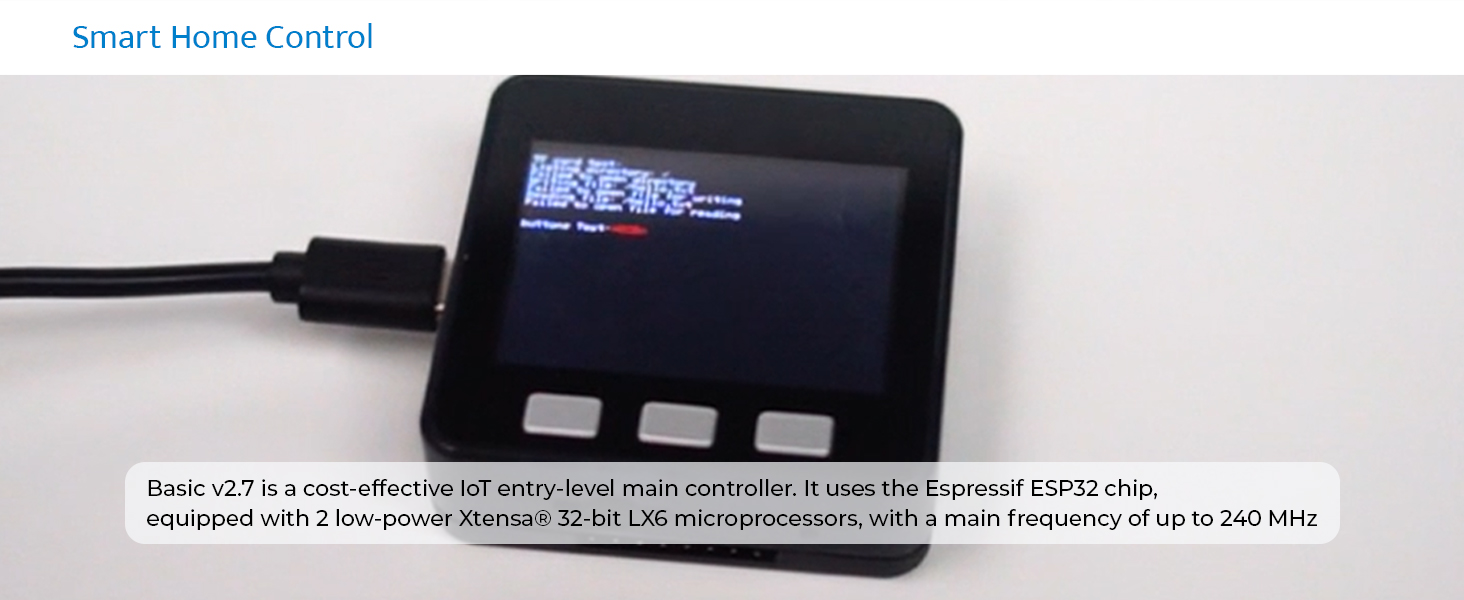
This image shows the M5Stack Basic Core V2.7 connected to a power source via its USB-C port. The screen displays text, indicating that the device is powered on and actively running a program or displaying system information. This setup is typical for initial configuration and programming.
Operating Instructions
The M5Stack Basic Core V2.7 operates based on the firmware and programs loaded onto it. Here are general operating guidelines:
- Power Button: The red button on the side serves as both the power on/off and reset button. A short press typically acts as a reset, while a long press (hold for several seconds) will power the device off.
- Custom Buttons (A, B, C): The three physical buttons below the screen (labeled A, B, C in some contexts) are programmable. Their function depends entirely on the loaded application. Refer to the specific application's documentation for their usage.
- Display: The 2.0-inch IPS display provides visual output for your applications. It can show text, graphics, and user interfaces.
- SD Card Slot: Insert a microSD card into the slot on the side for additional storage, useful for logging data, storing images, or loading larger programs.
- I/O Ports: The various I/O pins and ports (e.g., Port.A I2C) allow connection to external sensors, actuators, and other M5Stack modules. Ensure correct wiring and voltage levels when connecting external components.
Typical Applications:

Maker DIY Projects: Ideal for custom electronic projects and rapid prototyping.

Smart Home Control: Can be configured as a compact control panel for smart home devices.
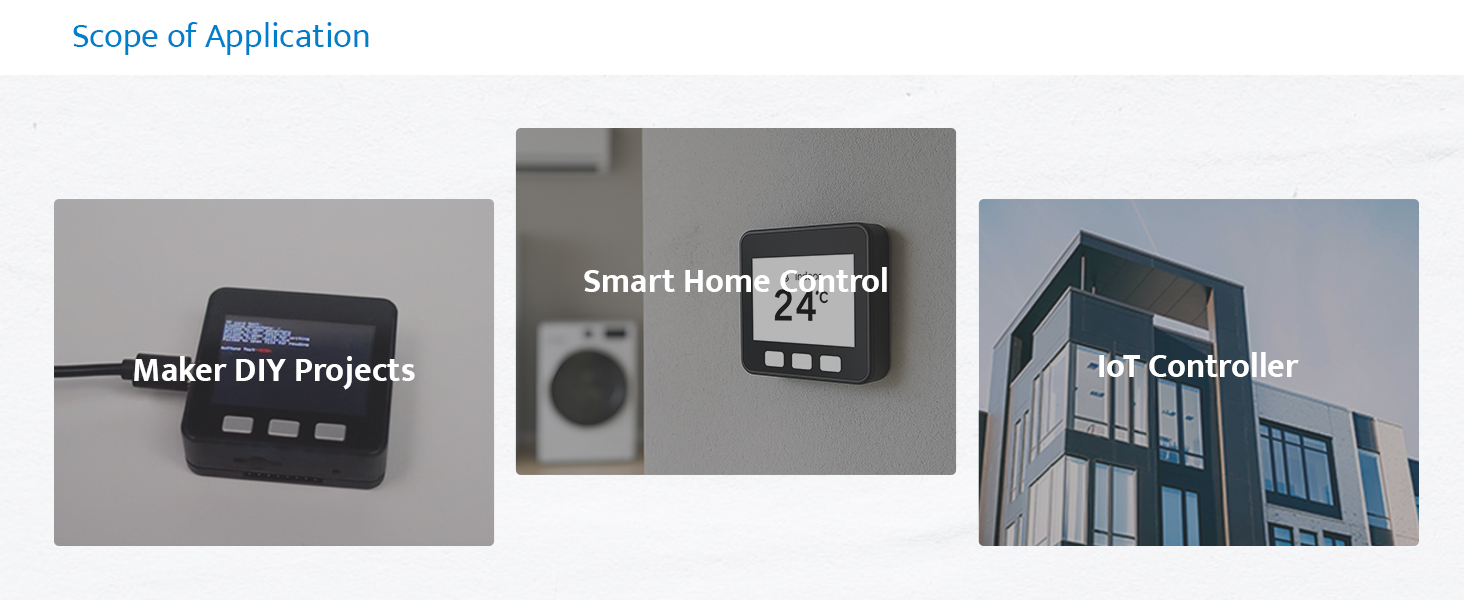
IoT Controller: Suitable for various Internet of Things applications, including data collection and device control.
Maintenance
Proper maintenance ensures the longevity and optimal performance of your M5Stack Basic Core V2.7:
- Cleaning: Use a soft, dry cloth to clean the device. Avoid using liquid cleaners or abrasive materials, which can damage the screen or casing.
- Storage: Store the device in a cool, dry place away from direct sunlight, extreme temperatures, and high humidity.
- Handling: Handle the device with care. Avoid dropping it or subjecting it to strong impacts. When connecting wires or modules, ensure proper alignment to prevent damage to the pins.
- Firmware Updates: Regularly check the official M5Stack website for firmware updates. Keeping the firmware updated can improve performance, add new features, and fix bugs.
- Battery Care: The device includes a Lithium Ion battery. Avoid fully discharging the battery frequently. If storing for extended periods, charge the battery to about 50% to prolong its lifespan.
Troubleshooting
This section addresses common issues you might encounter with your M5Stack Basic Core V2.7:
| Problem | Possible Cause | Solution |
|---|---|---|
| Device does not power on. | Low battery; faulty USB cable/power source; device malfunction. | Ensure the device is charged. Try a different USB cable and power adapter. If issues persist, contact support. |
| Screen is blank or unresponsive. | Firmware issue; program error; display hardware fault. | Perform a hard reset (long press power button). Re-upload firmware. Check your code for display errors. |
| Cannot upload code to the device. | Incorrect drivers; wrong COM port selected; device not in programming mode. | Install correct USB drivers. Verify COM port in IDE. Ensure device is connected and recognized. Try holding the boot button while connecting USB if necessary. |
| Wi-Fi connection issues. | Incorrect Wi-Fi credentials; weak signal; router issues. | Double-check SSID and password. Move device closer to router. Restart router. Ensure ESP32 Wi-Fi library is correctly implemented in your code. |
Specifications
Detailed technical specifications for the M5Stack Official ESP32 Basic Core IoT Development Kit V2.7:

This image shows the physical dimensions of the M5Stack Basic Core V2.7, indicating its compact size of 54mm by 54mm by 17mm (2.12 inches by 2.12 inches by 0.66 inches). This illustrates its suitability for embedded projects where space is a consideration.

This image displays the M5Stack Basic Core V2.7 placed on a digital scale, which reads 52.6 grams. This provides a clear indication of the device's light weight, making it suitable for portable or weight-sensitive applications.
| Feature | Detail |
|---|---|
| Processor | ESP32-D0WDQ6-V3, 240MHz dual core, 600 DMIPS |
| Flash Memory | 16 MB |
| RAM | 520KB SRAM |
| Wireless Connectivity | Wi-Fi (802.11ac) |
| Input Power | 5V @ 500mA (via Type-C USB) |
| Interfaces | Type-C x1, I2C x1 |
| GPIO Pins | G21, G22, G23, G19, G18, G3, G1, G16, G17, G2, G5, G25, G26, G35, G36 |
| Buttons | 3 physical buttons (A, B, C) |
| LCD Screen | 2.0" @ 320x240 IPS panel, max brightness 853nit (ILI9342C) |
| Speaker | 1W-0928 |
| Battery | 1 Lithium Ion battery (included), 110mAh @ 3.7V |
| Dimensions (LxWxH) | 2.13 x 2.13 x 0.67 inches (54 x 54 x 17 mm) |
| Item Weight | 3.2 ounces (approx. 90.7 grams, actual measured 52.6g) |
| Operating System Support | UIFlow, Arduino IDE, MicroPython, .NET nanoFramework |

This image shows the underside of the M5Stack Basic Core V2.7, clearly displaying regulatory compliance markings such as the CE mark and FCC ID (2AN3WM5Stack-CORE). These markings indicate that the device complies with relevant European and United States regulatory standards for electronic products.
Support and Resources
For further assistance, detailed tutorials, and community support, please refer to the official M5Stack resources:
- Official Website: Visit the M5Stack Official Website for product information, documentation, and downloads.
- Documentation: Look for the "DOCUMENT" section on the M5Stack website for comprehensive guides, datasheets, and tutorials specific to the Basic Core V2.7.
- Community Forums: Engage with the M5Stack community for peer support and project ideas.

This image illustrates the process for finding tutorials and documentation on the M5Stack website. It outlines four steps: navigating to m5stack.com, clicking on the "DOCUMENT" link, searching for the specific product, and then scrolling down to find the "Tutorial" section. This visual guide helps users quickly locate support resources.
Warranty Information
M5Stack products typically come with a limited warranty covering manufacturing defects. For specific warranty terms and conditions, please refer to the warranty policy available on the official M5Stack website or contact their customer support. Keep your proof of purchase for warranty claims.
Ask a question about this manual
Ask about setup, troubleshooting, compatibility, parts, safety, or missing instructions. Manuals+ will review the question and use this page’s manual context to help answer it.