
SUPERJARE 7971
SUPERJARE 63 Inch L Shaped Desk with Power Outlets User Manual
Model: 7971
Brand: SUPERJARE
Introduction
This manual provides comprehensive instructions for the assembly, operation, and maintenance of your SUPERJARE 63 Inch L Shaped Desk. Designed for versatility, this desk can be configured as an L-shaped unit or a long straight desk, making it suitable for various home office, study, or gaming setups. It features integrated power outlets and ample storage solutions to enhance your workspace efficiency.
Product Features
- Integrated Power Outlets: Equipped with 4 standard AC outlets (125V/12A) and 2 USB ports (5V/2A) for convenient charging of electronic devices. A 6.6-foot power cord is included.
- 2-in-1 L-Shaped Design: Adaptable configuration allows for setup as an L-shaped desk for corner spaces or a long straight desk to suit room layouts.
- Ample Storage: Features three fabric drawers for organizing stationery and personal items, and a metal grid bookshelf for books, computer towers, or decorative items.
- Durable Construction: Crafted from heavy-duty powder-coated steel and P2 Particle Board, ensuring stability and long-term durability.
- Adjustable Feet: Includes adjustable leveling feet to maintain stability on uneven surfaces and protect flooring from scratches.
- Smooth & Easy-to-Clean Surface: The desktop surface is scratch-resistant, waterproof, and designed for easy cleaning.
Setup
Assembly of the SUPERJARE L Shaped Desk requires two individuals for optimal ease and safety. All necessary parts are clearly labeled, and the desk is designed for straightforward assembly.
Assembly Steps:
- Unpack Components: Carefully unpack all components and verify against the included parts list. Ensure no parts are missing or damaged.
- Assemble Frame: Begin by assembling the steel frame components according to the provided diagrams. Do not fully tighten screws until all parts for a section are aligned.
- Attach Desktop Panels: Secure the P2 Particle Board desktop panels to the assembled frame. Pay attention to the orientation for either L-shaped or long desk configuration.
- Install Storage Units: Insert the fabric drawers into their designated slots and place the metal grid shelves.
- Connect Power Strip: Integrate the power outlet strip into the designated desktop cutout and route the power cord.
- Adjust Leveling Feet: Once assembled, adjust the leveling feet at the bottom of the desk legs to ensure stability on your floor.

Image: Detailed dimensions for both L-shaped (63"L x 41.3"L x 18.9"W x 29.5"H) and long desk (77.8"L x 18.9"W x 29.5"H) configurations. Note that the drawer unit is fixed on the left side.

Image: An L-shaped desk setup in a modern home office, showcasing two monitors, a charging station, and various office accessories. This configuration is ideal for corner spaces.
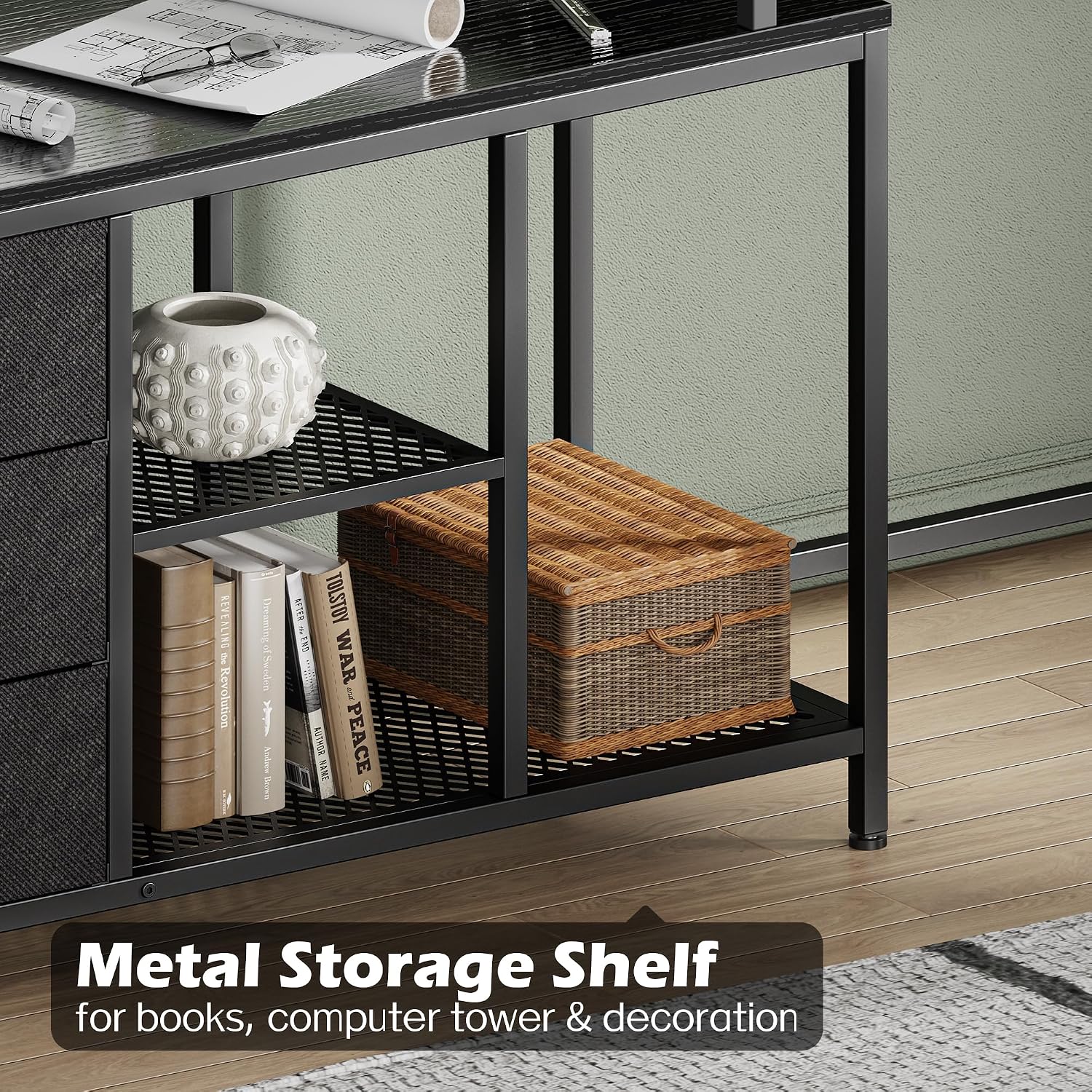
Image: The desk configured as a long straight desk, suitable for smaller rooms or specific layouts. A laptop and other office supplies are visible on the surface.
Operating
Using the Power Outlets:
The integrated power strip provides convenient access to power for your devices. Simply plug the desk's main power cord into a wall outlet. You can then use the 4 AC outlets for laptops, monitors, or other office equipment, and the 2 USB ports for charging smartphones, tablets, or other USB-powered devices.

Image: A close-up view of the recessed power strip, highlighting the four AC outlets and two USB ports, ready for device connection.
Storage Utilization:
The three fabric drawers are designed for lightweight items such as stationery, documents, or personal accessories. The metal grid shelves offer open storage for books, decorative items, or a computer tower, ensuring good airflow.

Image: The three fabric drawers pulled open, demonstrating their storage capacity for various items like cameras, headphones, and small accessories.

Image: A metal grid shelf filled with books and a woven basket, illustrating its use for both storage and display.
Maintenance
To ensure the longevity and appearance of your SUPERJARE desk, follow these simple maintenance guidelines:
- Cleaning the Surface: Wipe the desktop surface with a damp cloth to remove dust and spills. Avoid using harsh chemicals or abrasive cleaners, as these may damage the finish.
- Fabric Drawers: For the fabric drawers, spot clean with a mild detergent and a damp cloth if necessary. Allow to air dry completely. Do not machine wash.
- Frame Care: Periodically check and tighten any loose screws on the steel frame to maintain structural integrity.
- Adjusting Feet: Re-adjust the leveling feet as needed to ensure the desk remains stable and level.

Image: Water droplets on the desk surface, illustrating its waterproof and easy-to-clean properties.

Image: A close-up of the adjustable leveling feet, which can be rotated to stabilize the desk on uneven floors and prevent scratches.
Troubleshooting
- Wobbly Desk: If the desk feels unstable, ensure all screws are tightened. Adjust the leveling feet on each leg until the desk is firm and level on the floor.
- Visible Holes on Desktop: In the long desk configuration, there may be visible holes on the desktop surface that are used for the L-shaped setup. These holes are typically covered when the desk is used in the L-shape or when items like printers or monitors are placed over them. If not covered, these are part of the design for versatility.
- Power Outlets Not Working: Check if the desk's main power cord is securely plugged into a functional wall outlet. Ensure no circuit breakers have tripped.
- Drawers Not Sliding Smoothly: Ensure the fabric drawers are correctly seated on their angle iron supports. Check for any obstructions within the drawer slots.
Specifications
| Feature | Detail |
|---|---|
| Brand | SUPERJARE |
| Model Number | 7971 |
| Dimensions (L-Shape) | 63"D x 41.3"W x 29.5"H |
| Color | Black |
| Material | Powder Coated Steel, P2 Particle Board, Fabric (drawers) |
| Power Outlets | 4 AC Outlets (125V/12A), 2 USB Ports (5V/2A) |
| Power Cord Length | 6.6 feet |
| Number of Drawers | 3 |
| Assembly Required | Yes (Recommended 2 people) |
Warranty & Support
The SUPERJARE 63 Inch L Shaped Desk comes with a limited warranty. For specific warranty details, claims, or technical support, please refer to the warranty card included with your product or visit the official SUPERJARE website. You can also contact customer support through the platform where you purchased the product.
For further assistance, please visit the SUPERJARE Store on Amazon.
Related documents7971

Ask a question about this manual
Ask about setup, troubleshooting, compatibility, parts, safety, or missing instructions. Manuals+ will review the question and use this page’s manual context to help answer it.