
1. Introduction
This manual provides essential instructions for the safe operation and maintenance of your GoolRC Mini Drone. Please read this manual thoroughly before operating the drone to ensure proper usage and to prevent damage or injury.
2. Package Contents
Verify that all items are present in the package:
- 1 x GoolRC Mini Drone
- 1 x Remote Control
- 1 x 3.7V 1800mAh Battery
- 4 x Spare Blades
- 1 x Charging Cable
- 1 x Screwdriver
- 1 x Storage Bag
- 2 x Manual (this document and possibly a quick start guide)
3. Setup
3.1. Drone Unfolding
The GoolRC Mini Drone features a foldable design for portability. Gently unfold the drone arms until they lock into position. Ensure all arms are fully extended before flight.

Image: The GoolRC Mini Drone shown in its compact, folded state, highlighting its portability.
3.2. Battery Installation and Charging
The drone uses a 3.7V 1800mAh modular battery. Insert the battery into the designated compartment on the drone. To charge, connect the battery to the charging cable and then to a suitable USB power source. Charging time is approximately 60 minutes.

Image: A close-up of the modular battery, illustrating its design for easy insertion and removal from the drone.
3.3. Remote Control Setup
The remote control requires 3 AA batteries (not included). Open the battery compartment on the back of the remote control and insert the batteries, observing correct polarity. Power on the remote control using the power switch.

Image: An overhead view of the remote control, with labels indicating the function of each button and joystick.
3.4. App Connection
For enhanced features and real-time operation, download the official GoolRC drone application on your mobile device. The app is compatible with Android 5.0 or above and iOS 9.0 or above. Connect your mobile device to the drone's Wi-Fi signal as instructed in the app.
4. Operating Instructions
4.1. Basic Flight Controls
Familiarize yourself with the remote control layout:
- Left Joystick: Controls altitude (up/down) and rotation (left/right).
- Right Joystick: Controls forward/backward and left/right side flight.
- One-Click Takeoff/Landing: Initiates automatic takeoff or landing.
- Speed Switching: Adjusts flight speed.
- Fine Tuning: Used for minor adjustments to drone stability.
- Obstacle Avoidance Switch: Activates or deactivates the 360° obstacle avoidance system.
4.2. Flight Features
The GoolRC Mini Drone incorporates several advanced features to enhance your flight experience:
- 360° Intelligent Obstacle Avoidance: The drone can automatically detect and avoid obstacles in its flight path, improving safety.
- EIS Intelligent Anti-shake: An electronic anti-shake chip stabilizes images during flight, reducing blur.
- Optical Flow Hovering: This function allows the drone to maintain a stable hover in the air without constant throttle input, aiding in precise photography.
- Gesture Photography: Utilize specific hand gestures to trigger photo or video recording. Refer to the app for detailed gesture commands.
- Dual Camera Switching: The drone is equipped with both front and bottom 4K cameras, allowing you to switch between views for diverse photographic perspectives.
- Headless Mode: In headless mode, the drone's orientation is relative to the pilot, simplifying control regardless of the drone's front direction.
- 360° Roll: Execute aerial stunts with a single button press.
- 50x Zoom: Digitally zoom in on subjects during flight.
- Trajectory Flight: Draw a flight path on your mobile screen, and the drone will follow it automatically.
- HD Image Transmission: Real-time video feed to your connected mobile device.

Image: A detailed view of the drone's camera module, emphasizing the EIS (Electronic Image Stabilization) technology.
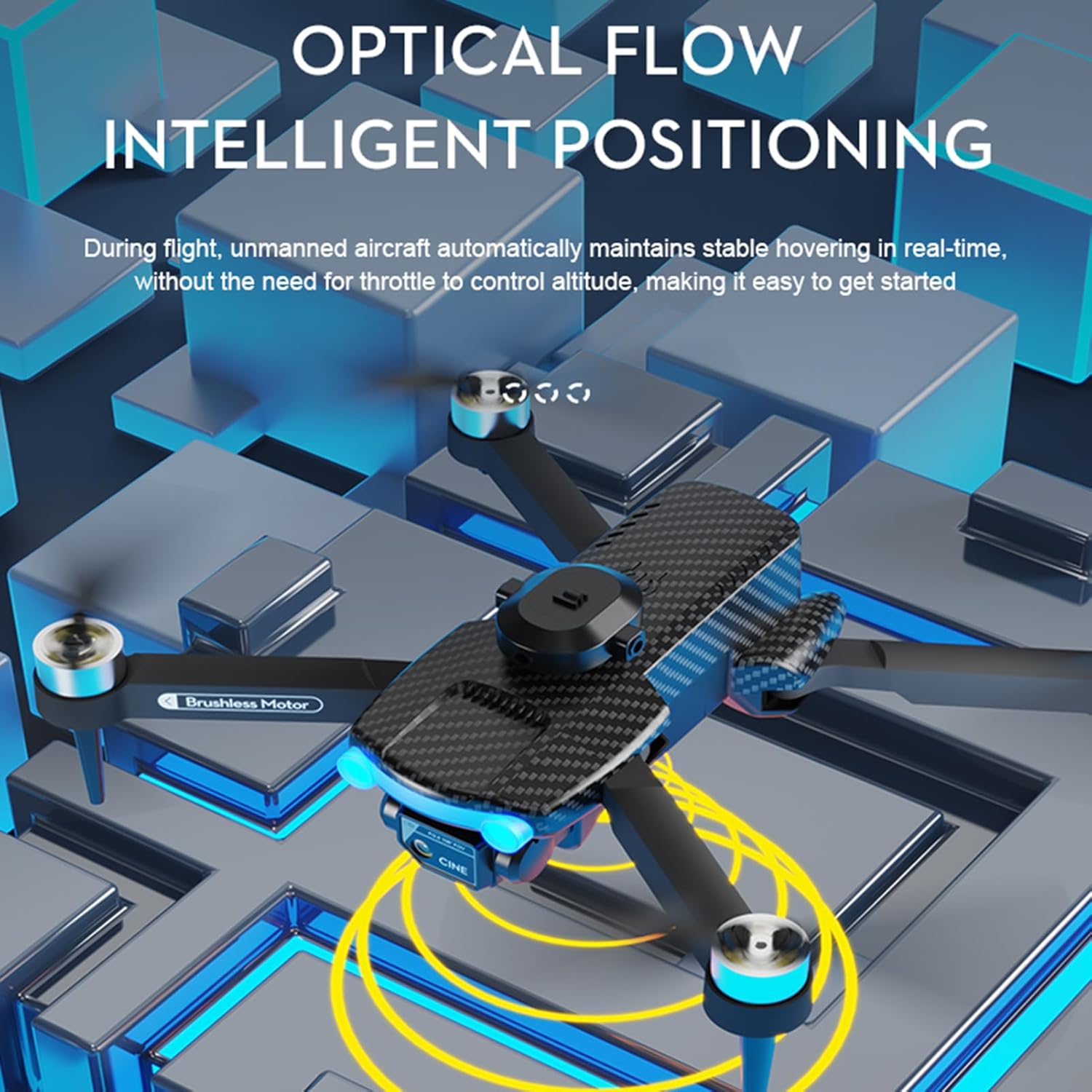
Image: The drone in flight, with yellow concentric circles illustrating the optical flow positioning system maintaining a stable hover.

Image: The drone's dual camera system, demonstrating the ability to switch between front-facing and downward-facing views for photography.
The drone offers a flight time of up to 15 minutes per battery and a remote control distance of up to 100 meters. Image transmission distance is approximately 20-30 meters.

Image: A smartphone screen displaying the drone's companion app, illustrating different flight modes and control options available to the user.
5. Maintenance
5.1. Battery Care
To prolong battery life, avoid overcharging or completely draining the battery. Store batteries in a cool, dry place when not in use. If the drone will not be used for an extended period, charge the battery to approximately 50% before storage.
5.2. Blade Replacement
In case of damage, replace propeller blades using the spare blades provided. Use the included screwdriver to carefully remove the damaged blade and install a new one, ensuring it is securely fastened.
5.3. Cleaning
Periodically clean the drone's body and camera lens with a soft, dry cloth. Avoid using harsh chemicals or solvents. Ensure no dust or debris obstructs the optical flow sensor or camera lenses.
6. Troubleshooting
If you encounter issues with your GoolRC Mini Drone, refer to the following common problems and solutions:
| Problem | Possible Cause | Solution |
|---|---|---|
| Drone does not power on | Low or uncharged battery; improperly installed battery | Charge the drone battery fully; ensure battery is correctly inserted. |
| Remote control unresponsive | Remote control batteries low or incorrectly installed; drone and remote not paired | Replace AA batteries in remote; ensure correct polarity; follow pairing instructions in the quick start guide. |
| Unstable flight/Drifting | Drone not calibrated; damaged propellers; strong wind conditions | Perform a flight calibration (refer to quick start guide); replace damaged blades; fly in calm conditions. |
| Poor image/video quality | Camera lens dirty; EIS not active; unstable flight; poor lighting | Clean camera lens; ensure EIS is functioning; stabilize flight; fly in well-lit areas. |
| Obstacle avoidance not working | Feature deactivated; sensors obstructed or dirty | Ensure obstacle avoidance is switched on; clean sensors; avoid flying in extremely complex environments. |
| Short flight time | Battery not fully charged; old battery; aggressive flying | Ensure battery is fully charged; consider replacing old batteries; practice smoother flight maneuvers. |
7. Specifications
Detailed specifications for the GoolRC Mini Drone:
| Feature | Detail |
|---|---|
| Item Name | Remote Control Drone |
| Main Material | Plastic, Metal, Electronic Components |
| Frequency | 2.4G |
| Motor | 1503 Brushless Motor |
| Electric Regulation | 6A 4000KV |
| Drone Battery | 3.7V 1800mAh |
| Remote Control Battery | 3*AA battery (not included) |
| Charging Time | 60 minutes |
| Flight Time (Single Battery) | 15 minutes |
| Lens Angle | Adjustable by 90° |
| Image Transmission Signal | WiFi |
| Remote Control Distance | 100 meters |
| Image Transmission Distance | 20-30 meters |
| Camera | 4K Dual Camera |
| Front Camera Photo Resolution | 3840*2160P |
| Front Camera Video Resolution | 3840*2160P |
| Bottom Camera Photo Resolution | 3840*2160P |
| Bottom Camera Video Resolution | 3840*2160P |
| Compatible System | Android 5.0 or above, IOS 9.0 or above |
| Color | Black |
| Size (Folded) | 13*8*7cm |
| Size (Unfolded) | 27*24*7cm |
| Item Weight | 15.7 ounces |
| Manufacturer Recommended Age | 16 years and up |
8. Warranty and Support
8.1. Warranty Information
Specific warranty details are not provided in the product information. Please refer to your purchase documentation or contact the seller for warranty terms and conditions.
8.2. Customer Support
For further assistance, technical support, or inquiries regarding your GoolRC Mini Drone, please contact the manufacturer, GoolRC, or the retailer from whom you purchased the product. You may also visit the GoolRC Store on Amazon for additional resources.