
1. Introduction
Thank you for choosing the LEKATO Guitar Pedal Board. This manual provides essential information for the proper setup, operation, and maintenance of your new pedal board. Designed for guitarists, this pedal board offers a robust and organized solution for mounting your effects pedals, featuring a convenient power supply compartment and a durable, lightweight construction. Please read this manual thoroughly before use to ensure optimal performance and longevity of your product.

Figure 1.1: The LEKATO Guitar Pedal Board, showing the main board, carry bag, mounting tape, and screwdriver.
2. Safety Information
Please observe the following safety precautions to prevent damage to the product or injury to yourself:
- Do not expose the pedal board to extreme temperatures, humidity, or direct sunlight.
- Avoid dropping or subjecting the pedal board to strong impacts.
- Ensure all power supplies and cables connected to your pedals are compatible and correctly rated.
- Keep the pedal board clean and free from dust and debris.
- Do not attempt to modify or repair the pedal board yourself. Refer all servicing to qualified personnel.
- Keep out of reach of children.
3. What's in the Box
Upon opening the package, please verify that all the following items are included:
- LEKATO Guitar Pedal Board (19.7"x10"x2.4")
- Heavy-Duty Carry Bag
- Shoulder Strap
- Screwdriver
- Mounting Tape (Velcro)

Figure 3.1: The high-quality nylon carry bag, designed for easy transport by hand or shoulder.
4. Product Features
The LEKATO Guitar Pedal Board is engineered with several key features to enhance your setup and performance:
- Power Compartment: Features a built-in compartment designed to house your pedal power supply, helping to keep cables tidy and maximize space for your effects pedals. Please note the limited space within the compartment; confirm your power supply dimensions for compatibility.
- Tilt Design: The pedalboard is designed with a slight slope (approximately 10 degrees), providing ergonomic comfort when engaging pedals and preventing accidental activation of adjacent pedals.
- Large Capacity: With dimensions of 19.7 x 10 x 2.36 inches, this board offers ample space for various pedal sizes, including dedicated room for a volume or wah pedal.
- High-Quality Bag: Includes a durable and lightweight carry bag with both hand and shoulder straps, featuring a double zipper design for convenient transport and secure storage.
- High-Quality Material: Constructed from robust polymer plastics (ABS), distinguishing it from traditional aluminum boards. This material ensures durability, corrosion resistance, and a lightweight design (approximately 2.7 lbs).

Figure 4.1: Integrated power supply compartment.

Figure 4.2: Ergonomic tilt design for comfortable use.

Figure 4.3: Ample space for various pedal configurations.
5. Specifications
Detailed specifications for the LEKATO Guitar Pedal Board:
| Attribute | Value |
|---|---|
| Model Number | M02867 |
| Product Dimensions | 19.7 x 10 x 2.36 inches |
| Item Weight | 2.7 lbs (board only), 4.94 lbs (shipping weight) |
| Body Material | Polymer Plastics (ABS) |
| Color | Black |
| Connector Type | 9V DC barrel jack or 2.1mm jack (for power supply, not included) |
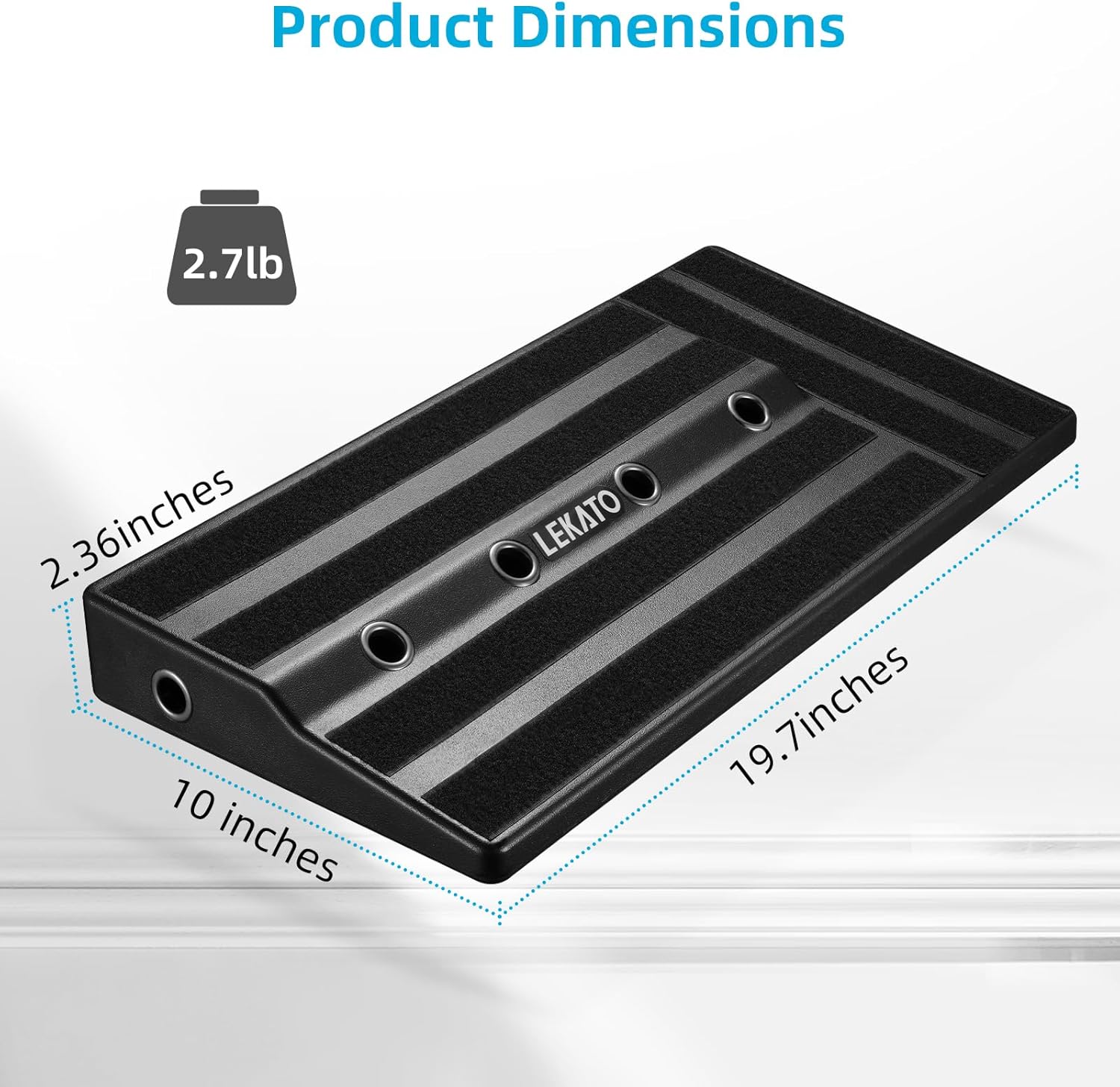
Figure 5.1: Product dimensions overview.
6. Setup
Follow these steps to set up your LEKATO Guitar Pedal Board:
- Prepare Your Pedals: Ensure your effects pedals are clean and ready for mounting. Apply the provided mounting tape (Velcro) to the bottom of each pedal and to the surface of the pedal board where you intend to place them.
- Install Power Supply: Open the power compartment on the underside of the pedal board. Carefully place your compatible power supply inside the compartment. Route the power cables through the designated holes to connect to your pedals.

Figure 6.1: Power supply installation in the dedicated compartment.
- Arrange Pedals: Affix your pedals to the Velcro strips on the pedal board in your desired signal chain order. Press firmly to ensure a secure attachment.
- Connect Patch Cables: Use short patch cables to connect your effects pedals in the correct order. Ensure all connections are snug.
- Connect Power: Connect the power supply to your pedals using the routed cables. Plug the power supply into a suitable electrical outlet.
- Connect to Amplifier and Guitar: Connect your guitar to the input of the first pedal in your chain, and the output of the last pedal to your amplifier's input.

Figure 6.2: Example of a fully assembled pedal board setup.
7. Operating Instructions
Once your pedal board is set up and connected, operating it is straightforward:
- Power On: Ensure your amplifier is on and set to a clean channel. Turn on your pedal power supply.
- Engage Pedals: Step on the footswitch of each pedal to engage or bypass its effect. The tilt design of the board facilitates comfortable and precise activation.
- Adjust Settings: Adjust the knobs and switches on individual pedals to achieve your desired sound.
- Experiment: Explore different pedal combinations and signal chain orders to discover unique tones.
8. Maintenance
Proper maintenance will extend the life of your pedal board:
- Cleaning: Wipe the pedal board surface with a soft, dry cloth. For stubborn dirt, a slightly damp cloth can be used, followed by immediate drying. Avoid abrasive cleaners or solvents.
- Cable Management: Periodically check and tidy up your cables to prevent tangles and potential damage.
- Storage: When not in use, store the pedal board in its provided carry bag to protect it from dust and physical damage. Store in a cool, dry place away from direct sunlight.
- Velcro Inspection: Over time, the Velcro may lose some adhesion. Inspect it periodically and replace if necessary to ensure pedals remain securely attached.
9. Troubleshooting
If you encounter issues with your LEKATO Guitar Pedal Board, refer to the following common problems and solutions:
| Problem | Possible Cause | Solution |
|---|---|---|
| No sound from pedals. | Incorrect cable connections, power supply off, faulty cables, or faulty pedal. |
|
| Humming or buzzing noise. | Ground loop, unshielded cables, or power supply interference. |
|
| Pedals not sticking to board. | Worn out Velcro or insufficient pressure during application. |
|
10. Warranty and Support
LEKATO products are manufactured to high-quality standards. For specific warranty details and support inquiries, please refer to the warranty card included with your purchase or visit the official LEKATO website. You can also contact LEKATO customer service through the retailer where you purchased the product.
For further assistance, please visit the LEKATO Store on Amazon.