
1. Product Overview
The ChargeWorx Multi-Port USB Charger Tower (Model CX2107) is a versatile charging station designed to power up to six devices simultaneously. It features four USB-A ports and two USB-C ports, delivering a total of 40W for efficient and rapid charging. Its compact, vertical design helps reduce cable clutter, making it suitable for various environments such as homes and offices. The unit incorporates multiple safety protections, including overcharge, overtemperature, overvoltage, overcurrent, overload, and short-circuit protection, all housed within a fire-resistant shell.

Image 1.1: The ChargeWorx Multi-Port USB Charger Tower, a compact charging solution.

Image 1.2: Key features of the ChargeWorx 6-in-1 Charging Station, highlighting its port configuration, cable length, and safety design.
2. Setup Instructions
- Unpack the Charger: Carefully remove the ChargeWorx Multi-Port USB Charger Tower and its power cable from the packaging.
- Connect Power: Insert the included power cable into the power input port located at the base of the charging tower.
- Plug into Outlet: Plug the other end of the power cable into a standard wall outlet. Ensure the outlet is easily accessible.
- Place the Charger: Position the charging tower on a stable, flat surface, such as a desk or nightstand, ensuring adequate ventilation.
Video 2.1: This video demonstrates the unboxing, power connection, and initial setup of the ChargeWorx Multi-Port USB Charger Tower, showing how to plug in the power cable and connect devices.

Image 2.2: A close-up view of the charging tower's ports, illustrating the arrangement of four USB-A and two USB-C connections.
3. Operating Instructions
Once the ChargeWorx Multi-Port USB Charger Tower is connected to a power source, it is ready to charge your devices.
- Connect Your Device: Use a compatible USB charging cable (not included) to connect your smartphone, tablet, headphones, or other USB-powered electronic device to any available USB-A or USB-C port on the charging tower.
- Begin Charging: The device will automatically begin charging. The charging tower intelligently detects the connected device to deliver optimal power.
- Charge Multiple Devices: You can connect up to six devices simultaneously to charge them all at once.
- Disconnecting: Once your device is fully charged or you wish to stop charging, simply disconnect the USB cable from your device and the charging tower.
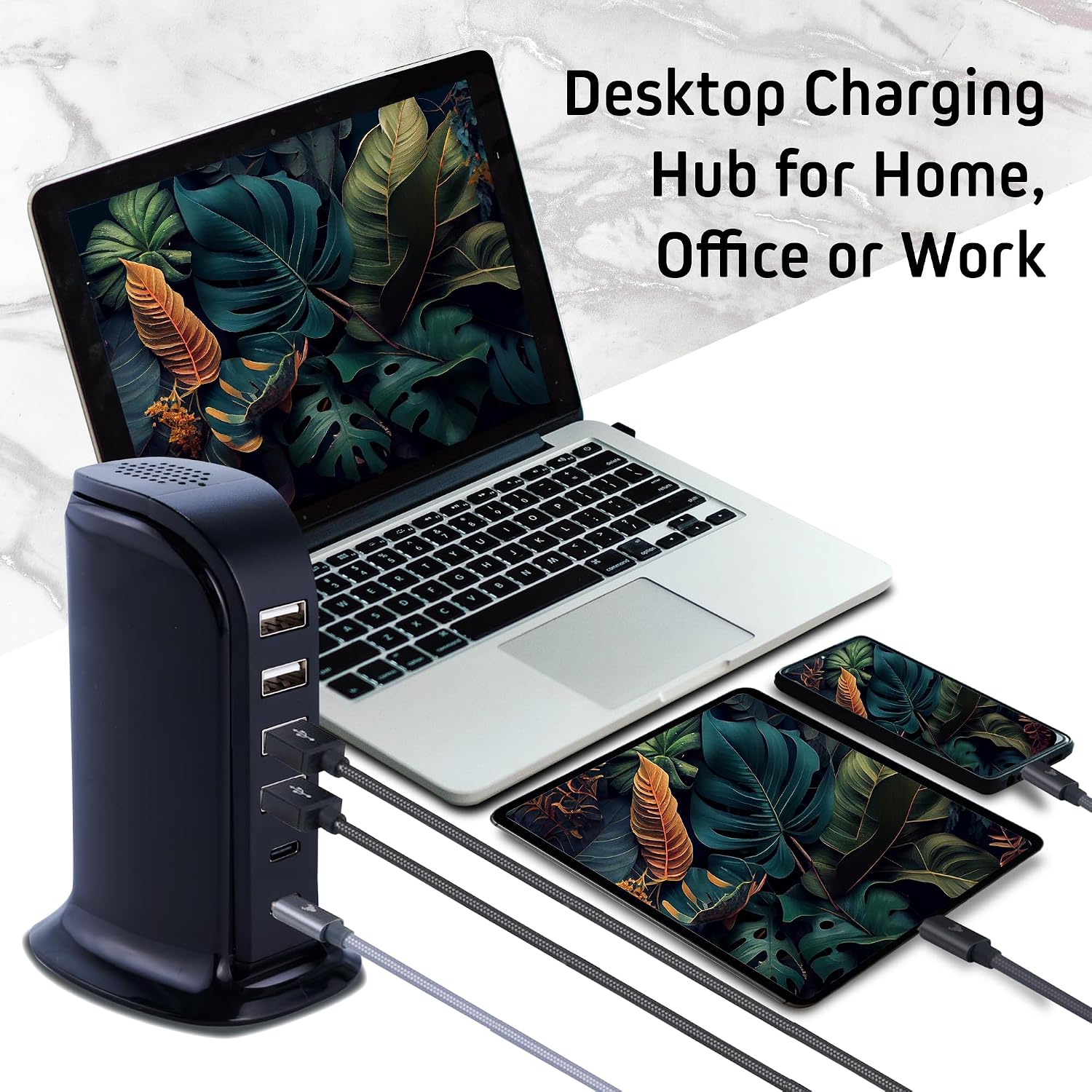
Image 3.1: The charging tower actively powering a variety of electronic devices, demonstrating its multi-device charging capability.

Image 3.2: An illustration of the charging tower providing fast charging to multiple devices, including a laptop and smartphone, simultaneously.
4. Safety Information
The ChargeWorx Multi-Port USB Charger Tower is designed with integrated safety features to protect your devices and the charging station itself. These protections ensure a safe charging experience.
- Overcharge Protection: Prevents devices from being overcharged, extending battery life.
- Overtemperature Protection: Monitors and regulates the internal temperature to prevent overheating.
- Overvoltage Protection: Safeguards against excessive voltage input.
- Overcurrent Protection: Protects against excessive current flow.
- Overload Protection: Prevents damage from drawing too much power.
- Short-Circuit Protection: Automatically cuts power in case of a short circuit.
- Fire-Resistant Shell: The outer casing is constructed from fire-resistant materials for added safety.

Image 4.1: A visual representation of the various safety certifications and protections integrated into the charging station.
5. Maintenance
To ensure the longevity and optimal performance of your ChargeWorx Multi-Port USB Charger Tower, follow these simple maintenance guidelines:
- Cleaning: Disconnect the charger from the power outlet before cleaning. Use a soft, dry cloth to wipe the exterior. Do not use liquid cleaners or abrasive materials.
- Storage: When not in use, store the charger in a cool, dry place away from direct sunlight and extreme temperatures.
- Cable Care: Avoid bending or crimping the power cable excessively. Ensure cables are not tangled to prevent damage.
- Ventilation: Do not block the ventilation openings on the charger. Ensure it is placed in an area with good airflow to prevent heat buildup.
6. Troubleshooting
If you encounter issues with your ChargeWorx Multi-Port USB Charger Tower, please refer to the following common troubleshooting steps:
- No Power:
- Ensure the power cable is securely plugged into both the charging tower and the wall outlet.
- Verify that the wall outlet is functional by plugging in another device.
- Device Not Charging:
- Check if the USB cable connecting your device to the charger is securely plugged in at both ends.
- Try using a different USB cable to rule out a faulty cable.
- Attempt to charge a different device to determine if the issue is with the charger or the original device.
- Ensure your device is compatible with USB charging standards.
- Slow Charging:
- While the charger supports fast charging, actual charging speed can depend on your device's capabilities and the cable used. Ensure your device and cable support fast charging.
- Charging multiple devices simultaneously may distribute the total 40W output, potentially affecting individual port speeds.
- Overheating:
- Ensure the charger is placed in a well-ventilated area and its vents are not obstructed.
- If the charger feels excessively hot, disconnect it immediately and allow it to cool down before resuming use.
7. Specifications
| Feature | Detail |
|---|---|
| Brand | CHARGEWORX |
| Model Number | CX2107 |
| Connector Type | USB Type A (4 ports), USB Type C (2 ports) |
| Total USB Ports | 6 |
| Total Wattage | 40W |
| Input Voltage | 240 Volts |
| Output Voltage | 5 Volts |
| Amperage | 6 Amps |
| Special Feature | Fast Charging, Surge Protection, Fire-Resistant Shell |
| Item Weight | 0.4 Pounds |
| Dimensions | Compact Tower Design |
8. Warranty and Support
This ChargeWorx Multi-Port USB Charger Tower (Model CX2107) comes with a 90-day manufacturer's warranty. This warranty covers defects in materials and workmanship under normal use.
For warranty claims, technical support, or any product-related inquiries, please contact the manufacturer, Chargeworx, directly. Refer to the product packaging or the official Chargeworx website for the most current contact information.
Please retain your proof of purchase for warranty service.