1. Product Overview
The GardePro E6P Trail Camera is a high-performance device designed for capturing wildlife and monitoring outdoor environments. It features advanced imaging capabilities, robust construction, and convenient wireless connectivity for easy management.

Image: GardePro E6P Trail Camera, showing the camera unit, its rechargeable battery pack, and a smartphone displaying a live view from the camera.
Key Features:
- Long-lasting Battery Life: Equipped with an 8000mAh lithium rechargeable battery pack.
- Easy Connectivity: Dedicated app for WiFi and Bluetooth connection, enabling real-time viewing and stable signal via external antenna.
- High-Quality Imaging: Captures clear 48MP still images and H.264 1296p videos.
- Advanced Night Vision: Features no-glow, clear 75ft night vision with adaptive infrared illumination.
- Fast and Reliable: 0.2-second trigger speed motion activation and IP66 waterproof rating.
- Versatile Functions: Includes time-lapse, hybrid capture, operation hours, PIR sensitivity, and time stamp.
- User-Friendly: 2.4-inch color screen and supports up to 512GB SDHC/SDXC card (not included).
2. Getting Started
Battery Installation:
The GardePro E6P comes with an 8000mAh rechargeable lithium battery pack. Ensure the battery is fully charged before first use.
- Open the camera's housing latch.
- Locate the battery compartment.
- Insert the 8000mAh rechargeable battery pack into the compartment, ensuring correct polarity.
- Close the housing latch securely to maintain the IP66 waterproof seal.
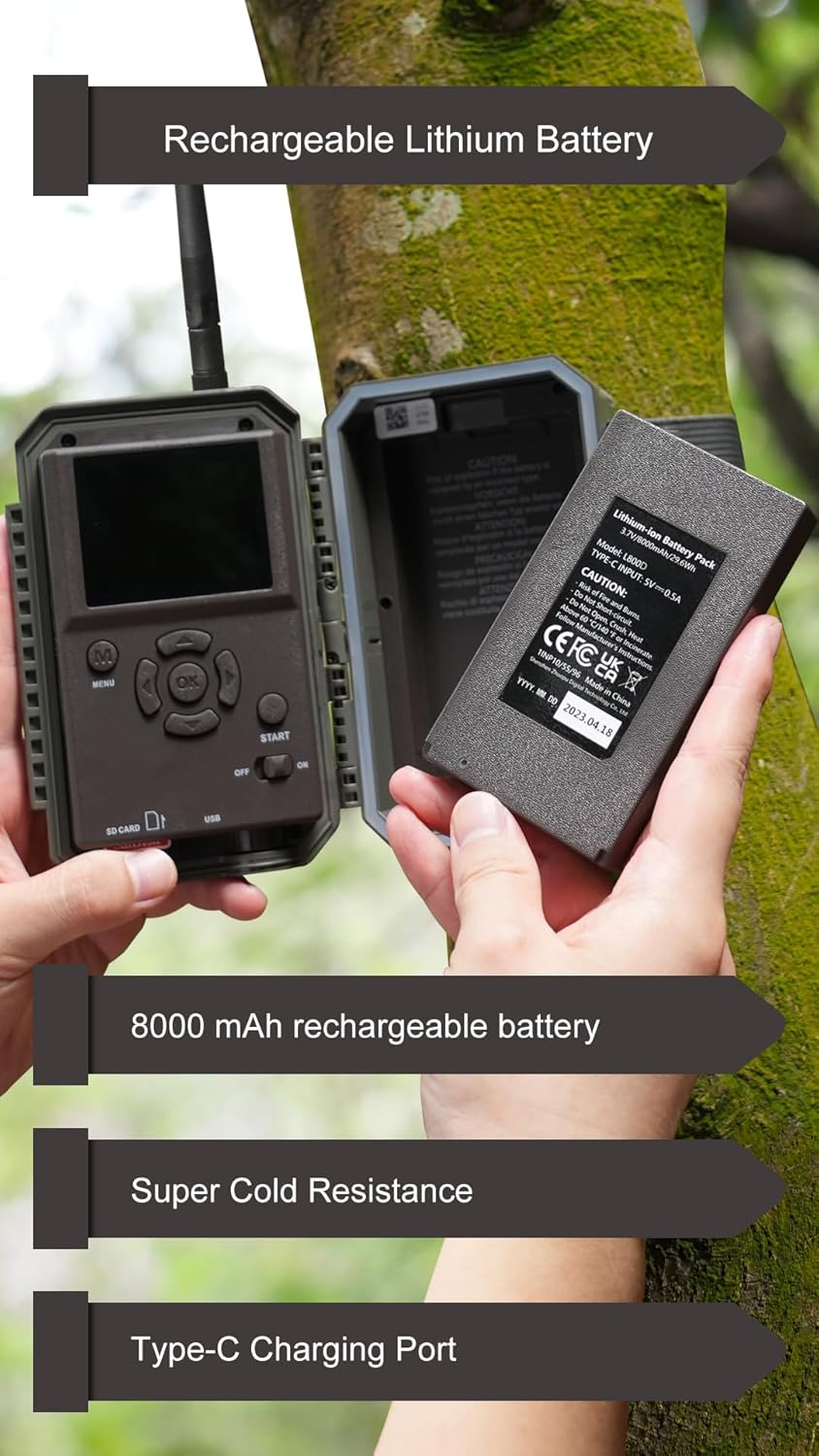
Image: A user's hands demonstrating the installation of the 8000mAh rechargeable lithium battery pack into the GardePro E6P trail camera.
SD Card Installation:
The camera supports SDHC/SDXC cards up to 512GB (not included).
- With the camera powered off, open the housing.
- Locate the SD card slot.
- Insert the SD card into the slot until it clicks into place. Ensure the card is inserted in the correct orientation.
- Close the housing latch.
Powering On/Off:
- To power on, slide the power switch to the 'ON' position.
- To power off, slide the power switch to the 'OFF' position.
Mounting the Camera:
The E6P can be mounted using a tree strap or wall mount.
- Tree Mount: Use the provided strap to secure the camera to a tree trunk. Adjust the angle for optimal viewing.
- Wall Mount: Utilize the mounting bracket (if included) to attach the camera to a wall or other flat surface.

Image: The GardePro E6P trail camera securely mounted on a tree, demonstrating its outdoor placement and compatibility with an optional solar panel for continuous power.
3. Operation
Basic Settings:
Use the 2.4-inch color screen and navigation buttons inside the camera housing to access and adjust settings such as date, time, capture mode (photo, video, hybrid), resolution, and PIR sensitivity.
WiFi and Bluetooth Connectivity:
The E6P features a dedicated app for wireless control and real-time viewing.
- Download the GardePro app from your smartphone's app store (iOS or Android).
- Enable Bluetooth on your smartphone and open the GardePro app.
- The app will guide you to connect to the camera via Bluetooth, then switch to the camera's WiFi network for live viewing and settings adjustment. The external antenna ensures stable signal quality.

Image: A smartphone screen showing live streaming from the GardePro E6P trail camera, highlighting its WiFi and app control capabilities.

Image: A visual guide on a smartphone screen demonstrating the ultra-simple WiFi connection process for the GardePro E6P trail camera.
Image and Video Capture:
- Resolution: Capture 48MP still images and 1296p H.264 videos.
- Trigger Speed: The camera boasts a fast 0.2-second trigger speed to capture quick movements.
- Detection Distance: Effective detection range up to 75 feet.
- Viewing Angle: Features a 110-degree wide viewing angle.

Image: A detailed image of a goat, illustrating the sharp image clarity and high resolution (48MP, 1296P HD video) capabilities of the GardePro E6P camera.

Image: A visual representation demonstrating the extra-large 110-degree viewing angle, 0.2s trigger speed, and 75ft detection distance of the GardePro E6P camera in a forest setting with deer.
Night Vision:
The E6P utilizes 940nm no-glow infrared LEDs for discreet night capture.
- No-Glow IR: Invisible to humans and animals, ensuring the camera remains undetected.
- Range: Clear night vision up to 75 feet.
- Smart IR: Adaptive infrared illumination adjusts brightness based on wildlife distance for optimal clarity.

Image: A lynx captured using the camera's dynamic night vision, illustrating the effectiveness of smart IR-LEDs and 940nm no-glow night vision up to 75ft.
Advanced Features:
- Time-Lapse: Capture images at set intervals to observe long-term changes.
- Hybrid Capture: Record both a photo and a video for each trigger event.
- Operation Hours: Set specific times for the camera to be active.
- PIR Sensitivity: Adjust the Passive Infrared sensor's sensitivity to motion to prevent unwanted triggers.
- Time Stamp: Overlay date, time, and other data onto captured media.
4. Maintenance and Care
Battery Charging:
The 8000mAh lithium battery pack is rechargeable. Use a compatible Type-C charger (not included) to recharge the battery. A full charge ensures optimal performance and longevity.
Weather Resistance:
The E6P camera is IP66 waterproof, designed to withstand various outdoor conditions, including rain and dust. Its robust housing ensures durability in temperatures ranging from -4°F to 140°F (-20°C to 60°C).
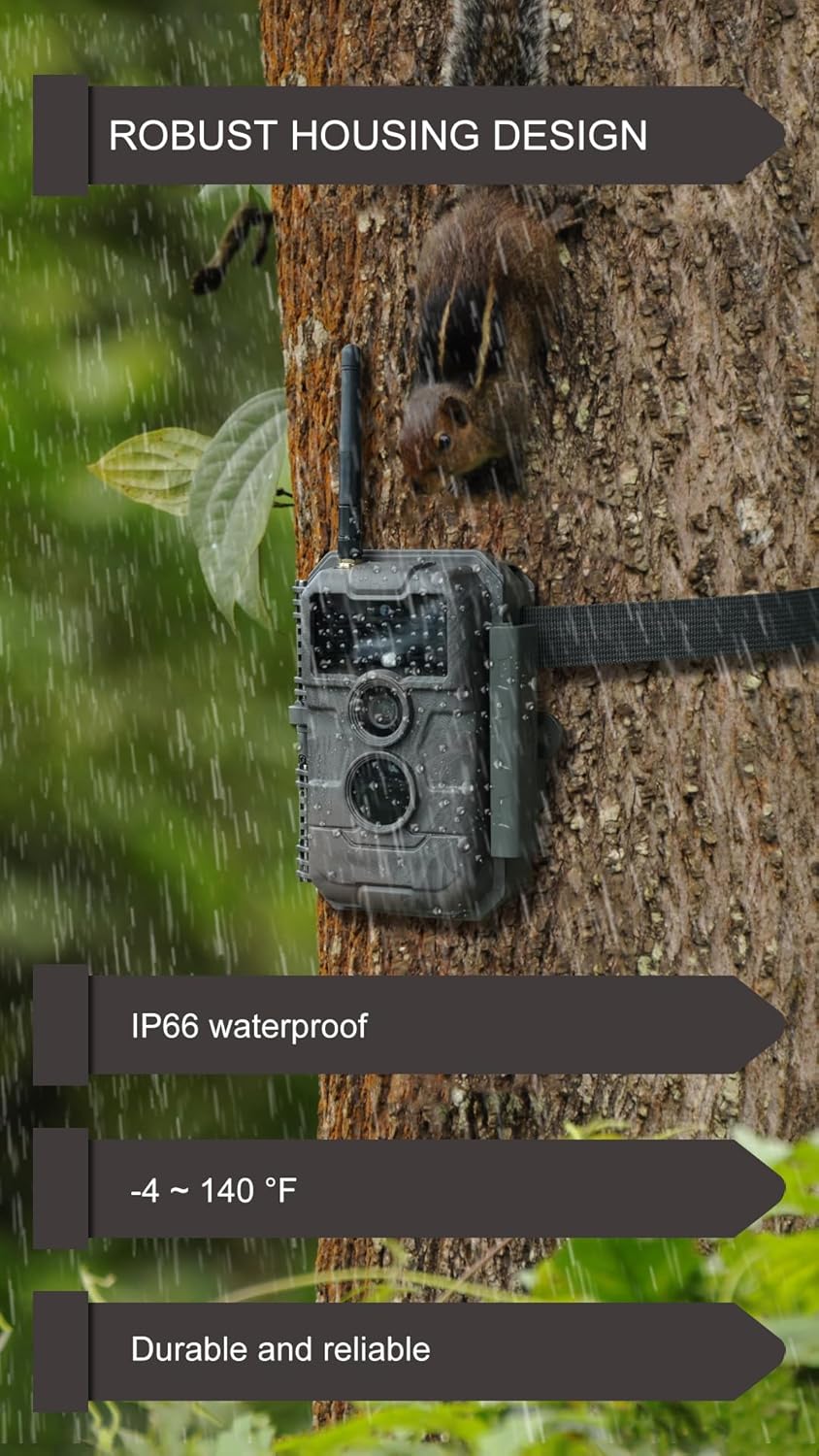
Image: The GardePro E6P camera mounted on a tree during rainfall, demonstrating its robust housing design and IP66 waterproof rating for outdoor use.
Cleaning:
- Wipe the camera body with a soft, damp cloth.
- For the lens, use a specialized lens cleaning cloth and solution to avoid scratches.
- Ensure the external antenna and ports are free from debris.
Storage:
When not in use for extended periods, store the camera in a cool, dry place. Remove the battery pack if storing for several months to prevent potential damage.
5. Troubleshooting
| Issue | Possible Cause | Solution |
|---|---|---|
| Camera not powering on | Low or uncharged battery; incorrect battery installation. | Charge the battery pack fully. Ensure the battery is inserted correctly with proper polarity. |
| Poor image/video quality | Dirty lens; low light conditions; incorrect settings. | Clean the lens. Ensure adequate lighting or adjust night vision settings. Check resolution settings. |
| No motion detection | PIR sensitivity too low; obstruction in detection zone; incorrect mounting angle. | Increase PIR sensitivity. Clear any obstructions. Adjust camera angle to cover desired area. |
| WiFi connection issues | Too far from camera; app not updated; interference. | Move closer to the camera (within 45ft recommended). Update the GardePro app. Minimize other wireless interference. |
| SD card error | Incorrectly inserted; incompatible card; full card; corrupted card. | Reinsert the SD card. Use a compatible SDHC/SDXC card (up to 512GB). Format the SD card in the camera. Replace if corrupted. |
6. Technical Specifications
| Feature | Specification |
|---|---|
| Model | E6P Camo |
| Image Resolution | 48 Megapixels |
| Video Resolution | 1296p (H.264) |
| Trigger Speed | 0.2 seconds |
| Night Vision Range | 75 feet (22.8 meters) |
| IR Type | 940nm No-Glow Infrared LEDs |
| Detection Distance | 75 feet (22.8 meters) |
| Viewing Angle | 110 degrees |
| Battery Type | 8000mAh Rechargeable Lithium Battery Pack (included) |
| External Power Option | Compatible with solar panel (sold separately) |
| Storage | Supports up to 512GB SDHC/SDXC card (not included) |
| Display Screen | 2.4-inch Color Screen |
| Connectivity | WiFi, Bluetooth (via dedicated app) |
| Waterproof Rating | IP66 |
| Operating Temperature | -4°F to 140°F (-20°C to 60°C) |
| Mounting Type | Tree Mount, Wall Mount |
| Item Weight | 1.65 pounds |
7. Warranty and Support
GardePro products are manufactured to high quality standards. For warranty information, technical support, or any inquiries regarding your E6P Trail Camera, please refer to the official GardePro website or contact their customer service directly. Keep your purchase receipt for warranty claims.
For further assistance, you may visit the GardePro Store on Amazon.


