
Introduction
This instruction manual provides detailed guidance for installing and operating your LocoLee LED Lighting Kit, specifically designed to enhance the LEGO 10315 Tranquil Garden model. This kit will bring your LEGO creation to life with vibrant illumination. Please note that the LEGO model itself is not included with this lighting kit.
Safety Information
- Always handle LED components with care. Avoid excessive force, bending, or shaking, as this can damage the delicate wires and lights.
- Ensure the power source is appropriate. The kit can be powered by 3x AAA batteries or via USB. For brighter effects, USB power is recommended.
- The voltage for the USB power supply must be less than 1A 5V to prevent damage to the lighting kit.
- Keep small parts out of reach of young children to prevent choking hazards.
- Do not attempt to modify the electrical components of the kit.
Package Contents
Before beginning installation, please verify that all components listed below are present in your package. Refer to the image for visual confirmation of the parts.

Image: Overview of the LocoLee LED Lighting Kit components, including LED strips, connecting cables, an expansion board, a remote control, and a power supply unit.
- LED Light Strips (Warm White, Green)
- LED Light Strings (Warm White)
- Connecting Cables (various lengths, e.g., 20cm, 50cm)
- Expansion Boards
- Remote Control (for remote control version)
- Battery Box (requires 3x AAA batteries, not included) or USB Power Cable
- Instruction Manual (photo guide)
Setup and Installation
Follow these steps carefully to install your LED lighting kit. A detailed photo guide is included with your kit to assist with the step-by-step process.
- Prepare Your LEGO Model: Ensure your LEGO 10315 Tranquil Garden model is fully assembled and stable before beginning the lighting installation.
- Identify Components: Familiarize yourself with the different types of LED lights and connecting cables provided. The photo guide will indicate where each light type should be placed.
- Route Wires Carefully: Gently route the thin wires between LEGO bricks and plates. Avoid pinching or sharply bending the wires, as this can cause damage. The wires are designed to fit within the LEGO structure.
- Connect Lights to Expansion Boards: Connect the LED lights to the expansion boards as directed in the photo guide. Ensure connections are secure but do not force them.
- Connect Expansion Boards: Use the connecting cables to link the expansion boards together and to the main power source connector.
- Integrate Lights into Model: Place the LED lights into the designated areas of your LEGO model, such as under leaves, inside structures, or along pathways, as shown in the photo guide.
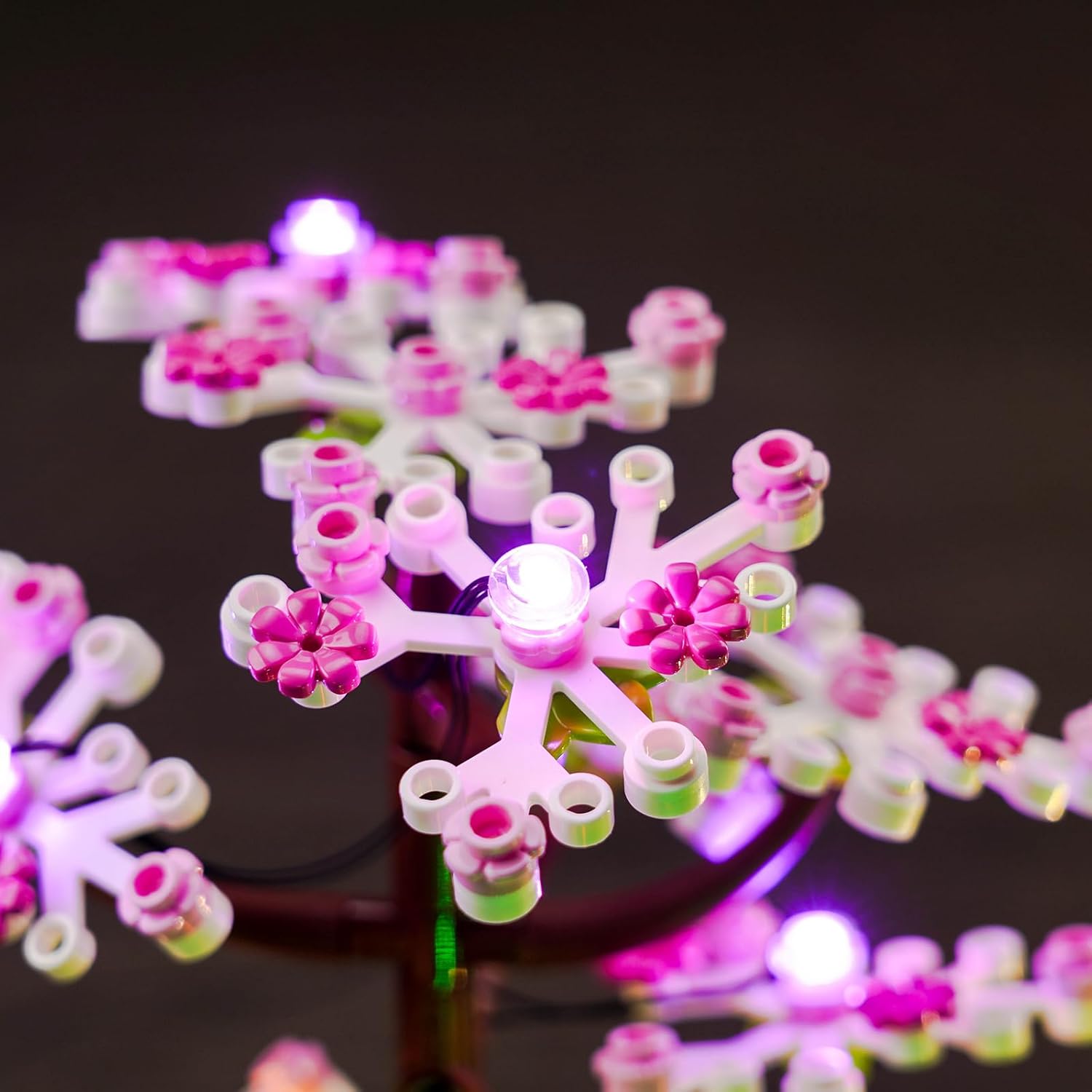
Image: Detailed view of LED lights integrated into the cherry blossom tree of the LEGO Tranquil Garden model.

Image: Detailed view of LED lights integrated into the bamboo section of the LEGO Tranquil Garden model.
Operating Instructions
Once the lighting kit is installed, follow these steps to power on and operate your lights.
- Power Connection:
- USB Power: Connect the USB power cable to an appropriate USB power adapter (not included) or a USB port on a computer. Ensure the voltage is less than 1A 5V.
- Battery Power: Insert 3x AAA batteries (not included) into the battery box, ensuring correct polarity. Connect the battery box to the main power connector of the lighting kit.
- Turning On/Off:
- If using a remote control (included with remote control version), press the "ON" button to activate the lights and "OFF" to turn them off.
- If not using a remote, the lights will typically turn on automatically when power is supplied. Disconnect power to turn off.
- Remote Control Functions (if applicable): Use the remote control to adjust brightness, change light modes (if available), or select specific colors. Refer to the remote control's specific button functions in the photo guide.

Image: The LEGO Tranquil Garden model fully lit by the LocoLee LED kit, demonstrating the overall effect and showing the remote control for operation.
Maintenance
To ensure the longevity and optimal performance of your LED lighting kit, consider the following maintenance tips:
- Cleaning: Gently dust the LED lights and wires with a soft, dry cloth. Avoid using liquid cleaners directly on the electrical components.
- Storage: If you need to store your LEGO model with the lighting kit, ensure it is in a dry, cool place, away from direct sunlight and extreme temperatures.
- Battery Replacement: If using battery power, replace all 3 AAA batteries simultaneously when the lights dim or stop working. Do not mix old and new batteries.
Troubleshooting
If you encounter any issues with your LocoLee LED Lighting Kit, please refer to the following common troubleshooting steps:
- Lights Not Turning On:
- Check all power connections. Ensure the USB cable is securely plugged in or that batteries are correctly inserted and not depleted.
- Verify that the power source (USB adapter or batteries) is functional.
- If using a remote, ensure the remote's battery is working and that you are within range.
- Some Lights Not Working:
- Inspect the connections to the expansion board for the non-working lights. Re-seat any loose connections.
- Check for any pinched or broken wires. If a wire is damaged, contact customer support for assistance.
- Lights are Dim:
- If using batteries, they may be low. Replace them with fresh ones.
- For brighter output, use a USB power source instead of batteries.
- If using a remote, ensure the brightness setting is at its maximum.
If these steps do not resolve your issue, please contact LocoLee customer support for further assistance.
Specifications
| Brand | LocoLee |
| Model Number | 10315 |
| Package Dimensions | 15.3 x 10.3 x 4 cm; 150 grams |
| Material | Plastic (ABS) |
| Light Source Type | LED |
| Power Source | Cable Electric (USB) or 3x AAA Batteries |
| Voltage | 5 Volts |
| Batteries Included | No |
| Components Included | LocoLee LED Lighting Kit |
Warranty and Support
LocoLee is committed to providing high-quality products and excellent customer service. If you have any questions or require assistance with your LED lighting kit, please do not hesitate to contact us.
- Customer Support: We aim to respond to your inquiries as soon as possible, typically within 12 hours, to resolve any issues and provide a satisfactory answer.
- Contact Information: Please refer to the contact details provided on the product packaging or the retailer's website for the most up-to-date support channels.