
1. Introduction
This manual provides essential instructions for the proper use and maintenance of your Sinocare Safe Accu2 Blood Glucose Monitoring System. Please read this manual thoroughly before using the device to ensure accurate results and safe operation. This system is designed for self-testing by individuals with diabetes for monitoring blood glucose levels.
The Sinocare Safe Accu2 system offers:
- Accurate and Easy to Use: No coding required for the test strip. Provides results in just 10 seconds with a 0.6 microliter blood sample volume. The test strip features high conductivity for accurate results. Dehydrogenase technology prevents interference from oxygen, xylose, and other factors.
- Powerful and Advanced Features: Large, clear display with light alerts. Stores up to 200 test results and can display 7-day, 14-day, and 30-day average data, helping you monitor blood glucose trends.
- Convenient for Daily Use: Sinocare blood glucose products are designed for convenient daily monitoring of blood sugar levels.
2. Product Components
The Sinocare Safe Accu2 Blood Glucose Meter Kit includes the following components:
- Sinocare Safe Accu2 Glucometer
- Test Strips (quantity as per kit variant, e.g., 50)
- Lancets (quantity as per kit variant, e.g., 50)
- Painless Lancing Device
- Carrying Case
- User Manual (this document)
- AAA Batteries (2, included)

Image 2.1: Complete Sinocare Safe Accu2 Blood Glucose Monitoring System kit, showing the glucometer, test strips, lancets, lancing device, and carrying case.
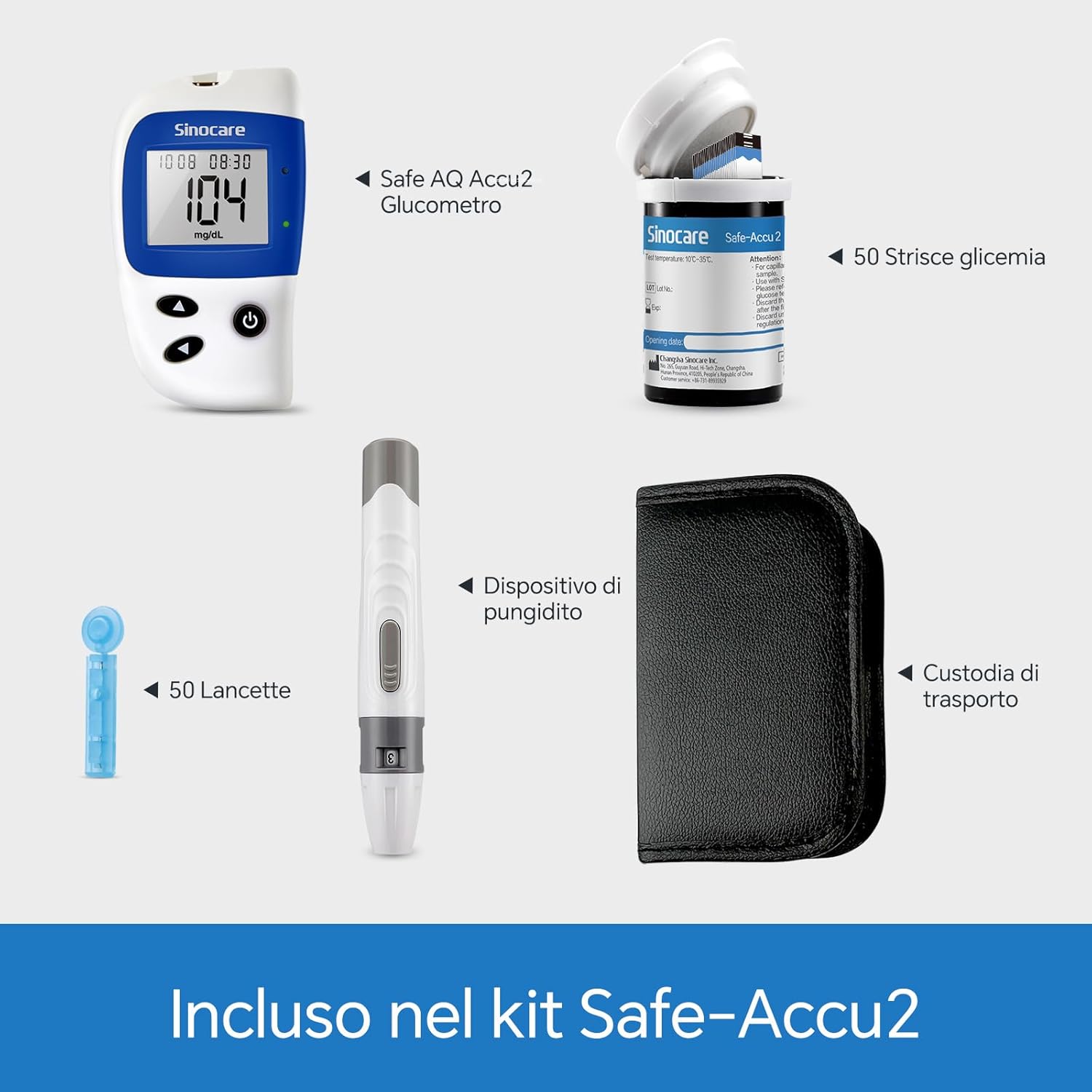
Image 2.2: Labeled components of the Sinocare Safe Accu2 kit, including the Safe AQ Accu2 Glucometer, 50 blood glucose strips, 50 lancets, lancing device, and carrying case.
3. Setup
- Insert Batteries: Open the battery compartment on the back of the glucometer. Insert two AAA batteries (included), ensuring correct polarity. The display will remain off after insertion.
- Initial Configuration (Date/Time): For first use, press and hold the down arrow button for over 3 seconds. This will access the configuration menu for setting the year, date, and time.
- Navigate and Confirm: Use the up or down arrow buttons to adjust values. Confirm each setting with a short press of the round button.
- Ready for Use: After completing the configuration, the display will turn off, indicating the device is ready for blood glucose measurement.
4. Operating Instructions
4.1 Performing a Blood Glucose Test
- Prepare Lancing Device: Load a fresh lancet into the lancing device according to its specific instructions.
- Insert Test Strip: Insert a new test strip into the top central slot of the glucometer. The display will turn on, and a flashing blood drop icon will appear, indicating it's ready for a blood sample.
- Obtain Blood Sample: Use the lancing device to obtain a small drop of blood from your fingertip.
- Apply Blood Sample: Touch the tip of the test strip to the blood drop. The strip will draw the blood sample automatically.
- Read Results: A 10-second countdown will begin. After the countdown, your blood glucose reading will appear on the display.
- Eject Test Strip: Use the eject button on the back of the device to safely dispose of the used test strip. The display will turn off.
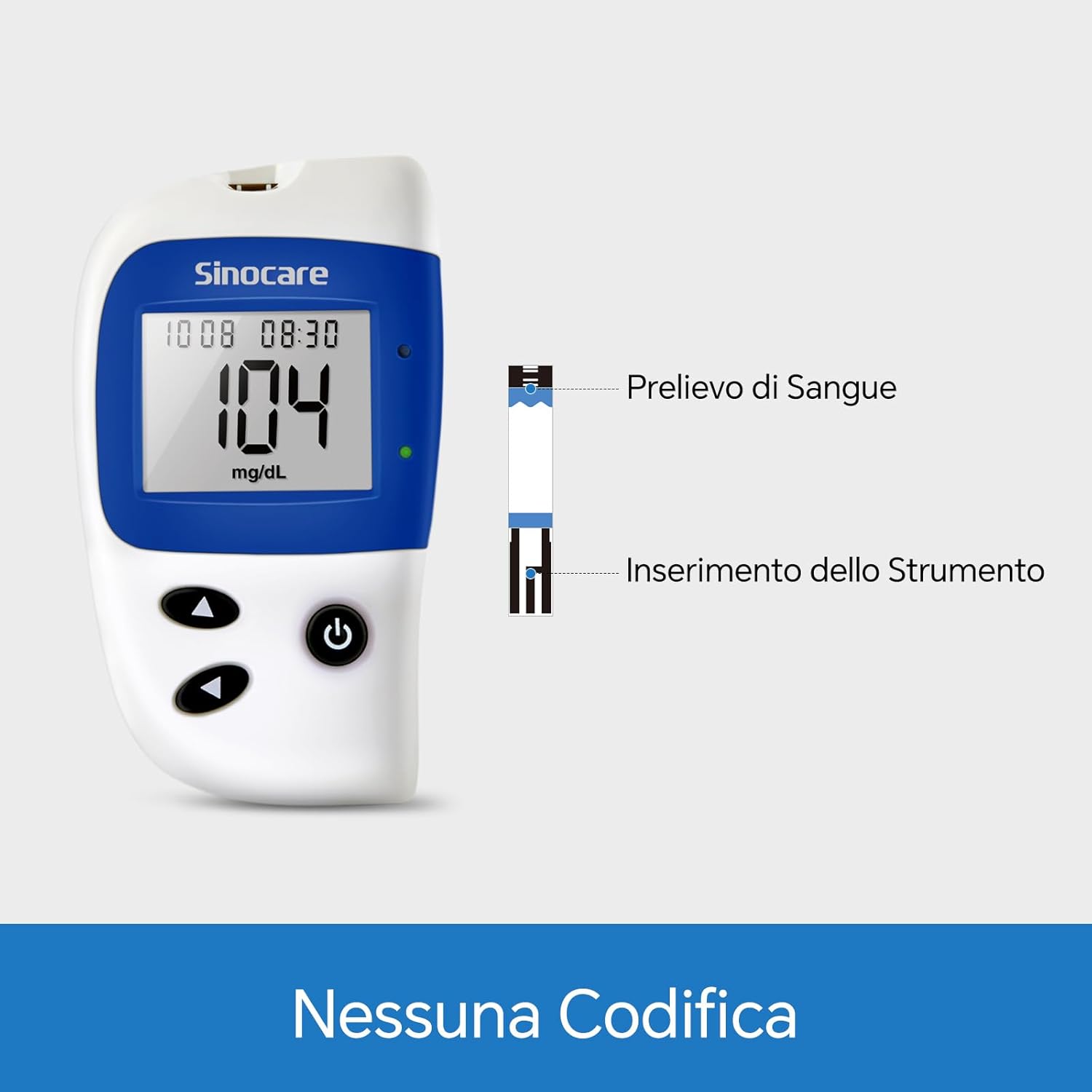
Image 4.1: Illustration of the no-coding feature, showing how to apply a blood sample and insert the test strip into the glucometer.
4.2 Understanding Your Results
The Sinocare Safe Accu2 glucometer provides visual cues based on your blood glucose levels:
- Red Light: Indicates a blood glucose reading greater than 250 mg/dL or less than 70 mg/dL. This suggests levels outside the target range.
- Green Light: Indicates a blood glucose reading between 70 mg/dL and 126 mg/dL (inclusive). This suggests levels within the target range.
- No Light: Indicates a blood glucose reading between 126 mg/dL and 250 mg/dL (inclusive). This suggests levels that may require attention.

Image 4.2: Visual guide to blood glucose readings on the Sinocare Safe Accu2 display, indicating red, green, or no light based on glucose levels.
4.3 Viewing Measurement History
To review your stored blood glucose readings:
- Press and hold the round button for over 3 seconds to enter the history mode.
- Use the up or down arrow buttons to navigate through past measurements.
- To exit the history mode and turn off the device, press and hold the round button for over 3 seconds again.
5. Maintenance
- Cleaning: Wipe the glucometer exterior with a soft, damp cloth. Do not immerse the device in water or use harsh cleaning agents.
- Storage: Store the glucometer, test strips, and lancets in a cool, dry place, away from direct sunlight and extreme temperatures. Keep them in the provided carrying case for protection.
- Test Strip Handling: Always store test strips in their original vial and close the cap immediately after removing a strip. Do not use expired test strips.
- Battery Replacement: Replace batteries when the low battery indicator appears on the display.
6. Troubleshooting
If you encounter issues with your Sinocare Safe Accu2 system, consider the following:
- Inaccurate Readings:
- Ensure test strips are not expired and are stored correctly.
- Verify that the blood sample size is adequate (0.6 microliters).
- Avoid using the same blood drop for multiple tests.
- If you suspect significant inaccuracy (e.g., a 20% deviation from laboratory results), consult a healthcare professional and contact Sinocare customer service. The World Health Organization allows for a glucometer error margin of up to 20%.
- Device Not Turning On: Check battery insertion and ensure batteries are not depleted. Replace if necessary.
- Error Messages: Refer to the specific error codes in the full manual (if available) or contact customer support.
7. Specifications
| Feature | Specification |
|---|---|
| Brand | Sinocare |
| Model Name | Safe Accu2 |
| Item Model Number | Misuratore Glicemia 50 |
| Test Time | 10 seconds |
| Blood Sample Volume | 0.6 microliters |
| Memory Capacity | 200 test results (with 7, 14, 30-day averages) |
| Battery Type | Alkaline (2x AAA) |
| Dimensions (Package) | 17.6 x 16.7 x 5.4 cm |
| Weight (Package) | 390 grams |
| Country of Origin | China |
| GTIN | 00810166322300 |
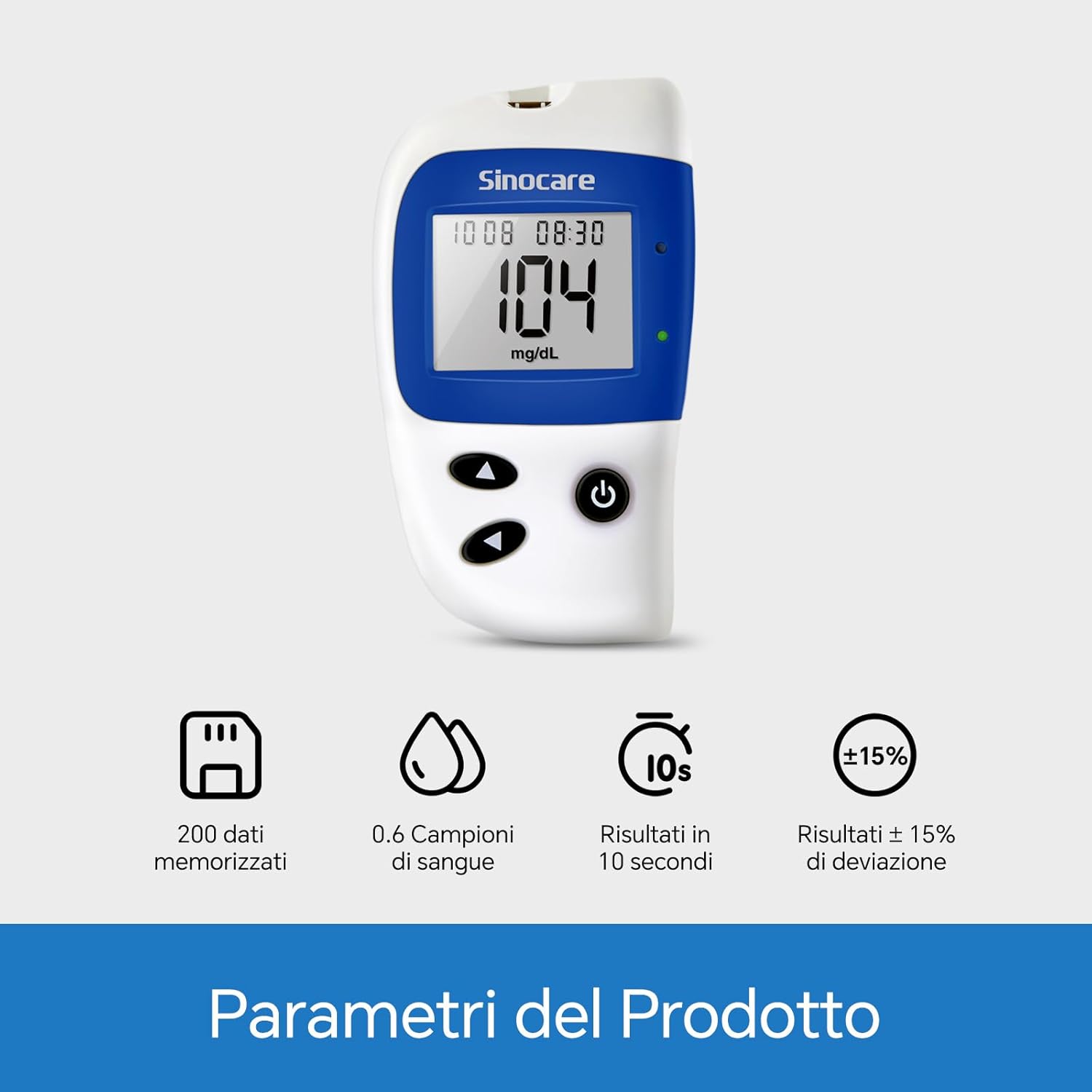
Image 7.1: Key product parameters for the Sinocare Safe Accu2, highlighting memory, sample volume, test time, and accuracy deviation.
8. Warranty and Support
Sinocare is committed to providing quality and accuracy. If you experience any issues with your Sinocare Safe Accu2 Blood Glucose Monitoring System, or if you find that the test strips you purchased do not match your device, please contact Sinocare customer service for assistance with returns, exchanges, or refunds.
For support, please refer to the contact information provided with your product packaging or visit the official Sinocare website.

Image 8.1: Sinocare's commitment to quality and accuracy, emphasizing over 22 years of experience in providing reliable diabetes monitoring solutions.


