
1. Introduction
This manual provides instructions for the proper use and maintenance of your LEMOISTAR Remote Control, designed specifically for LEMOISTAR FW1 and FW2 series wall mount fans. Please read this manual thoroughly before operating the device to ensure safe and efficient use.
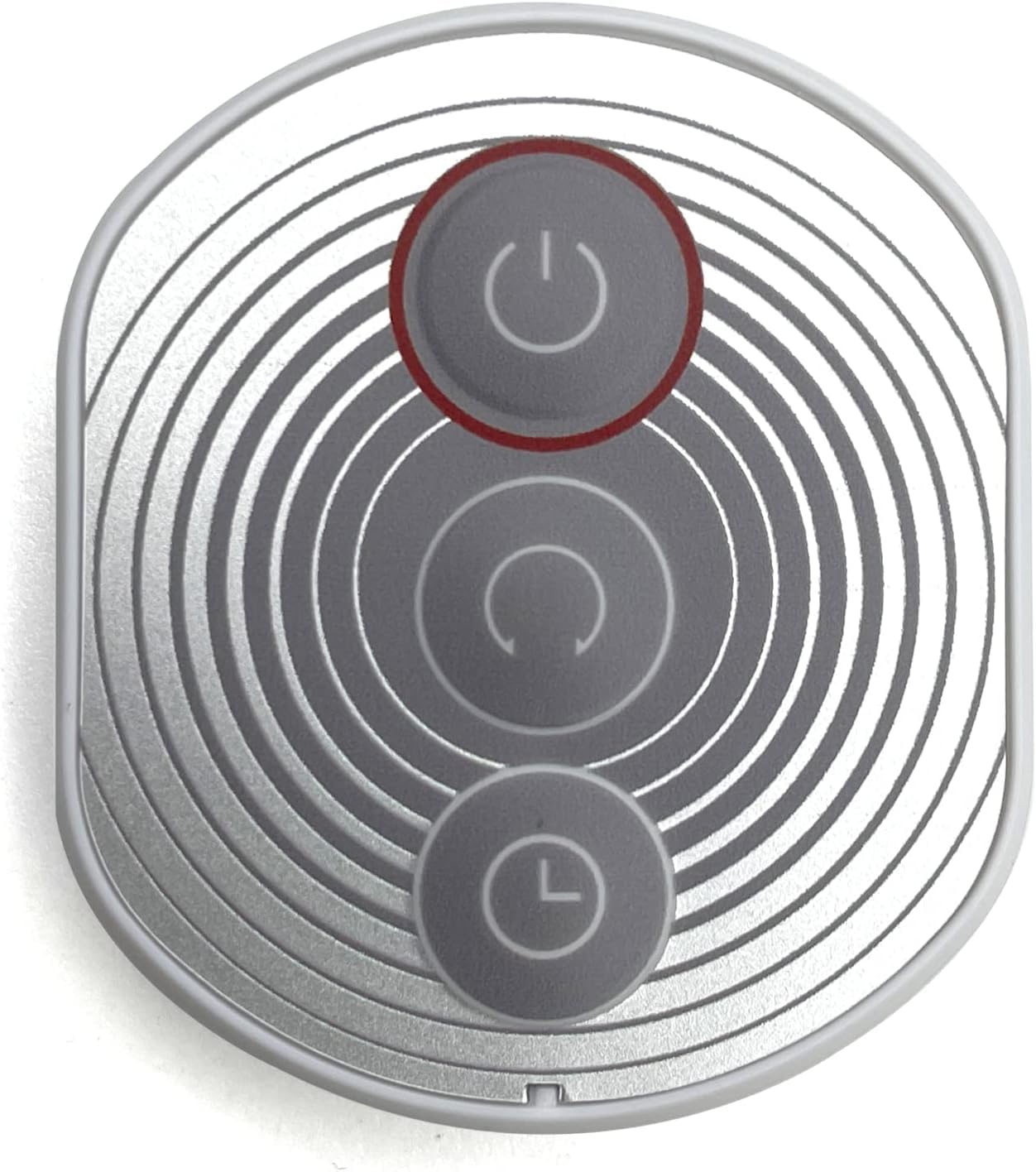
Image 1.1: The LEMOISTAR wall mount fan with its accompanying remote control.
2. Product Overview
The LEMOISTAR Remote Control (Model A1) is an infrared device designed to provide convenient control over your FW1 or FW2 wall mount fan. It features three primary buttons for fan operation.
Remote Control Features:
- Switch/Speed Button: Powers the fan on/off and cycles through speed settings.
- Oscillate Button: Activates or deactivates the fan's oscillation function.
- Timing Button: Sets the fan's timer function for automatic shut-off.

Image 2.1: Illustration of the remote control and its three primary function buttons.
The remote control can be conveniently stored on the fan's head when not in use, ensuring it is always within reach.

Image 2.2: The remote control magnetically attached to the center of the fan's head for storage.
3. Setup
3.1 Battery Installation
- Locate the battery compartment on the back of the remote control.
- Open the battery compartment cover.
- Insert the included nonstandard battery, ensuring the correct polarity (+/-) as indicated inside the compartment.
- Close the battery compartment cover securely.
3.2 Pairing (If Necessary)
The remote control is typically pre-paired with compatible LEMOISTAR FW1 and FW2 wall mount fans. If the remote does not respond to your fan, follow these steps to attempt pairing:
- Ensure the fan is powered on and plugged into an electrical outlet.
- Point the remote control directly at the fan's receiver (usually located near the control panel on the fan unit).
- Press and hold the 'Switch/Speed' button on the remote for approximately 5-7 seconds until you hear a beep or see a visual confirmation (e.g., fan light blinks).
- Release the button and test the remote's functions. If pairing is unsuccessful, repeat the steps or consult the fan's specific manual for pairing instructions.
4. Operating Instructions
Ensure the remote control is pointed towards the fan's receiver for optimal performance.
- Power On/Off and Speed Adjustment:
Press the Switch/Speed button once to turn the fan on. Subsequent presses will cycle through available fan speeds (e.g., Low, Medium, High). Press and hold to turn the fan off. - Oscillation Control:
Press the Oscillate button to start the fan's horizontal oscillation. Press it again to stop oscillation. - Timer Function:
Press the Timing button to set an automatic shut-off timer. Each press will cycle through available timer settings (e.g., 1 hour, 2 hours, 4 hours, 8 hours). The fan will automatically turn off after the selected duration.
5. Maintenance
- Cleaning: Wipe the remote control with a soft, dry cloth. Do not use liquid cleaners or abrasive materials.
- Battery Replacement: Replace the battery when the remote's range decreases or it stops responding. Refer to Section 3.1 for battery installation instructions.
- Storage: Store the remote control in a cool, dry place. When not in use for extended periods, it is recommended to remove the battery to prevent leakage.
6. Troubleshooting
| Problem | Possible Cause | Solution |
|---|---|---|
| Remote control not responding to the fan. |
|
|
| Fan only responds intermittently. |
|
|
7. Specifications
- Model: A1
- Brand: LEMOISTAR
- Compatible Devices: LEMOISTAR FW1 and FW2 Wall Mount Fans
- Connectivity Technology: Infrared
- Button Quantity: 3
- Controller Type: Button Control
- Battery Type: 1 x Nonstandard Battery (included)
- Product Dimensions: 0.99 x 3.99 x 4.06 cm
- Weight: 18.14 g
- UPC: 740283689997
8. Warranty and Support
LEMOISTAR products are manufactured to high-quality standards. For warranty information or technical support, please refer to the documentation included with your LEMOISTAR wall mount fan or visit the official LEMOISTAR website. Keep your purchase receipt as proof of purchase for any warranty claims.
For further assistance, you may contact LEMOISTAR customer service through the contact information provided on their official website or through your retailer.