
1. Introduction
This manual provides instructions for the assembly, operation, maintenance, and troubleshooting of your FLEXISPOT E6 Pro Electric Standing Desk. Please read this manual thoroughly before use to ensure proper function and safety.

Figure 1: FLEXISPOT E6 Pro Electric Standing Desk
2. Safety Information
Important Safety Precautions:
- Ensure the desk is properly anchored to the wall or floor when height is adjusted, especially if loading heavy items.
- Keep children and pets away from the desk during operation to prevent injury from moving parts.
- Do not place hands or other body parts near the lifting mechanism while the desk is in motion.
- Do not overload the desk. Refer to the specifications section for maximum weight capacity.
- Only use the provided power adapter and components.
- If any unusual sounds or movements occur, immediately stop operation and unplug the desk.
3. Assembly Instructions
Assembly is required for this product. It is recommended to have two people for assembly due to the weight and size of the components. All necessary hardware and tools are typically included. Follow the steps below for a smooth assembly process.
3.1 Unpacking and Preparation
- Carefully open the packaging and remove all components.
- Verify all parts are present against the included parts list.
- Lay out all components on a soft, clean surface to prevent scratches.
3.2 Frame Assembly
Attach the desk legs to the crossbar and feet. Ensure all screws are tightened securely.
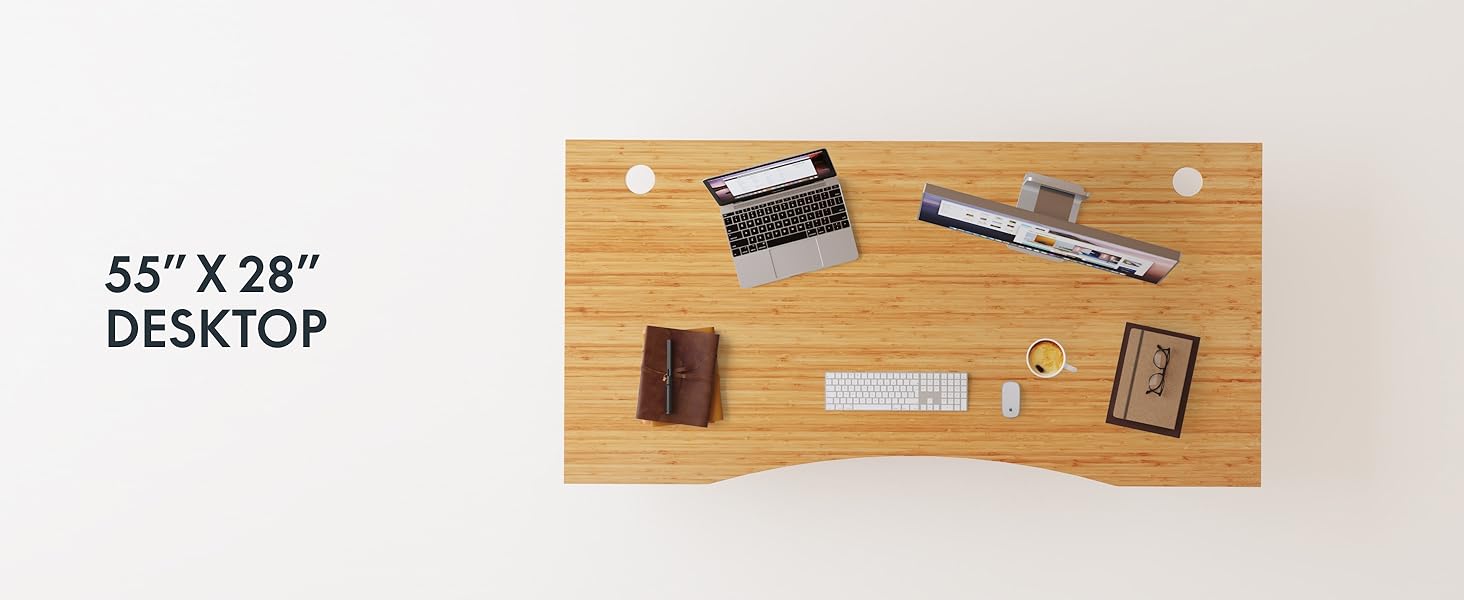
Figure 2: Desk Frame Assembly
3.3 Desktop Attachment
Carefully place the bamboo desktop onto the assembled frame. Align the pre-drilled holes and secure the desktop with the provided screws. The desktop features a curved design for ergonomic comfort.

Figure 3: Curved Bamboo Desktop
3.4 Control Panel and Cable Management
Mount the digital control panel to the underside of the desk. Connect all motor and power cables according to the diagram. Utilize the integrated cable management holes to organize wires and prevent clutter.

Figure 4: Control Panel and Cable Management

Figure 5: Cable Management Hole
4. Operating Instructions
The FLEXISPOT E6 Pro desk features a user-friendly digital control panel for height adjustment and memory presets.

Figure 6: Digital Control Panel
4.1 Adjusting Desk Height
- Press the Up Arrow button to raise the desk.
- Press the Down Arrow button to lower the desk.
- Release the button at your desired height.
4.2 Setting Memory Presets
The control panel allows you to save up to two preferred height settings.
- Adjust the desk to your desired height.
- Press the "M" button. The display will flash.
- Press either the "1" or "2" button within 3 seconds to save the current height to that preset.
- To recall a saved height, simply press the corresponding "1" or "2" button. The desk will automatically move to the saved position.
4.3 USB Charging Port
A USB port is integrated into the control panel for convenient charging of your devices.
4.4 Anti-Collision Function
The desk is equipped with an anti-collision system that automatically stops and slightly reverses movement if it encounters an obstruction during height adjustment. This feature helps prevent damage and injury.

Figure 7: Anti-Collision System in action
5. Maintenance
Regular maintenance ensures the longevity and optimal performance of your standing desk.
- Cleaning: The bamboo desktop has a smooth, waterproof surface, making it easy to clean. Use a soft, damp cloth with mild soap to wipe down the surface. Avoid abrasive cleaners or harsh chemicals.
- Inspection: Periodically check all screws and connections to ensure they are tight. Retighten if necessary.
- Cable Management: Ensure cables are neatly organized and not pinched or tangled, which could affect desk operation.

Figure 8: Waterproof Bamboo Surface
6. Troubleshooting
If you encounter issues with your FLEXISPOT E6 Pro desk, refer to the following common problems and solutions:
| Problem | Possible Cause | Solution |
|---|---|---|
| Desk does not move. | Power cable disconnected, control panel locked, or motor error. | Check power connections. Unlock control panel if applicable. Unplug for 10 seconds and plug back in to reset. |
| Uneven height adjustment. | Uneven load, loose connections, or motor synchronization issue. | Ensure weight is evenly distributed. Check all frame connections. Perform a reset procedure (refer to full manual if available). |
| Desk stops unexpectedly. | Anti-collision system activated, or overload. | Check for obstructions. Reduce weight on the desk if exceeding maximum capacity. |
| Noise during operation. | Loose components or normal motor sound. | Tighten all screws. A low hum from the dual motors (less than 45 dB) is normal. |
If the problem persists, please contact FLEXISPOT customer support.
7. Specifications
| Feature | Detail |
|---|---|
| Brand | FLEXISPOT |
| Model Number | ET365 |
| Product Dimensions | 77.9"D x 29.5"W x 23.6"H |
| Desktop Size | 78"x30" Whole-piece |
| Color | Black Frame + Curved Bamboo Top |
| Base Material | Metal |
| Top Material Type | Wood (Bamboo) |
| Lifting Mechanism | Electric Dual Motor |
| Minimum Height | 23.6 Inches |
| Maximum Height | 48.8 Inches |
| Maximum Weight Recommendation | 352 Pounds |
| Noise Level | Less than 45 dB |
| Required Assembly | Yes |
8. Warranty & Support
8.1 Warranty Information
FLEXISPOT provides the following warranty coverage for your E6 Pro Electric Standing Desk:
- 10-Year Coverage: Desk frame and motor.
- 2-Year Coverage: Control panel and electronics.
This warranty covers manufacturing defects and malfunctions under normal use. Please retain your proof of purchase for warranty claims.
8.2 Customer Support
For any assistance, questions, or warranty claims, please contact FLEXISPOT customer support. You can find more information and contact details on the official FLEXISPOT website or through your purchase platform.
Visit the official FLEXISPOT Store: FLEXISPOT Store on Amazon