
1. Product Overview
The Manba Mini Wireless Controller is a compact and portable gaming device designed for classic and retro games. Its small size makes it convenient for on-the-go use. This controller offers multi-platform compatibility, supporting various operating systems and gaming consoles.
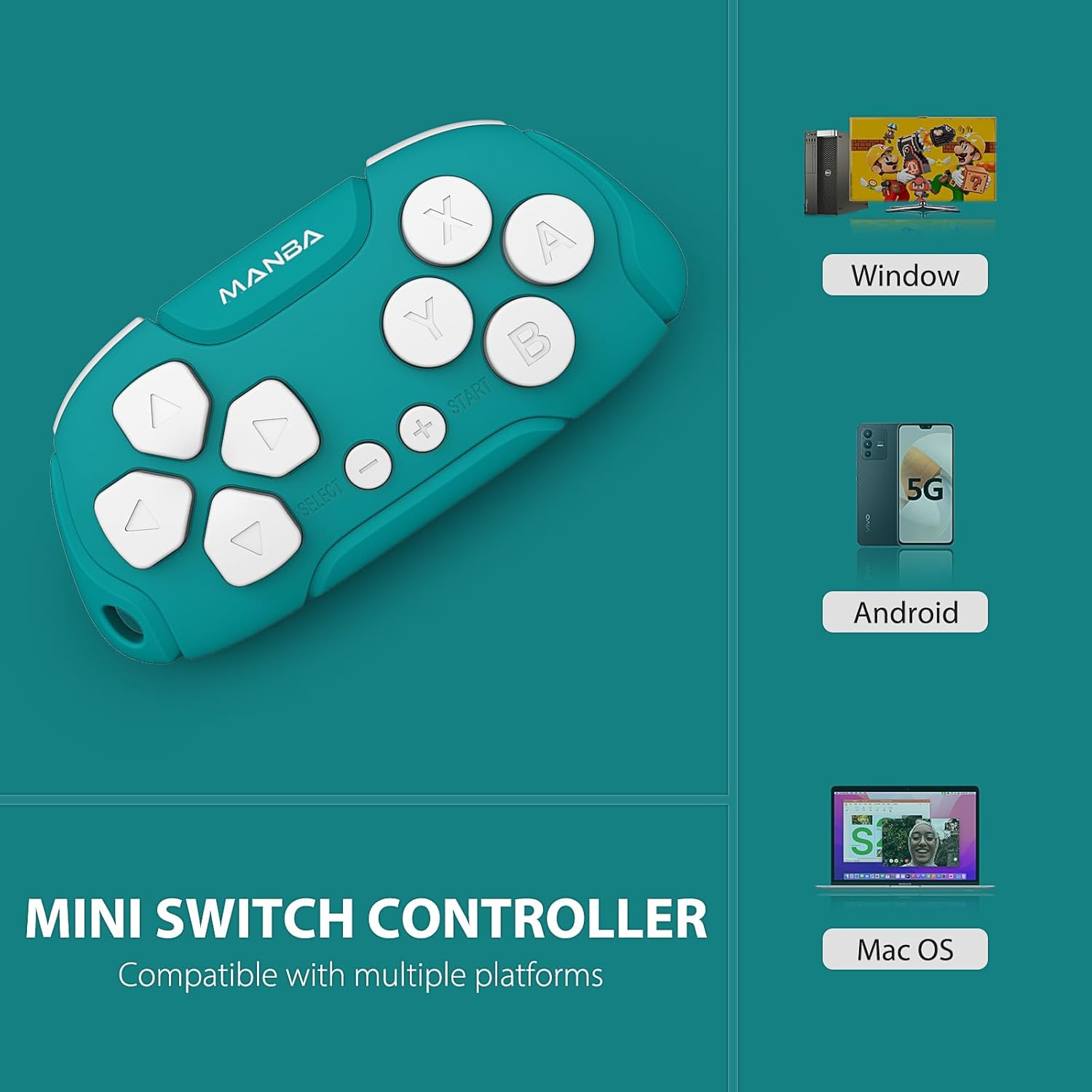
Image 1.1: Manba Mini Wireless Controller compatible with multiple platforms.
Beyond gaming, the controller can function in keyboard mode, making it suitable for applications like Anki (with remapping) and Clip Studio Paint, transforming it into a compact shortcut device.
2. Package Contents
Verify that all items are present in your package:
- 1 × Manba Mini Wireless Controller
- 1 × Micro-USB Charging Cable
- 1 × Instruction Manual (this document)
3. Setup and Connection
3.1 Charging the Controller
Before first use, fully charge the controller. Connect the provided micro-USB cable to the controller's charging port and the other end to a USB power source (e.g., computer USB port, USB wall adapter). The LED indicator will show charging status and turn off when fully charged. A full charge typically takes 1-2 hours and provides approximately 8 hours of play time.
3.2 Powering On/Off
- To Power On: Press and hold the START button for a few seconds until the indicator light illuminates.
- To Power Off: Press and hold the START button for a few seconds until the indicator light turns off. The controller will also automatically power off after a period of inactivity.
3.3 Pairing with Devices
The Manba Mini Wireless Controller supports various connection modes for different platforms. Refer to the specific instructions below for your device.
3.3.1 Nintendo Switch / Switch Lite / Switch OLED

Image 3.1: Controller compatibility with Nintendo Switch models.
- On your Nintendo Switch, go to the HOME Menu.
- Select Controllers > Change Grip/Order.
- On the Manba Mini Controller, press and hold the Y + START buttons simultaneously until the LED indicator starts flashing rapidly.
- Once the controller appears on the Switch screen and the LED indicator becomes solid, the pairing is complete.
3.3.2 Windows (X-input)
- On the Manba Mini Controller, press and hold the X + START buttons simultaneously until the LED indicator starts flashing rapidly.
- On your Windows PC, go to Bluetooth & other devices settings.
- Select Add Bluetooth or other device > Bluetooth.
- Select the controller from the list of available devices.
- Once connected, the LED indicator on the controller will become solid.
3.3.3 Android / MacOS
- On the Manba Mini Controller, press and hold the A + START buttons simultaneously until the LED indicator starts flashing rapidly.
- On your Android device or Mac, go to Bluetooth settings.
- Enable Bluetooth and search for new devices.
- Select the controller from the list of available devices.
- Once connected, the LED indicator on the controller will become solid.
4. Operating Instructions
4.1 General Gaming Use
The Manba Mini Wireless Controller is optimized for classic and retro games. It features a D-pad, action buttons (A, B, X, Y), and shoulder buttons (L, R). Familiarize yourself with the button layout for optimal gameplay.
4.2 Keyboard Mode for Productivity
In keyboard mode, the controller can be used as a shortcut remote for various applications. This is particularly useful for:
- Anki: For efficient flashcard review. Custom mapping may be required using software like Karabiner Elements on macOS.
- Clip Studio Paint: As a compact shortcut controller for digital art.

Image 4.1: Controller use with Anki for efficient study.
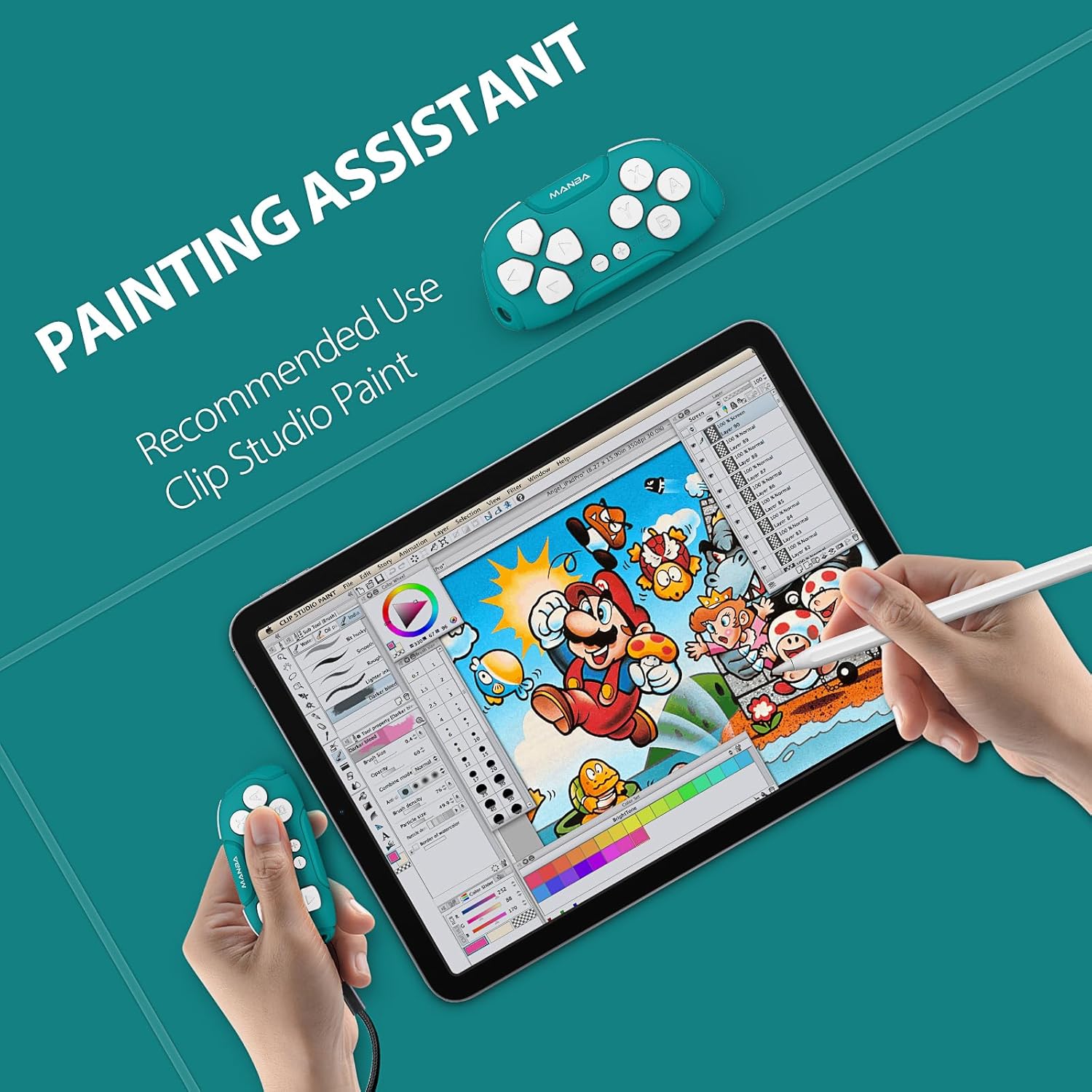
Image 4.2: Controller functioning as a painting assistant for Clip Studio Paint.
5. Care and Maintenance
To ensure the longevity and optimal performance of your Manba Mini Wireless Controller, follow these care guidelines:
- Cleaning: Use a soft, dry cloth to wipe the controller. For stubborn dirt, slightly dampen the cloth with water. Avoid harsh chemicals or abrasive cleaners.
- Storage: Store the controller in a cool, dry place away from direct sunlight and extreme temperatures.
- Avoid Drops: While durable, repeated drops can damage internal components. Handle with care.
- Liquid Exposure: Do not expose the controller to water or other liquids.
6. Troubleshooting
If you encounter issues with your Manba Mini Wireless Controller, refer to the following common problems and solutions:
- Controller Not Connecting/Pairing:
- Ensure the controller is fully charged.
- Verify that Bluetooth is enabled on your device.
- Make sure you are using the correct button combination for pairing with your specific platform (Y+START for Switch, X+START for Windows, A+START for Android/MacOS).
- Try restarting both the controller and your device.
- Remove any previous pairings of the controller from your device's Bluetooth settings and attempt to pair again.
- Buttons Not Responding Correctly:
- Ensure the controller is properly paired and connected.
- For keyboard mode applications like Anki, ensure any necessary remapping software (e.g., Karabiner Elements for macOS) is correctly configured.
- D-Pad Functionality: Note that the D-pad on this controller consists of four individual buttons, not a single connected piece with a pivot point like some traditional controllers. This means it is possible to press opposing directions simultaneously (e.g., left and right), which may affect performance in certain platformers or timing-sensitive games. This design is intentional for its versatility in keyboard mode but differs from standard gaming D-pads.
- Short Battery Life:
- Ensure the controller is being charged for the recommended 1-2 hours.
- Battery performance can degrade over time with extensive use.
- Ensure the controller is powered off when not in use to conserve battery.
7. Technical Specifications

Image 7.1: The compact size of the Manba Mini Wireless Controller.
| Manufacturer | Manba |
| Model | Mini Wireless Controller |
| ASIN | B0CFQJFQZG |
| Package Dimensions | 3.7 x 2.13 x 1.18 inches |
| Battery | 1 Lithium Polymer battery (included), 180 mAh capacity |
| Battery Life | Approximately 8 hours after 1-2 hours charging |
| Compatibility | Nintendo Switch, Windows (X-input), Android, macOS |
8. Warranty and Support Information
For warranty information or technical support, please refer to the documentation included with your purchase or visit the official Manba brand store. Contact details for customer service are typically provided on the manufacturer's website.
You can visit the Manba Store for more information: Manba Official Store