
OLEVS YPF-S-G9936-RH
OLEVS Mens Chronograph Watch User Manual
Model: YPF-S-G9936-RH
1. Introduction
This user manual provides comprehensive instructions for the OLEVS Mens Chronograph Waterproof Luminous Silicon Strap Multifunction Watch. Please read this manual carefully before using your watch to ensure proper operation and maintenance. Keep this manual for future reference.
2. Product Overview
The OLEVS Mens Chronograph Watch is a sophisticated timepiece designed for both business and sport. It features a multi-function quartz movement, chronograph sub-dials, luminous hands, and water resistance.
2.1 Key Features
- Multi-function Quartz Movement
- Chronograph (60min, 60sec, 24hr sub-dials)
- Luminous Hands & Calibration
- 30M (100FT) Water Resistance
- Durable Silicon Strap
- Business Calendar Function
2.2 Components
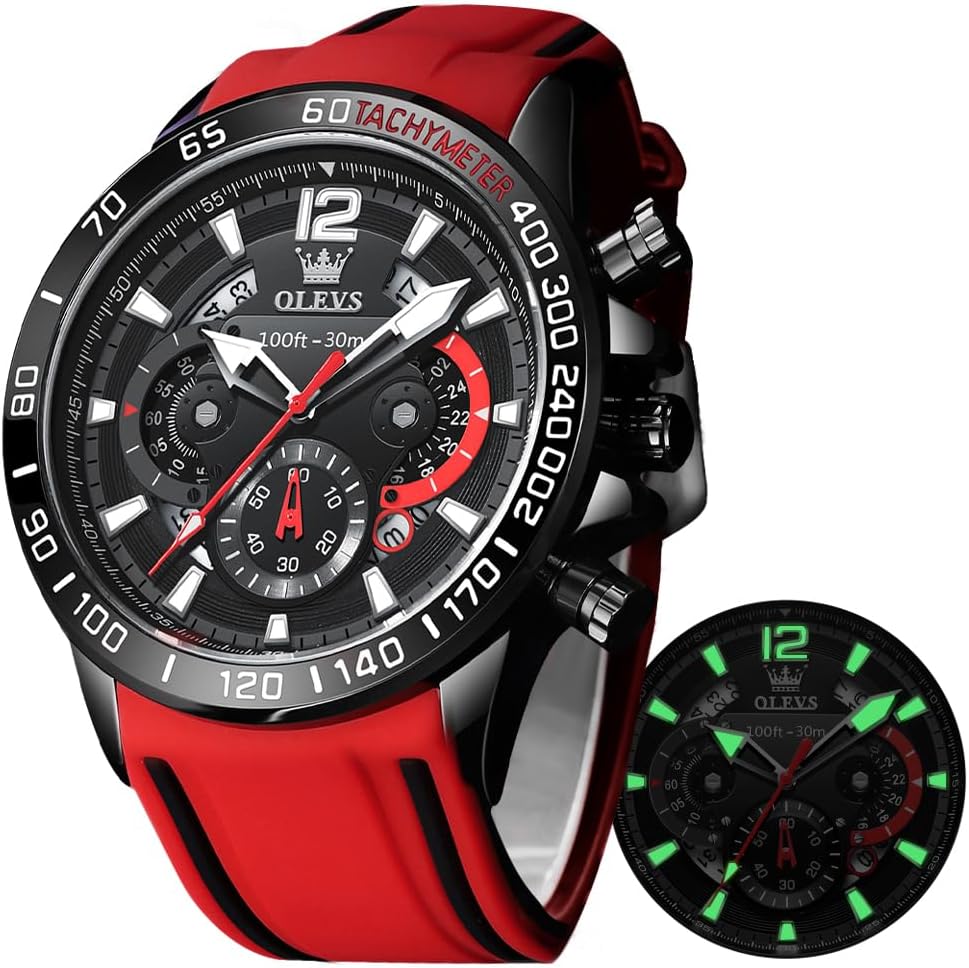
Figure 2.1: Front View of the Watch. This image displays the main watch face with its red silicone strap, black dial, and chronograph sub-dials. The luminous hands and hour markers are visible, along with the tachymeter scale on the bezel.
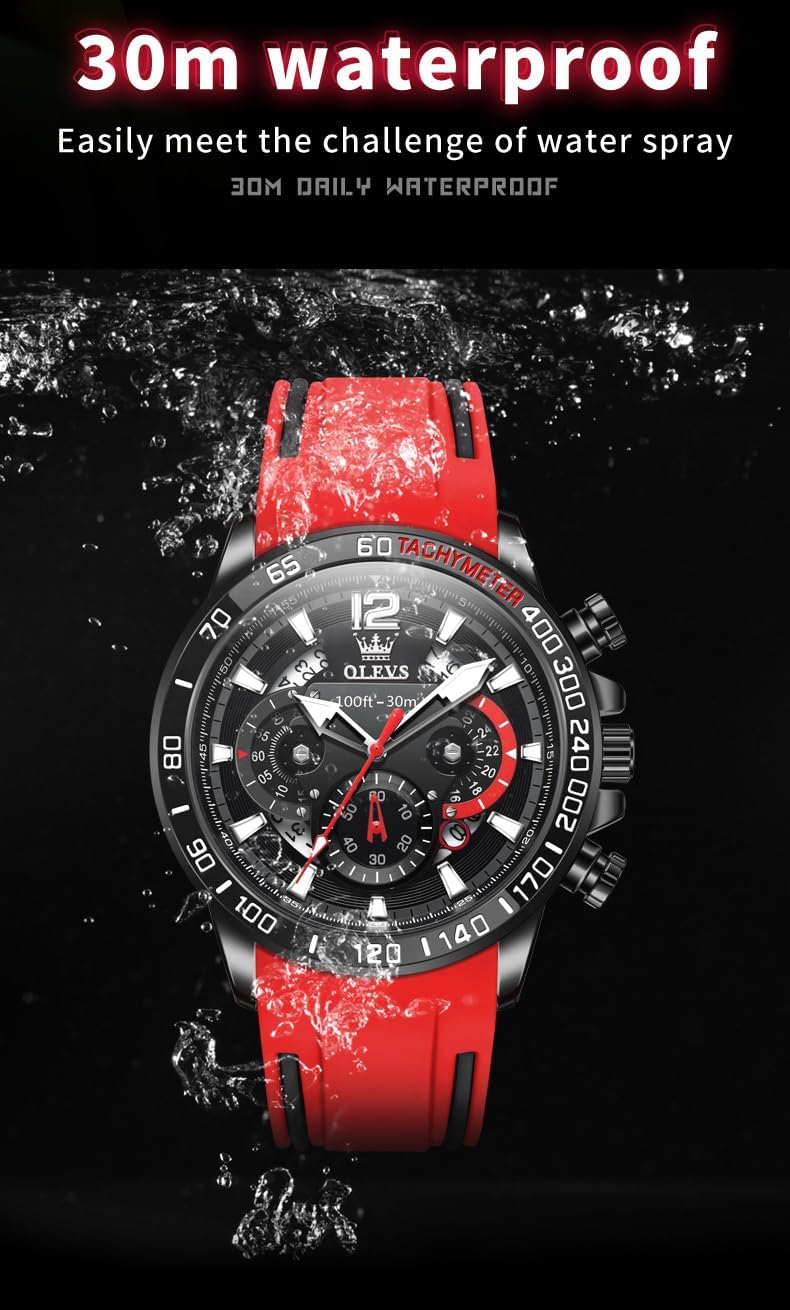
Figure 2.2: Side View and Controls. This image highlights the pushers for the chronograph function and the crown for time and date adjustments located on the side of the watch case.

Figure 2.3: Case Back. The stainless steel case back is shown, indicating water resistance and movement type.

Figure 2.4: Silicone Strap. A close-up of the durable and comfortable red silicone strap with its buckle closure.
3. Setup
3.1 Initial Setup
Your OLEVS watch comes ready to wear. Before first use, ensure the crown is pushed in to start the movement. If the watch is not running, it may need to be set.
3.2 Activating Luminous Function
The luminous function on the hands and hour markers needs to be activated by light. Expose the watch face to a bright light source (natural sunlight or artificial light) for a few minutes to charge the luminous material. The longer the exposure, the brighter and longer the glow will last in the dark.
Figure 3.1: Luminous Display. This image illustrates the watch face glowing in the dark after being charged by light, highlighting the visibility of the hands and hour markers.
4. Operating Instructions
4.1 Setting the Time and Date
- Pull the crown out to the first click position.
- Rotate the crown clockwise or counter-clockwise to adjust the date.
- Pull the crown out to the second click position.
- Rotate the crown to set the hour and minute hands. Ensure to set the correct AM/PM time, as the date changes around midnight.
- Once the time is set, push the crown back into its normal position to start the watch.
4.2 Using the Chronograph Function
The chronograph function allows for precise time measurement.
- Start/Stop: Press the top pusher (A) to start the chronograph. Press it again to stop.
- Reset: With the chronograph stopped, press the bottom pusher (B) to reset all chronograph hands to zero.

Figure 4.1: Chronograph Controls. This diagram illustrates the location of the chronograph pushers (top and bottom) and the functions of the sub-dials (minute hand timing, 24 hours, second hand timing, and calendar window).
5. Maintenance
5.1 Water Resistance
This watch is 30M (100FT) water resistant. This means it can withstand splashes or brief immersion in water, making it suitable for recreational surfing, sailing, and water sports. It is not suitable for swimming, diving, or bathing. Do not operate the crown or pushers when the watch is wet or submerged.

Figure 5.1: Water Resistance Demonstration. An image showing the watch being splashed with water, illustrating its 30M water resistance capability for daily use and light water activities.
5.2 General Care
- Clean the watch regularly with a soft, dry cloth. For the silicone strap, a damp cloth with mild soap can be used, then dry thoroughly.
- Avoid exposing the watch to extreme temperatures (hot or cold) or sudden temperature changes.
- Keep the watch away from strong magnetic fields, as this can affect the accuracy of the quartz movement.
- Avoid direct contact with solvents, detergents, perfumes, and cosmetics, as they may damage the case, strap, or seals.
6. Troubleshooting
| Problem | Possible Cause | Solution |
|---|---|---|
| Watch not running | Crown pulled out; battery depleted. | Push crown back in. If still not running, battery may need replacement by a professional. |
| Time is inaccurate | Exposure to strong magnetic fields; low battery. | Demagnetize the watch (professional service recommended). Replace battery if needed. |
| Luminous function not glowing | Insufficient light exposure. | Expose the watch to bright light for a longer period to charge the luminous material. |
| Chronograph hands not resetting to zero | Needs calibration. | Consult a watch repair professional for chronograph hand alignment. |
7. Specifications
| Feature | Detail |
|---|---|
| Brand | OLEVS |
| Model Number | YPF-S-G9936-RH |
| Movement | Quartz |
| Case Diameter | 46mm |
| Case Thickness | 12.5mm |
| Strap Material | Silicone |
| Water Resistance | 30M (100FT) |
| Functions | Chronograph, Luminous, Calendar |
| Weight | 3.28 ounces (approx. 93g) |
8. Warranty & Support
OLEVS offers a 30-day free return period and a 1-year warranty period for this watch. This warranty covers manufacturing defects under normal use.
For any issues or support inquiries, please contact OLEVS customer service through the platform where you purchased the product or refer to the contact information provided with your watch packaging. Please have your model number (YPF-S-G9936-RH) and purchase details ready when contacting support.
For more information, you may visit the official OLEVS store: OLEVS Store on Amazon.
9. Product Video
Video 9.1: OLEVS Watch Overview. This video provides a visual overview of the OLEVS Mens Chronograph Watch, showcasing its design, features, and how it looks when worn. It highlights the watch's style, luminous display, and water resistance.
Related documentsYPF-S-G9936-RH


Ask a question about this manual
Ask about setup, troubleshooting, compatibility, parts, safety, or missing instructions. Manuals+ will review the question and use this page’s manual context to help answer it.