
Introduction
Welcome to the user manual for your new Kenmore 24" Built-in Dishwasher. This appliance is designed to provide efficient and thorough cleaning for your dishes, featuring advanced technologies like the 3-stage UltraWash Filter, SmartWash Cycle, and SmartDry technology. This manual will guide you through the setup, operation, maintenance, and troubleshooting of your dishwasher to ensure optimal performance and longevity.

Front view of the Kenmore 24-inch white built-in dishwasher, showcasing its sleek design.
Key Features
UltraWash Filter System
The 3-stage UltraWash Filter captures particles as small as fine sand, ensuring that debris is effectively removed and does not redeposit on your dishes. This system continuously filters wash water throughout each cycle for a sparkling clean every time. The filter is easily removable for monthly cleaning.

Water spraying inside the dishwasher, demonstrating the powerful cleaning action of the UltraWash System.
SmartWash Cycle
The SmartWash Cycle takes the guesswork out of dishwashing. Sensor technology detects the soil levels in the water and automatically adjusts the water temperature, pressure, and cycle time to deliver the best clean for each unique load. This ensures optimal cleaning performance while conserving resources.

A sensor in the dishwasher tub actively monitoring water conditions for the SmartWash Cycle.
SmartDry Technology
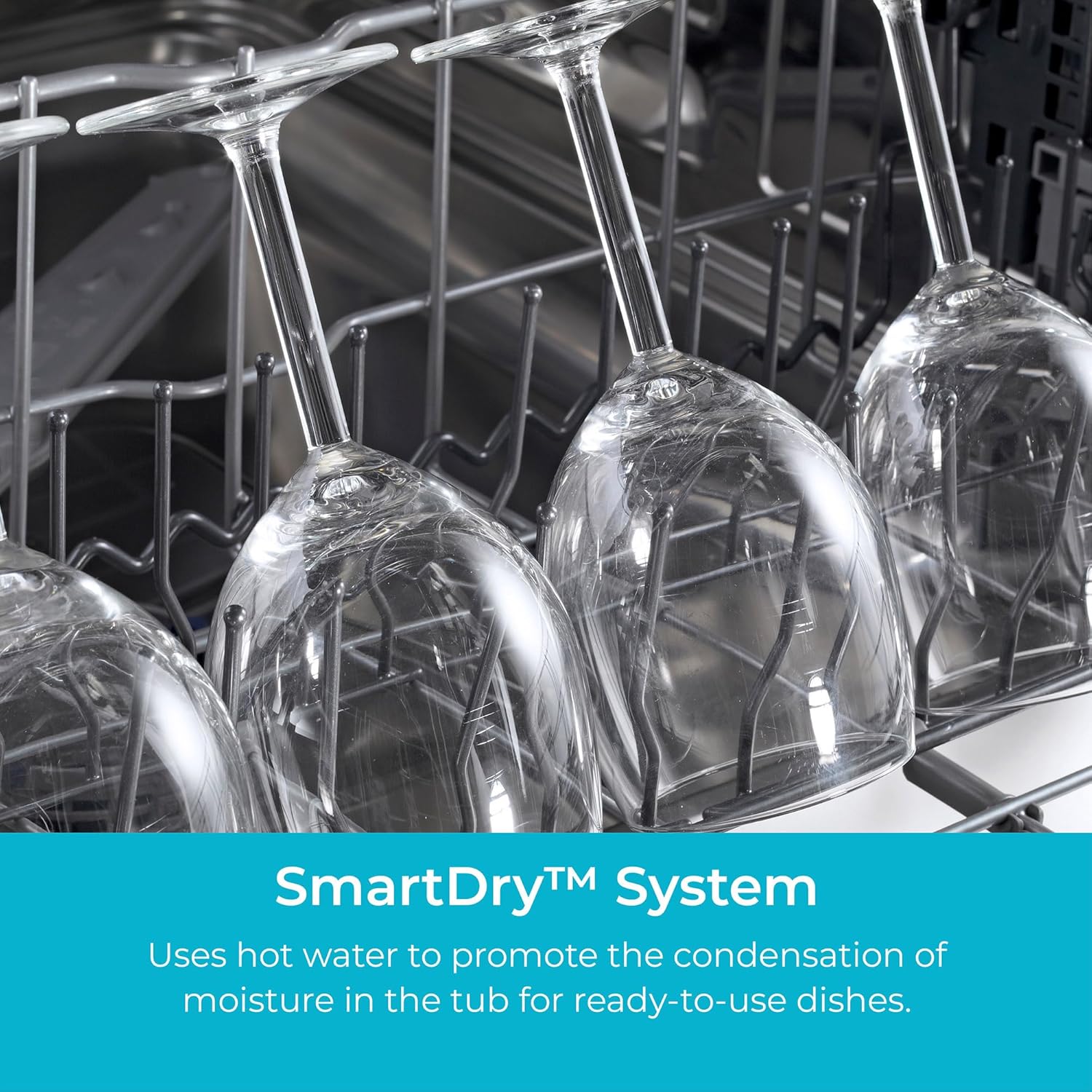
Paired with SmartDry technology, this dishwasher uses hot water to promote condensation and dry dishes quickly. This process ensures your plates and plastic containers come out cabinet-ready. For an added boost on hard-to-dry items, the Extra Dry option is available.

Wine glasses on the top rack, illustrating the thorough drying provided by the SmartDry System.
MoreSpace Adjustable Rack
The MoreSpace Adjustable Rack system offers exceptional flexibility. The upper rack can be easily raised, lowered, or even removed entirely to accommodate large pots, tall items, or delicate stemware. This allows you to customize the interior space to fit up to 14 place settings or just a few items using the Half Load option.

The adjustable upper rack provides flexibility for loading various dish sizes.
Half Load Option
For times when you don't have a full load of dishes, the Half Load option allows you to wash a smaller quantity efficiently without wasting water or energy. This feature is perfect for daily use or when you need a few items cleaned quickly.
The dishwasher interior showing a partial load, ideal for using the Half Load Option.
Quiet Operation
Operating at a quiet 57 dBA, this Kenmore dishwasher minimizes noise disruption in your home. You can run cycles without interrupting conversations or disturbing your household activities, making it suitable for open-concept living spaces.

The dishwasher blends into the kitchen environment, emphasizing its quiet performance.
Sanitize Rinse Option
For seriously clean and sanitized dishes, this ENERGY STAR certified dishwasher includes a UL-certified Sani Rinse option. This feature uses high-temperature water during the final rinse to eliminate bacteria, providing an extra level of hygiene for your dishware.
Setup and Installation
Proper installation is crucial for the safe and efficient operation of your Kenmore dishwasher. It is highly recommended to have the appliance installed by a qualified professional. Please refer to the separate installation guide provided with your dishwasher for detailed instructions, electrical requirements, and plumbing connections.
Dimensions and Placement
Ensure that the installation area meets the required dimensions for a built-in dishwasher. Proper clearance and leveling are essential for optimal performance and noise reduction.

Front view with key dimensions for installation planning.

Side view with depth measurement for proper cabinet fit.

Rear view, indicating connection points for water and power.
Operating Instructions
Control Panel
Your Kenmore dishwasher features intuitive touch controls and an LED display for easy operation. The control panel allows you to select cycles, add options, and monitor the progress of your wash.

The touch control panel provides access to all wash cycles and options.
Cycle Options
Select the appropriate wash cycle based on the soil level and type of dishes:
- Normal: For regularly soiled dishes.
- Smart Wash: Automatically adjusts settings based on soil level.
- Pots & Pans: For heavily soiled items and cookware.
- Delicate: Gentle wash for fragile items.
- Express: Quick wash for lightly soiled dishes (approx. 50 minutes).
- Quick Wash: A faster cycle for everyday loads.
Enhance your wash with these additional options:
- Delay Start: Postpone the start of a cycle by 1 to 24 hours.
- Extra Dry: Provides an extended drying period for improved results.
- Extra Rinse: Adds an additional rinse cycle.
- Half Load: Optimizes water and energy for smaller loads.
- High Temp: Increases wash temperature for enhanced cleaning.
Loading the Dishwasher
For best cleaning results, load dishes properly. Scrape off large food particles. Avoid overcrowding the racks to allow water and detergent to reach all surfaces. Place glasses and cups upside down, and ensure larger items do not block the spray arms. Utilize the adjustable racks and cutlery basket for efficient organization.
Care and Maintenance
Regular maintenance helps keep your dishwasher performing at its best and extends its lifespan.
Cleaning the UltraWash Filter
The 3-stage UltraWash Filter should be cleaned monthly or as needed. To clean, remove the filter assembly from the bottom of the dishwasher. Separate the components and rinse them under running water to remove any trapped food particles. Use a soft brush if necessary for stubborn debris. Reassemble and securely place the filter back into the dishwasher.
Exterior Cleaning
For the stainless steel exterior, use a soft cloth and a mild, non-abrasive cleaner specifically designed for stainless steel. Wipe in the direction of the grain to prevent streaks. Avoid harsh chemicals or abrasive pads that can scratch the surface.
Interior Cleaning
Periodically run an empty dishwasher cycle with a dishwasher cleaner or a cup of white vinegar placed in the top rack to remove mineral buildup and odors. Ensure the interior is free of food debris before running this cycle.
Troubleshooting Guide
Before calling for service, try these simple solutions for common issues:
| Problem | Solution |
|---|---|
| Dishes not clean | Check UltraWash filter for clogs. Ensure dishes are loaded correctly without blocking spray arms. Use appropriate detergent and rinse aid. |
| Dishwasher not draining | Verify drain hose is not kinked or clogged. Check UltraWash filter for excessive debris. |
| Dishwasher is noisy | Ensure dishes are not rattling against each other or hitting spray arms. Check for foreign objects in the pump area. |
| Dishes not drying | Ensure SmartDry technology is active. Use rinse aid. Select the Extra Dry option for improved results. |
| Leak detected | The built-in leak detection system will automatically drain the tub. Check water connections and door seal for issues. |
Product Specifications
| Specification | Detail |
|---|---|
| Brand | Kenmore |
| Model Name | Built-In Stainless Steel Tub Dishwasher |
| Model Number | 2214582 |
| Voltage | 115 Volts |
| Capacity | 14 Place Settings |
| Noise Level | 57 dB |
| Product Dimensions (D x W x H) | 24.61" x 23.55" x 33.88" |
| Material | Stainless Steel |
| Finish Type | Stainless steel (Tub) / White (Exterior) |
| Certification | Energy Star |
| Included Components | Cutlery Basket |
Warranty and Support
Warranty Information
Your Kenmore dishwasher is covered by a manufacturer's warranty. Please refer to the warranty card included with your product for specific terms, conditions, and duration of coverage. Keep your proof of purchase for warranty claims.
Customer Support
For technical assistance, service requests, or to purchase replacement parts, please visit the official Kenmore website or contact Kenmore customer service. Contact information can typically be found on the Kenmore website or in your product's documentation.


