
Paulmann 71111
Paulmann MaxLED 500 Strip LED Full-Line COB User Manual
Model: 71111
1. Introduction
This manual provides instructions for the installation, operation, and maintenance of your Paulmann MaxLED 500 Strip LED Full-Line COB Base Kit. Please read these instructions carefully before use to ensure safe and optimal performance of the product.
The MaxLED 500 Full-Line COB Strips are designed for glare-free work lighting, suitable for kitchen countertops or other work surfaces. This 3-meter base kit features 15 W power and 640 LEDs/m, providing homogeneous illumination without visible light points. The luminous connector allows for a perfect connection that extends the linear light visual without visible interruption. In addition to the strips, the base kit includes a 5-pin adapter that allows connection to all MaxLED accessories and control components. Thanks to the intelligent Tunable White light control, you can customize the color temperature of the strip from a daylight white for work lighting to a warmer white more conducive to relaxation. The 10 mm wide strip is ideal for delicate LED profiles, and its 180° beam angle ensures excellent light distribution without shadows. A continuous phosphor layer protects the LEDs from dust and moisture; contact points are IP20 rated. Extending the base kit is easy with a suitable individual strip.
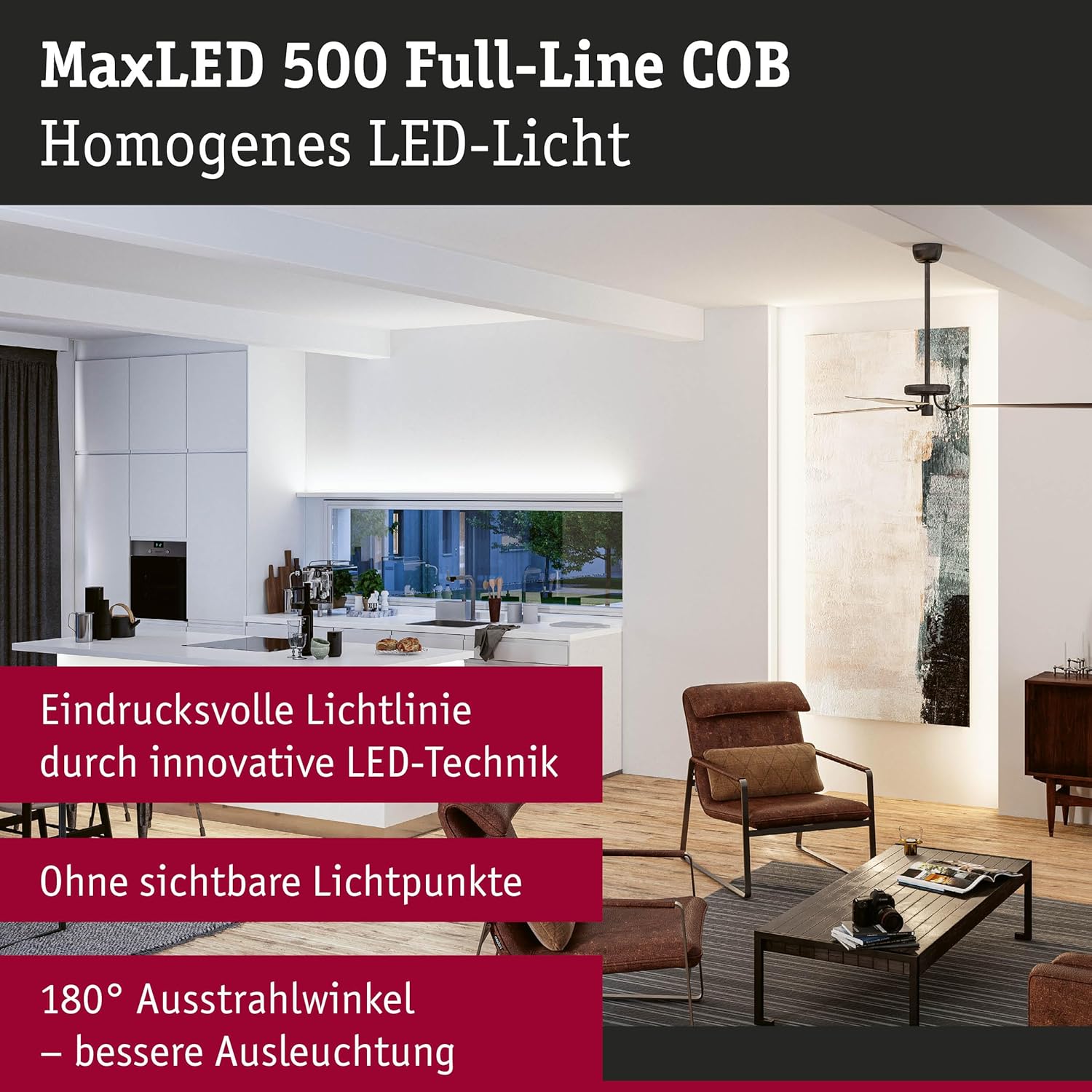
Image 1.1: Example of MaxLED 500 Full-Line COB strip lighting in a living room setting, highlighting homogeneous LED light and a 180° beam angle for better illumination.
2. Package Contents
The Paulmann MaxLED 500 Strip LED Full-Line COB Base Kit includes the following components:
- 1x MaxLED 500 Full-Line COB LED Strip (3m length, 15W, 640 LEDs/m)
- 1x 5-pin adapter for connecting to MaxLED accessories
- 1x Power supply unit (36VA)
- 1x Remote control
- Instruction Manual

Image 2.1: Overview of the MaxLED 500 Full-Line COB Basic Set, showing the product packaging and all components: the LED strip, remote control, power supply, and connection cables.

Image 2.2: Detailed diagram illustrating the contents and dimensions of the MaxLED 500 kit, including the power supply, controller, and the 3-meter LED strip, which is 10mm wide and 2.3mm thick.
3. Setup and Installation
Follow these steps to set up your MaxLED 500 Strip LED:
- Prepare the Surface: Ensure the installation surface is clean, dry, and smooth for optimal adhesion of the LED strip.
- Measure and Cut (if necessary): The LED strip can be cut every 2.5 cm at designated marks. Use sharp scissors for a clean cut. Warning: Cutting at non-marked points will damage the strip.
- Attach the Strip: Remove the protective backing from the adhesive tape on the back of the LED strip. Carefully press the strip onto the desired surface.
- Connect Components:
- Connect the 5-pin adapter to the end of the LED strip.
- Connect the adapter to the controller.
- Connect the controller to the power supply unit.
- Plug the power supply unit into a standard electrical outlet.
- Extension (Optional): The base kit can be extended with additional individual strips up to a maximum length of 5.5 meters. Ensure compatibility with MaxLED accessories and control components.

Image 3.1: Key features for setup, including the adhesive backing, high LED density (640 LEDs/m), cuttable sections every 2.5 cm, and the easy-to-connect plug system.
4. Operating Instructions
The MaxLED 500 Strip LED is controlled via the included remote control. Ensure the power supply is connected and the strip is properly installed.
4.1 Remote Control Functions
The remote control allows you to:
- Power On/Off: Turn the LED strip on or off.
- Brightness Adjustment: Increase or decrease the light intensity.
- Tunable White Control: Adjust the color temperature from cool daylight white (for work) to warm white (for relaxation).
- Scene Selection: Pre-programmed lighting modes (if available on your specific remote).
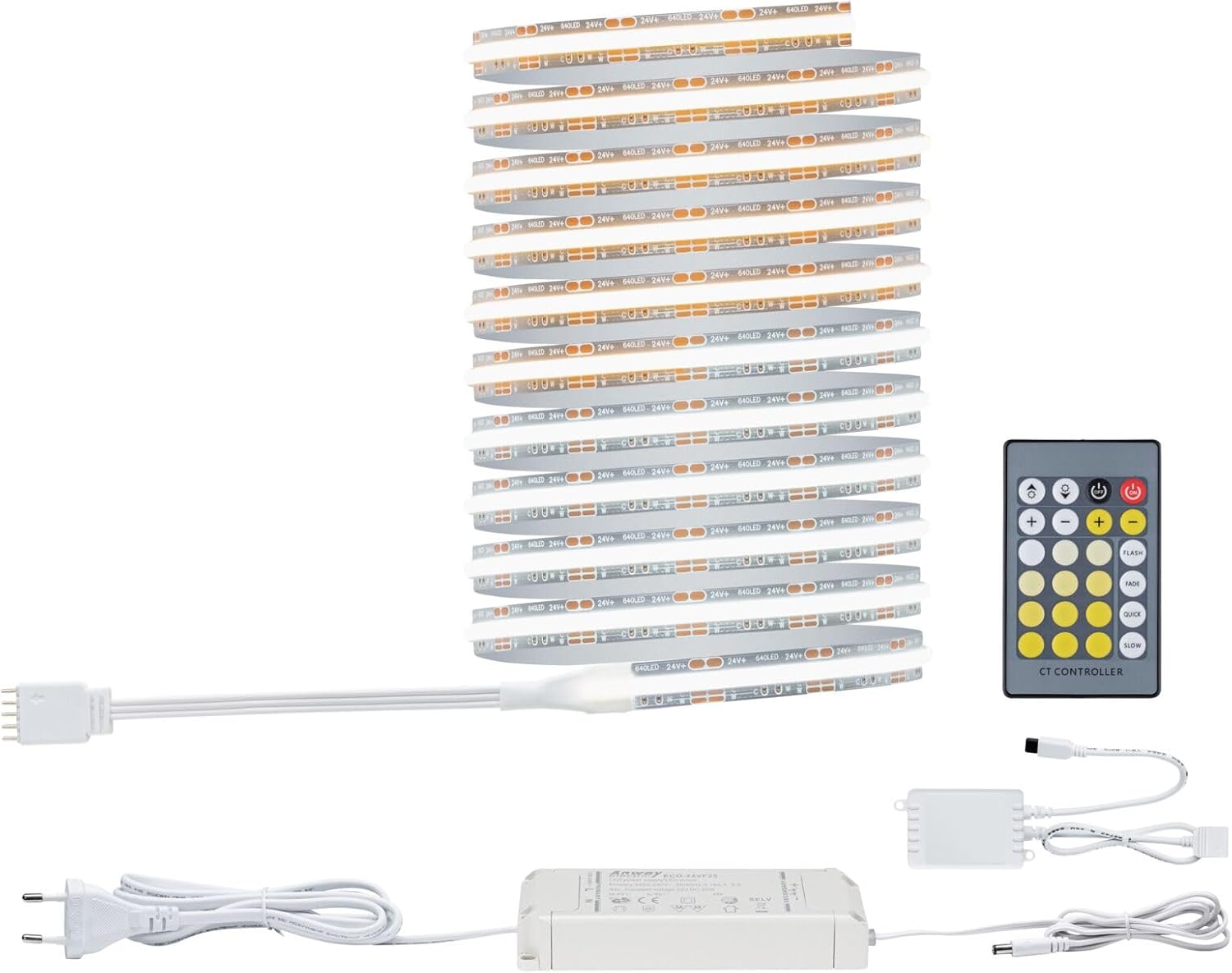
Image 4.1: The MaxLED 500 kit components, including the remote control used for operating the LED strip's power, brightness, and Tunable White features.
4.2 Tunable White Functionality
Utilize the Tunable White feature to adapt the lighting to your needs:
- For focused work or tasks requiring high alertness, select a cooler, daylight white.
- For creating a cozy or relaxing atmosphere, choose a warmer white.
The remote control will have dedicated buttons or a slider for adjusting the color temperature.
5. Maintenance and Care
To ensure the longevity and optimal performance of your MaxLED 500 Strip LED, follow these maintenance guidelines:
- Cleaning: Disconnect the power before cleaning. Use a soft, dry cloth to gently wipe the LED strip. Do not use abrasive cleaners, solvents, or excessive moisture, as this can damage the strip and its IP20 rated contact points.
- Dust Protection: The continuous phosphor layer helps protect the LEDs from dust. Regular gentle cleaning will maintain light output.
- Environmental Conditions: This product is designed for indoor use. Avoid exposing the strip to extreme temperatures, direct water spray, or high humidity, which are beyond its IP20 rating for contact points.
- Light Source: The LED light source is not replaceable. If the light source fails, the entire luminaire must be replaced.
- Controller: The controller can be replaced by the end-user without damaging the luminaire.
6. Troubleshooting
If you encounter issues with your MaxLED 500 Strip LED, refer to the following common problems and solutions:
| Problem | Possible Cause | Solution |
|---|---|---|
| LED strip does not light up. |
|
|
| Remote control is not working. |
|
|
| Inconsistent light or flickering. |
|
|
If the problem persists after trying these solutions, please contact Paulmann customer support.
7. Technical Specifications
| Feature | Specification |
|---|---|
| Brand | Paulmann |
| Model Number | 71111 |
| Product Dimensions (L x W x H) | 300 x 1 x 0.22 cm (3m x 10mm x 2.2mm); 407 grams |
| Style | Base Kit |
| Color | Silver |
| Material | Plastic |
| Number of LEDs | 640 LEDs/meter |
| Components Included | Remote Control, Assembly Instructions |
| Voltage | 230 Volts |
| Special Features | Energy Efficiency, Tunable White |
| Power Source | AC/DC |
| Batteries Required | Yes (for remote control) |
| Bulb Type | LED (COB Full-Line) |
| Wattage | 15 Watts |
| Color Temperature | 2700 Kelvin (Tunable White range from warm to daylight white) |
| Item Weight | 407 g |
| Ingress Protection (Contact Points) | IP20 |
| Beam Angle | 180° |
| Max. Extendable Length | Up to 5.5 meters |
8. Warranty and Support
Paulmann provides a 5-year warranty for this product. Please refer to the warranty card included in your package or visit the official Paulmann website for detailed warranty terms and conditions.
For technical support, troubleshooting assistance, or inquiries regarding replacement parts, please contact Paulmann customer service. Contact information can typically be found on the product packaging or the official Paulmann website.
Note on Light Source: The light source in this luminaire is not replaceable. When the light source reaches its end of life, the entire luminaire must be replaced. The controller, however, can be replaced by the end-user without damaging the luminaire.
Related documents71111


Ask a question about this manual
Ask about setup, troubleshooting, compatibility, parts, safety, or missing instructions. Manuals+ will review the question and use this page’s manual context to help answer it.