
1. Introduction
Thank you for choosing the ocioc 52-inch Ceiling Fan. This manual provides essential information for the safe installation, operation, and maintenance of your new ceiling fan. Please read all instructions carefully before beginning installation and retain this manual for future reference.
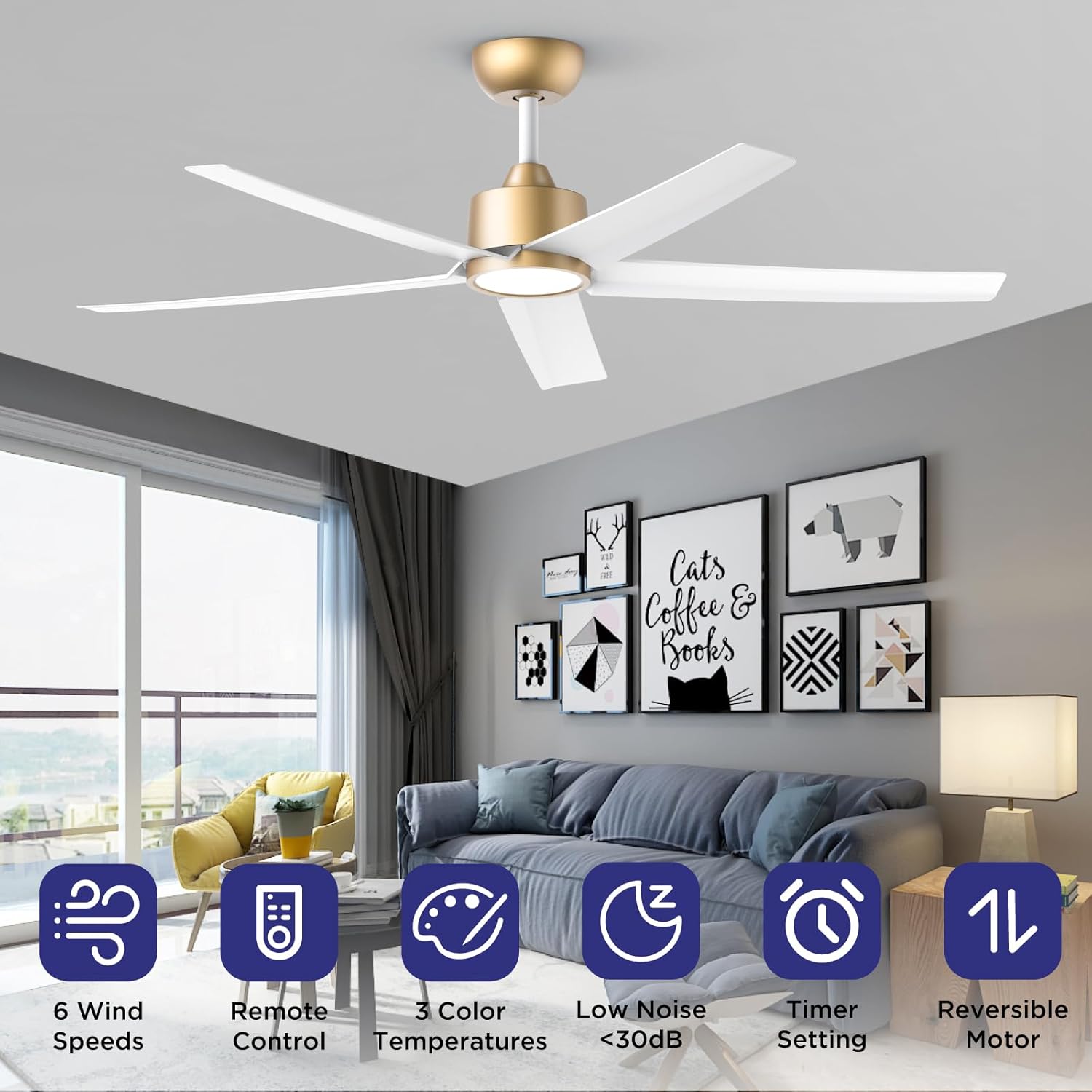
Figure 1: Overview of the ocioc 52-inch Ceiling Fan highlighting its key features.
2. Safety Information
- Always disconnect power at the main circuit breaker before installation or servicing.
- Ensure all electrical connections comply with local codes and ordinances.
- The fan must be mounted to a ceiling joist or support structure capable of supporting the fan's weight.
- Do not use a dimmer switch with this fan, as it may cause excessive noise. Use a regular ON/OFF wall switch.
- Keep hands and objects clear of the fan blades during operation.
- This fan is suitable for indoor and covered outdoor spaces.
3. Product Features
- 52-Inch Modern Design: Contemporary ceiling fan with five lightweight and durable ABS plastic blades.
- Quiet Reversible DC Motor: Allows switching between downdraft mode (summer) and updraft mode (winter). Delivers powerful airflow (3000 - 6000 CFM) with whisper-quiet performance (under 30 dB).
- Remote Control: Comprehensive control over fan direction, LED light color temperature, six wind speeds, and convenient timers. Fan and lighting can be controlled independently.
- Three Color Temperatures: Integrated 15W non-dimmable LED light with selectable Warm Light (3000K), Natural Light (4000K), and Cool Light (5000K). Adjustable via remote or wall switch.
- Color Temperature Memory Function: The fan retains the last color temperature setting if turned off for more than seven seconds. If turned on within seven seconds, the color temperature will cycle.
- Mounting Options: Can be hung from standard down rod brackets or on sloping ceilings up to 12°.

Figure 2: The fan operates at an ultra-quiet level, ideal for bedrooms.
4. Package Contents
Verify that all parts are included in your package before beginning installation:
- Fan Motor Assembly
- Hanger Bracket
- Remote Control
- Screw Pack (various screws and anchors)
- Canopy
- Lamp (LED Light Kit)
- Coupling Cover
- Downrod (6 inches)
- 5 ABS Blades
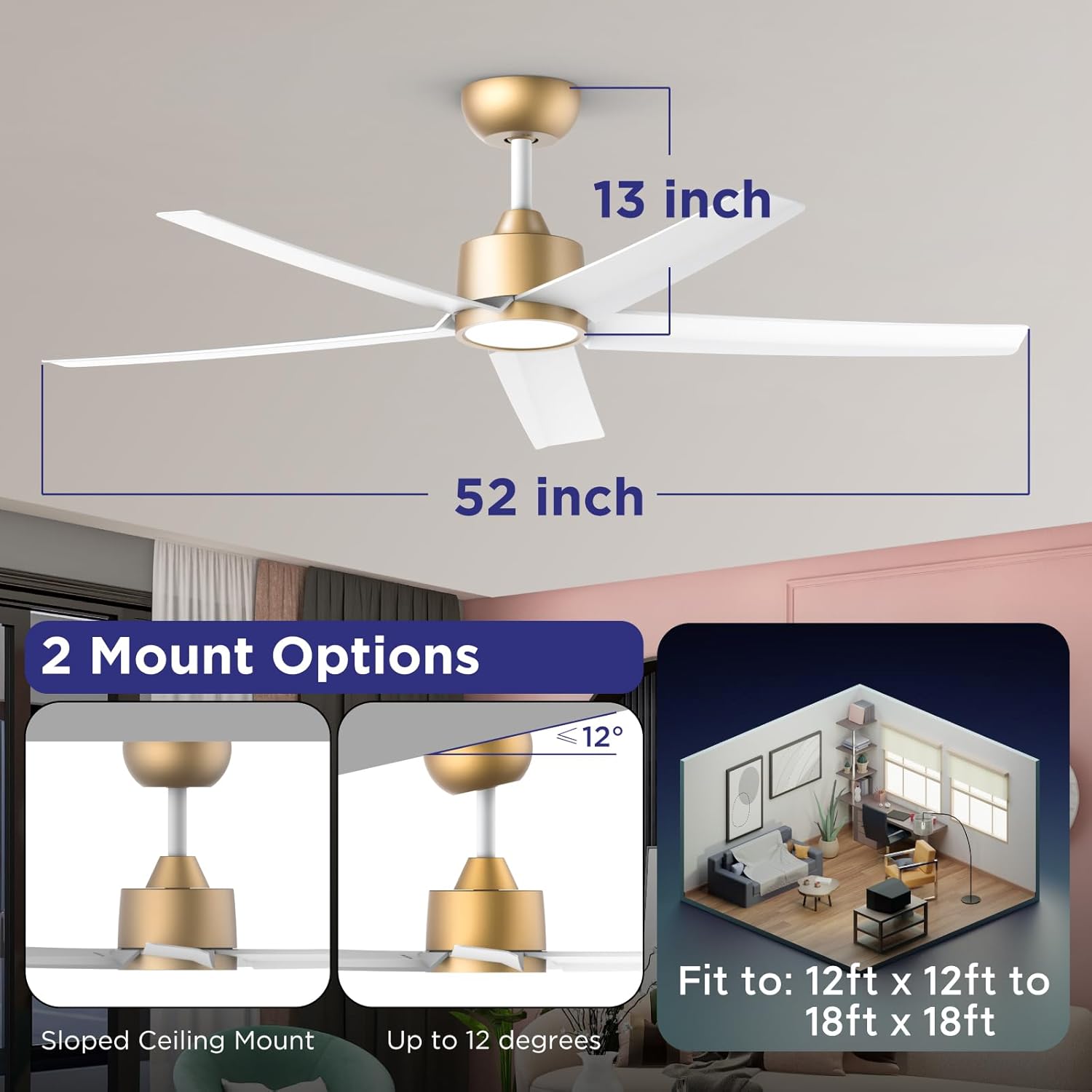
Figure 3: Fan dimensions and mounting options.
5. Installation
Follow these steps for proper installation. It is recommended to have a qualified electrician perform the installation.
- Mount the Hanger Bracket: Securely attach the hanger bracket to the ceiling junction box using the provided screws. Ensure it is firmly attached to a structural beam.
- Assemble Blades: Attach the five ABS blades to the fan motor assembly using the provided screws.
- Connect Lamp Wires: Connect the wires from the LED lamp to the corresponding wires on the fan motor assembly.
- Attach Downrod: Insert the downrod through the canopy and coupling cover. Feed the fan wires through the downrod. Secure the downrod to the fan motor assembly with the provided pin and screws.
- Hang the Fan: Carefully lift the fan assembly and hang it onto the hanger bracket.
- Electrical Connections: Connect the fan's electrical wires (live, neutral, ground) to the corresponding house wires. Ensure all connections are secure with wire nuts. Connect the fan light controller as per the diagram.
- Secure Canopy: Slide the canopy up to the ceiling and secure it to the hanger bracket with screws.
Installation Video
Video 1: Detailed installation guide for the ocioc Ceiling Fan (Model W5, similar to 9001).
6. Operating Instructions
Your ocioc ceiling fan is operated using the included remote control.
Remote Control Functions
- Power Button: Turns the fan and light ON/OFF.
- Fan Speed (1-6): Select from six different wind speeds. '1' is the lowest, '6' is the highest.
- Fan Direction: Toggle between downdraft (summer) and updraft (winter) modes.
- Light ON/OFF: Independently control the LED light.
- Color Temperature (CCT): Cycle through Warm Light (3000K), Natural Light (4000K), and Cool Light (5000K).
- Timer (1H, 2H, 4H): Set the fan to automatically turn off after 1, 2, or 4 hours.
Color Temperature Memory Function
To retain your preferred light color temperature, ensure the light is turned OFF for at least seven seconds before turning it back ON. If the light is turned ON within seven seconds, the color temperature will change to the next setting in the cycle.

Figure 4: Reversible DC Motor for year-round comfort.

Figure 5: Three selectable light color temperatures.
7. Maintenance
- Cleaning: To clean the fan, wipe with a soft, damp cloth. Do not use abrasive cleaners or solvents.
- Blade Care: Periodically check the fan blades for dust accumulation. Clean them gently to maintain optimal airflow.
- Tighten Screws: Check all screws and connections periodically to ensure they are secure.
8. Troubleshooting
| Problem | Possible Cause | Solution |
|---|---|---|
| Fan does not start | No power to the fan; Loose wire connections; Remote control battery low. | Check circuit breaker; Verify all wire connections; Replace remote control batteries. |
| Light does not work | Loose wire connection to light kit; Faulty LED driver. | Check light kit wiring; Contact customer support for LED driver replacement. |
| Fan wobbles | Loose blades; Improper mounting; Unbalanced blades. | Ensure all blade screws are tight; Verify hanger bracket is securely mounted; Balance blades using a balancing kit (not included). |
| Excessive noise | Loose screws; Fan not properly secured; Dimmer switch in use. | Tighten all screws; Re-check mounting; Replace dimmer switch with a regular ON/OFF switch. |
9. Specifications
| Feature | Specification |
|---|---|
| Brand | ocioc |
| Model Name | 9001 |
| Part Number | OC52-WG-5D-W5 |
| Size | 52 inch Standard |
| Product Dimensions | 52"D x 52"W x 12.2"H |
| Color | Gold |
| Number of Blades | 5 |
| Blade Material | ABS Plastic |
| Motor Type | Quiet Reversible DC Motor |
| Noise Level | 30 Decibels |
| Air Flow Capacity | 6025 Cubic Feet Per Minute |
| Speed | 173 RPM |
| Light Type | Integrated LED |
| Light Wattage | 15 Watts |
| Luminous Flux | 1500 Lumen |
| Color Temperatures | 3000K (Warm), 4000K (Natural), 5000K (Cool) |
| Control Method | Remote Control |
| Power Source | Corded Electric |
| Voltage | 120 Volts (AC) |
| Downrod Length | 6 Inches |
| Indoor/Outdoor Usage | Indoor, Covered Outdoor |
10. Warranty and Support
This ocioc ceiling fan comes with a 5-year manufacturer warranty. For warranty claims, technical support, or replacement parts, please contact ocioc customer service through your retailer or the official ocioc website. Please have your model number (9001) and purchase date available when contacting support.


